
LiveUp - Lock Screen Notes
Live Activity Reminders & Todo
Designed for iPhone
Free · In-app purchases
- Age rating4+
- CategoryUtilities
- Developer朝胜 邓
- LanguagesEnglish+ 3 more
- Size9.0 MB
Links to the official App Store page
Download.org hosts no file of LiveUp - Lock Screen Notes. The button opens its official App Store page, published by 朝胜 邓. Listing last checked on Nov 23, 2026.
Screenshots
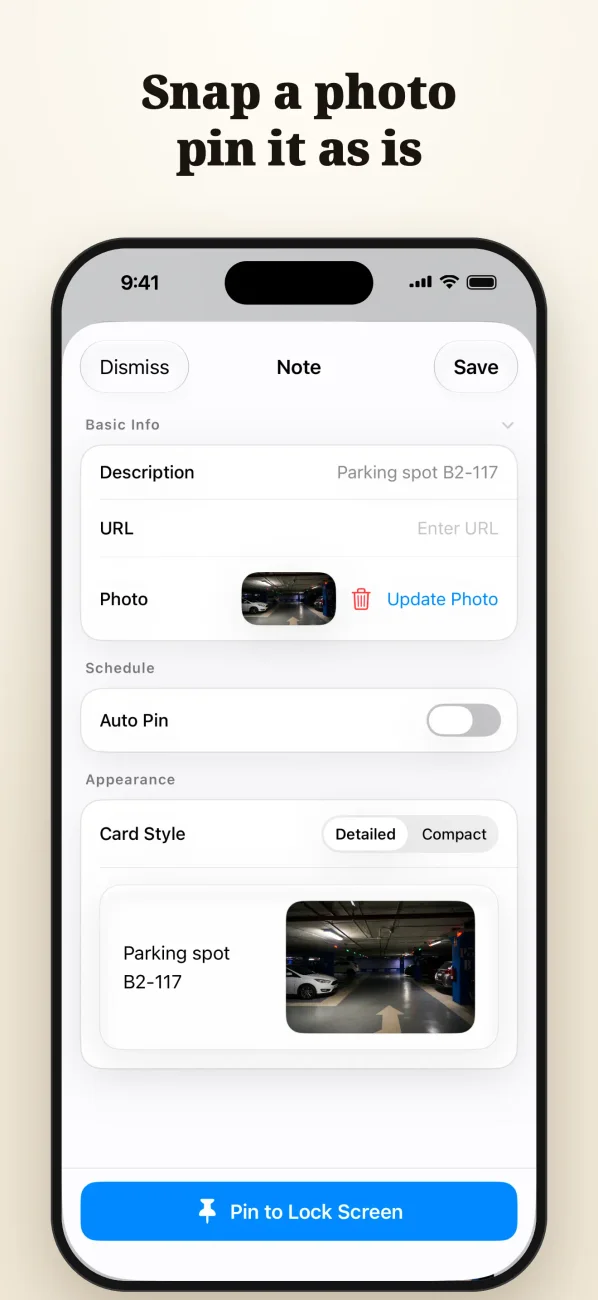
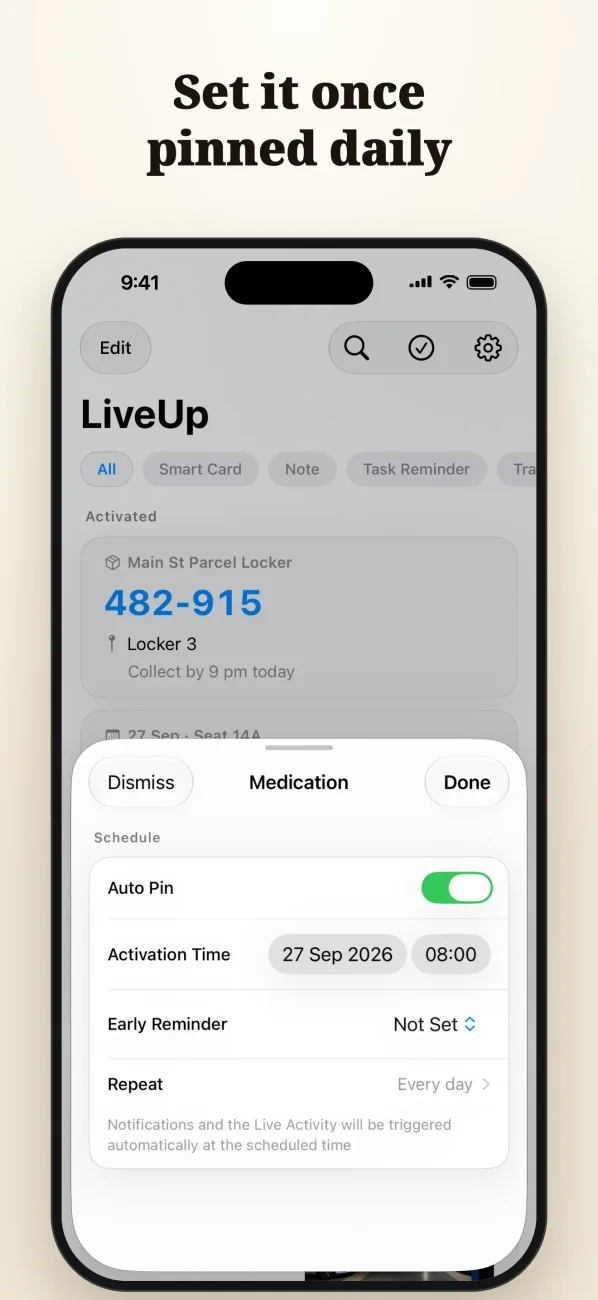
About
Notes and reminders that stay on your Lock Screen.
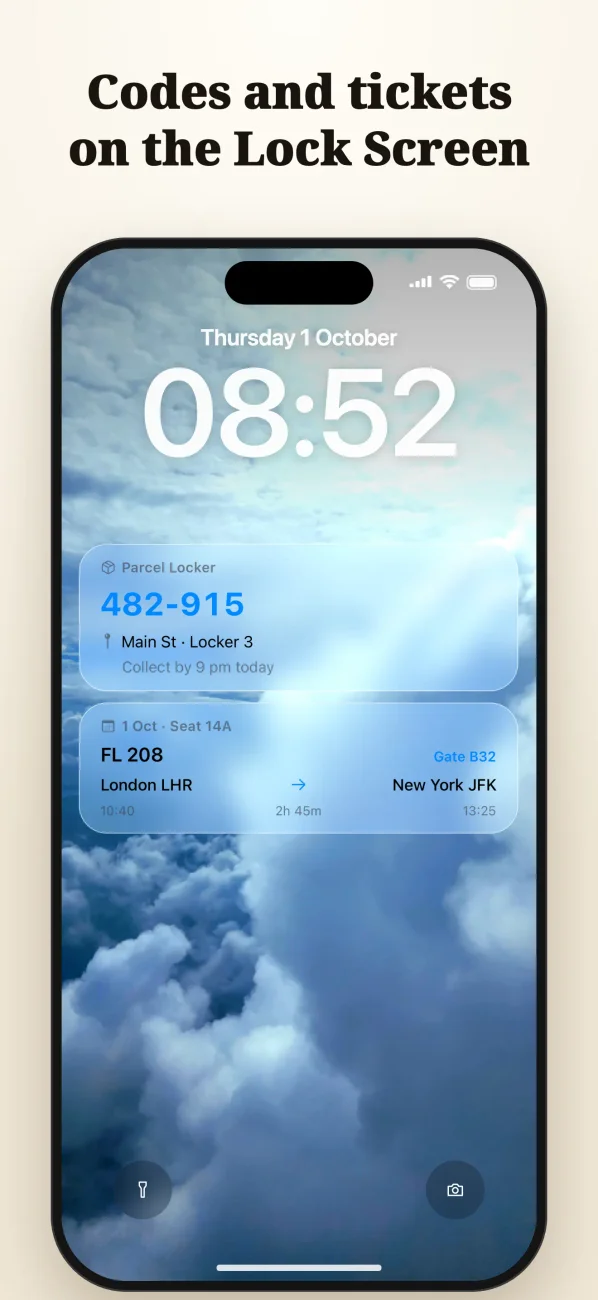
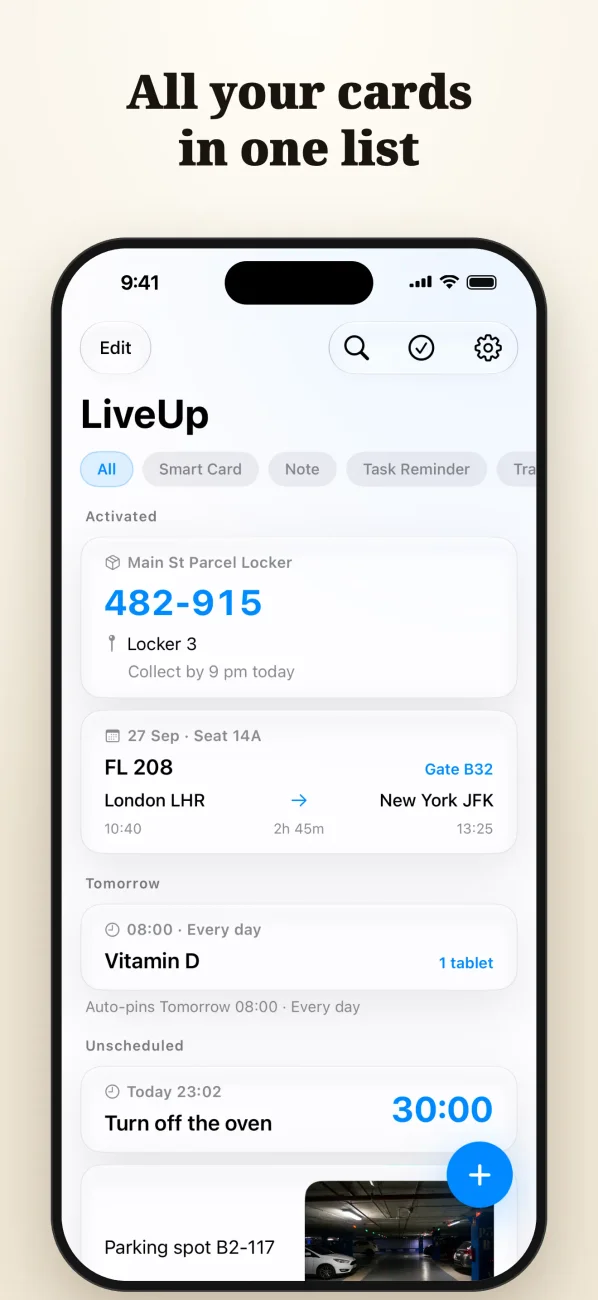
LiveUp pins what you need to remember to your Lock Screen and Dynamic Island as a real Live Activity — not a wallpaper screenshot. Wake your phone and it's right there.
Pin anything:
* Quick notes: door code, parking spot, shopping list, today's one big thing
* Reminders: meetings, bills, meds, pickups — with an alarm when it's time
* Photos: a QR code, a ticket or any screenshot, cropped to just the part you need
* Countdowns and trips: leave-now timers, flights and trains at a glance
Works with Apple Reminders:
* Pick reminders to put on your Lock Screen; changes keep syncing
* Complete one in LiveUp and it's checked off in Reminders too
Show up at the right time:
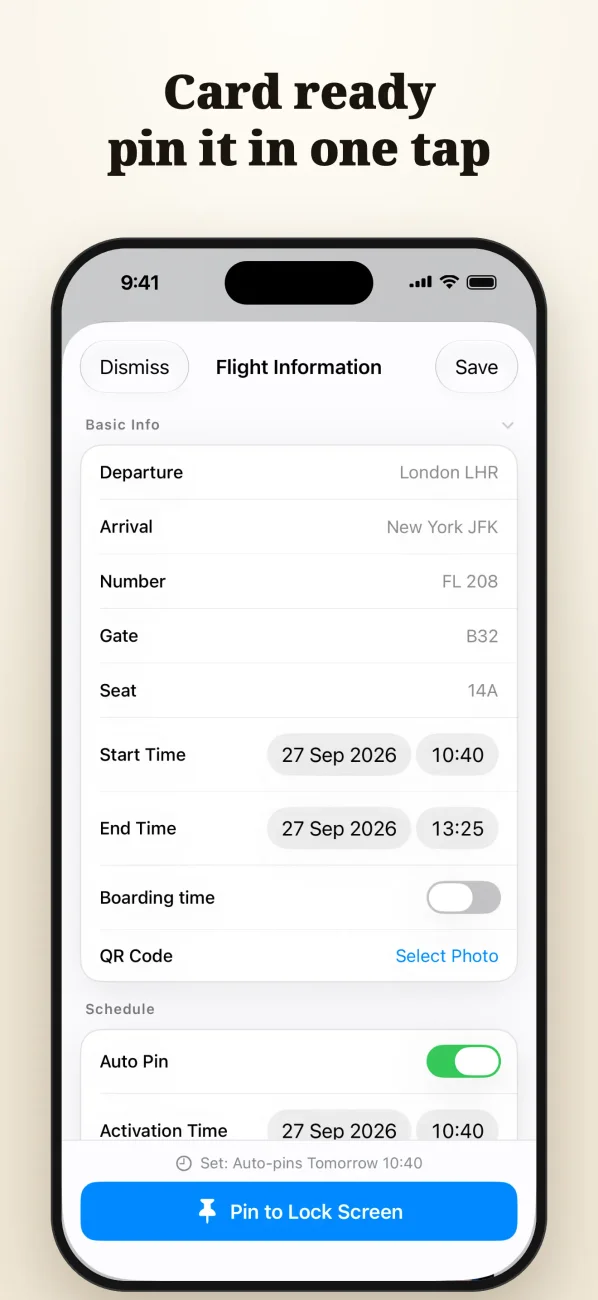
* Schedule a card to appear on your Lock Screen when you need it, and come off when it's done
* Repeat daily, weekly or on your own schedule
Less typing:
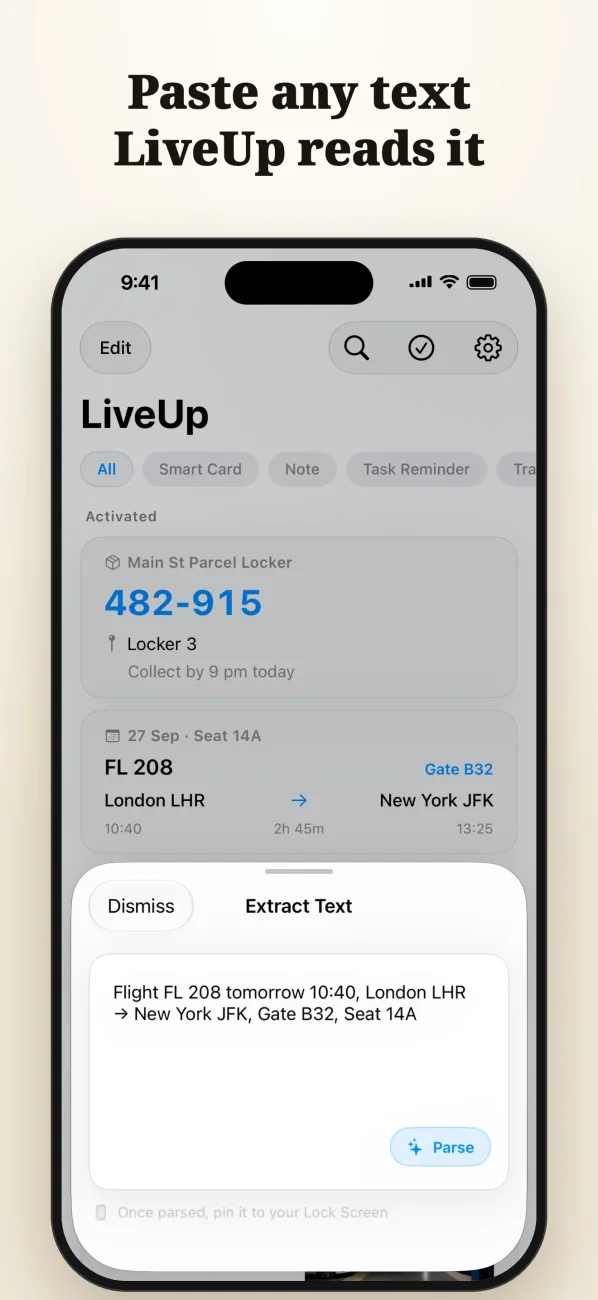
* Paste text or share a screenshot, and AI fills in the details
* Add cards from Shortcuts and automations
Free to start. Pro is $0.99/month or $5.99/year with a free trial, or a one-time lifetime purchase.
Terms of Use: https://www.apple.com/legal/internet-services/itunes/dev/stdeula/
What’s new
Version 2.1.7 · Nov 17, 2026
Pickup codes from your texts now pin themselves to the Lock Screen. Set it up in a few guided steps under Settings › Shortcuts
Lock Screen cards and the Dynamic Island now have a Done button. Tap it and the card goes away, with Undo when you open the app
Home Screen and Lock Screen widgets are now a To Do list of every unfinished card. Tap the circle on a Home Screen widget to complete one
The Shortcuts page is redesigned, so you can add ready-made shortcuts in one tap
The home screen now shows that swiping a card left pins it or unpins it
App privacy
What 朝胜 邓 declares on the App Store about how this app handles data.
-
Data linked to you
May be collected and linked to your identity.
- Health and fitness
- User content
- Identifiers
-
Data not linked to you
May be collected but is not linked to your identity.
- User content
Privacy practices may vary, for example with the features you use or your age.
Information
- Seller
- 朝胜 邓
- Category
- Utilities
- Version
- 2.1.7
- Updated
- Nov 17, 2026
- Released
- Oct 19, 2023
- Size
- 9.0 MB
- Requires
- iOS 17.2 or later
- Age rating
- 4+
- Price
- Free
- In-app purchases
- Yes
- Languages
- English, Japanese, Simplified Chinese, Traditional Chinese
- Copyright
- © 2026 朝胜 邓
You might also like
-
 DoBuff-Time ManagementReminders/Calendar Enhancement
-
 Noise Meter - NoisePodB Sound Noise Meter & Tracker
-
 归否|从归物开始,让一切各有其归Utilities
-
 HambookUtilities
-
 Today Widget - Memory of PastLife is Bitter, Put some Sugar
-
 装修预算表 - 装修记账、预算管理与装修手册Utilities
-
 Pocket Pass: Password ManagerOffline Vault & Authenticator
-
 RAR Extractor・Unrar・UnarchiverExtract File・Reader・Opener
-
 小鱼短信Utilities
-
 短信拦截 - 拒收垃圾短信防骚扰Utilities