
Local 3D Model Converter
Batch STL OBJ FBX GLB 3MF USD
Designed for iPhone, iPad, Mac
Free · In-app purchases
- Age rating4+
- CategoryGraphics & Design
- DeveloperShanghai Fuwei Information Technology Co., Ltd.
- LanguagesEnglish+ 9 more
- Size10.6 MB
Links to the official App Store page
Download.org hosts no file of Local 3D Model Converter. The button opens its official App Store page, published by Shanghai Fuwei Information Technology Co., Ltd. Listing last checked on Nov 12, 2026.
Screenshots
About
Choose a model, choose a format, get your converted file.
Local 3D Model Converter runs on iPhone, iPad and Mac. Parsing, conversion and preview happen on your device. No account needed; models are never uploaded to a server.
For one file or many
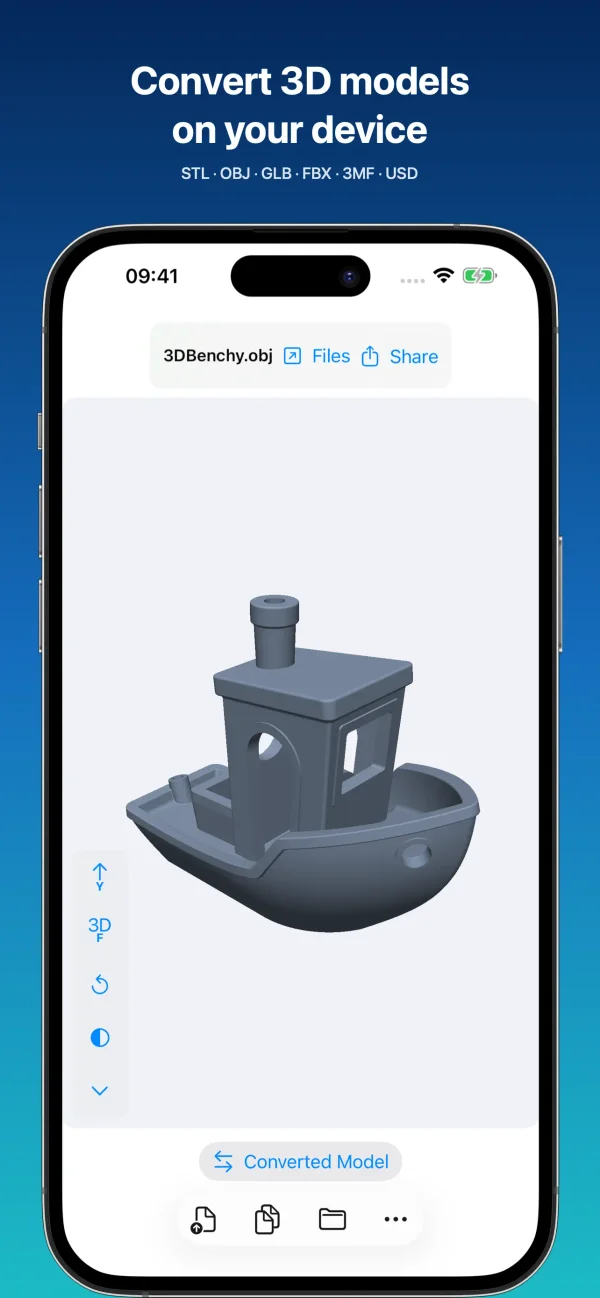
• Single File: choose a model and output format, compare source and result, then share or locate the output.
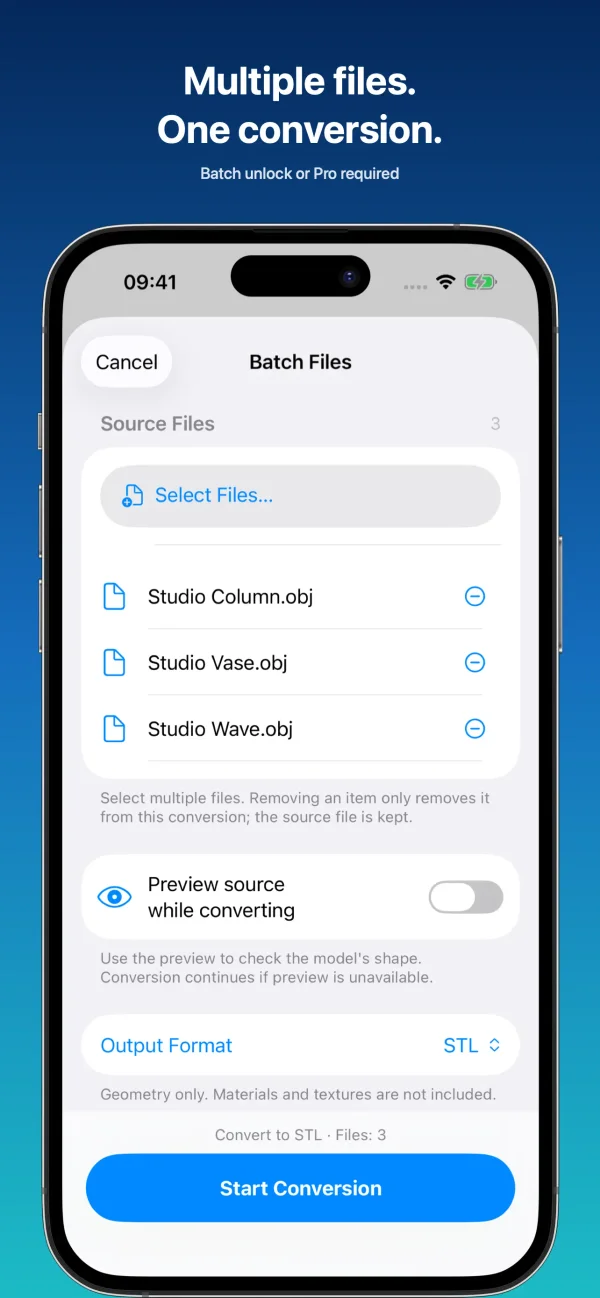
• Batch Files: select multiple models, use one output format and review the results together.
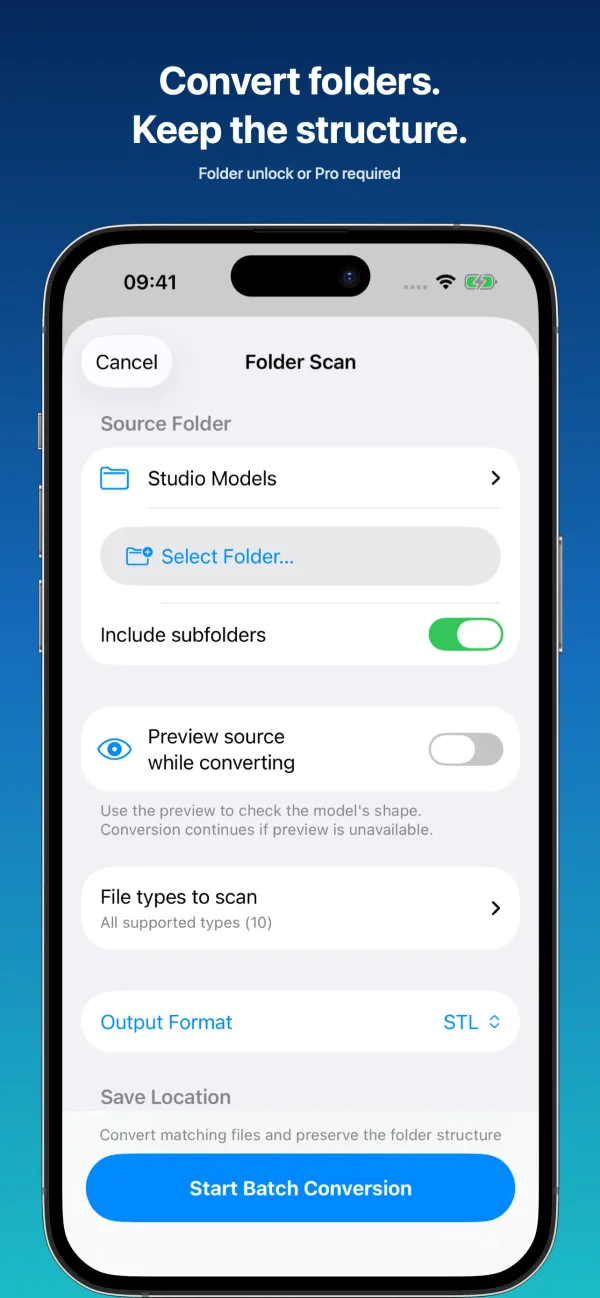
• Folder Scan: filter by source format, optionally include subfolders and retain their folder structure in the output.
• Mac folder monitoring: start monitoring to convert new or changed models while the app is running; stop anytime. iPhone and iPad support folder conversion, without continuous monitoring.
Formats and files
Import STL, OBJ, GLB/glTF, FBX, 3MF, USDA, USDC and USDZ.
Export STL, OBJ, GLB, FBX, 3MF, USDA, USDC and USDZ.
Import text or binary STL, including binary .stlb. For glTF, keep referenced buffers and images accessible and grant folder access, or use a self-contained GLB.
Preview the source during conversion; after converting a single file, compare source and output in 3D. Preview shows geometry with supported base colors and base-color textures, not full material effects. You can disable it for batches and folders.
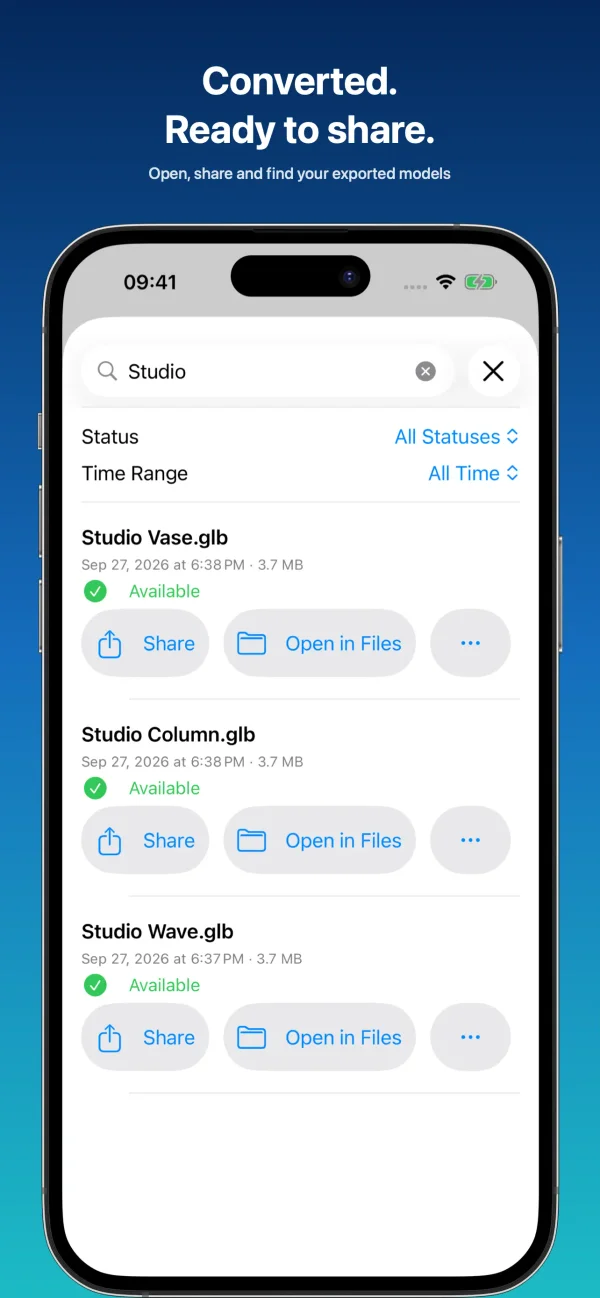
Outputs go to the app's exported folder. Access them in Files on iPhone and iPad or use system sharing. Mac batch and folder conversion can also use another output folder. Records shows successes and failures; Exports lists generated files. Repeat conversions may reuse or replace earlier outputs; save important versions separately.
Free features and optional purchases
Import all supported formats for free. Single-file export to STL and OBJ is free.
• More export formats: a permanent unlock for GLB, FBX, 3MF, USDA, USDC and USDZ.
• Batch Files: a separate permanent unlock for batch conversion.
• Folder conversion and Mac monitoring: a separate permanent unlock for these workflows.
• Pro: weekly, monthly or annual subscriptions include all three unlocks while active.
Each permanent purchase grants its own features. Batch or folder conversion to a paid output format also requires the format unlock or an active Pro subscription.
Subscriptions renew automatically unless cancelled. Manage or cancel them in your Apple Account; restore purchases in the app. Expiry does not delete existing outputs.
Conversion scope
Convert mesh geometry and retain materials, colors, UVs and textures where supported by the source and target format. STL has no standard material or texture support. Custom shaders and some texture channels or mappings may be simplified; read conversion warnings and check appearance in the target app. Animation, skeletons, cameras and lights are excluded.
Keep OBJ MTL files, textures and referenced resources accessible; use Folder Scan to grant access when needed. OBJ, FBX, USDA and USDC outputs may have companion resource folders: keep them together when moving files. Sharing packages multi-file outputs as ZIP. GLB, 3MF and USDZ contain their resources.
No image-to-3D, model repair or STEP/IGES solid CAD conversion. Preview axes, camera views and display modes do not change exported geometry. Model size, file structure and available memory affect conversion; success is not guaranteed for every file.
Requirements and privacy
iOS/iPadOS 26 or later; macOS 26 or later on Apple silicon. Interface: English, Simplified/Traditional Chinese, German, French, Japanese, Korean, Russian, Vietnamese and Spanish.
Local conversion needs no developer server. Purchasing, restoring purchases or sharing to online services may require internet access.
Privacy policy: https://apps.h53d.xyz/apps/local-3d-model-converter/policy.html
Terms of Use (Apple Standard EULA): https://www.apple.com/legal/internet-services/itunes/dev/stdeula/
What’s new
Version 26.10.22 · Oct 22, 2026
• Improved GLB compatibility, with support for more models that use compressed textures.
• Improved the feature unlock screen with clearer purchase options and descriptions.
• Added “Suggestions & Feedback” so you can easily contact us by email.
• Added Spanish language support.
• Refreshed the app icon with a new industrial mechanical design.
App privacy
What Shanghai Fuwei Information Technology Co., Ltd. declares on the App Store about how this app handles data.
-
Data not collected
The developer does not collect any data from this app.
Privacy practices may vary, for example with the features you use or your age.
Information
- Seller
- Shanghai Fuwei Information Technology Co., Ltd.
- Category
- Graphics & Design
- Version
- 26.10.22
- Updated
- Oct 22, 2026
- Released
- Sep 30, 2026
- Size
- 10.6 MB
- Requires
- iOS 26.0 or later
- Age rating
- 4+
- Price
- Free
- In-app purchases
- Yes
- Languages
- English, French, German, Japanese, Korean, Russian, Simplified Chinese, Spanish, Traditional Chinese, Vietnamese
- Copyright
- © 2026 foowei.com
You might also like
-
 灵犀桌面 - 万能灵动Widget 小组件 壁纸照片组件主题Graphics & Design
-
 SmartClean: AI Photo & StorageDuplicate Remover & Vault Pro
-
 Morrow: Daily Art WallpapersNew art for your lock screen
-
 Charcoal StudioSketch, shade, smudge, Drawing
-
 Photo Collage StudioTemplates, Grids & Long Pics
-
 CoverForge: Thumbnail MakerPoster, Collage and Resizer
-
 LiveToFrame:GIF, Video & FrameLive Photo Converter
-
 Flip Animation: 2D Draw a ClipFlipAnim Maker Frame Animate
-
 Artino: Photo Zine MakerMake Beautiful Photo Magazines
-
 Local 3D - Image to 3D ModelImage to 3D Model Maker