LocalClock
World time for people you love
Designed for iPhone, iPad, iPod touch
$0.99
- Age rating4+
- CategoryProductivity
- DeveloperBin Hua
- LanguagesEnglish
- Size3.9 MB
Links to the official App Store page
Download.org hosts no file of LocalClock. The button opens its official App Store page, published by Bin Hua. Listing last checked on Nov 18, 2026.
Screenshots





About
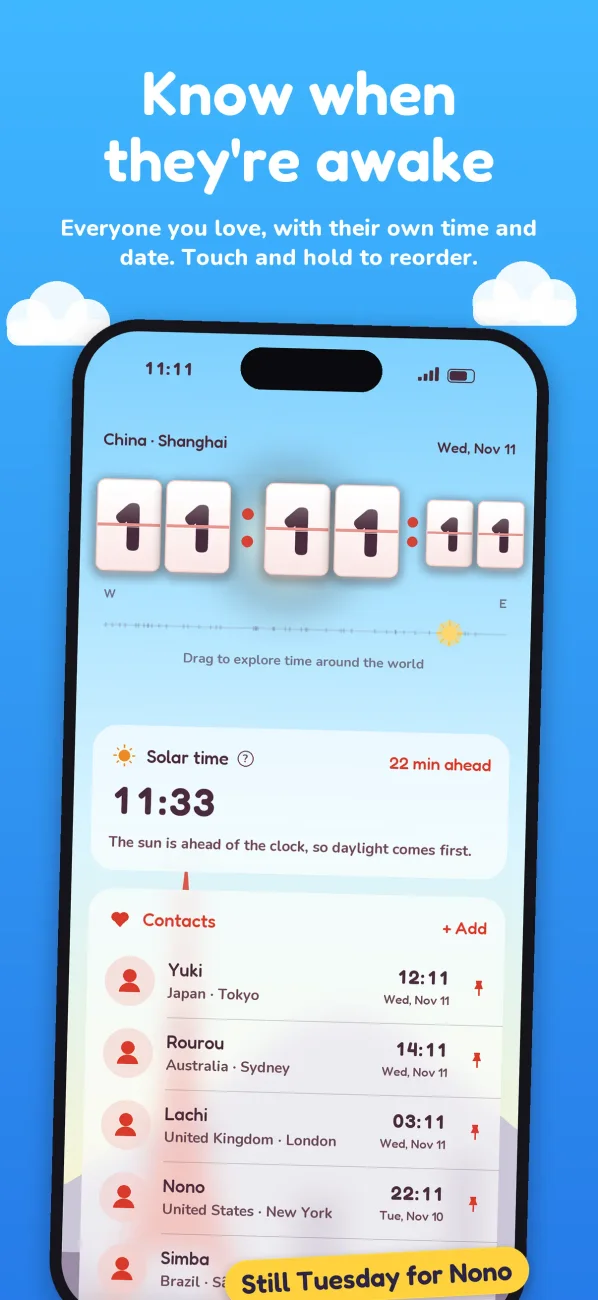
LocalClock is a world clock for the place you are standing, and for the people you keep in touch with.
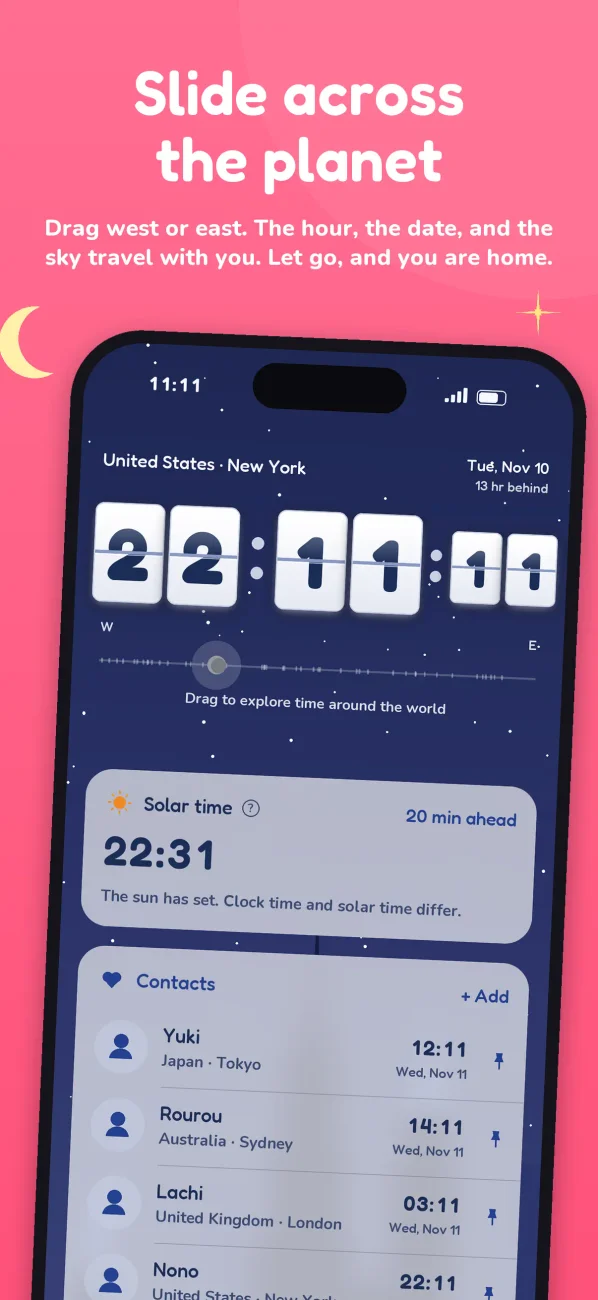
Your city stays at the top. The clock, the date, and the sky all follow that place. Drag the line from west to east and the hour moves with you, city by city. Let go, and it springs back to where you are. When the place on screen is not home, the date shows how far ahead or behind that hour is.
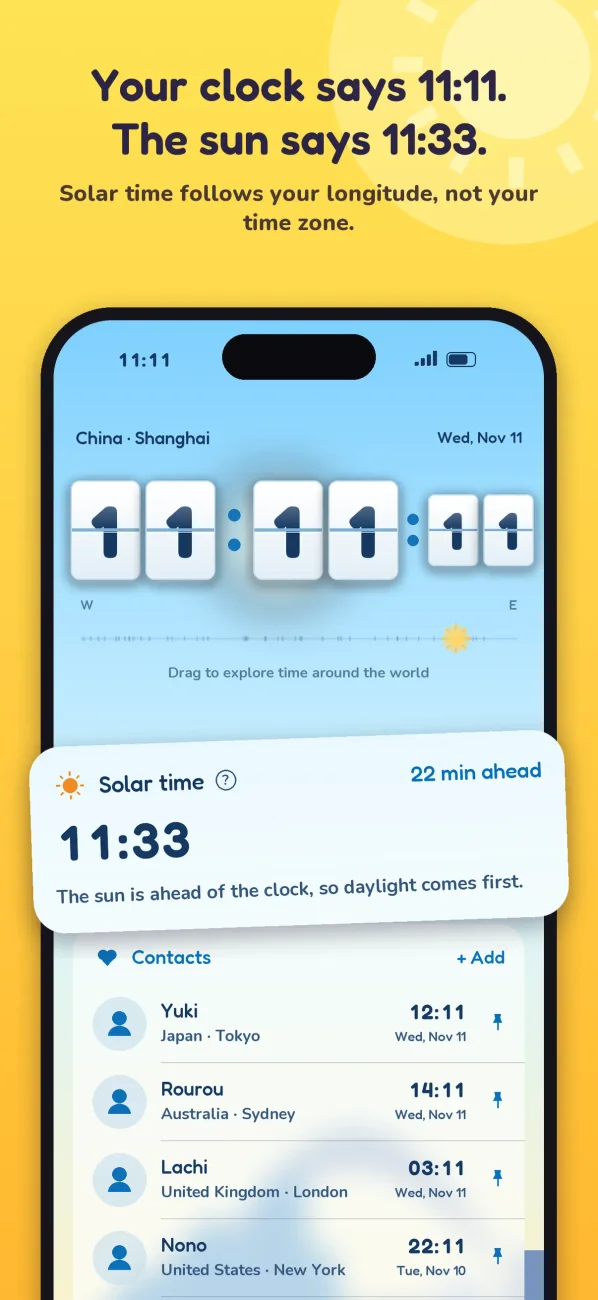
Solar time sits under the clock. It follows longitude, not the time zone, so you can see when the clock and the sun disagree. After sunset the dial on the line is a small moon. In daylight it is the sun.
Contacts keeps a short list of people. Each row shows the country and the city, the local time, and a note if you wrote one. On Saturday and Sunday in their city, a small Weekend label appears. Weekdays stay quiet. Tap a person to edit the name, the city, the note, or a photo.
Pin someone with Show in widget. The small widget shows one person and the full time, including seconds. The medium widget shows three. The large widget shows six, in the order of your list. A weekend label appears on the medium and large widgets, not on the smallest one.
The app can follow the system language, or you can choose Simplified Chinese, Traditional Chinese, English, Japanese, Korean, French, German, or Spanish. The change is immediate, including on the widgets. Time can follow the system, or you can lock it to 24-hour or 12-hour.
Location is used only to name the city you are in. If you decline, LocalClock uses the city that represents your time zone. Photos you add for a contact stay on the device. There is no account, no feed, and nothing to sign in to.
What’s new
Version 1.5 · Nov 6, 2026
bugfixed
App privacy
What Bin Hua declares on the App Store about how this app handles data.
-
Data not collected
The developer does not collect any data from this app.
Privacy practices may vary, for example with the features you use or your age.
Information
- Seller
- Bin Hua
- Category
- Productivity
- Version
- 1.5
- Updated
- Nov 6, 2026
- Released
- Jun 18, 2024
- Size
- 3.9 MB
- Requires
- iOS 15.0 or later
- Age rating
- 4+
- Price
- $0.99
- Languages
- English
- Copyright
- © Bin Hua
You might also like
-
 CtzoneKnowing World Time Zones
-
 TableTimer: Design Your TimeCustom Focus Timer & Stopwatch
-
 Timey - World Clock Time ZoneWidget, Planner, UTC Converter
-
 JW Reminder HubProductivity
-
 Time Zone Slider: World ClockMeeting Planner & Time Zones
-
 Tiler AppProductivity
-
 PlanBridge: Measure PDF PlansConstruction Project Organizer
-
 Life and Ministry ChairmanMidweek meeting timer
-
 House-to-HouseHouse to House Records App
-
 Narraloud: Read PDFs AloudPrivate Offline Text to Speech