LocalGateKeys Password Vault
Offline manager, 2FA, passkeys
Designed for iPhone, iPad, Mac
Free · In-app purchases
- Age rating4+
- CategoryProductivity
- DeveloperIlias Pelekas
- LanguagesEnglish+ 10 more
- Size62.4 MB
Links to the official App Store page
Download.org hosts no file of LocalGateKeys Password Vault. The button opens its official App Store page, published by Ilias Pelekas. Listing last checked on Nov 24, 2026.
Screenshots
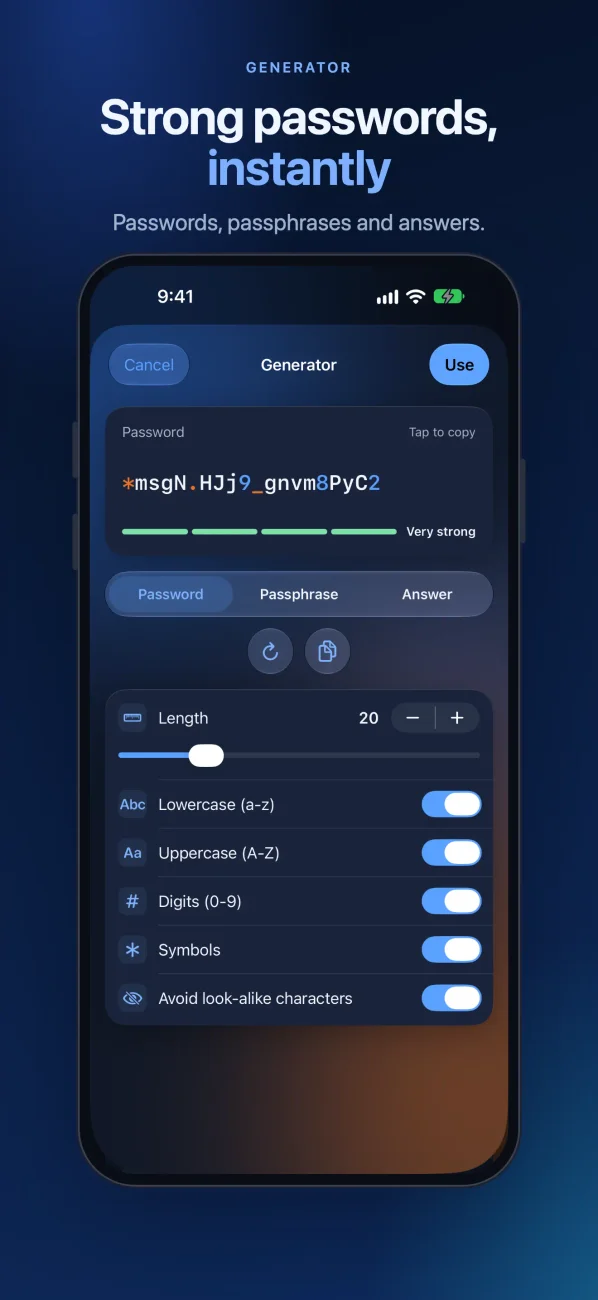
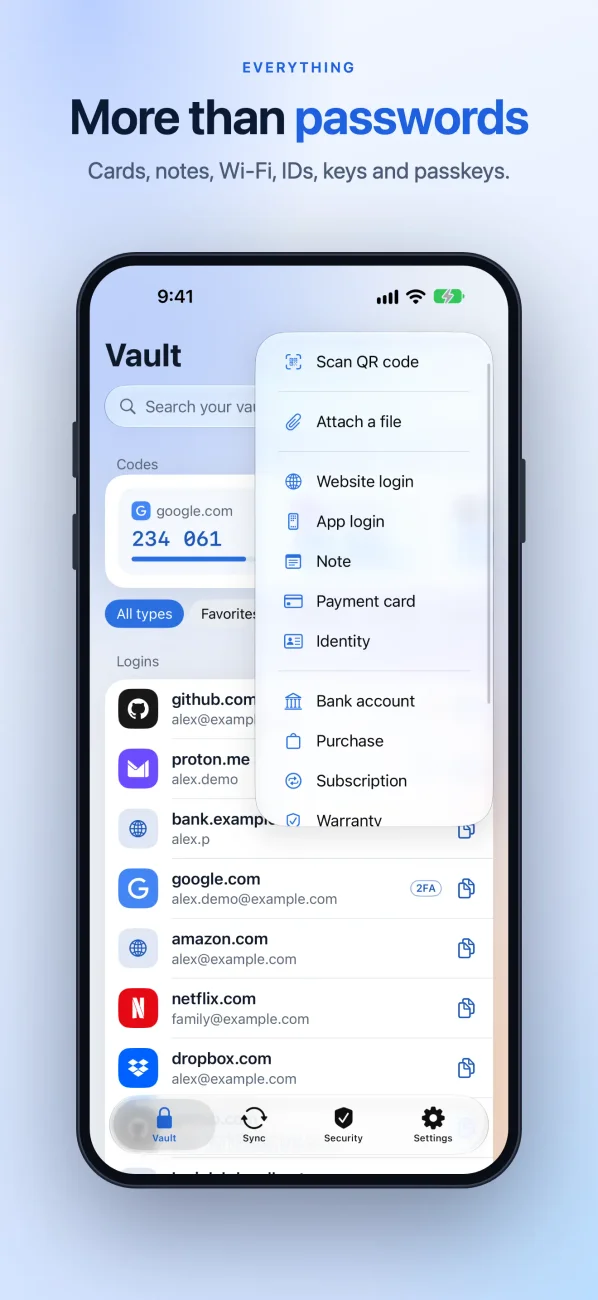
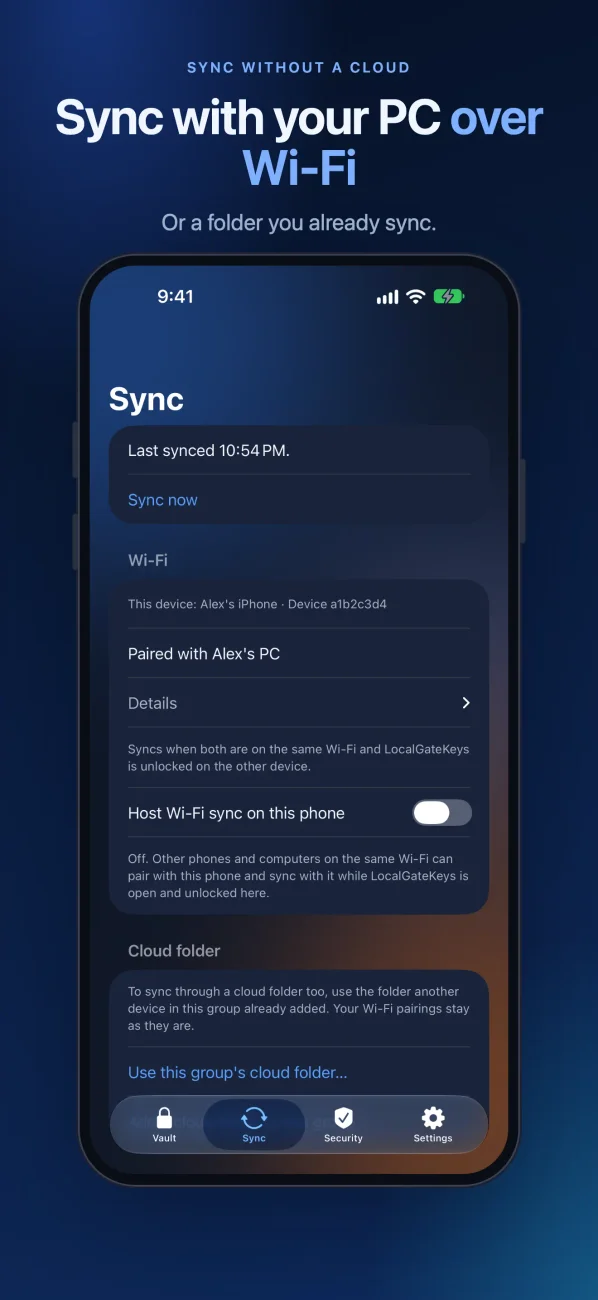

About
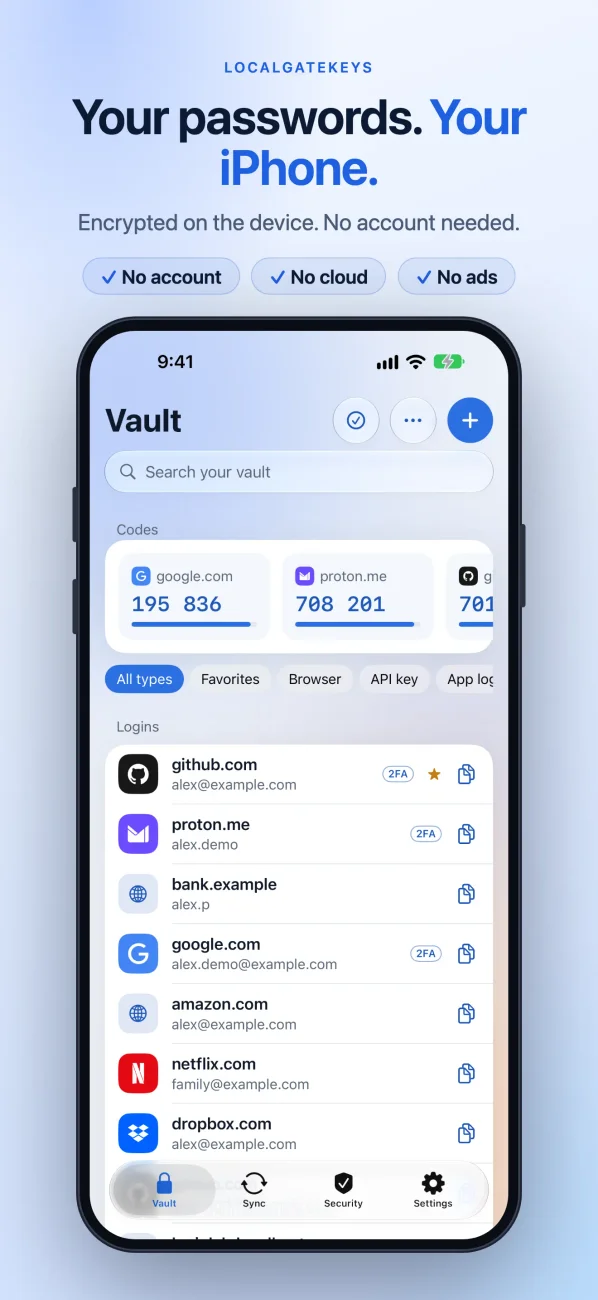
LocalGateKeys is an offline password manager. Your passwords live in an encrypted vault on your iPhone. There is no account to create and no server of ours that holds your passwords. The vault is encrypted on the device (Argon2id and AES-256-GCM) and unlocked with Face ID or Touch ID.
FILL IN SECONDS
• AutoFill logins in Safari and other apps, with suggestions in the QuickType bar
• Fill cards, addresses and other details in any text field (iOS 18 and later)
• Use LocalGateKeys for passkeys
• Safari offers to save a new login after you sign in
2FA CODES BUILT IN
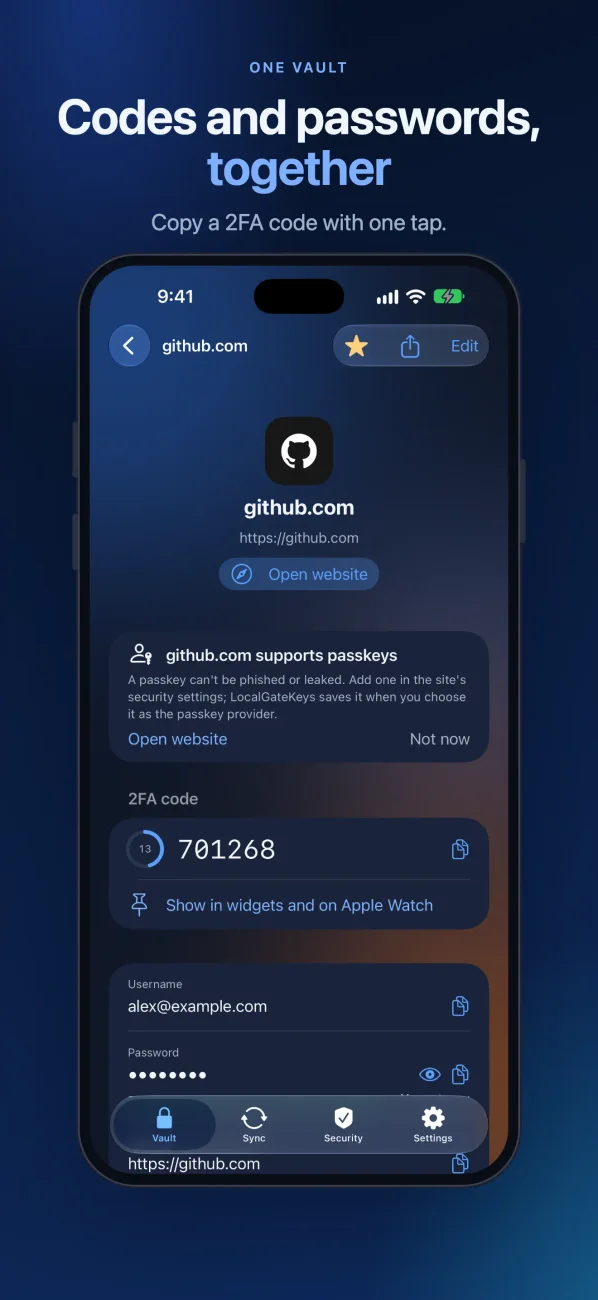
• One-time codes (TOTP) next to the login they belong to
• Scan a website's 2FA QR code, or bring codes over from your authenticator app
• Show the codes you choose on your Apple Watch
KEY FILE AND YUBIKEY
• Optionally require a key file and/or a YubiKey (YubiKey 5 NFC) as well as your master password
• Restore encrypted .lgkm phone backups
LOCAL FIRST, NO CLOUD ACCOUNT
• Optional encrypted sync with LocalGateKeys on your Mac and Windows PC, over your own Wi-Fi or through your own cloud folder
• Import from Bitwarden, 1Password, KeePass and other password managers and authenticator apps
• No analytics, no tracking, no ads
STAY ON TOP OF YOUR SECURITY
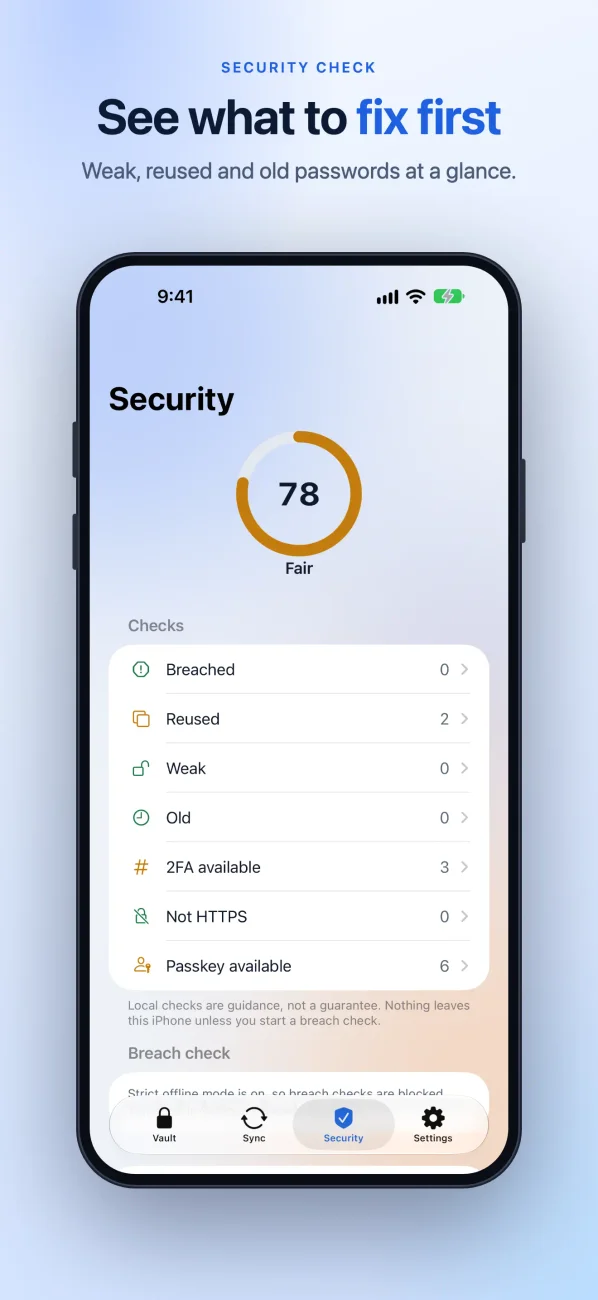
• A security check with a score: weak, reused and old passwords, and logins that could use two-factor codes
• Password history for every login
• Reminders before a card, passport or licence expires
MORE THAN PASSWORDS
• Cards, notes, identities, bank accounts, Wi-Fi, licences, API keys, SSH keys and more
• Attach documents and photos, stored encrypted in your vault
• Recently deleted keeps items for 30 days, with Undo
FREE AND PRO
Free holds up to 7 items. Pro adds unlimited items, device sync, two-factor codes and attachments as a one-time purchase. One payment. Every update, forever, free. Buying Pro sends only the App Store receipt to our licence server, so your purchase also unlocks LocalGateKeys for Windows. It is not linked to you.
Support: https://localgatekeys.app/support
Privacy policy: https://localgatekeys.app/legal/privacy
What’s new
Version 1.4 · Nov 23, 2026
• Master password: LocalGateKeys now opens with a master password you choose, backed by a 24-word recovery phrase. Face ID or Touch ID stays as a shortcut. After this update you set it once.
• Select many items at once: delete, move to a collection, favourite or export them together.
• Item history: see and restore earlier versions of an item.
• Access rules for each login: confirm it's you before revealing or copying, copy only once, or view only.
• Travel mode hides the items you choose from this device until you turn it off.
• Clean-up finds duplicate logins and merges them, or deletes many at once.
• AutoFill fills 2FA codes, and 2FA setup links open in LocalGateKeys.
• Safari asks to save a new sign-in in a panel on the page, and no longer asks right after AutoFill filled it.
• Import from NordPass, Keeper, Enpass and RoboForm. When a file has different passwords for one login, choose which to keep (the others stay in password history), then see what arrived and undo the import if needed. Imports of up to 20,000 items open much faster.
• Custom fields and collections on every item type, a new App login type with an optional 2FA code, and a website on API keys.
• Sync: devices show by name, a device keeps its place when it leaves and joins again, add a cloud folder to a Wi-Fi group, and a new Sync automatically switch.
• Fixes, including replacing a 2FA code from a scanned QR code.
Important: update LocalGateKeys on all your devices. Wi-Fi sync in this version works with LocalGateKeys 1.4 or later on your other devices.
App privacy
What Ilias Pelekas declares on the App Store about how this app handles data.
-
Data not linked to you
May be collected but is not linked to your identity.
- Purchases
Privacy practices may vary, for example with the features you use or your age.
Information
- Seller
- Ilias Pelekas
- Category
- Productivity
- Version
- 1.4
- Updated
- Nov 23, 2026
- Released
- Oct 28, 2026
- Size
- 62.4 MB
- Requires
- iOS 17.0 or later
- Age rating
- 4+
- Price
- Free
- In-app purchases
- Yes
- Languages
- English, Dutch, French, German, Italian, Japanese, Korean, Polish, Portuguese, Simplified Chinese, Spanish
- Copyright
- © 2026 Ilias Pelekas
You might also like
-
 Glimpsed: Screenshot SearchOrganizer & OCR Text Finder
-
 Modo: Notes, Calendar, WidgetMinimal Notes & Daily Planner
-
 Astra PDF: Scan, Edit & Sign100% Offline. No Subscription
-
 SnublineEducational Force Comparisons
-
 Orion Personal AIA personal AI assistant
-
 TowerGate: Ad Blocker for AppsAdblock Browser PiP & Games
-
 KeepSpotSave all your digital content
-
 Stellata: Save Links & ReelsBookmark Manager & Moodboard
-
 Keepr: Vault with a DecoySecure Files & Multiple Vaults
-
 Pelorus: Multi-Engine SearchPrivate browser, no tracking