
LocArk - Private Workspace
Encrypted Notes & Passwords
Designed for iPhone, iPad, Mac, iPod touch
In-app purchases
- Age rating4+
- CategoryUtilities
- DeveloperSELFARK
- LanguagesEnglish+ 3 more
- Size36.5 MB
Links to the official App Store page
Download.org hosts no file of LocArk - Private Workspace. The button opens its official App Store page, published by SELFARK. Listing last checked on Nov 23, 2026.
Screenshots

About
LocArk is a local-first private workspace for notes, passwords, kanban boards, mind maps, and quick captures. New workspaces are encrypted by default, work offline, and stay in the storage location you choose.
PRIVATE BY DESIGN
• Workspace data stays in the storage location you choose
• New workspaces use local encryption with master password protection
• No LocArk account needed for everyday use
• No tracking, no telemetry
• Choose local storage or iCloud Drive to sync across Apple devices
SPACES & CATEGORIES
• Organize documents in spaces and nested folders
• Use categories to view all notes, passwords, boards, or mind maps
• Search within the current space or category
• Keep related files, history, and note images in the same workspace structure
NOTES
• Markdown editor with preview support
• Folder organization, Markdown image support, and full-text search
• Find and replace, a live heading outline, and quick link and table insertion
• Clean, focused writing experience
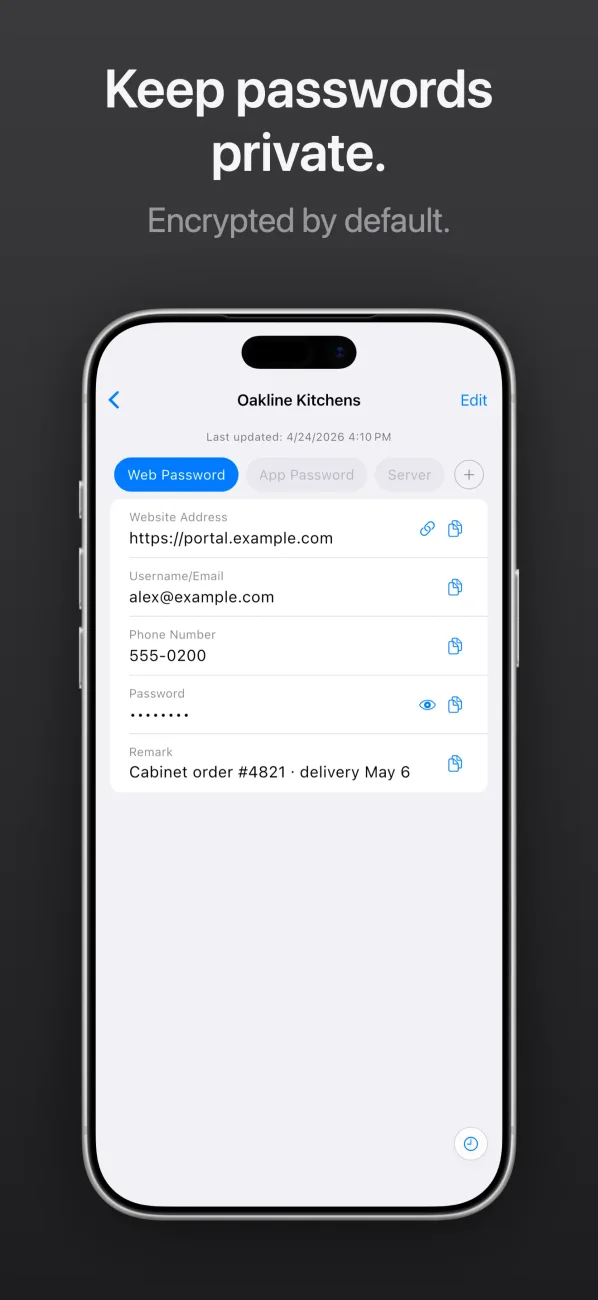
PASSWORDS
• Securely store website logins, app credentials, and bank cards
• Save multiple website addresses in a single Web Password entry
• Choose the length and character types when generating a password, then preview it before copying or using it
• Free password AutoFill for Web Password entries in encrypted libraries. Works in Safari on Mac, iPhone and iPad, and in compatible iPhone and iPad apps.
• Built-in templates for quick entry
• One-tap copy for usernames, passwords, and other fields
• Auto-lock and clipboard auto-clear for safety
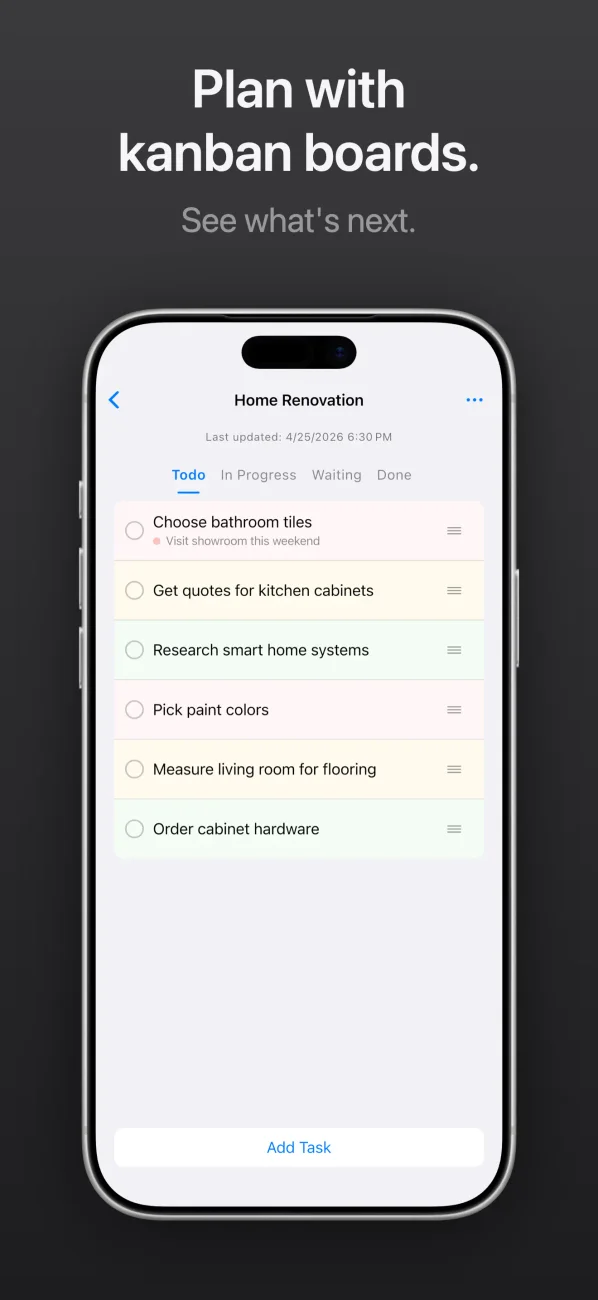
KANBAN BOARDS
• Visual task management with customizable columns
• Priority levels, due dates, and completion tracking
• Drag-and-drop cards across columns
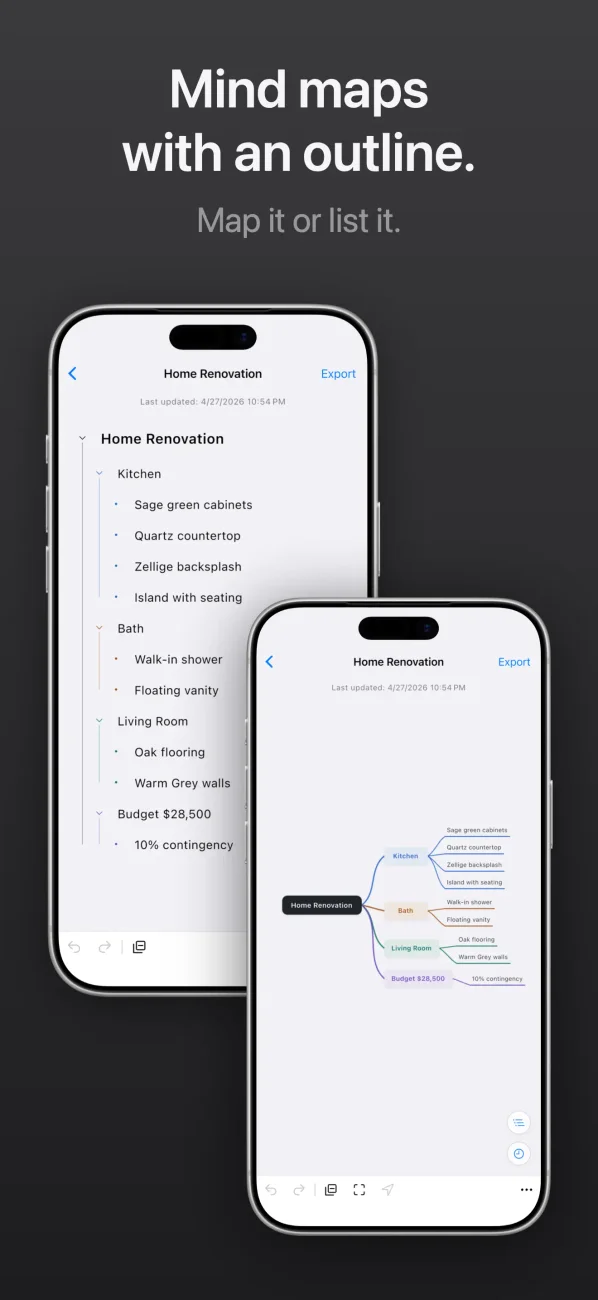
MIND MAPS
• Start from a central topic and branch out freely
• Great for brainstorming, project planning, and reading notes
• Edit on the canvas or in an outline, with undo and redo
• Fold branches and navigate with the keyboard
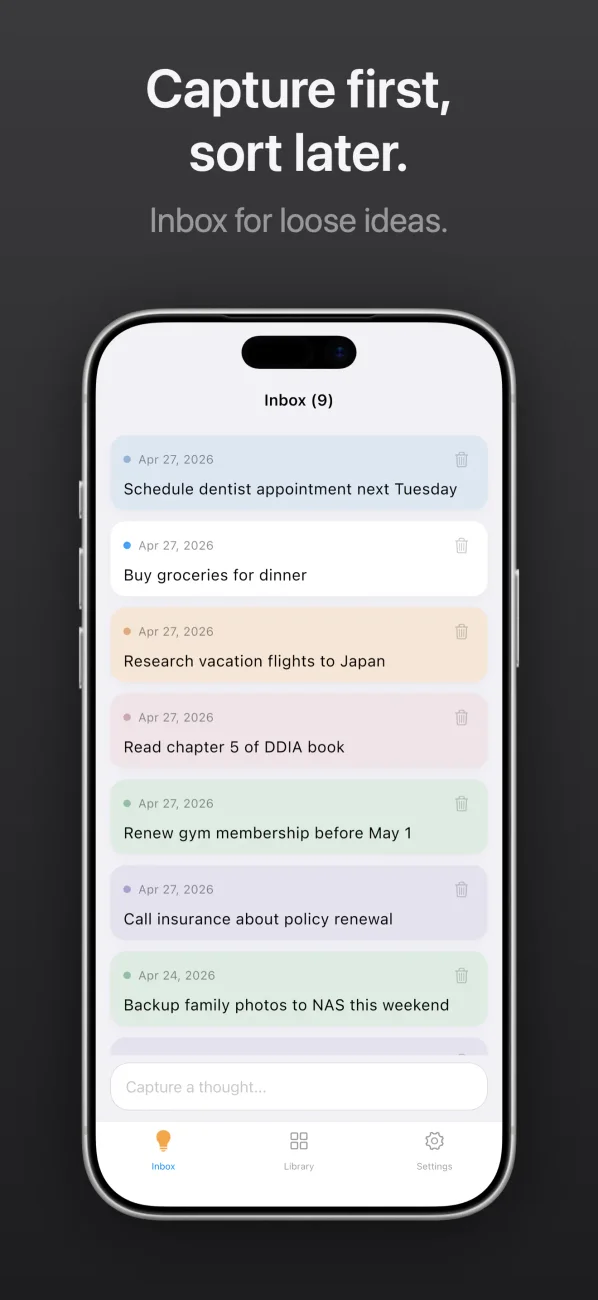
INBOX
• Capture quick ideas now and sort them later
OFFLINE WORKSPACE
• Manage your local workspace without an internet connection
• Pick a storage folder that fits your backup workflow
• Export your data when you need a portable copy
FREE AND PRO
• Free: notes, passwords, and Inbox
• Creating kanban boards and mind maps requires Pro, available as an annual or lifetime purchase
Terms of Use (EULA): https://www.apple.com/legal/internet-services/itunes/dev/stdeula/
Privacy Policy: https://locark.com/privacy
What’s new
Version 1.5.1 · Nov 20, 2026
• Use free password AutoFill in Safari on Mac, iPhone and iPad, and in supported iPhone and iPad apps. Saved changes appear automatically. Each fill requires authentication.
• Save multiple websites for one login. Update all devices sharing your library first to keep the extra addresses.
• Choose the length and character types for a new password, then preview and copy it.
• Fixed an issue where a restored mind map could revert to a newer version.
App privacy
What SELFARK declares on the App Store about how this app handles data.
-
Data linked to you
May be collected and linked to your identity.
- Contact info
- Identifiers
Privacy practices may vary, for example with the features you use or your age.
Information
- Seller
- SELFARK LTD
- Category
- Utilities
- Version
- 1.5.1
- Updated
- Nov 20, 2026
- Released
- Jun 24, 2026
- Size
- 36.5 MB
- Requires
- iOS 15.0 or later
- Age rating
- 4+
- In-app purchases
- Yes
- Languages
- English, French, Spanish, Simplified Chinese
- Copyright
- © 2026 @SELFARK
You might also like
-
 我还行 - 独居自律平安打卡Utilities
-
 SneakShare: URL Link CleanerRemove URL trackers Clean Link
-
 HelixNotesLocal Markdown Note-taking app
-
 Pane BrowserThe whole screen is the page.
-
 打卡清单Utilities
-
 玉米排单-档期管理自由职业Utilities
-
 System Stats: CPU & RAMStorage,Network monitor widget
-
 Smart Battery WidgetAI Insights & Usage Estimates
-
 ActMonitor: my iPhone or iPadSpecifications and comparison
-
 Measuring Tape: Digital RulerAR Plan 3D Room Measure App