
- Age rating4+
- CategoryProductivity
- DeveloperJiseok Lee
- LanguagesKorean+ 5 more
- Size11.2 MB
Links to the official App Store page
Download.org hosts no file of Lock-Focus. The button opens its official App Store page, published by Jiseok Lee. Listing last checked on Nov 18, 2026.
Screenshots
About
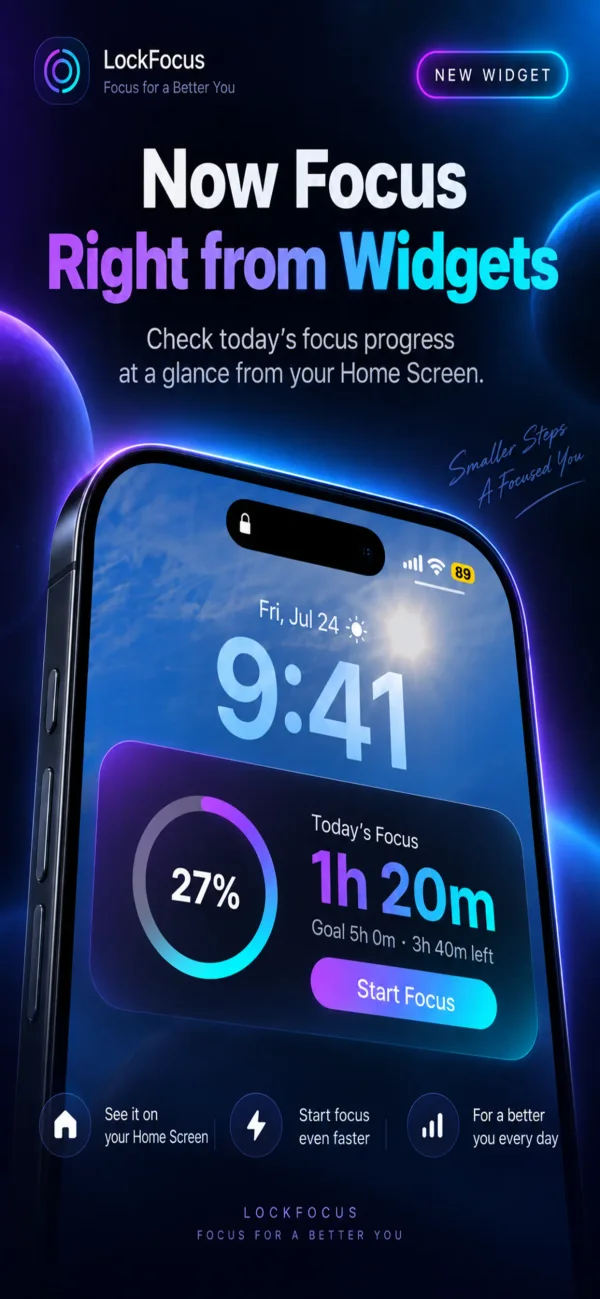
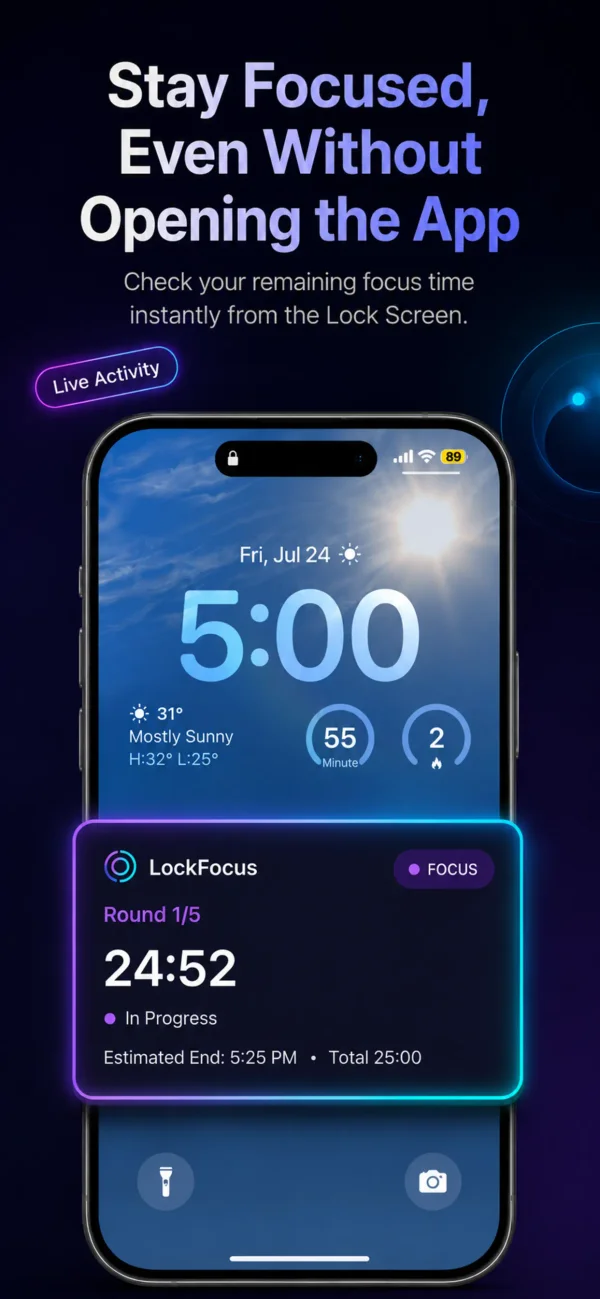
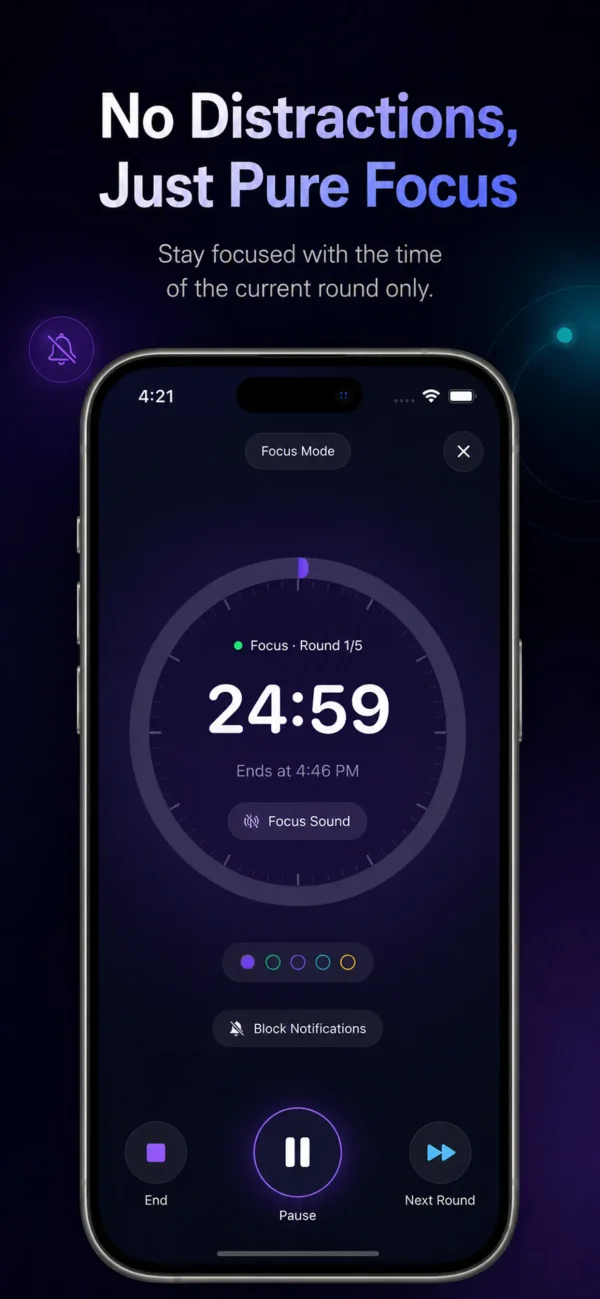
A Pomodoro-style focus timer that doesn’t stop on the Lock Screen or Dynamic Island. Close the app and the remaining time still follows you, along with today’s goal and your history.
Focus in the timer, routine in the plan
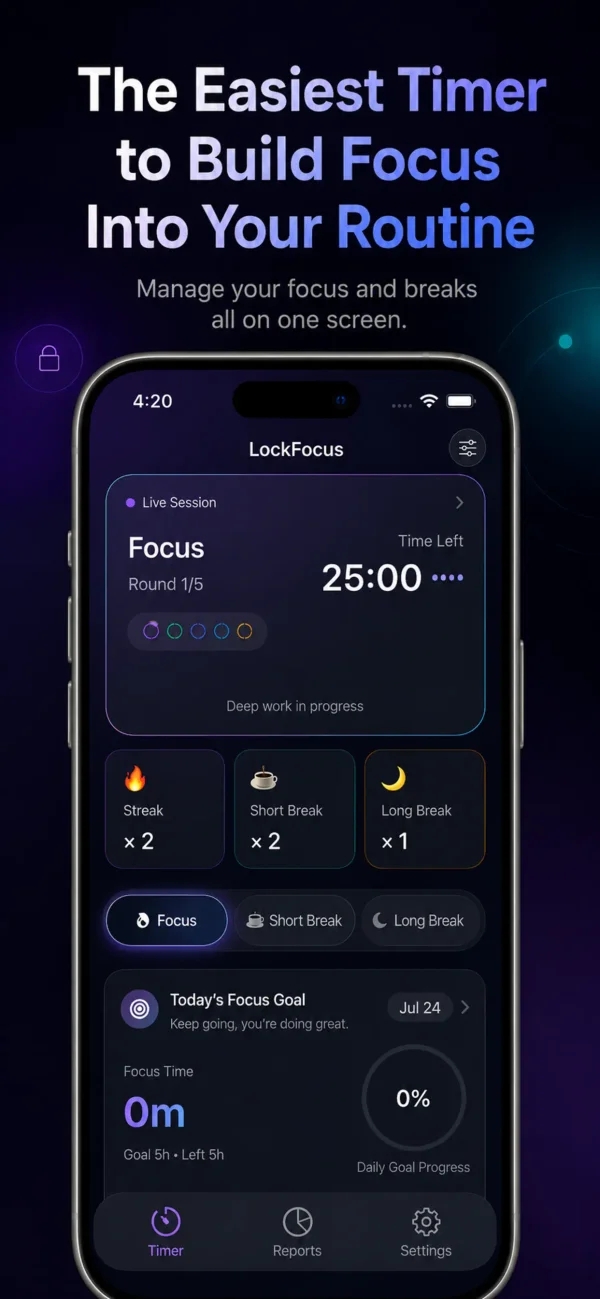
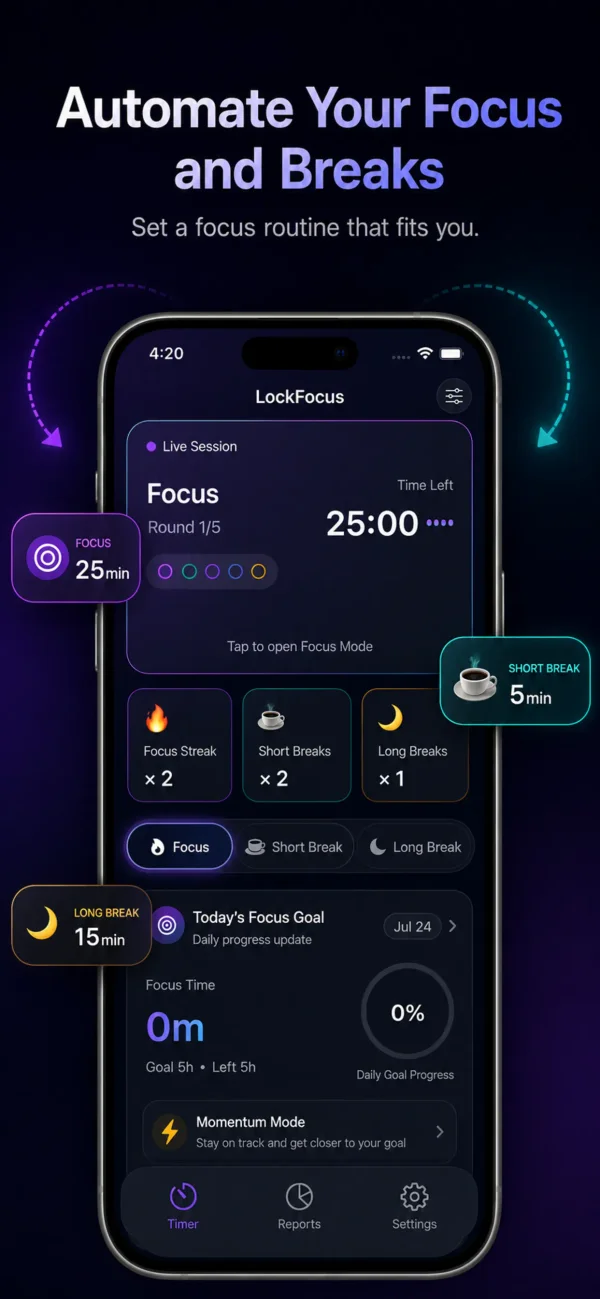
Build focus, short break, and long break in any order. Adjust durations in Settings and see the current session on Home. When a session ends, the next one starts naturally.
Focus that continues on Lock Screen
Live Activity shows remaining time and whether you’re focusing or on a break. Controls stay in the app; the Lock Screen keeps the flow visible. You can turn Live Activity off in Settings.
Daily goals and reports
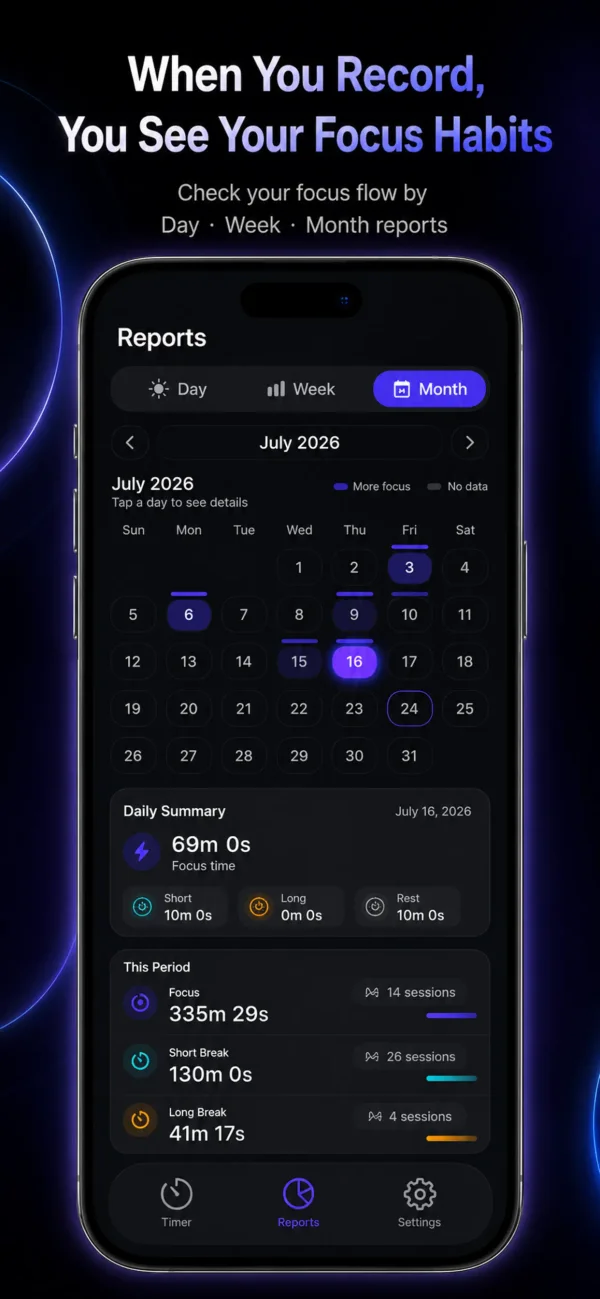
Track a daily focus goal and a weekly summary on Home. The Report tab shows day, week, and month patterns, plus charts and focus/break totals.
Export and iCloud
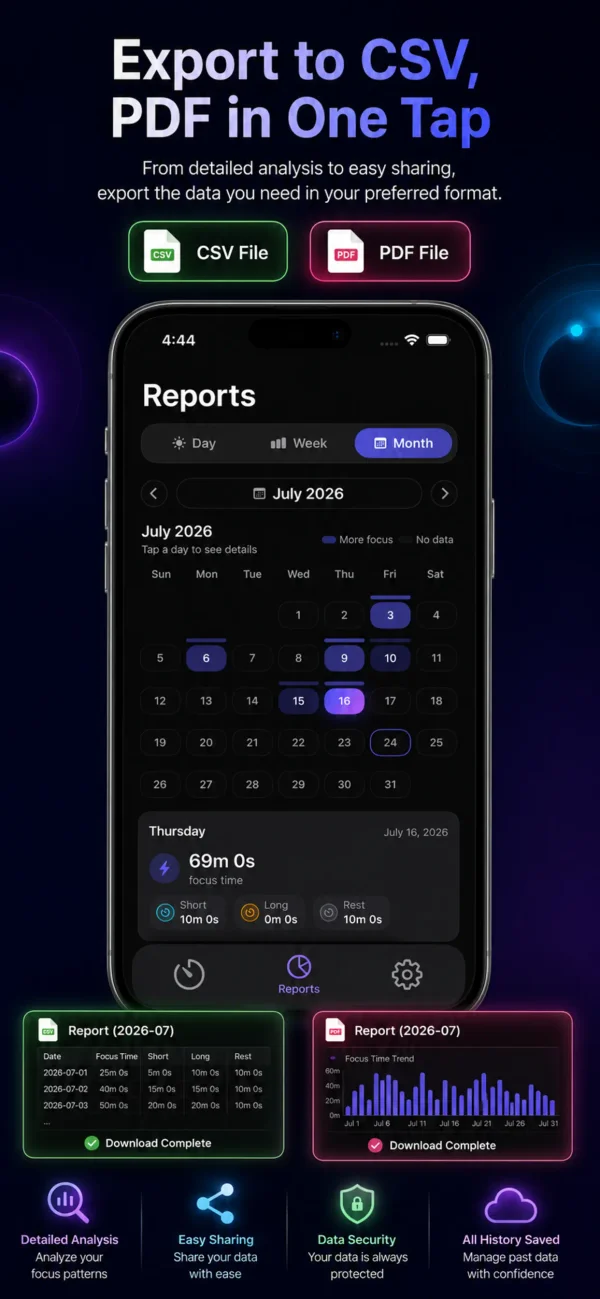
Export CSV or a monthly PDF from Settings. iCloud sync is off by default. Turn on iCloud Sync in Settings on each device signed in with the same Apple ID to sync records and timer settings.
Focus environment
Focus Shield can reduce interruptions while a focus session runs. Languages: Korean, English, Chinese, Japanese, German.
iPhone and iPad
Both are supported, with the same dark UI for timer, reports, and settings on iPad.
What’s new
Version 1.1.0 · Sep 17, 2026
• iCloud sync: Turn it on in Settings to sync focus records and timer settings across iPhone and iPad with the same Apple ID. Enable it on each device.
• Lock Screen Live Activity now shows remaining time only. Pause and resume in the app.
App privacy
What Jiseok Lee declares on the App Store about how this app handles data.
-
Data not collected
The developer does not collect any data from this app.
Privacy practices may vary, for example with the features you use or your age.
Information
- Seller
- Jiseok Lee
- Category
- Productivity
- Version
- 1.1.0
- Updated
- Sep 17, 2026
- Released
- Aug 13, 2026
- Size
- 11.2 MB
- Requires
- iOS 17.0 or later
- Age rating
- 4+
- Languages
- Korean, German, English, Japanese, Simplified Chinese, Traditional Chinese
- Copyright
- © 2026 JS
You might also like
-
 루티 기사앱Productivity
-
 Glance: Lock Screen To-DoProductivity
-
 QR Code Scanner | Barcode ScanQR Reader, Maker & Generator
-
 Be Focused – Pomodoro TimerDeep Focus for Work and Study
-
 Stay Focused App/Site BlockerWebsite & Screen Time Limit
-
 AI Note Taker - NotebookAITakes Notes with AI
-
 Timer - Stopwatch timerCountdown timers
-
 Switch - Call recording appEasy and secure call recording
-
 Minutes: AI Meeting Note TakerTranscribe, Record Voice Audio
-
 iLovePDF - PDF Editor & ScanFor Work, Study & E-Signing