- Age rating4+
- CategoryProductivity
- Developerbyeongyun kwon
- LanguagesEnglish
- Size55.3 MB
Links to the official App Store page
Download.org hosts no file of Locker - Link, Photo, Note. The button opens its official App Store page, published by byeongyun kwon. Listing last checked on Nov 12, 2026.
Screenshots



About
⏺ Locker - Your Personal Link, Photo, and Memo Vault
---
What is Locker?
Locker is a personal storage app for saving links, photos, and memos in one place. No account needed. No cloud upload. All data stays on your device.
Save a link you want to read later. Store a gift card screenshot. Write a quick memo. Find everything instantly with powerful search. Share to any messaging app when needed.
---
Core Features
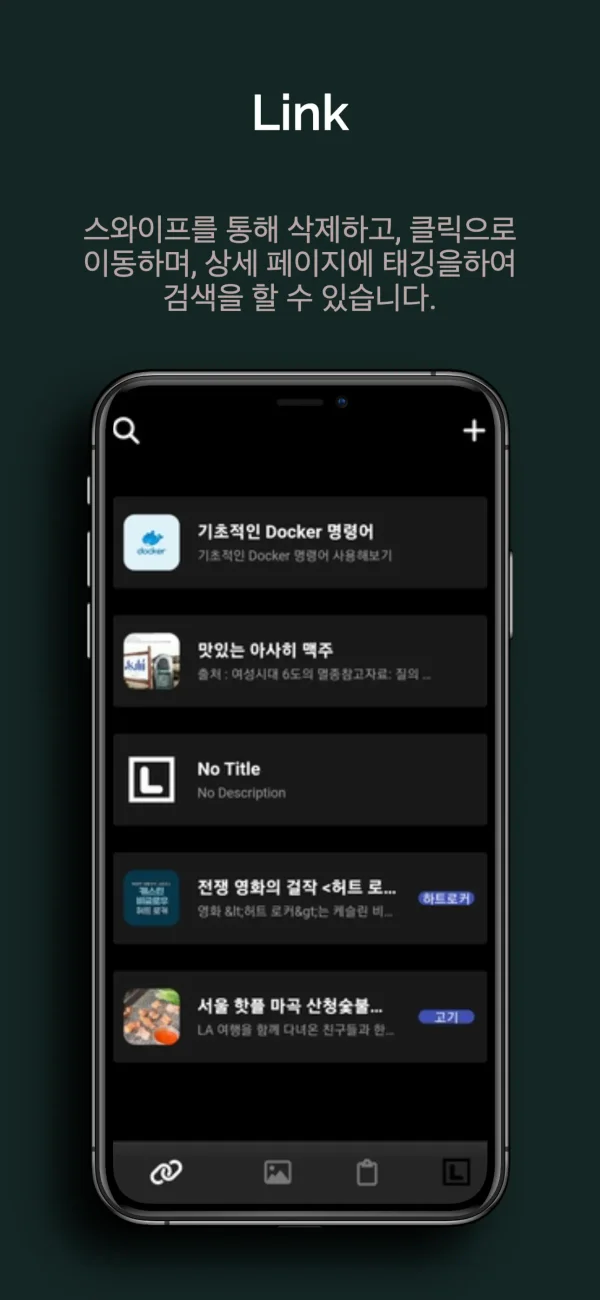
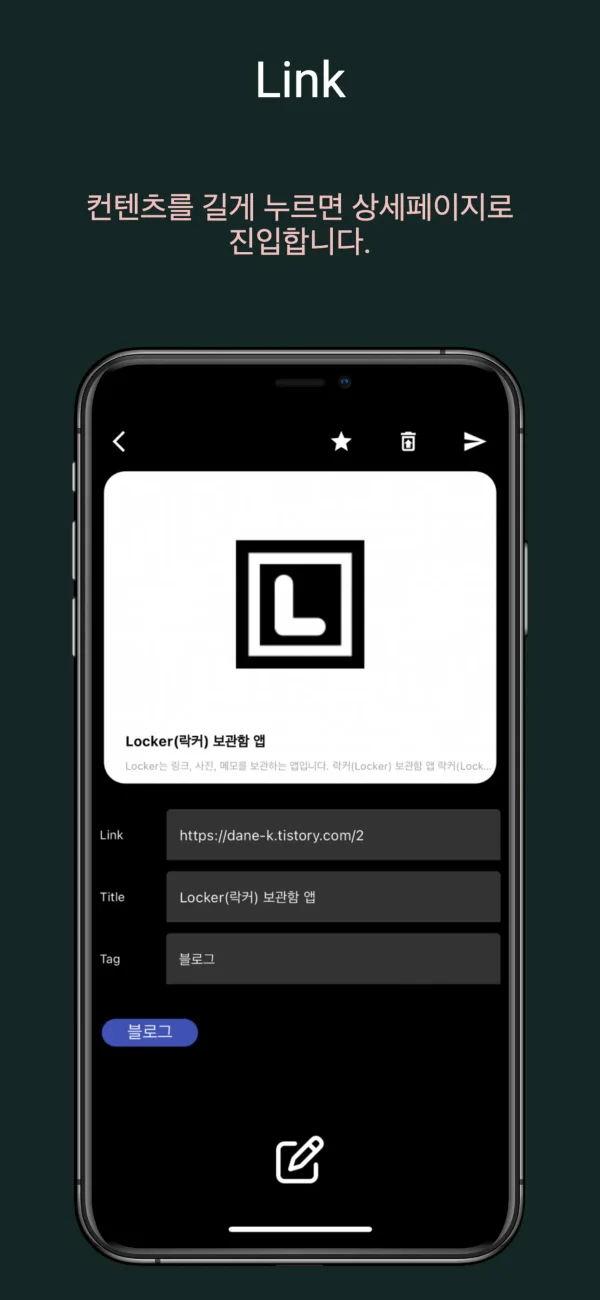
Link Saver
- Auto-fetch thumbnail, title, and description from any URL
- Just copy a link - Locker detects it automatically
- Tap to open, long press to edit
- Swipe left to delete
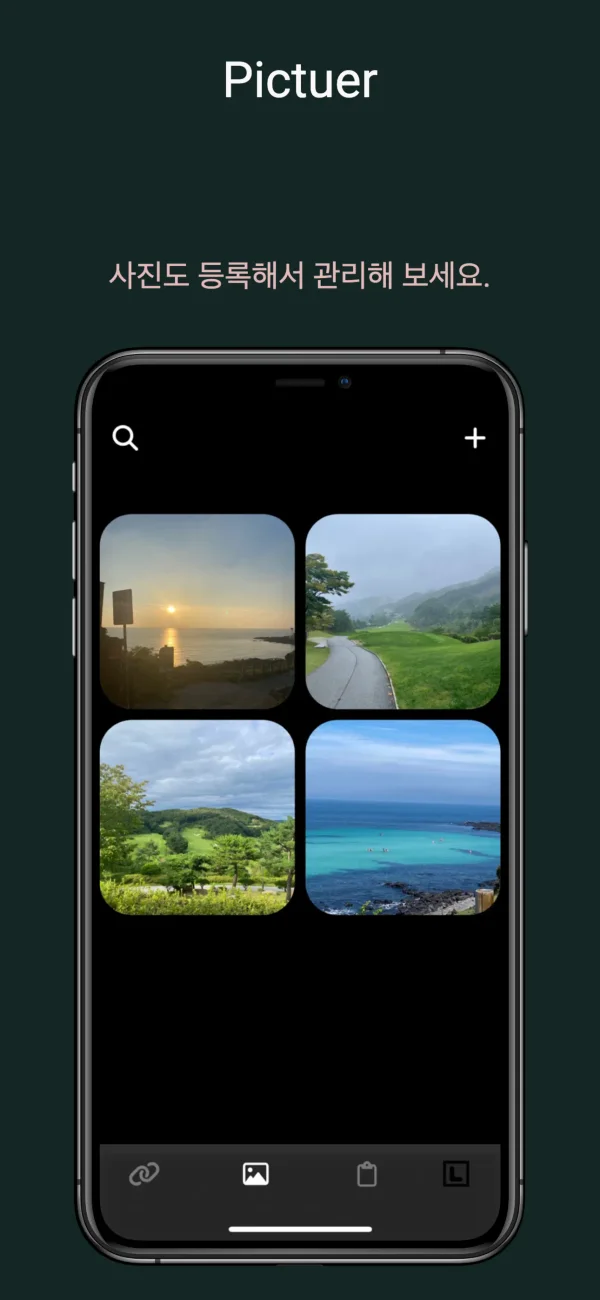
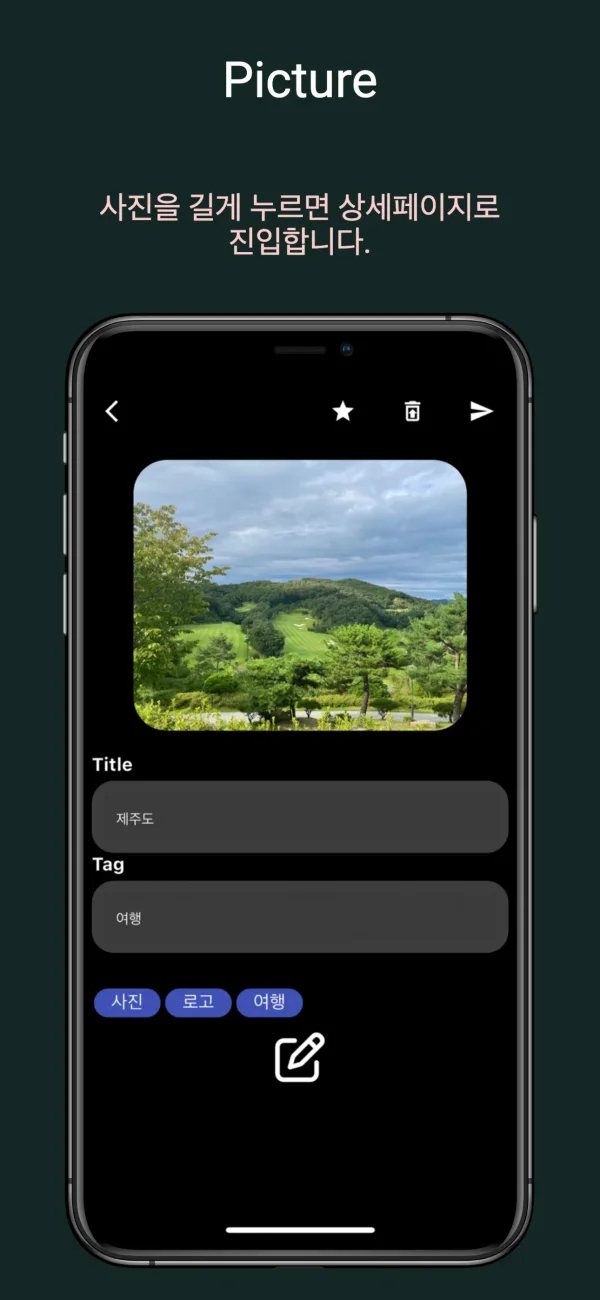
Photo Vault
- Save screenshots, gift cards, receipts, photos
- Grid view with 2-column layout
- Add title and tags for easy search
- Share directly to messaging apps
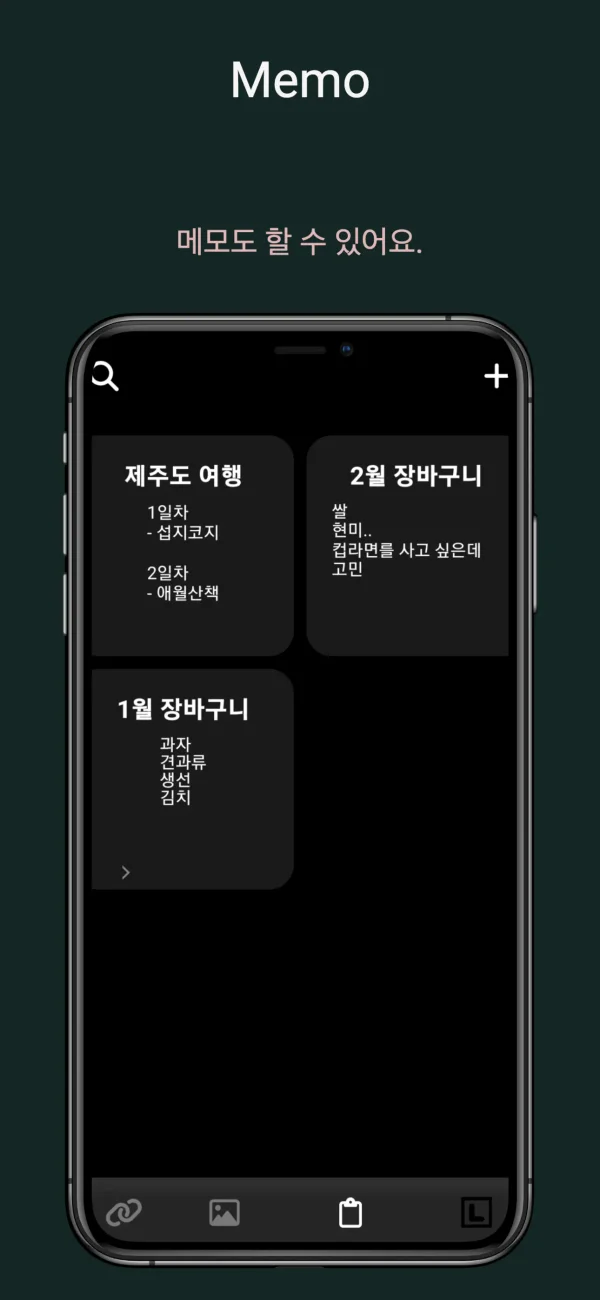
Memo Keeper
- Quick notes with rich text support
- Title, content, and tag organization
- Fast search by title or tag
Universal Search
- Full-text search across all content types
- Search by title, description, or tag
- Filter by content type
- Instant results
Tag System
- Organize content with custom tags
- Horizontal scrollable tag chips
- Tap tag to filter content
- Auto-suggest existing tags
Bookmark Priority
- Bookmark important items
- Bookmarked items appear at top
- Quick access to frequent content
Share Function
- Share links, photos, memos to any app
- Works with WhatsApp, Messenger, KakaoTalk, and more
---
Collections
- Group related content together
- Create custom collections with descriptions
- Add links, photos, memos to any collection
Backup and Restore
- Export all data to JSON file
- Restore from backup anytime
- Never lose your saved content
Reminder
- Set reminders for any saved item
- Local notifications at scheduled time
- Never forget important content
Reader Mode
- Clean reading experience for articles
- Adjustable font size
- Dark and light theme support
Insights Dashboard
- View your saving activity
- Weekly and monthly charts
- Tag usage statistics
- Content distribution overview
Knowledge Graph
- Visual map of your content
- Explore connections between tags
- Discover related items
Export Options
- Export to CSV for spreadsheets
- Export to PDF for printing
- Export to Obsidian vault format
Home Screen Widget (Android)
- Quick access from home screen
- View recent items instantly
Share Extension (iOS)
- Save links directly from Safari
- Share from any app to Locker
---
How to Use
Saving a Link
1. Copy any URL
2. Open Locker and tap the plus button
3. Link is automatically detected and saved
4. Thumbnail and title are fetched automatically
Saving a Photo
1. Tap plus button in Photo tab
2. Select photo from library
3. Add title and tags
4. Done
Saving a Memo
1. Tap plus button in Memo tab
2. Write title and content
3. Add tags for organization
4. Save
Finding Content
1. Tap search icon
2. Type title or tag
3. View filtered results
4. Tap to open
Sharing Content
1. Open any saved item
2. Tap share button
3. Select messaging app
4. Send
---
Privacy and Security
100% Local Storage
- All data stored on your device only
- No server upload
- No account required
- No internet needed for saved content
Your Data is Yours
- We never access your content
- No tracking or analytics on your data
- Complete privacy
---
Why Locker?
- Simple and fast
- No registration required
- Works offline
- Clean interface
- Powerful search
- Tag organization
- Bookmark priority
- Share anywhere
- Backup and restore
- Free to use
---
link saver, bookmark manager, photo vault, memo app, note taking, personal organizer, url saver, screenshot storage, gift card keeper, link collector, content manager, private vault, digital organizer, clipboard manager, read later, bookmark app, save links, save photos, save memo
What’s new
Version 2.0.0 · Jan 26, 2026
Locker v2.0.0 Release Notes
New Features
Collections
- Organize links, notes, pictures into custom collections
- Create, edit, delete collections with descriptions
Backup and Restore
- Full database backup to JSON format
- Import/export backups with conflict resolution
Reminder System
- Set reminders for any content item
- Local notification support
Reader Mode
- Clean article reading for saved links
- Customizable font size and theme
Insights Dashboard
- Weekly/monthly activity charts
- Content distribution and tag cloud visualization
Knowledge Graph
- Visual content relationships
- Tag-based exploration
Universal Search
- FTS5-powered full-text search across all content
- Filter by content type and tags
Export Options
- CSV, PDF, and Obsidian vault export
---
Architecture Changes
State Management
- Migrated from Provider to Riverpod with AsyncNotifier pattern
Database (v12)
- Added collection and reminder tables
- FTS5 virtual tables for search
- Multi-tag junction tables
- Soft delete support
Code Cleanup
- Entity files renamed to snake_case
- Removed legacy provider files
---
UI/UX Improvements
New App Icon
- Modern L-shaped locker design
- Android Adaptive Icon support
Material 3 Theme
- Updated components with dark/light mode
Home Screen Redesign
- Quick add, recent items, rediscovery sections
Library Tab
- Tabbed interface with tag filter chips
- Improved padding between sections
---
Advertising
AdMob Mediation
- 10 networks: Meta, Unity, AppLovin, Liftoff, ironSource, InMobi, Chartboost, Pangle, Mintegral, Digital Turbine
- Expected fill rate: 95%+
---
Platform-Specific
iOS
- Share Extension for receiving shared content
- SKAdNetwork identifiers
Android
- Home screen widget
- Adaptive icon, compileSdk 36, targetSdk 34
---
Bug Fixes
- Fixed empty tag display in filter chips
- Added trim processing for tags
- Improved link registration error handling
- Soft delete prevents accidental data loss
---
Dependencies Updated
- flutter_riverpod: ^2.5.0
- go_router: ^14.0.0
- google_mobile_ads: ^4.0.0
- flutter_quill: ^9.2.3
- fl_chart: ^0.69.0
---
Breaking Changes
- Provider replaced with Riverpod
- Entity file paths changed (snake_case)
- Database schema v12 migration required
App privacy
What byeongyun kwon declares on the App Store about how this app handles data.
-
Data not collected
The developer does not collect any data from this app.
Privacy practices may vary, for example with the features you use or your age.
Information
- Seller
- byeongyun kwon
- Category
- Productivity
- Version
- 2.0.0
- Updated
- Jan 26, 2026
- Released
- Oct 2, 2023
- Size
- 55.3 MB
- Requires
- iOS 13.0 or later
- Age rating
- 4+
- Languages
- English
- Copyright
- © bykwon developer
You might also like
-
 LinklletProductivity
-
 올카이브 - All:chiveProductivity
-
 Sokuri - Link & Memo VaultLink saver, folders & tags
-
 Linky - Link SharingThe easiest link memo pad
-
 링크풀 - 체계적인 링크 관리의 시작체계적인 링크 관리의 시작, 링크풀
-
 Catch Link (캐치링크) - SNS 통합북마크Productivity
-
 빌딩온 AIProductivity
-
 Seolap: Note Photo Voice TodoAI Summary, Calendar, All in 1
-
 todo.exe - 터미널 투두Terminal-style to-do list