
Locker - Password Manager
Store Passwords Safe and Easy
Designed for iPhone, iPad, iPod touch
Free · In-app purchases
- Age rating4+
- CategoryUtilities
- Developer晖 姚
- LanguagesEnglish+ 7 more
- Size9.8 MB
Links to the official App Store page
Download.org hosts no file of Locker - Password Manager. The button opens its official App Store page, published by 晖 姚. Listing last checked on Nov 15, 2026.
Screenshots

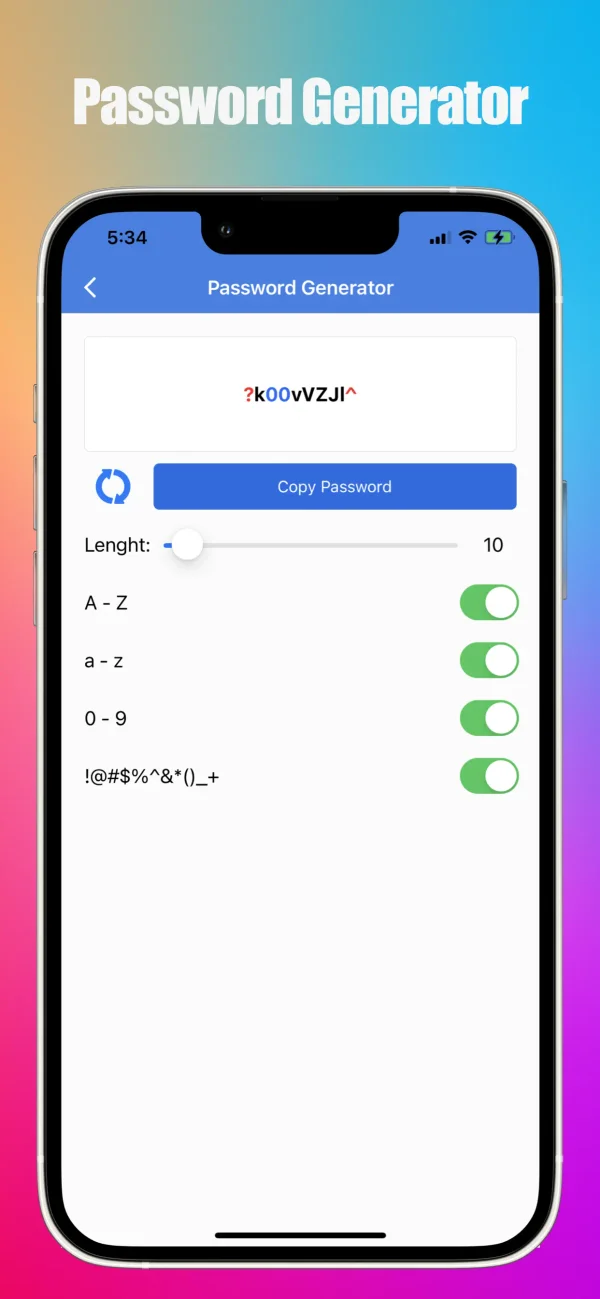
About
Too many passwords to remember? Still using the same password for every website? Locker — the safest and most convenient private information manager, delivers a brand-new way to protect your personal data.
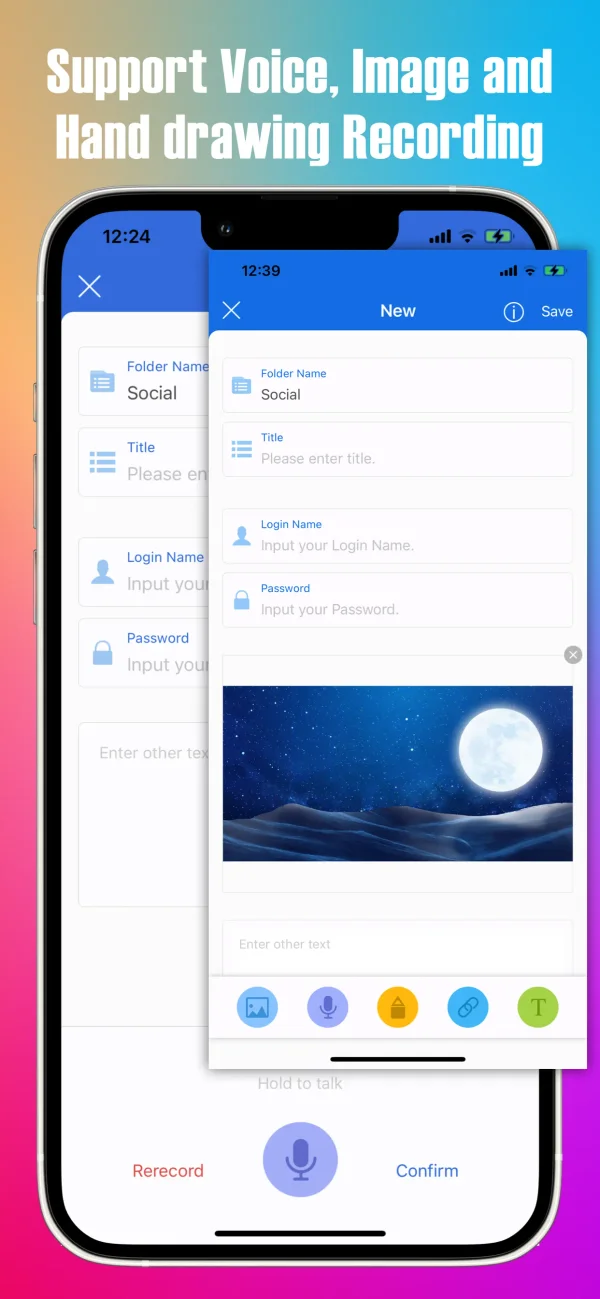
Store passwords safely and effortlessly. Supports text, hand-drawn notes and photos.
— FEATURES —
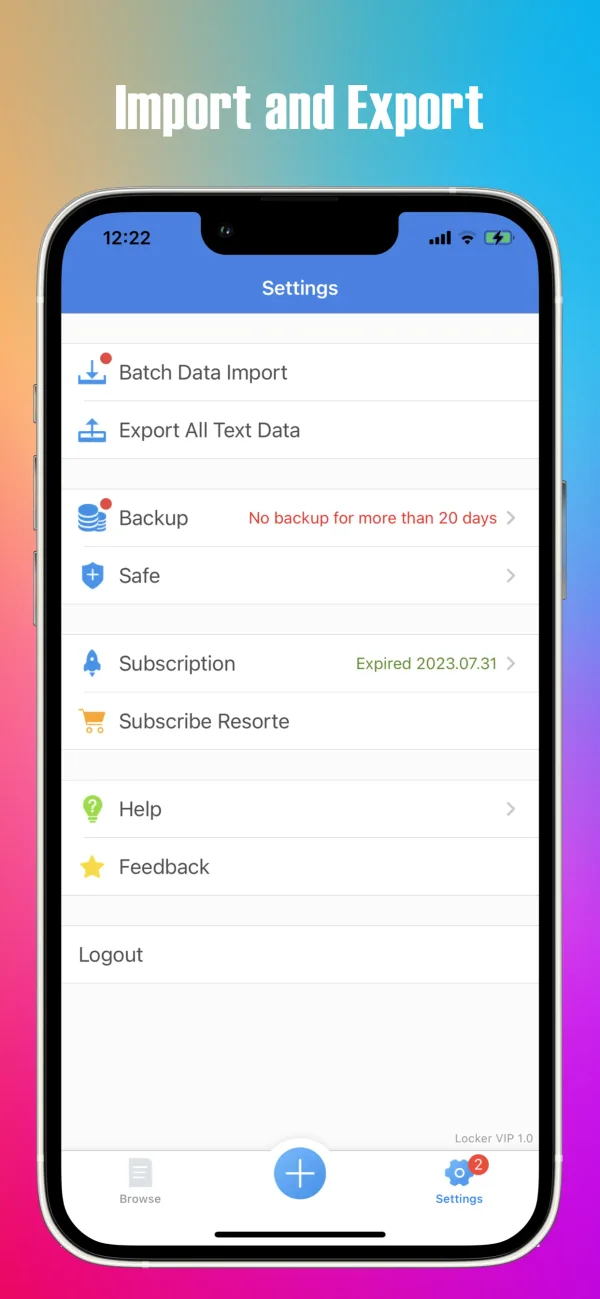
- Supports import & export for easy password management.
- Gesture and fingerprint login for faster access.
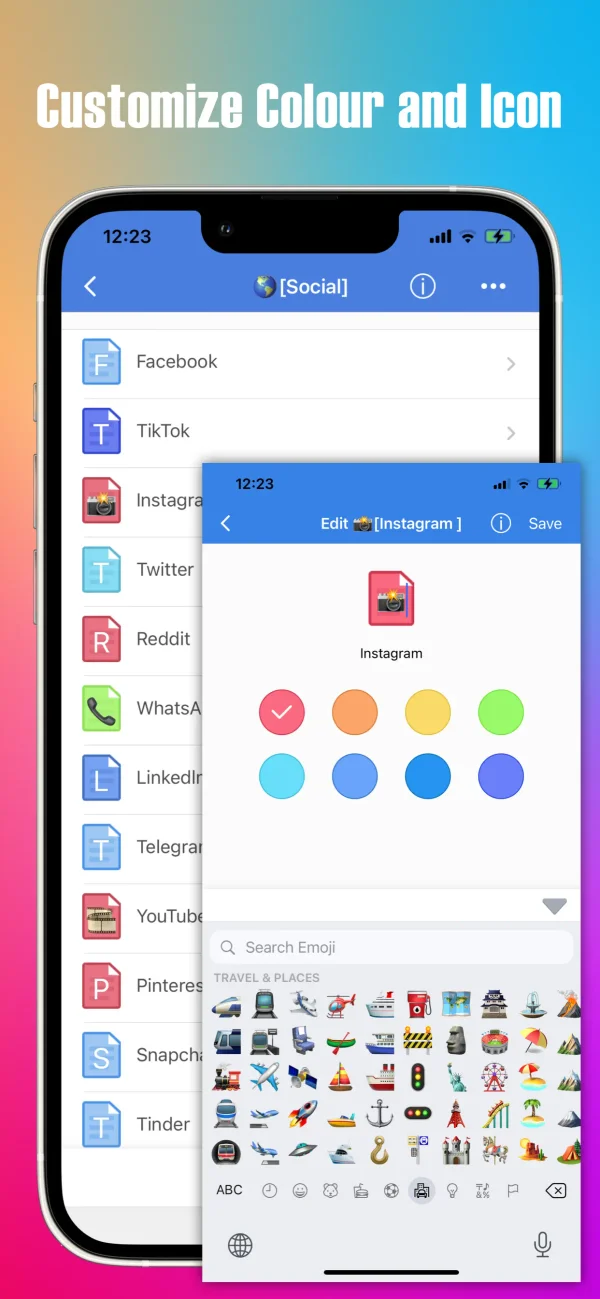
- Customize colors and icons for each record.
- High-strength encryption keeps your data secure.
- Supports text, hand-drawn notes and photos.
- Random password generator.
- Clone records.
- Powerful association features to quickly fill in data.
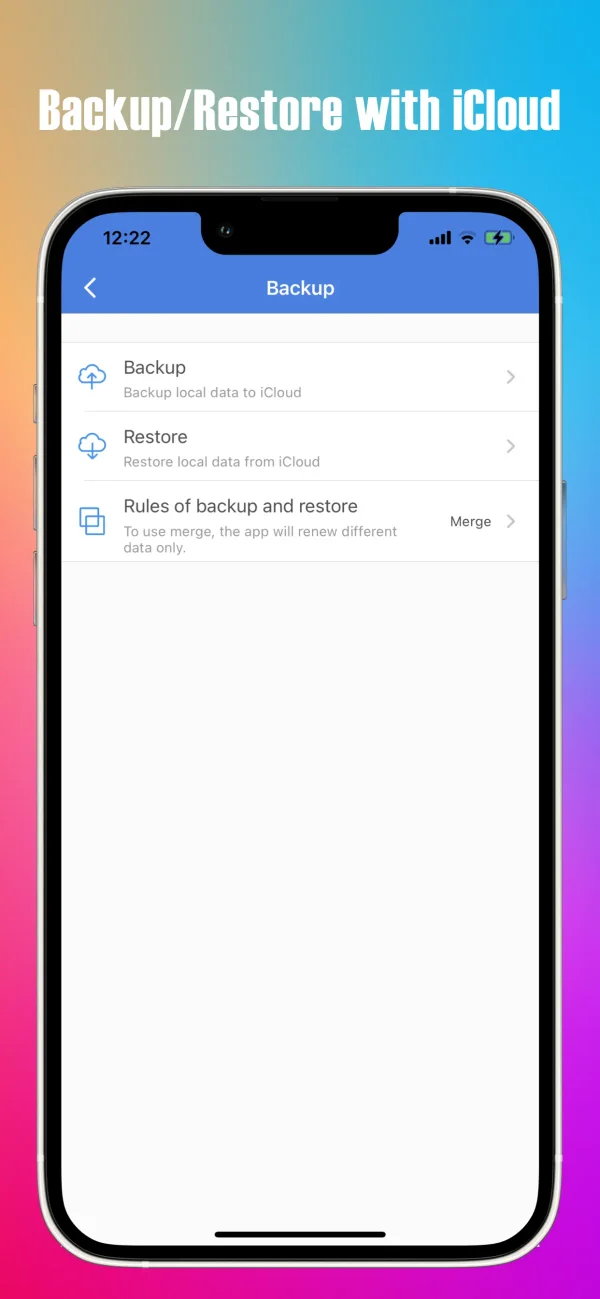
- iCloud backup & restore supported. Quickly recover data when switching phones or if your device is lost.
- Data wipe feature: data will be destroyed after exceeding your set number of wrong password attempts.
— SECURITY —
Leveraging Apple’s security mechanisms and iOS security system, all private data is encrypted and stored only on your device or iCloud. No one, including the developers, can access your private data or master password. Your encrypted private data is protected against hacking.
— LOCKER —
Everyone needs accounts and passwords to access websites. Reusing the same username and password is risky. Once credentials are stolen, your accounts on other sites face data leakage risks. However, unique complex passwords are hard to memorize. That’s why YOU NEED LOCKER!
Locker is a safe and convenient password manager.
Simple to use, with fast import and entry.
Manage text, hand-drawn images.
High security: not even developers can access your data.
For questions or feedback, please email us. We value your feedback, which drives our continuous improvement.
support@mxcode.com
* Privacy Policy: https://api.mxcode.com/html/locker/privacy/en.html
* Terms of Use: https://api.mxcode.com/html/locker/terms/en.html
What’s new
Version 2.1 · Oct 14, 2026
- Fixed bugs related to cloned data
- Added support for iOS 27
- Fixed layout issues on some pages
- Optimized database upgrade process
App privacy
What 晖 姚 declares on the App Store about how this app handles data.
-
Data not collected
The developer does not collect any data from this app.
Privacy practices may vary, for example with the features you use or your age.
Information
- Seller
- 晖 姚
- Category
- Utilities
- Version
- 2.1
- Updated
- Oct 14, 2026
- Released
- Aug 26, 2022
- Size
- 9.8 MB
- Requires
- iOS 15.6 or later
- Age rating
- 4+
- Price
- Free
- In-app purchases
- Yes
- Languages
- English, French, German, Japanese, Korean, Simplified Chinese, Spanish, Traditional Chinese
- Copyright
- © 2017-2026 MXCODE
You might also like
-
 Password Manager & Generatorrandom pwd generator & manager
-
 VaultNote - Password ManagerSecure Passwords & 2FA Codes
-
 DoksyUnderstand every document.
-
 Ciphro: Password ManagerUtilities
-
 CryptedNotesUtilities
-
 Passwords41Utilities
-
 Domestic lockerDomestic locker
-
 KeySaltPassword Manager
-
 Password - Fully customizableCustom password generator
-
 QuickScroll for SafariFast Read & Auto Scroll