Lockin: App & Website Blocker
Lock In: Screen Time Control
Designed for iPhone
Free · In-app purchases
- Age rating4+
- CategoryProductivity
- DeveloperApproud Co., Ltd.
- LanguagesEnglish+ 10 more
- Size33.7 MB
Links to the official App Store page
Download.org hosts no file of Lockin: App & Website Blocker. The button opens its official App Store page, published by Approud Co., Ltd. Listing last checked on Nov 17, 2026.
Screenshots

About
Get your time back from the apps that steal it.
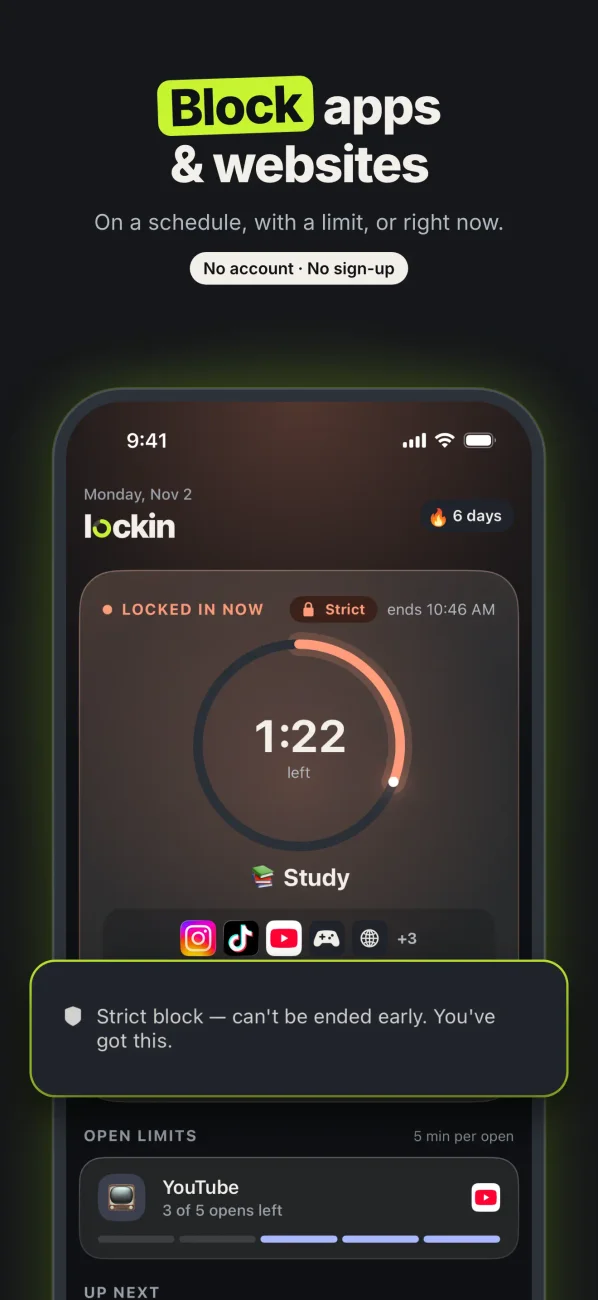
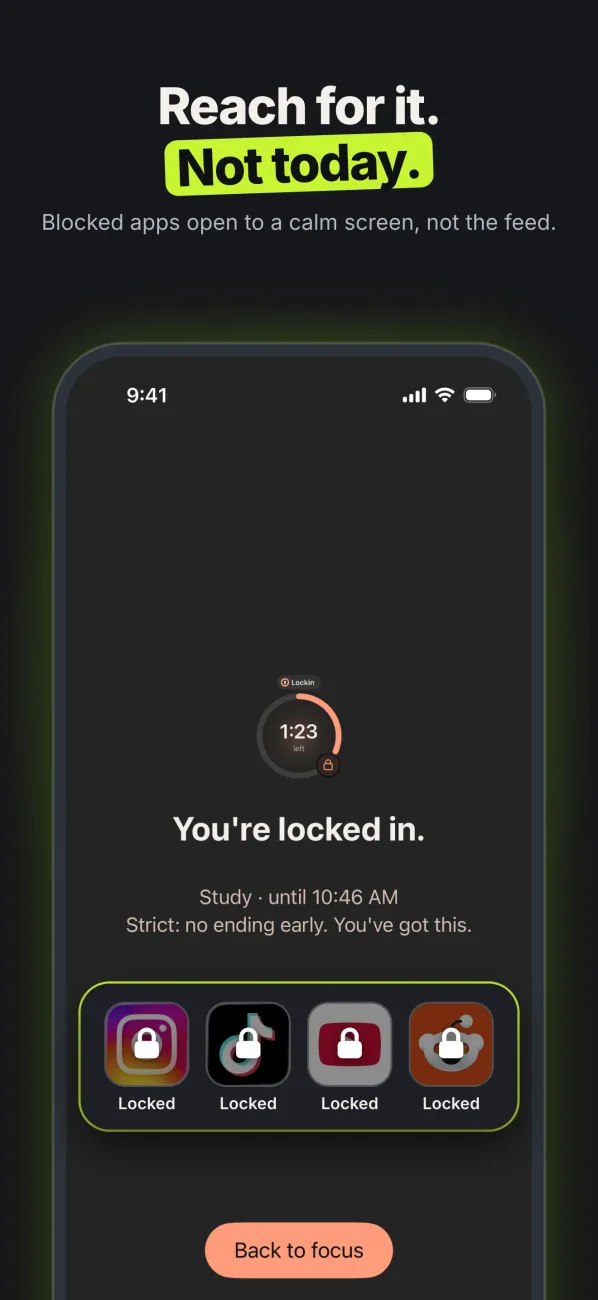
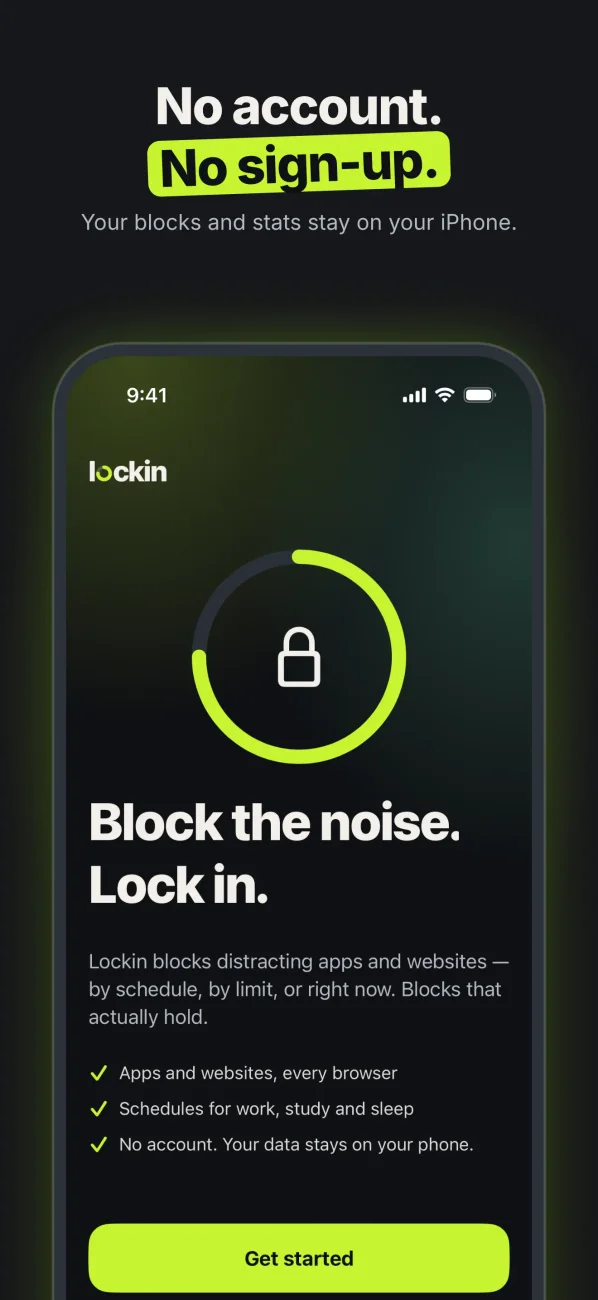
Lockin blocks distracting apps and websites on your iPhone, on your terms. Blocks run on Apple's Screen Time, so they hold: no swiping them away, no "just five more minutes" that turns into an hour.
FOUR WAYS TO BLOCK
• Lock in now: block your distractions right away, for as long as you choose
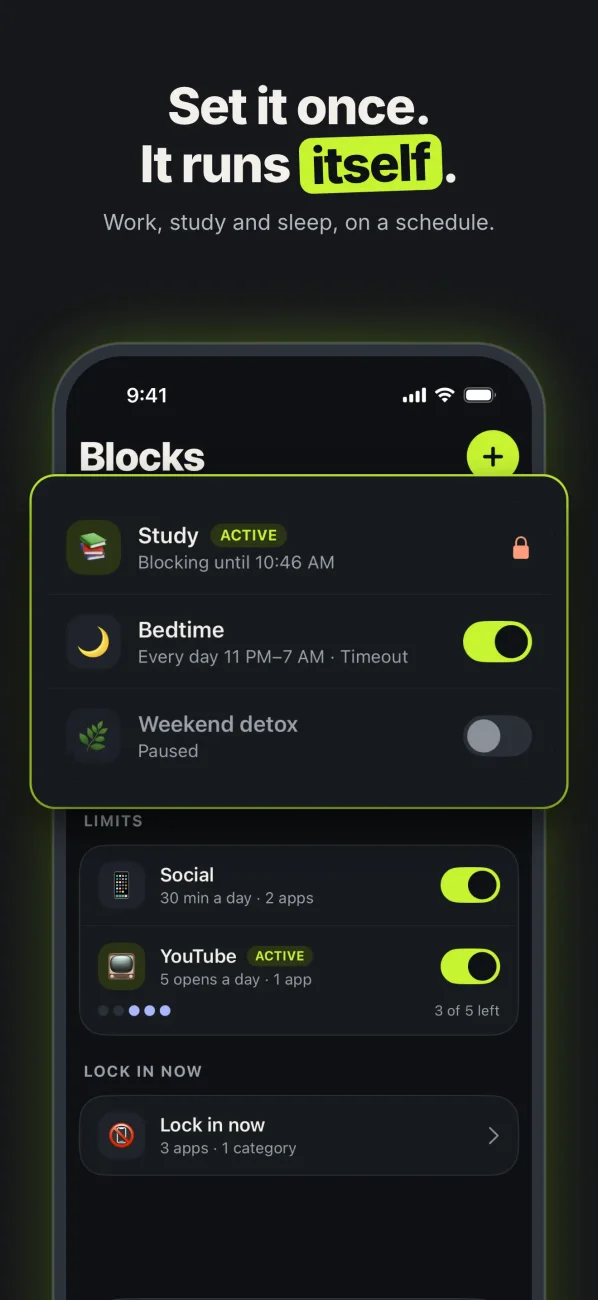
• Schedules: weekdays 9 to 5, study evenings, bedtime, whatever fits your week
• Time limits: an hour of social apps a day, then they're blocked until midnight
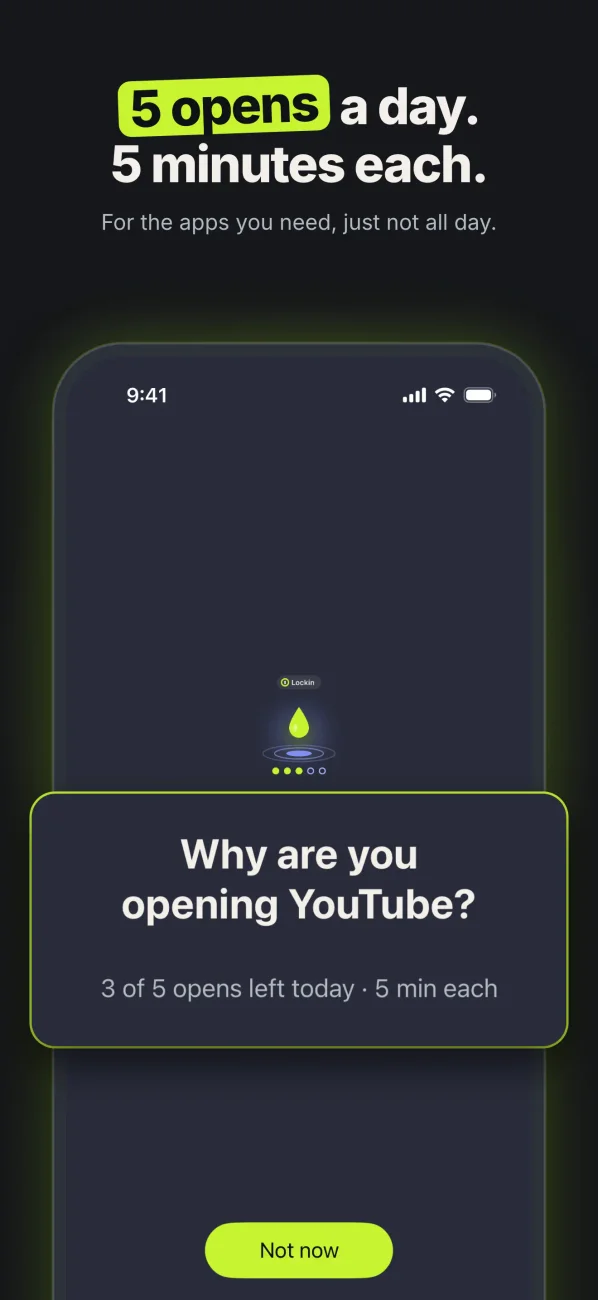
• Open limits: open an app a set number of times a day, a few minutes each
PICK HOW FIRM IT IS
• Easy: end a block any time
• Timeout: a short pause before you can end it, enough to change your mind
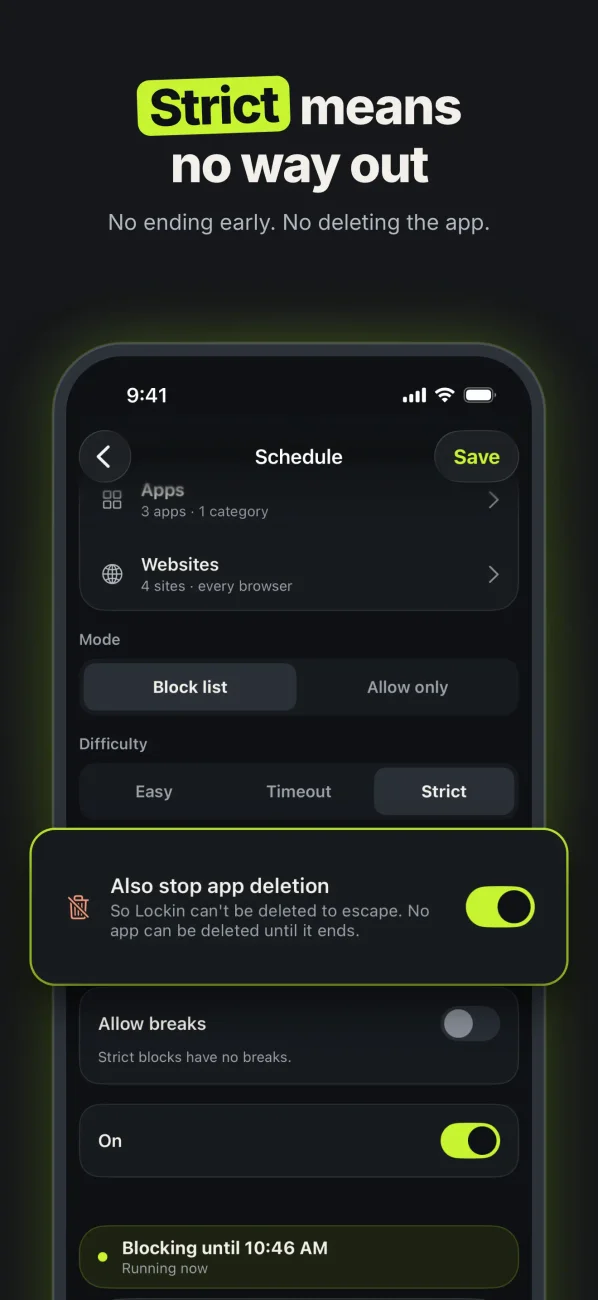
• Strict: no way out until it's over, and you can stop apps from being deleted meanwhile
APPS AND WEBSITES
Choose apps and whole categories with Apple's own picker, and add the websites you lose time on. Each site is blocked with its subdomains, in Safari and other browsers. Turn on the Lockin Safari extension for keyword and page rules.
SEE YOUR PROGRESS
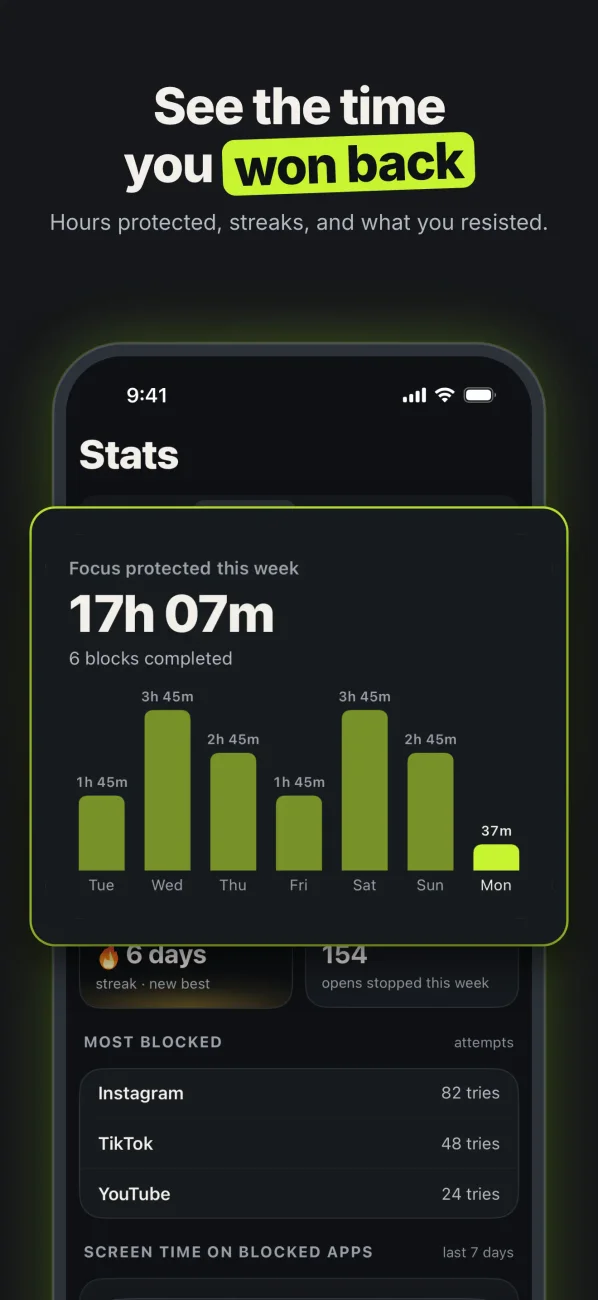
Stats show how much time you spent on blocked apps and how many blocks you finished. A widget and a Live Activity show what's blocked and what's next, right on your Home Screen and Lock Screen.
PRIVATE BY DESIGN
Your apps, websites and block names stay on your phone. Apple's Screen Time never shares them with Lockin. Anonymous usage stats can be turned off in Settings.
EVERYONE GETS
Lock in now any time, one schedule or limit, up to 5 websites, Easy and Timeout levels, and today's stats.
LOCKIN PRO
• Strict level
• Unlimited schedules and limits
• Up to 45 websites, plus Safari keyword and page rules
• Allow-only mode: block everything except the apps you choose
• Breaks during a block
• Full stats history
• App icons and themes
Pro is available monthly, yearly with a 7-day free trial, or as a one-time Lifetime purchase. Subscriptions renew automatically unless cancelled at least 24 hours before the end of the period; manage them in Settings.
Lockin needs Screen Time access to block apps. You can turn it off any time in iOS Settings.
Terms: https://approud.com/lockin/terms
Privacy: https://approud.com/lockin/privacy
What’s new
Version 1.1 · Nov 12, 2026
Thanks for trying Lockin in its first weeks! This update smooths out a few rough edges:
• iOS 18: a quick tip before Apple's app list helps keep it from going blank.
• Setup: the Screen Time step now shows it's loading instead of looking stuck.
• The Live Activity now speaks your language and shows how many apps and sites are blocked.
• Blocked apps fit neatly on the blocked list.
• Now and then, after a finished block, we'll ask how Lockin is going. Your answer helps us make it better.
Thanks for locking in with us!
App privacy
What Approud Co., Ltd. declares on the App Store about how this app handles data.
-
Data not linked to you
May be collected but is not linked to your identity.
- Purchases
- Location
- Identifiers
- Usage data
Privacy practices may vary, for example with the features you use or your age.
Information
- Seller
- Approud Co., Ltd.
- Category
- Productivity
- Version
- 1.1
- Updated
- Nov 12, 2026
- Released
- Nov 3, 2026
- Size
- 33.7 MB
- Requires
- iOS 18.0 or later
- Age rating
- 4+
- Price
- Free
- In-app purchases
- Yes
- Languages
- English, Dutch, French, German, Italian, Japanese, Korean, Portuguese, Simplified Chinese, Spanish, Vietnamese
- Copyright
- © 2026 Approud Co., Ltd.
You might also like
-
 Tenki: Focus & App BlockerLife without distractions
-
 Foccus: Screen Time BlockerLock apps, build focus streaks
-
 Awaytime: Screen Time BlockerStop Doomscrolling & Detox
-
 Odak - Social Media BlockerScreen Time & Focus
-
 한글 맞춤법 검사기Productivity
-
 DetoxScreen: App BlockerStop scrolling & digital detox
-
 Deep: Pomodoro Time TrackerFocus, App Blocker & Limit
-
 Screen time control - ScreenzaApp Lock, Focus & App Blocker
-
 Screen Time Control - VowBlock Apps & Cut Distractions
-
 Habit Time Tracker - FlowticFocus Insight Timer & Reports