
LongPlay: Audio Player
Long-Form Audio File Player
Designed for iPhone, iPad
Free · In-app purchases
- Age rating4+
- CategoryEntertainment
- DeveloperU-FACTORY Co.,Ltd.
- LanguagesEnglish+ 1 more
- Size4.4 MB
Links to the official App Store page
Download.org hosts no file of LongPlay: Audio Player. The button opens its official App Store page, published by U-FACTORY Co.,Ltd. Listing last checked on Nov 15, 2026.
Screenshots

About
LongPlay is an audio player specialized for long-form audio files you have on your devices.
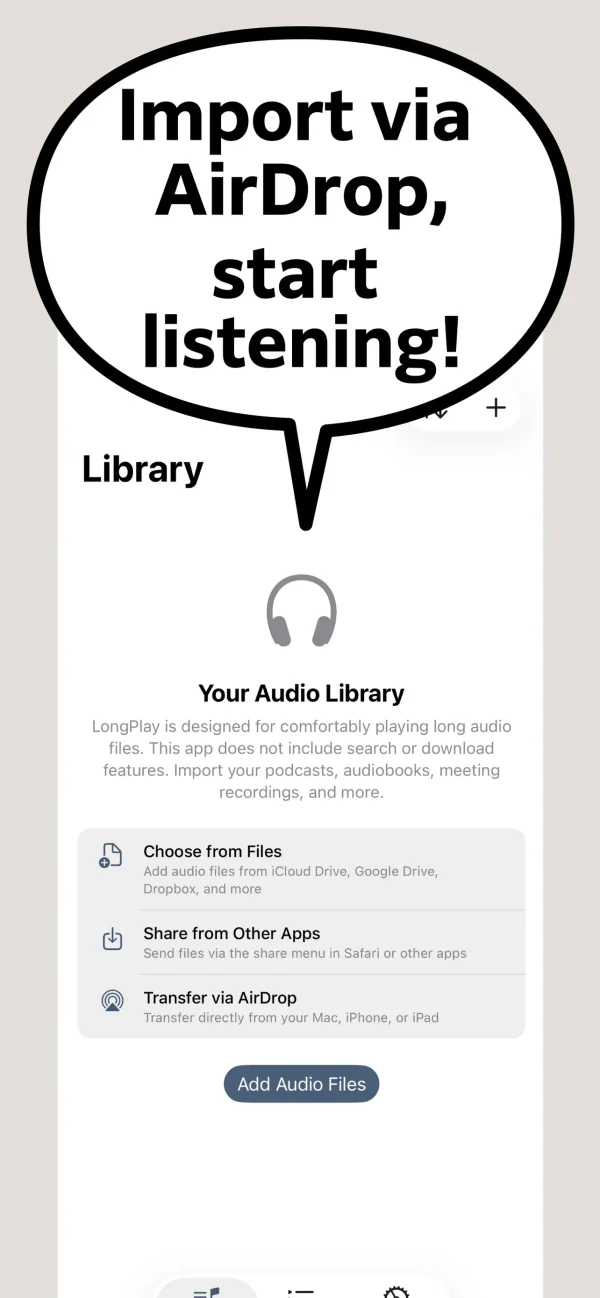
Import MP3, M4A, AAC, or WAV files via AirDrop or the Files app, and you're ready to go. On your commute, during a walk or run, while doing chores, on a long train ride or flight, or as you drift off to sleep — LongPlay fits right into your daily routine.
With Apple Watch support, your Watch works as a remote for your iPhone — play, pause, skip, and adjust speed right from your wrist, even when your iPhone is tucked away in a crowded train or strapped to your arm on a run.
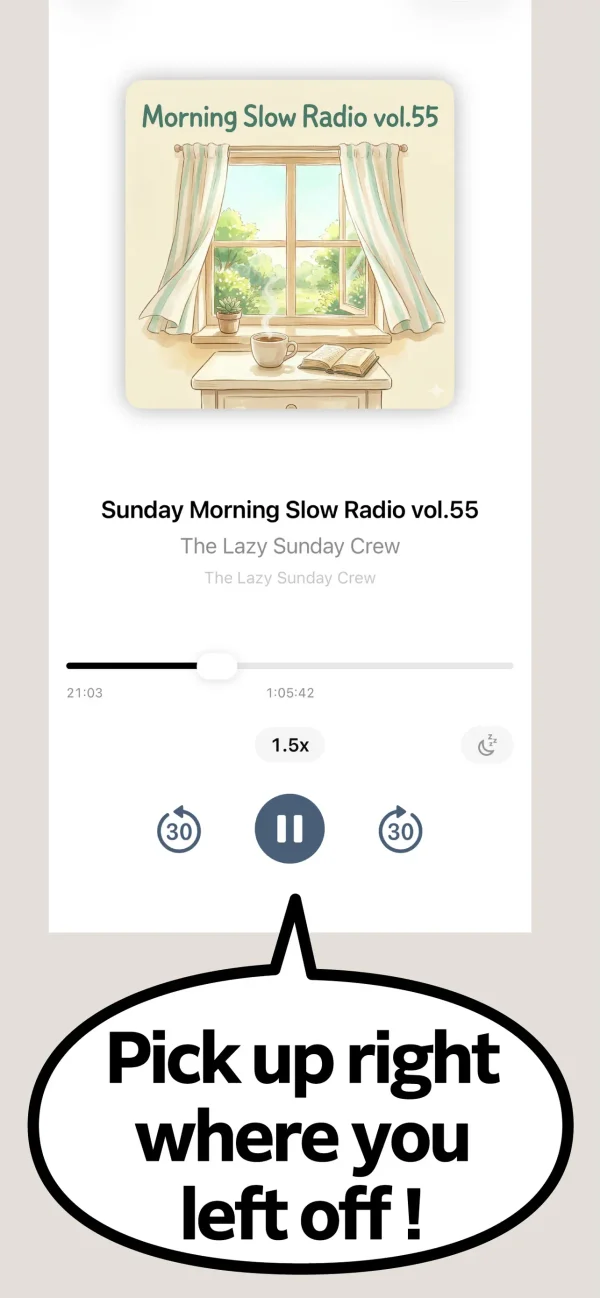
Your playback position is saved automatically, so you never lose your place. Progress bars in the library let you see at a glance how far along you are in every file.
No account required. No data leaves your device. Import your files and start listening right away.
◆ Auto-Resume
Your position is saved automatically. Pick up exactly where you stopped, every time.
◆ Listen Faster
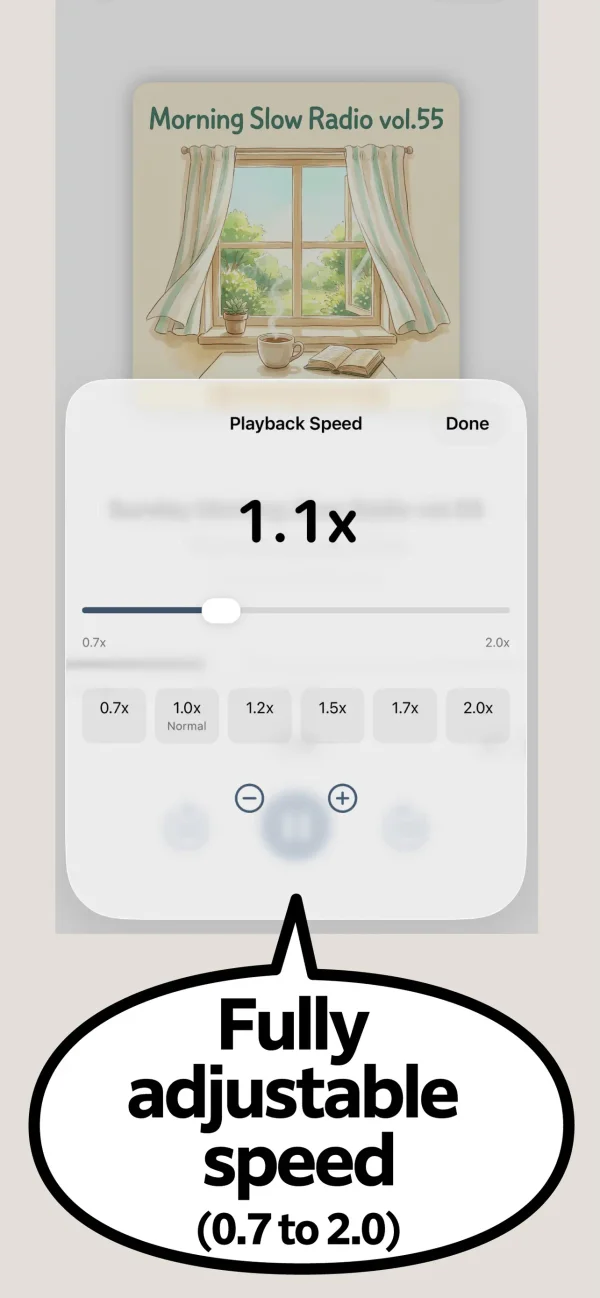
Adjust playback speed from 0.7x to 2.0x in fine 0.05x steps. Get through more content in less time.
◆ Track Your Progress
Progress bars and completion marks in your library let you see what you've finished and what's still playing.
◆ Apple Watch Support
Control playback from your wrist without reaching for your iPhone.
◆ Flexible Skip Controls
Set your preferred skip duration to 5, 10, 15, 30, or 45 seconds.
◆ Easy Import
Import MP3, M4A, AAC, and WAV files via AirDrop or the Files app. Metadata and artwork are loaded automatically.
-------------------------------------
LongPlay Premium
-------------------------------------
Not a subscription — one purchase unlocks all Premium features forever.
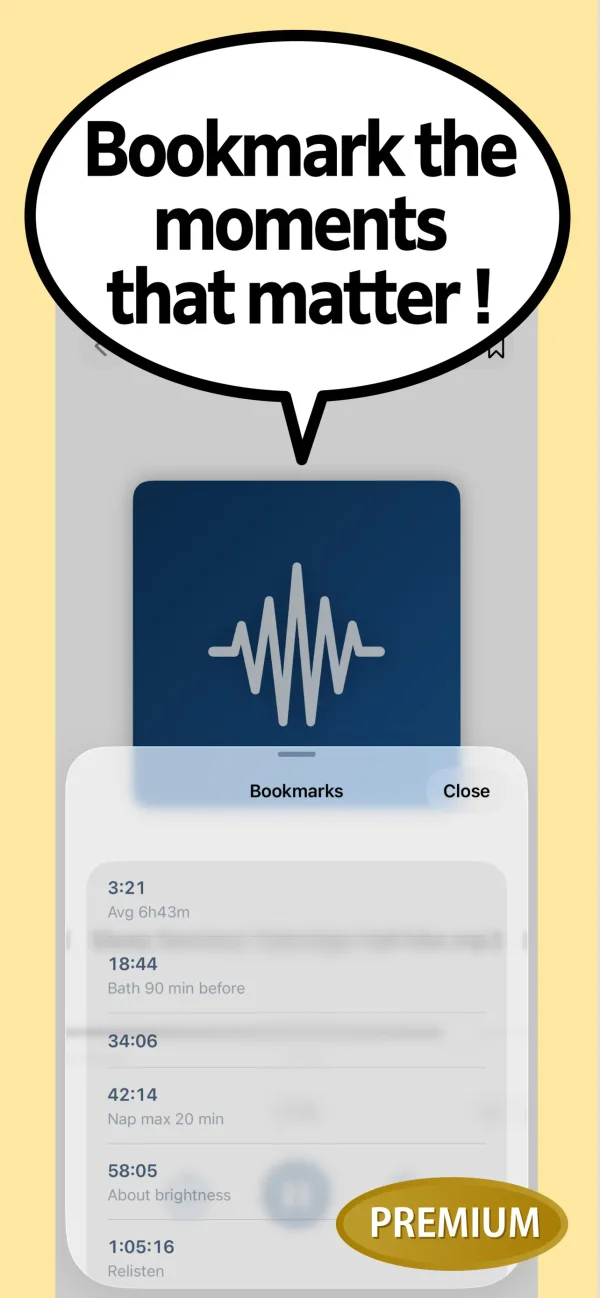
▶ Bookmarks
Save any moment with a note and jump back to it instantly.
▶ Chapters
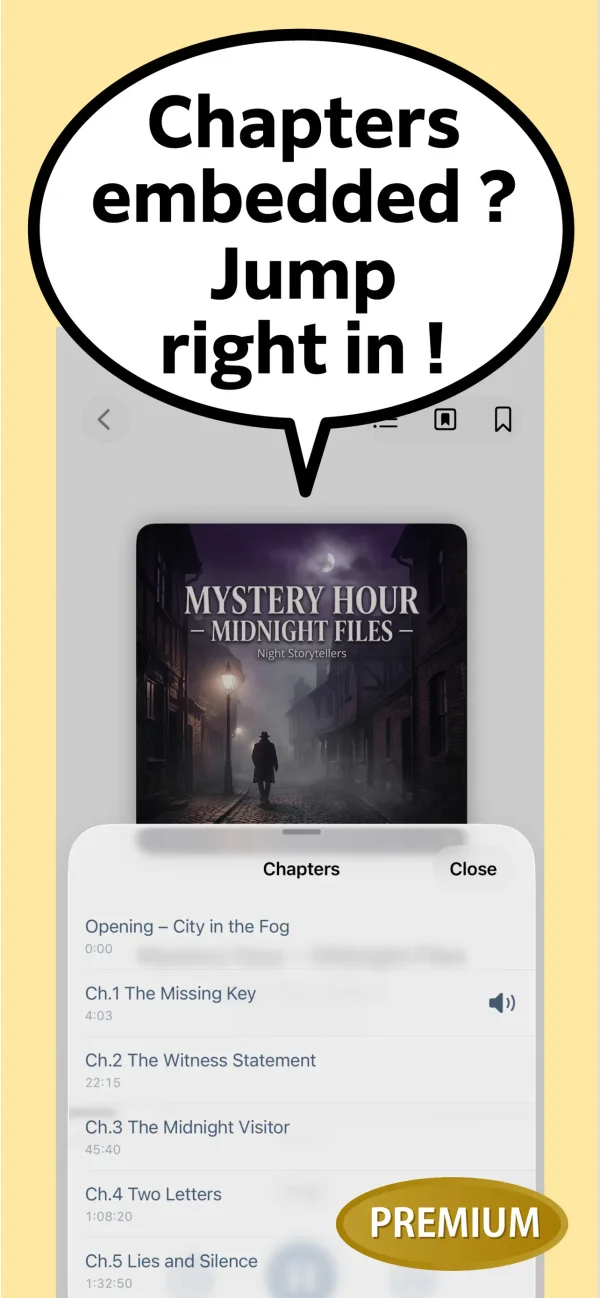
Navigate long episodes with embedded chapter support for MP3 and M4A files.
▶ Playlists
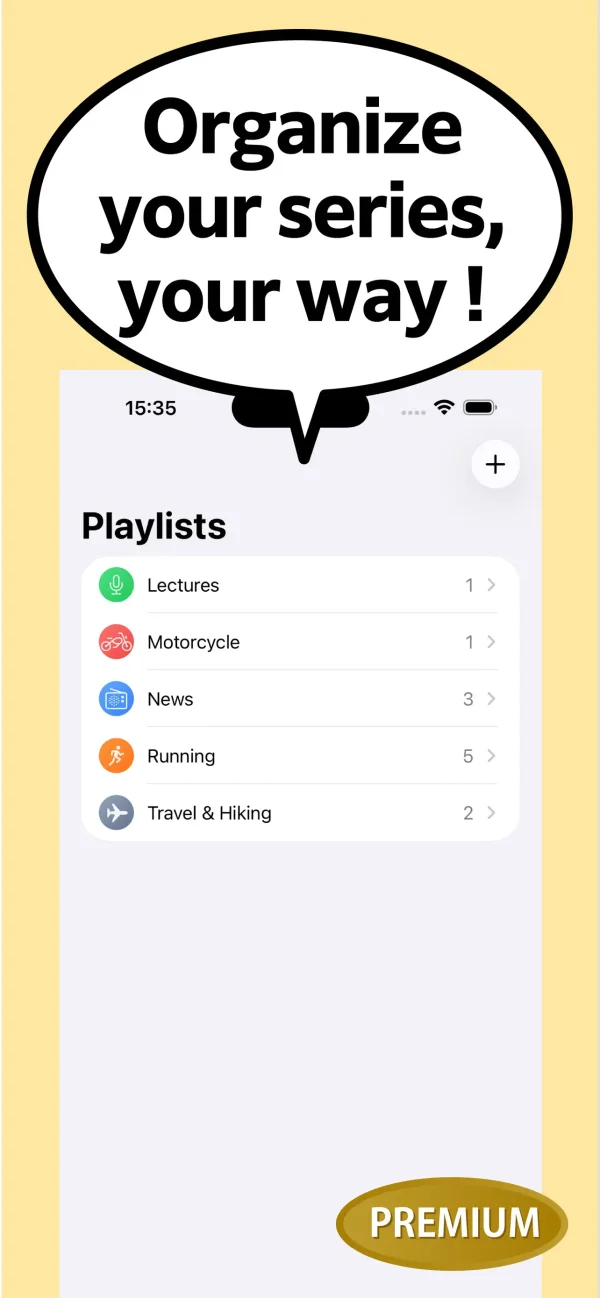
Queue up multiple files in any order for continuous playback. Customize each playlist with an icon and color so you can tell them apart at a glance.
▶ Loop Playback
Repeat the entire playlist or keep a single file looping on repeat.
▶ Sleep Timer
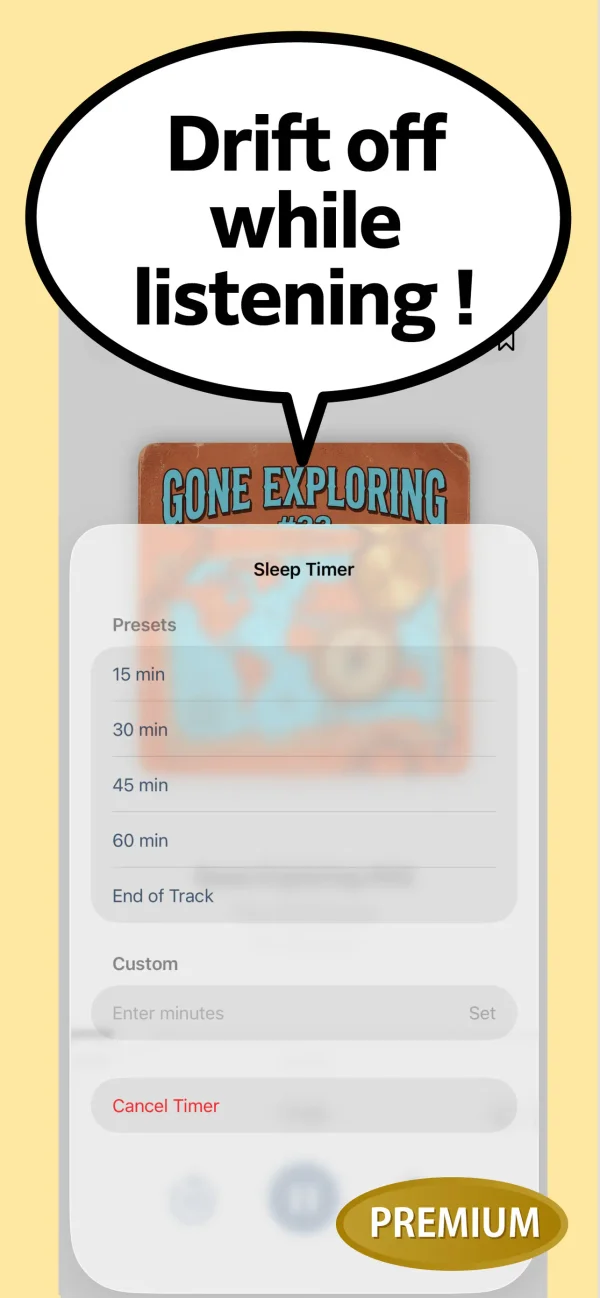
Auto-stop playback after a set time or at the end of the current file.
▶ Apple Watch Premium
Bookmark moments and set sleep timers right from your Watch.
-------------------------------------
Supported formats: MP3 / M4A / AAC / WAV
Requires iOS / iPadOS 18.0 or later / watchOS 11.0 or later for Watch features
What’s new
Version 1.3.0 · Nov 2, 2026
- Playlists can now resume each audio from where you left off (Settings > "Resume in Playlists")
- Tapping "Previous" right after resuming now moves to the previous audio
- Fixed an issue where the previous audio's position could remain after switching
App privacy
What U-FACTORY Co.,Ltd. declares on the App Store about how this app handles data.
-
Data not collected
The developer does not collect any data from this app.
Privacy practices may vary, for example with the features you use or your age.
Information
- Seller
- U-FACTORY Co.,Ltd.
- Category
- Entertainment
- Version
- 1.3.0
- Updated
- Nov 2, 2026
- Released
- Mar 28, 2026
- Size
- 4.4 MB
- Requires
- iOS 18.0 or later
- Age rating
- 4+
- Price
- Free
- In-app purchases
- Yes
- Languages
- English, Japanese
- Copyright
- © U-FACTORY Co.,Ltd.
You might also like
-
 Flow Audiobook PlayerOffline MP3 & M4B Books
-
 Podli: Podcast PlayerPodcast app: car & smartwatch
-
 AudioPlayLogCollection,Audio Drama&Stats
-
 GrandMaster OpeningsEntertainment
-
 シンプルMP3プレイヤーEntertainment
-
 DOTEC-AUDIO DeePopMaxWin a loudness fit to CDs/SNS!
-
 DubbixEntertainment
-
 ClearIconUnblock Your Perfect Wallpaper
-
 ManatanRead, watch & learn languages
-
 Up Next - Podcast clientListen to all your shows