Loopr: Delivery Route Planner
Multi-stop courier optimizer
Designed for iPhone, iPad
Free · In-app purchases
- Age rating4+
- CategoryNavigation
- DeveloperEddy Leon Tejeda
- LanguagesEnglish+ 4 more
- Size137.7 MB
Links to the official App Store page
Download.org hosts no file of Loopr: Delivery Route Planner. The button opens its official App Store page, published by Eddy Leon Tejeda. Listing last checked on Nov 26, 2026.
Screenshots

About
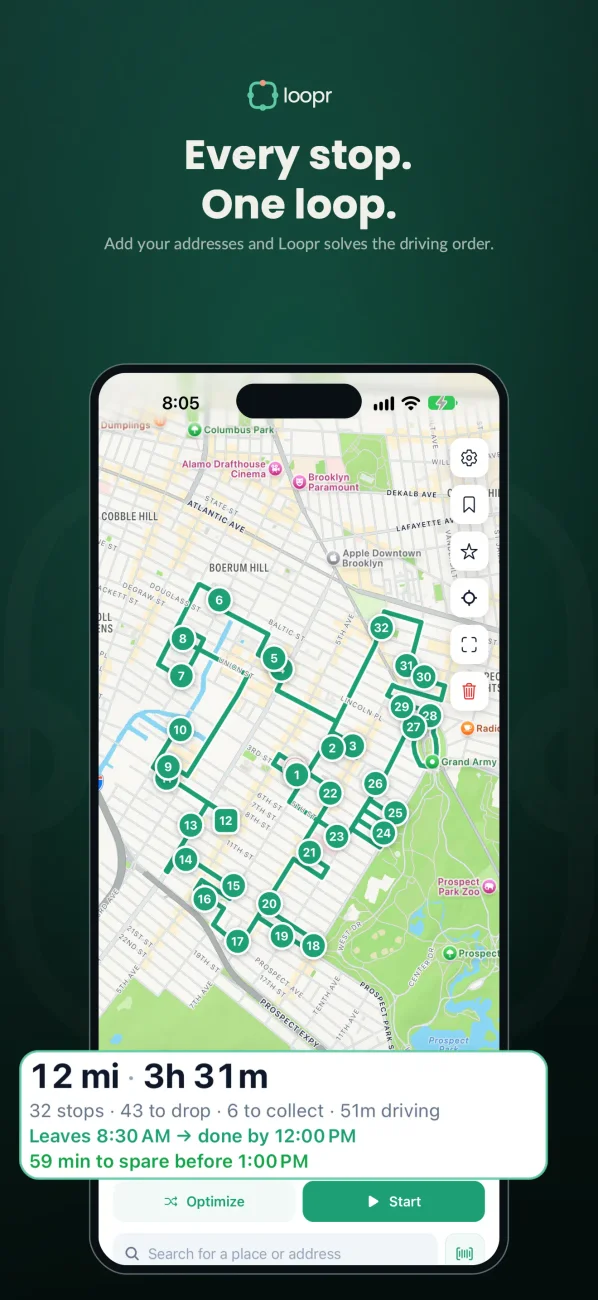
Loopr turns a pile of addresses into a route you can actually drive.
It's a multi-stop route planner for delivery drivers and couriers — and just as good for sales calls, service jobs, showings, or a Saturday of errands.
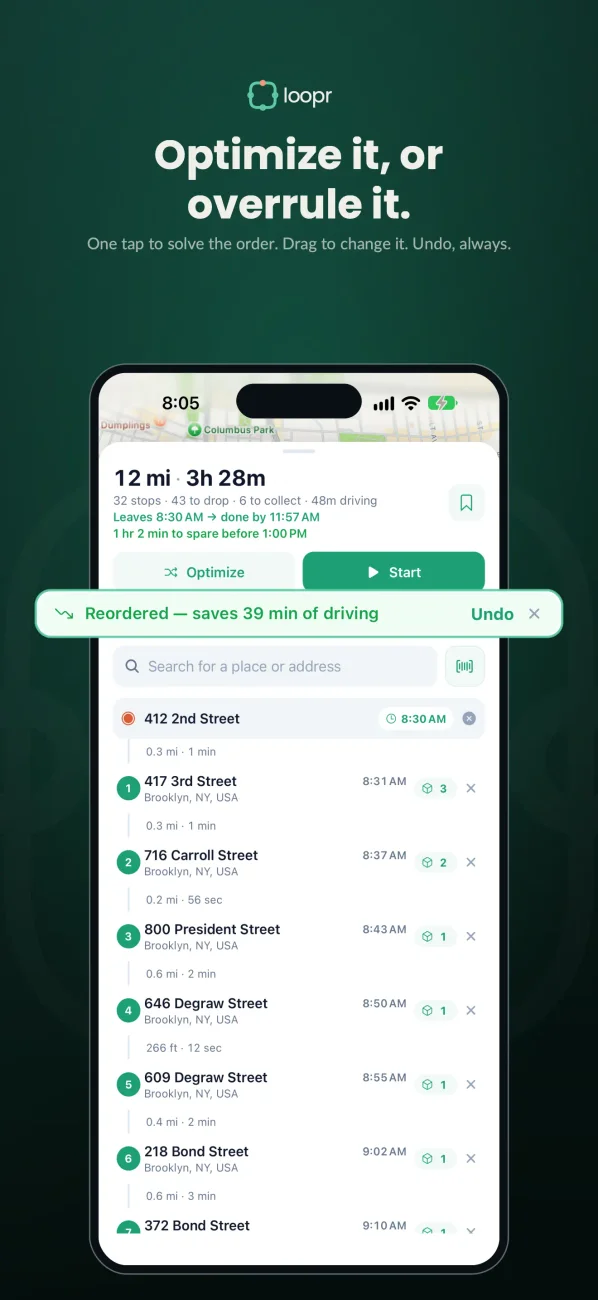
Add your stops, then let Loopr solve the fastest order — or drag them into the order you want. Give stops their opening times and the day a finish time, and Optimize plans around both. Every stop has an arrival time and every leg a distance and driving time, so you can see the whole day before you turn the key. Then press Start: the plan locks, Loopr keeps your place, and Directions hands each stop to Google Maps or Apple Maps for turn-by-turn.
PLAN THE ROUTE
• Add stops by search, by pressing and holding the map, or from your saved places
• Optimize solves the order for you — and always offers Undo
• Press and hold a stop to drag it into place
• Mark each stop as a delivery or a pickup, with its package count
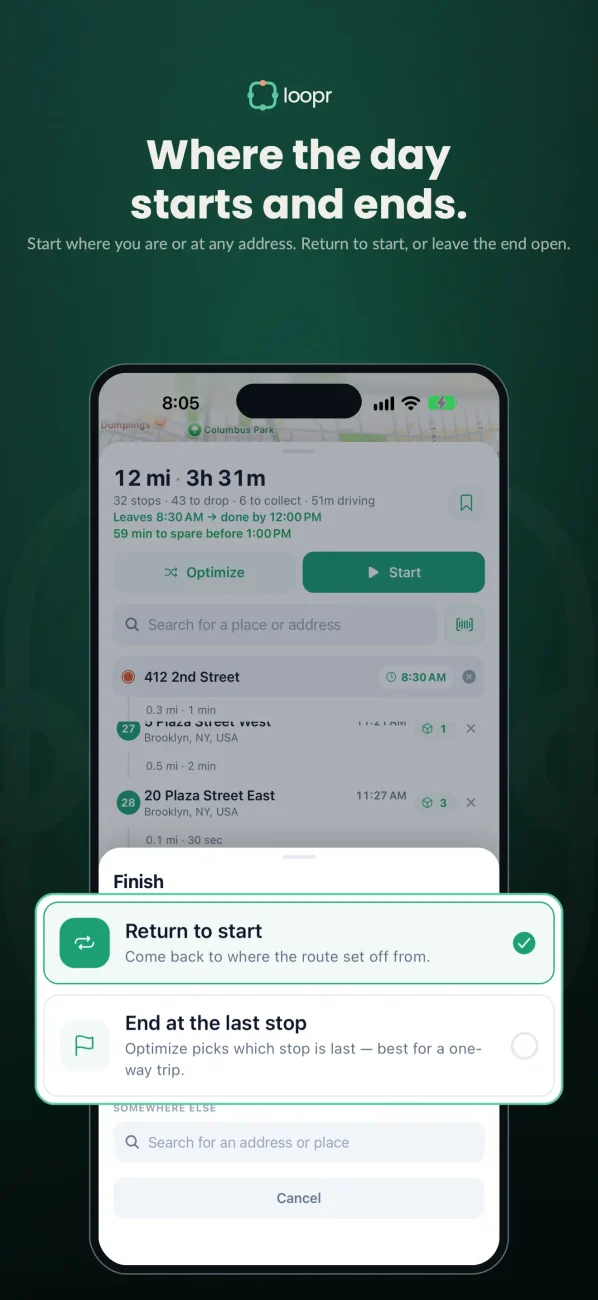
• Start from where you are, or from any address you pick
• Finish back at the start, at another address, or at your last stop
SEE THE DAY BEFORE IT STARTS
• An arrival time on every stop
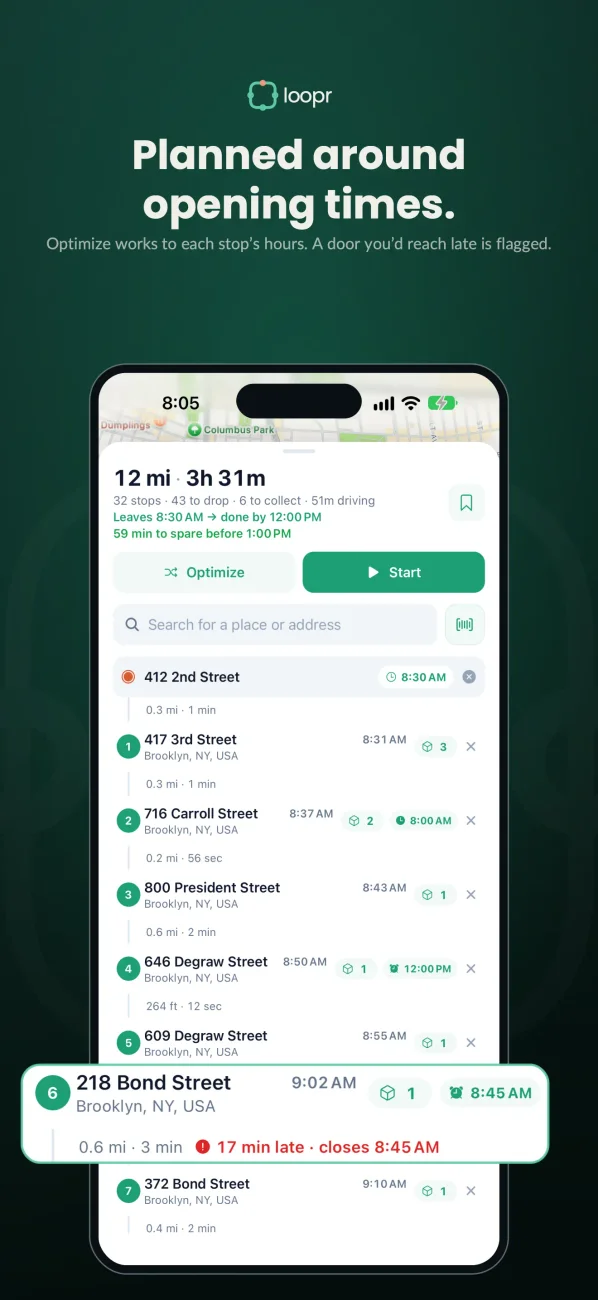
• Opening times on any stop — from, until, or both — and Optimize plans the order around them
• A stop the plan reaches after it closes is flagged in red, with how late
• Set a start time and the whole timetable shifts to it
• Set a finish-by time: Optimize plans to end by it, and Loopr shows when to leave, or your slack — green when the plan lands early, red when it runs over
• Count the time spent at each stop into the total
DRIVE IT
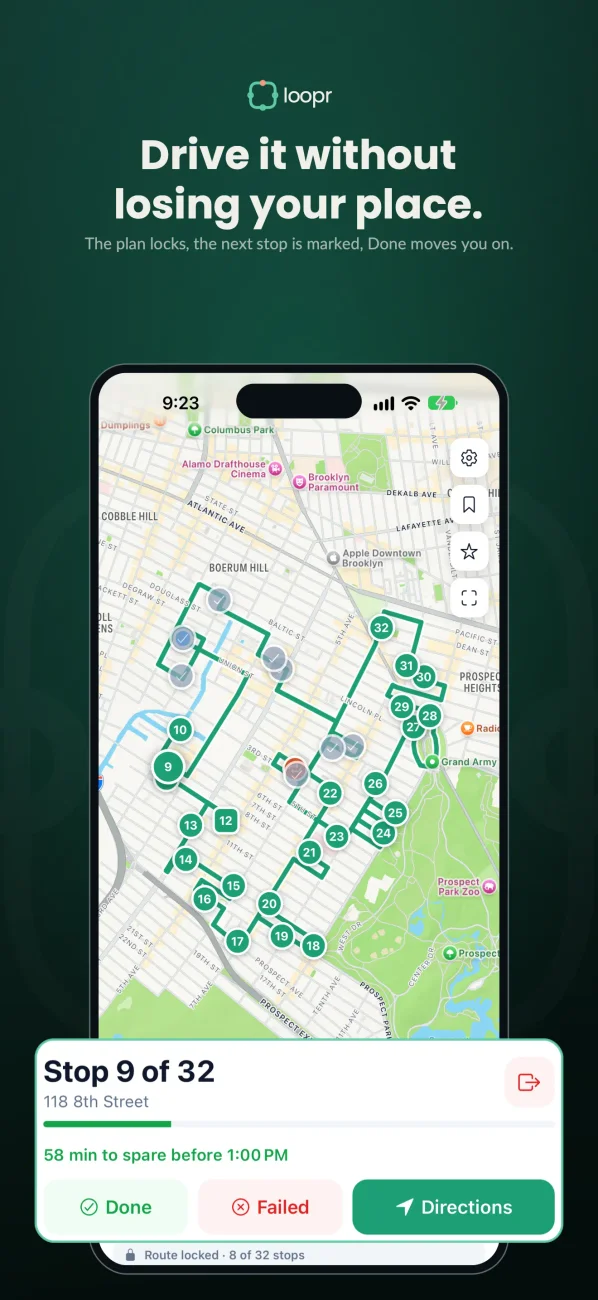
• Start locks the plan so nothing shifts underneath you
• Done (Collected at a pickup) or Failed moves you on to the next stop
• Directions hands the current stop to Google Maps or Apple Maps — set one in Settings or choose each time
• A note on each stop for gate codes, where to leave a parcel, or who to ask for
• Photograph a doorstep, a damaged parcel or a delivery card — the photos stay on your phone, with no location in them
SCAN A PACKAGE (PRO)
• Point the camera at a label to add its destination
• Reads the printed address, or a code that holds an address or map link
• Text recognition runs on your phone; what it reads goes to address search
• Always asks you to confirm the match before it becomes a stop
SAVE AND SYNC
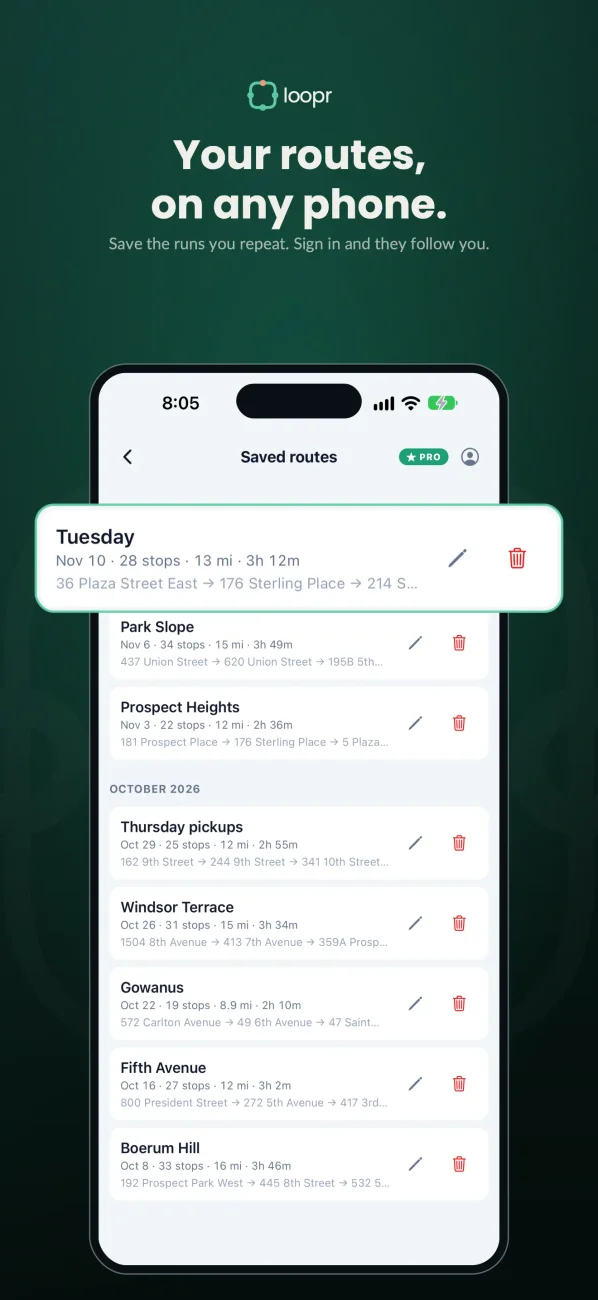
• Save the routes you run again, then reopen or rename them
• Star an address to keep it as a saved place, then add it to any route in one tap
• Sign in with Apple or Google and your routes, places and preferences follow you to a new phone
MADE FOR THE ROAD
• Light and dark themes
• Miles or kilometers
• No background location tracking — your location is used only while Loopr is open
LOOPR PRO
Free covers 10 stops per route, 3 saved routes and 5 saved places. Pro, a subscription on your account, lifts all three — 200 stops, and unlimited saved routes and places — and unlocks package scanning. Optimizing, opening times, reordering by hand and navigation handoff stay free. Eligible new subscribers may start Pro with a free trial; the App Store shows the trial and the price that follows it before you confirm.
WHAT LOOPR DOES NOT DO
Loopr plans the route and hands each stop to Google Maps or Apple Maps; it is not a turn-by-turn app itself. Estimates come from road speeds, not traffic, and Loopr knows only the opening times you enter on a stop.
Terms of Use: https://apploopr.com/terms
Privacy Policy: https://apploopr.com/privacy
What’s new
Version 2.4.1 · Nov 25, 2026
Two small changes, to the package scanner and the first-launch tour.
• The package scanner (Pro) now turns the camera off while Control Center, a system alert or the app switcher is open, and back on when you return.
• If Loopr has never asked for your location, Skip on the first-launch tour now goes to the page that asks, instead of closing the tour.
App privacy
What Eddy Leon Tejeda declares on the App Store about how this app handles data.
-
Data not linked to you
May be collected but is not linked to your identity.
- Location
- Contact info
Privacy practices may vary, for example with the features you use or your age.
Information
- Seller
- Eddy Leon Tejeda
- Category
- Navigation
- Version
- 2.4.1
- Updated
- Nov 25, 2026
- Released
- Sep 14, 2026
- Size
- 137.7 MB
- Requires
- iOS 16.4 or later
- Age rating
- 4+
- Price
- Free
- In-app purchases
- Yes
- Languages
- English, French, German, Portuguese, Spanish
- Copyright
- © 2026 Eddy Leon
You might also like
-
 Arrived: Route plannerDelivery route planner
-
 RoutePilot: Route PlannerMulti-drop courier & delivery
-
 Pinly: Maps, curated by peopleSave places. Share the map.
-
 Delivery Route PlannerThe Route Planner for Drivers.
-
 DeliveryRouteDelivery Route Planner & GPS
-
 Route Planner for DeliveriesUnlimited stops, optimized
-
 MakeRoutes: Route PlannerOptimize multi-stop routes
-
 LoopLogixScan, plan, deliver faster
-
 NoJamGO: Private AI NavigationAI routes in your own words
-
 Hyve Security - DriverSeamless return pickups