LoveClock - Couple Countdown
Anniversary, reunion, widgets
Designed for iPhone, iPad
Free · In-app purchases
- Age rating4+
- CategoryLifestyle
- DeveloperPawel Szydlowski
- LanguagesEnglish+ 8 more
- Size22.5 MB
Links to the official App Store page
Download.org hosts no file of LoveClock - Couple Countdown. The button opens its official App Store page, published by Pawel Szydlowski. Listing last checked on Nov 26, 2026.
Screenshots


About
LoveClock counts every day you've been together, with a glowing ring and floating hearts, right on your iPhone. Set the day you became a couple and you're in, in under a minute. No account, no sign-up.
■ Count every day together
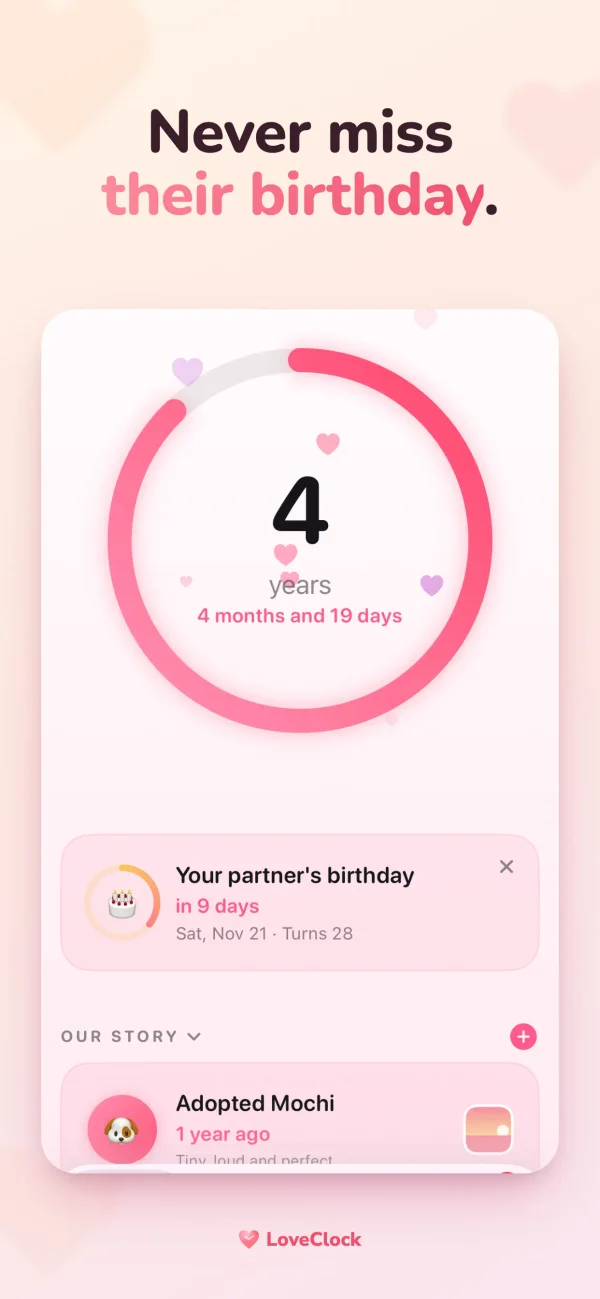
• A live "together" counter from the day you met. Tap it to see your time in days, weeks, months, or the full breakdown.
• Your next anniversary, named by its traditional material: paper, crystal, gold, diamond… Each is its own theme world, opened by the years you reach.
• Make it yours: Rose, or Midnight if you'd rather have blue. Each of you picks your own.
■ Our Story
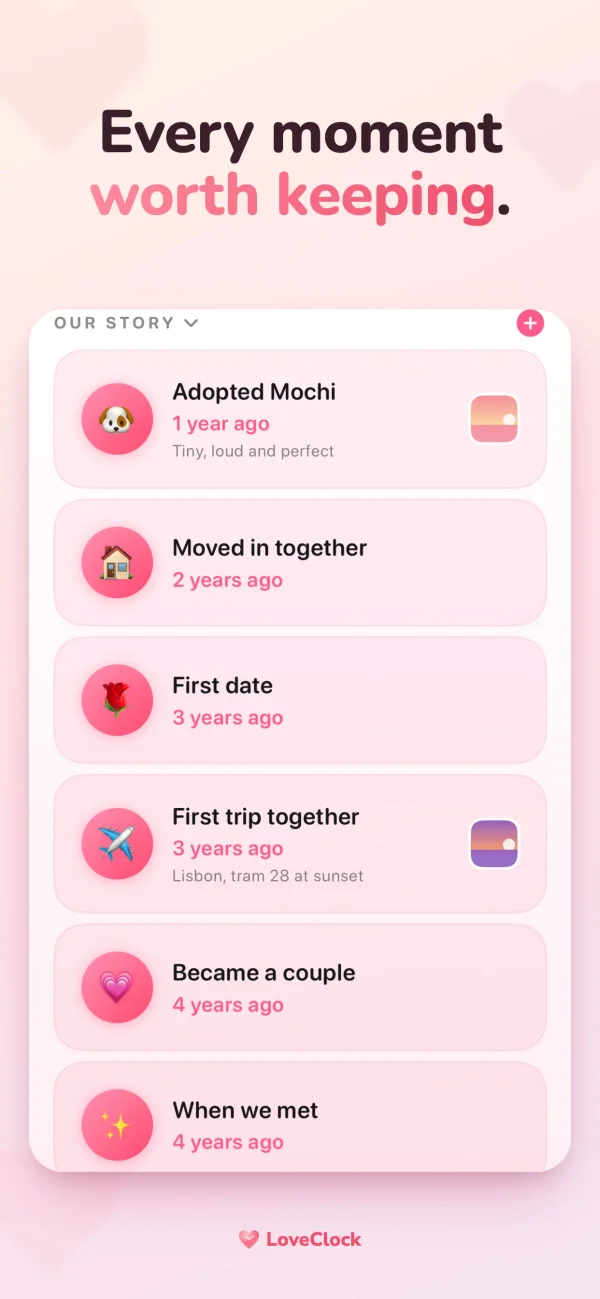
• Add every moment that matters: when you met, got engaged, anything else. Free, and there's no limit.
• Count each moment in days, weeks, months or years, with its own emoji.
■ Our places
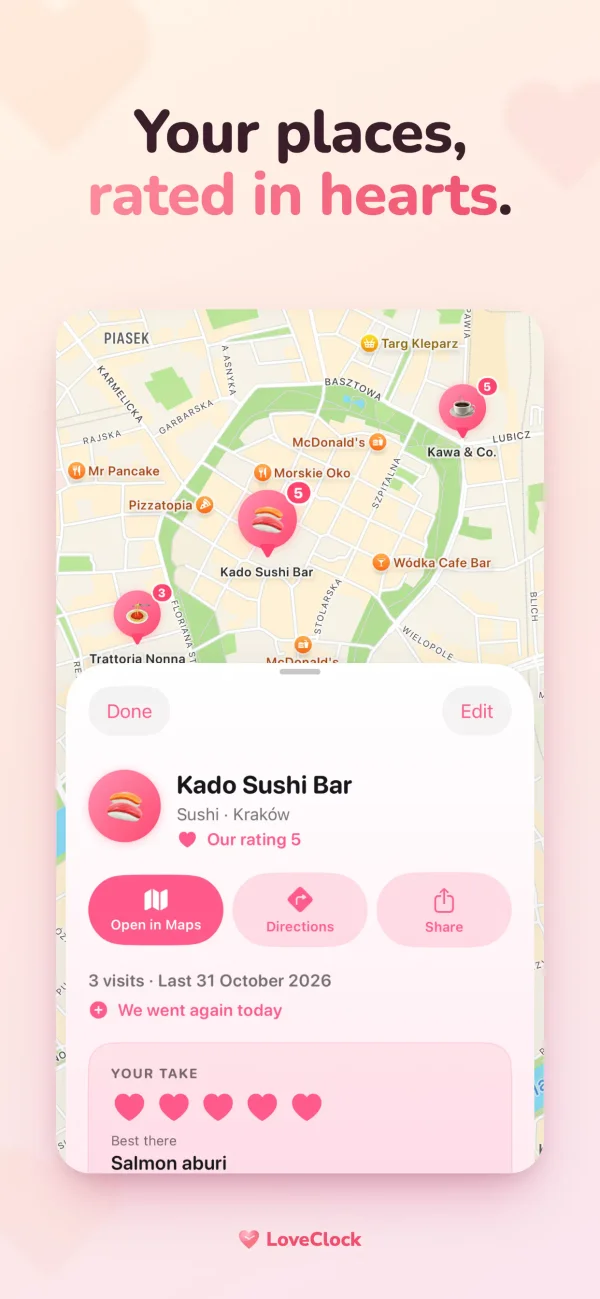
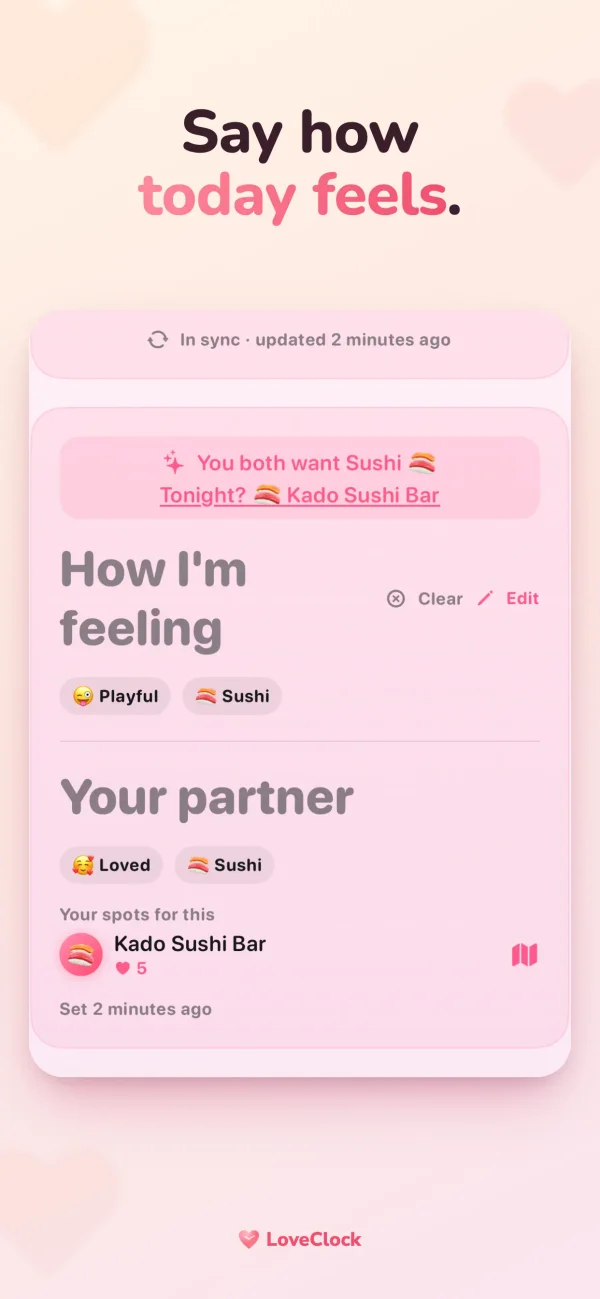
• Your own map of the restaurants and cafés you love: a pin, what's best there, and one tap into Apple Maps.
• Rate each place in hearts. Paired, you each add your own, side by side.
■ Pair with your partner
• Share a code or a link and see the same countdown on both phones.
• Dates, moments, reunions and plans stay matched, end to end encrypted.
• Add your birthday if you like: your partner gets reminders, and a card counts down the last two weeks.
• Keep some plans just for you and share the rest.
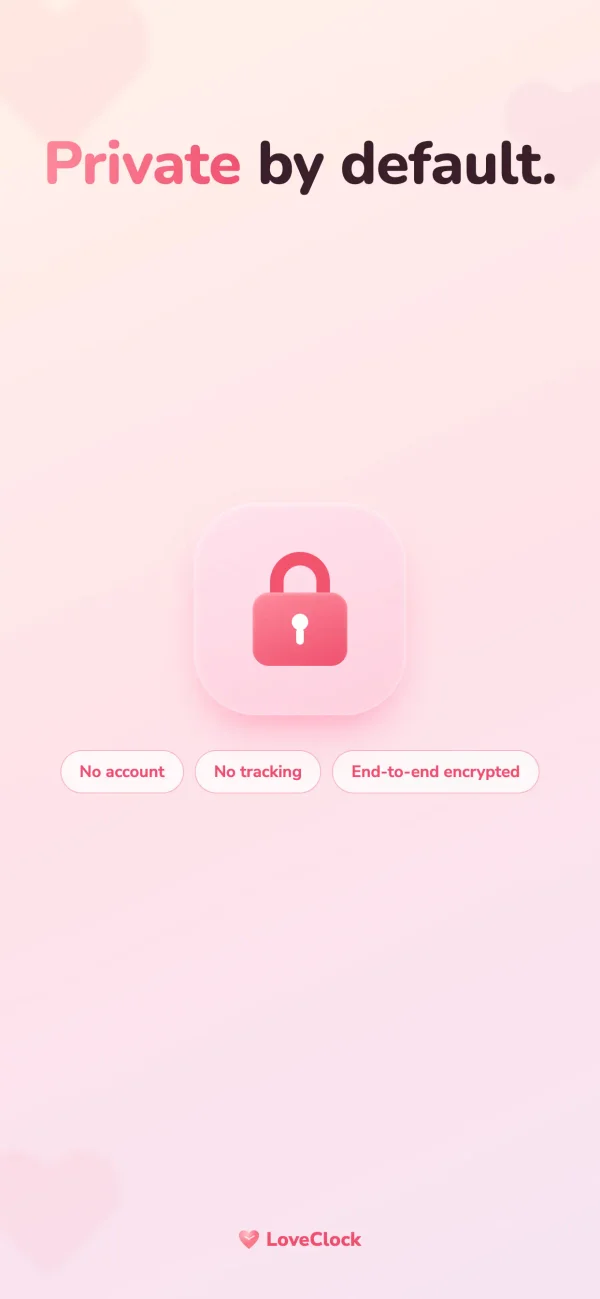
• No account. The pairing code never leaves your phones, and our server only ever stores scrambled data it cannot read.
■ Together, every day
• One question a day for the two of you. Answer in words or with a photo; you see each other's answers once you've both replied, and every day stays in your answer book.
• Quick games in turns, never scored: Guess my answer, Who's more likely, This or that.
• Heartbeat Kiss: hold your thumb on the pad while your partner holds theirs, and both phones glow and beat like a heart.
• Send a photo or a drawing to your partner's Home Screen, and watch drawings replay stroke by stroke.
• Date ideas you can turn into a plan, and Our month (four questions once a month).
• No streaks, no scores, no pet to keep alive. Miss a day and nothing is lost.
■ Little moments
• A heart fills as you nudge each other through the day.
• Nudge notes fade unless you keep one, and your partner sees that you did.
• Send an animated flower with a note. It lands in a vase you fill together.
• Share today's mood or craving and find out when you match.
• Snaps and 15-second voice notes that fade about 20 minutes after they're opened, end to end encrypted. Keep the ones you love.
■ Count down to what's next
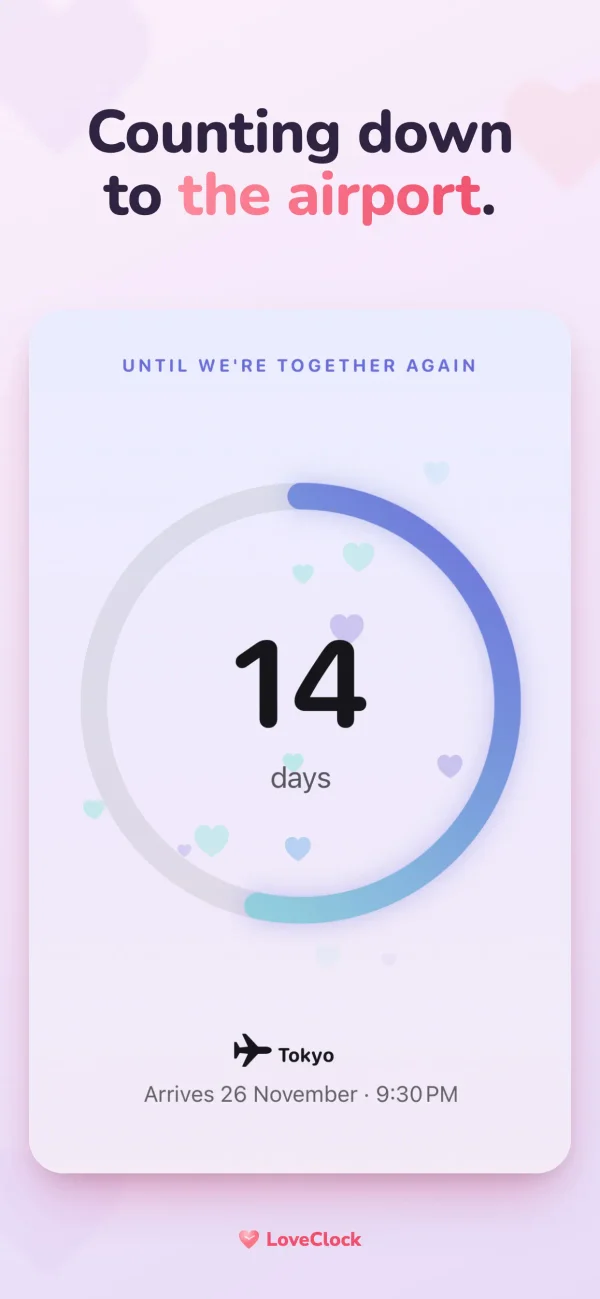
• Reunion countdowns for long-distance love, time-zone aware.
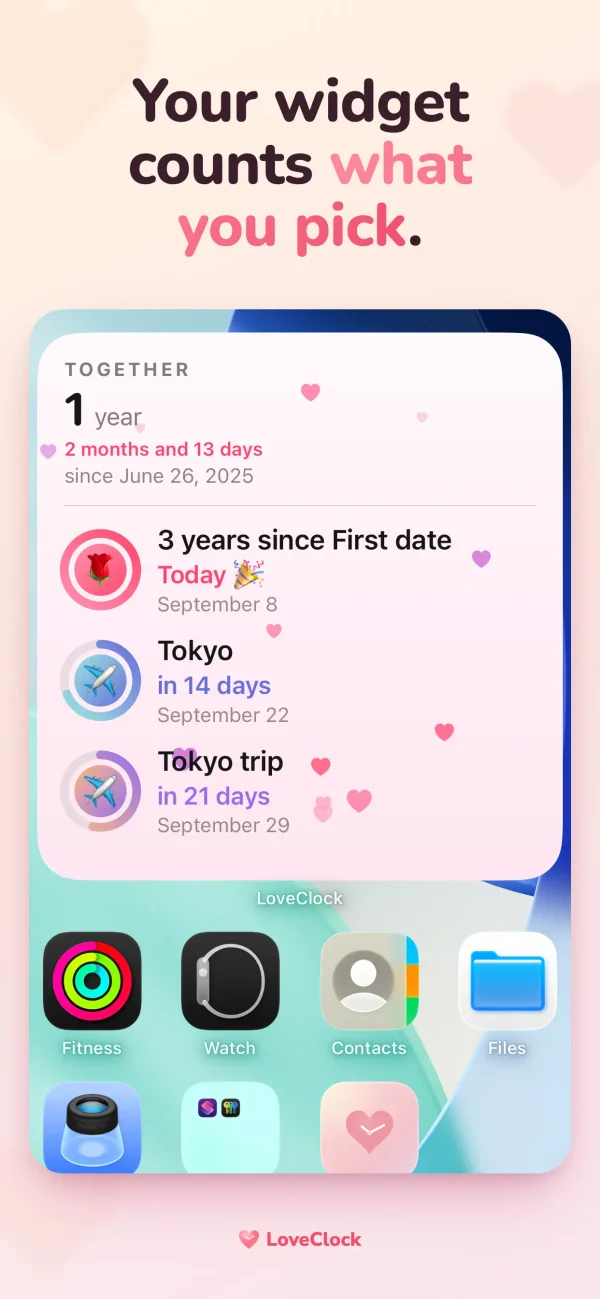
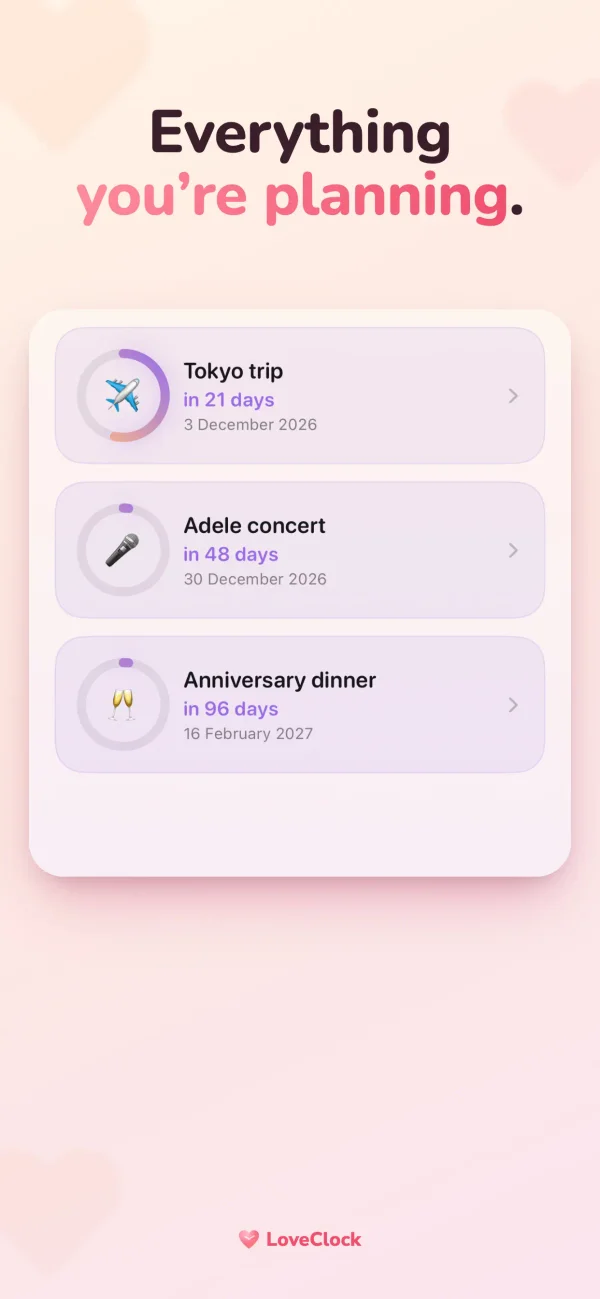
• Plans for everything ahead: trips, concerts, the big move, each with its own emoji.
■ Widgets, and LoveClock in iMessage
• A smart Home Screen widget that surfaces the date that matters most, not just the soonest one.
• Lock Screen widgets: your next date at a glance.
• Send countdown cards and stickers straight from Messages, including a card that shows how long you've been together.
■ Private by design
• Solo, everything stays on your device: no account, no ads, no tracking.
• Back up to your own iCloud if you like, sealed before it leaves your phone. A new iPhone brings it all back in one tap.
• No location tracking, ever. Searching nearby is optional and asks once.
Free to start, and the heart of the app is free forever: the counter, pairing, anniversaries, reminders, Our Story, Our places, birthday reminders, iCloud backup and a widget. Optional Premium (monthly or yearly, each with a 7-day free trial, or a one-time lifetime unlock) adds the Together tab, reunion countdowns, plans, every theme world, animated shares, nudges, the full flower catalog, mood sharing, disappearing snaps, voice notes, and the Partner tab lock. While you're paired, one Premium covers you both.
Set one date and see your story.
Terms of Use (EULA): https://www.apple.com/legal/internet-services/itunes/dev/stdeula/
What’s new
Version 1.8.0 · Nov 24, 2026
Together: a daily moment for two
• A daily question for two: The new Together tab has one question each day. You both answer, and you see each other's answers only once you've both replied. Past days stay in your answer book. Together opens once you're paired and one of you has Premium, which covers you both.
• One more question: With Premium, open a Deep, Playful or Long distance card for one more question each day, and answer the days your partner answered without you.
• Play together: Guess my answer, Who's more likely and This or that are quick games you play in turns, never scored. Part of Premium.
• Heartbeat Kiss: Hold your thumb on the pad while your partner holds theirs, and both phones glow and beat like a heart. Part of Premium.
• On their Home Screen: Send a photo or a drawing that appears on your partner's Home Screen. Drawings stay in Our drawings, where you can watch them drawn again stroke by stroke. Sending is part of Premium.
• Something every day: Today's question on your Home Screen, an optional reminder, questions you answer with a photo, Our month (four questions once a month), and date ideas you can turn into a plan.
• Pick your color: Rather have blue than pink? Choose Rose or the new Midnight in Settings, under App color. You each pick your own, and your widgets follow.
• Add a place from the map: On the Our places map, tap a restaurant, café or bar and it opens ready to save, with its name, address and cuisine already filled in.
App privacy
What Pawel Szydlowski declares on the App Store about how this app handles data.
-
Data linked to you
May be collected and linked to your identity.
- Contact info
- User content
-
Data not linked to you
May be collected but is not linked to your identity.
- Identifiers
Privacy practices may vary, for example with the features you use or your age.
Information
- Seller
- Pawel Szydlowski
- Category
- Lifestyle
- Version
- 1.8.0
- Updated
- Nov 24, 2026
- Released
- Jun 18, 2026
- Size
- 22.5 MB
- Requires
- iOS 18.0 or later
- Age rating
- 4+
- Price
- Free
- In-app purchases
- Yes
- Languages
- English, French, German, Japanese, Korean, Polish, Russian, Simplified Chinese, Spanish
- Copyright
- © 2026 Pawel Szydlowski
You might also like
-
 Long Goodbye: Couple WidgetDrawing, distance & countdown
-
 CoupleSpace: Love Day CounterDays Together & Anniversary
-
 Love Counter — Days TogetherCouple Widget & Love Games
-
 Together: Days Counter WidgetLove & Anniversary Tracker
-
 LoveDays: Relationship TrackerLove Counter & Widgets
-
 Anniversary Tracker LoveKeeperRelationship Reminder Calendar
-
 Loveya: Couples WidgetsPhotos, Moods, Love, Distance
-
 Love Counter & Couple TrackerLong Distance Relationship App
-
 Konda: Couples & RelationshipQuestions, Quizzes & Games
-
 FeelClose: Long Distance LoveCouples Games, Questions & Pet