
Lucent Budget
Shine a light on your budget
Designed for iPhone, iPad
Free · In-app purchases
- Age rating4+
- CategoryFinance
- DeveloperGregory Bell
- LanguagesEnglish
- Size8.7 MB
Links to the official App Store page
Download.org hosts no file of Lucent Budget. The button opens its official App Store page, published by Gregory Bell. Listing last checked on Nov 17, 2026.
Screenshots


About
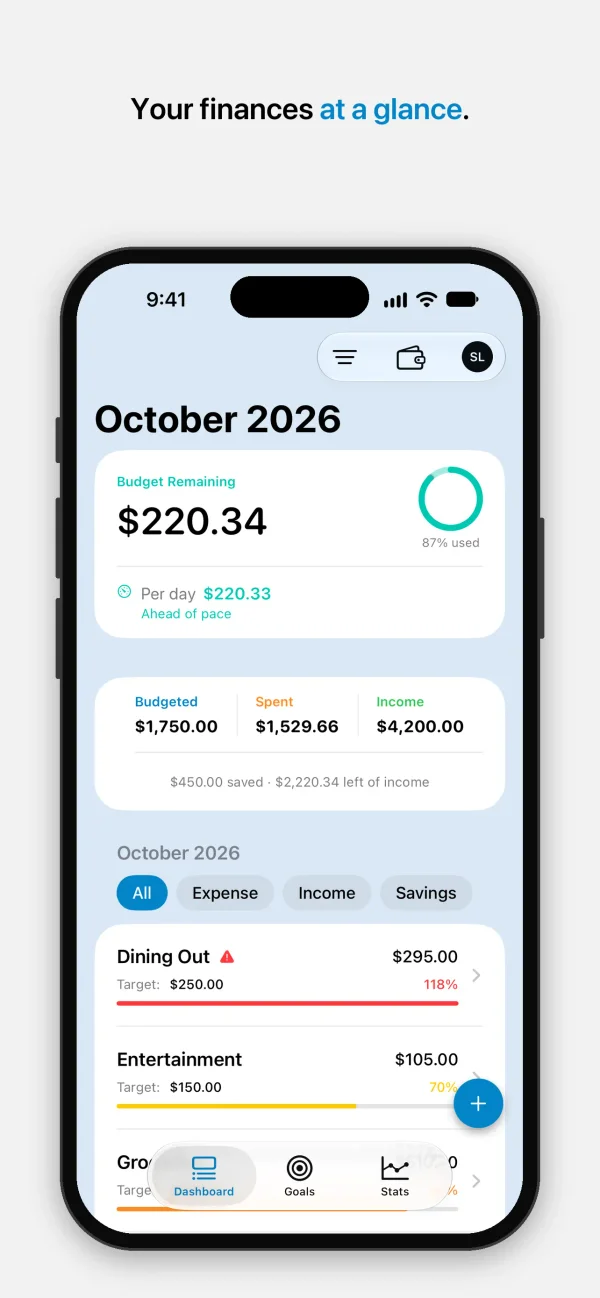
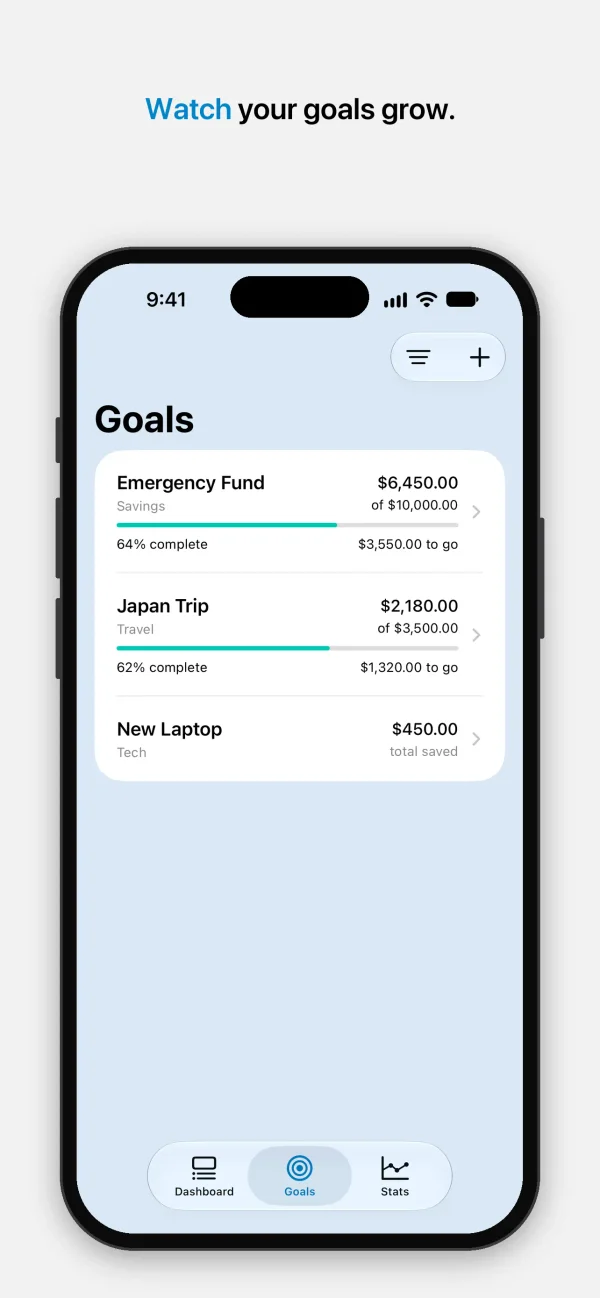
Lucent helps you see what you can spend, follow your savings, and keep a shared budget with your household.
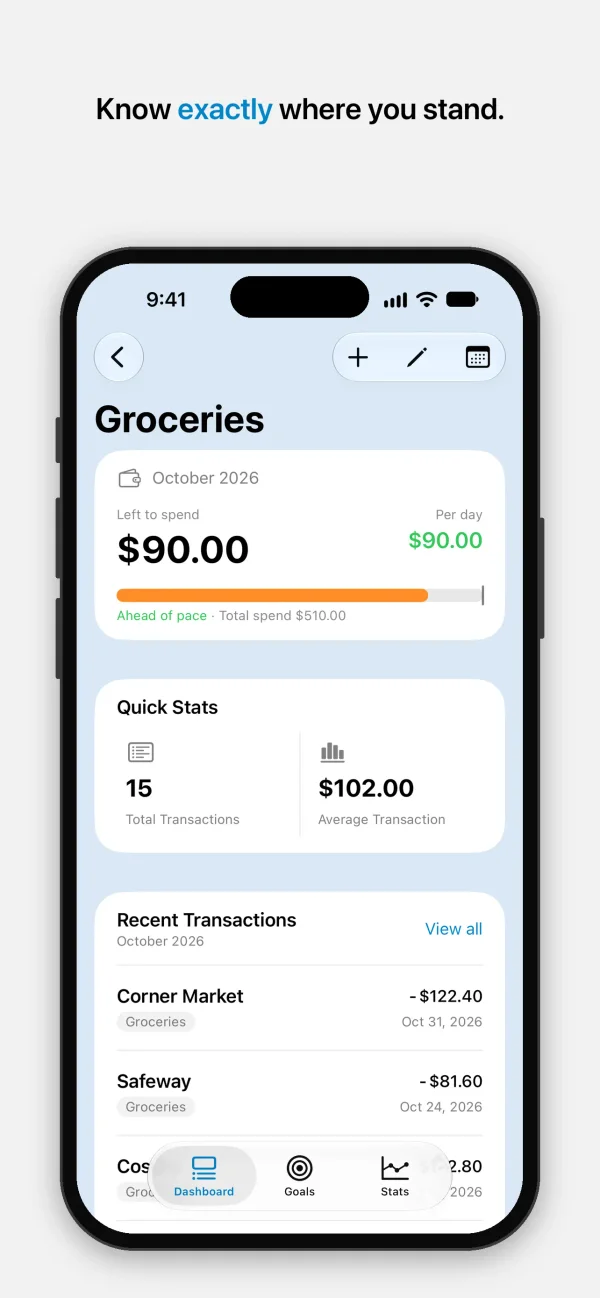
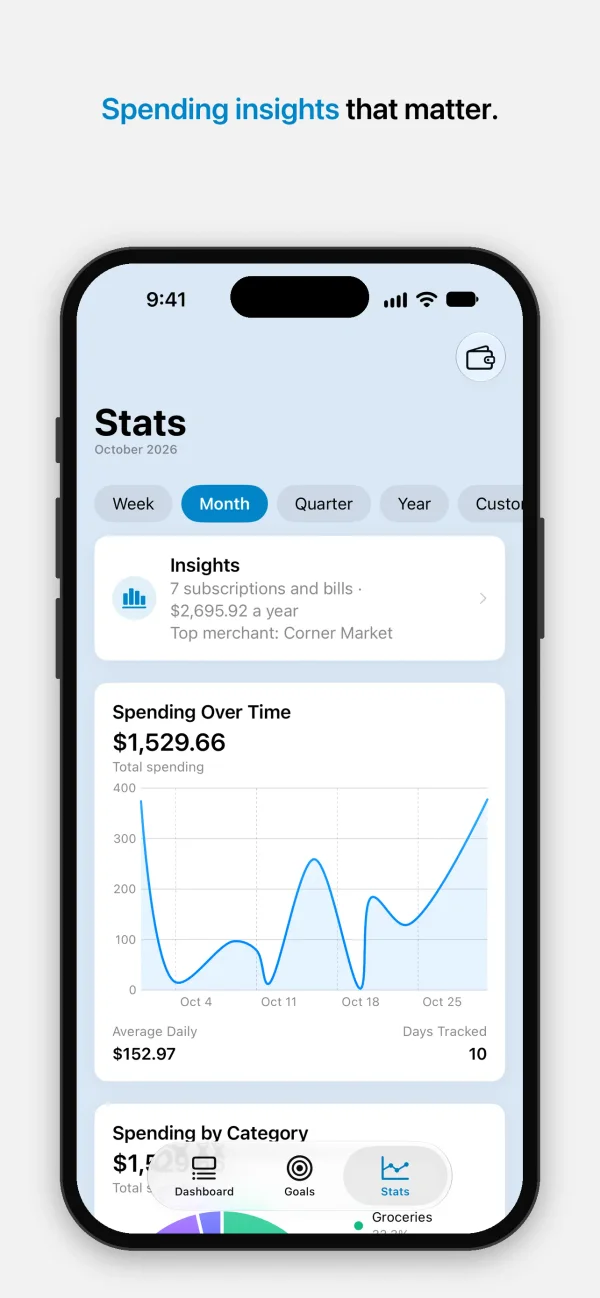
Create budgets in different currencies, set category targets, and log expenses and income. Use templates for entries you make often, add notes and receipts, and explore your spending in Stats. Track savings goals, share budgets with your partner or family, and export your records to CSV.
Lucent is free to use, with no ads. Free includes one active recurring transaction and the small Spending Pace widget.
Optional Lucent Plus adds:
- Subscriptions & Bills: spot regular payments in your recorded transactions and see their estimated yearly cost and price changes.
- Merchant insights and comparisons with the same period last year as your history grows.
- Your year in review: top categories and merchants, biggest month and purchases, savings and goals reached, and a summary to share.
- More recurring transactions, with due entries added when you open Lucent.
- Receipt fill: read a receipt image on your device and suggest the amount, date, and description for you to review.
- Medium and large Home Screen widgets, plus Lock Screen widgets.
Choose a yearly subscription or a one-time lifetime purchase. Eligible customers can try the yearly plan free for one month. The yearly plan renews automatically unless canceled through Apple's subscription settings. Local prices and purchase terms are shown before you buy.
Privacy: https://lucentbudget.app/privacy-policy
Terms: https://www.apple.com/legal/internet-services/itunes/dev/stdeula/
What’s new
Version 3.7 · Nov 15, 2026
Look back on your year: From December 1, Stats shows what you've spent this year. With Lucent Plus, open it for your year in review: top categories and merchants, your biggest month, the day of the week you spend the most, your biggest purchases, what you saved and the goals you reached, and your subscriptions and bills. Share a summary of your year, without any amounts.
New budgets can start with common categories such as Groceries, Rent and Dining out. Pick the ones you use and set their monthly amounts in one step.
Get a daily reminder to log your spending, at the time you choose. Turn it on in Settings → Reminders. It skips days you've already added a transaction.
Track a category without a target. Turn off Monthly target when you add or edit an expense category, such as Subscriptions, to see what you spend there with no limit. It still counts toward your budget's spending and pace.
Spending pace is easier to read on the dashboard, category screens and widgets. It shows how much you can spend a day or a week, and tells you when you're spending faster than budgeted.
App privacy
What Gregory Bell declares on the App Store about how this app handles data.
-
Data linked to you
May be collected and linked to your identity.
- User content
Privacy practices may vary, for example with the features you use or your age.
Information
- Seller
- Gregory Bell
- Category
- Finance
- Version
- 3.7
- Updated
- Nov 15, 2026
- Released
- Dec 23, 2025
- Size
- 8.7 MB
- Requires
- iOS 17.6 or later
- Age rating
- 4+
- Price
- Free
- In-app purchases
- Yes
- Languages
- English
- Copyright
- © Gregory Bell
You might also like
-
 LuCent: Fast Expense TrackerSimple money manager & budget
-
 Pennylog: Expense TrackerTrack spending in any currency
-
 Home Budget - AIAI Voice With Family Budget
-
 Luma MoneyPersonal Finance Mangement App
-
 NOKORI - Survival Budget App50/30/20 Rule・Cloud Sync
-
 BudgettiTwo people, one weekly budget
-
 Libex: Liberia Exchange RatesUSD to LRD Rates & Converter
-
 CurrencyCureSimple Money & Forex Converter
-
 Orevalis: Multi-Currency MoneyExpense tracker for expats
-
 Savora - Finance TrackerMoney Tracker & Budget