Luma: Work & Shift Alarm
Wake, leave, arrive on time
Designed for iPhone
Free · In-app purchases
- Age rating4+
- CategoryProductivity
- DeveloperAshton McHardy
- Size32.6 MB
Links to the official App Store page
Download.org hosts no file of Luma: Work & Shift Alarm. The button opens its official App Store page, published by Ashton McHardy. Listing last checked on Nov 18, 2026.
Screenshots
About
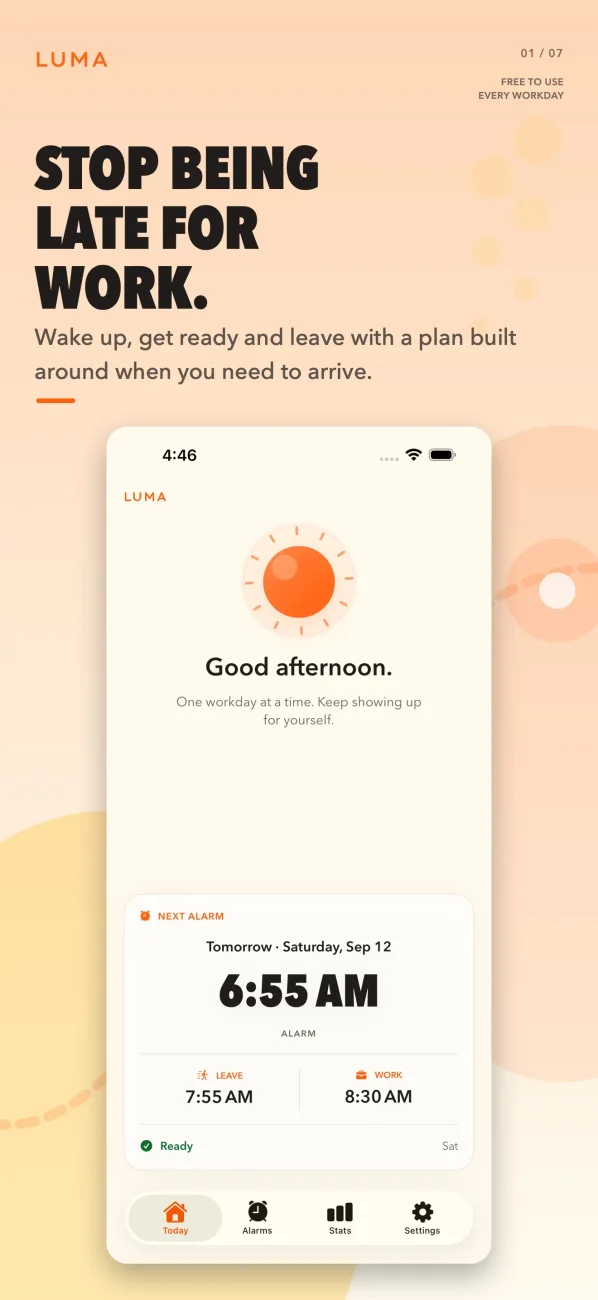
Luma helps you plan your workday backwards from when you need to arrive. Know when to wake up, when to leave, and how your punctuality is improving.
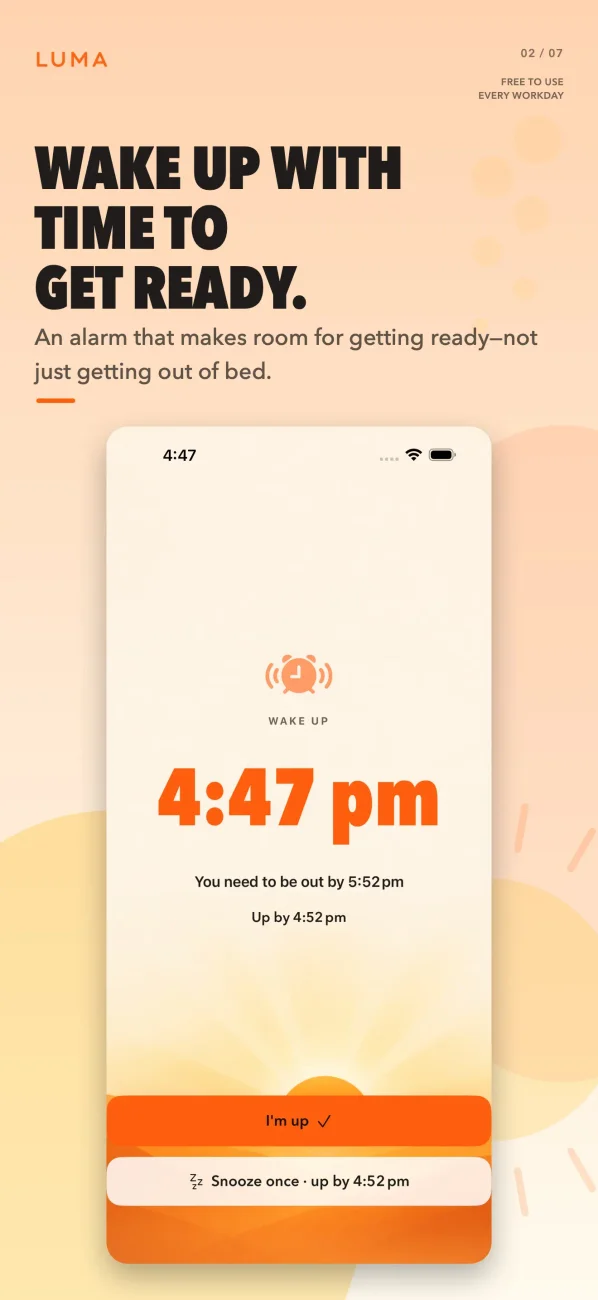
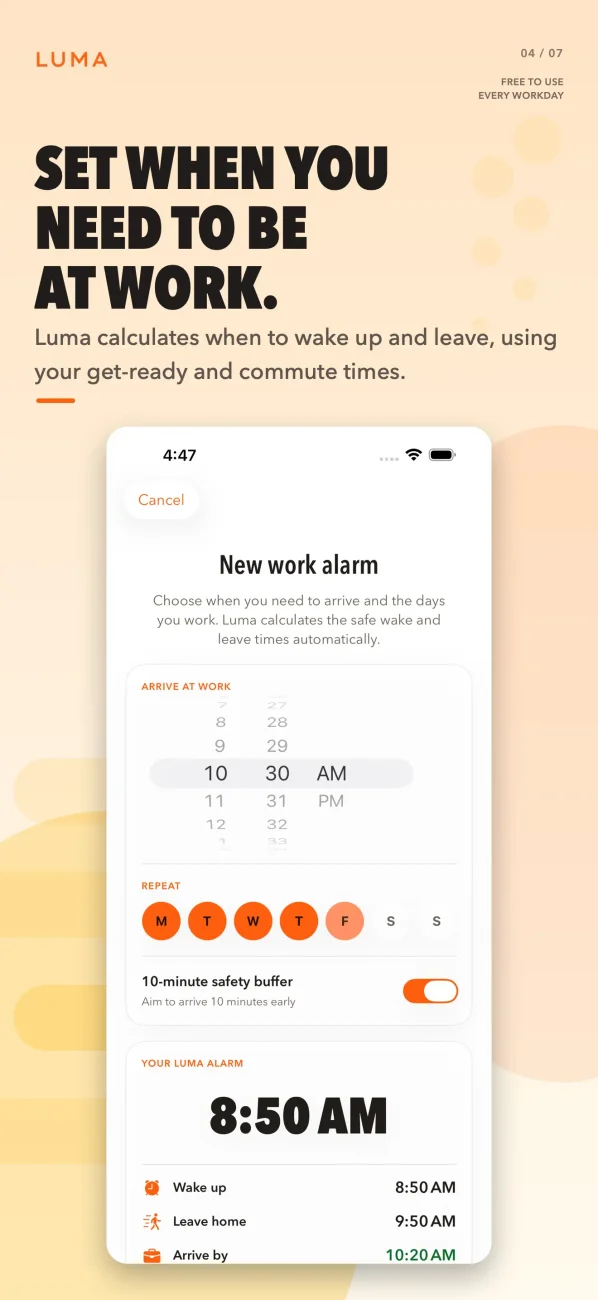
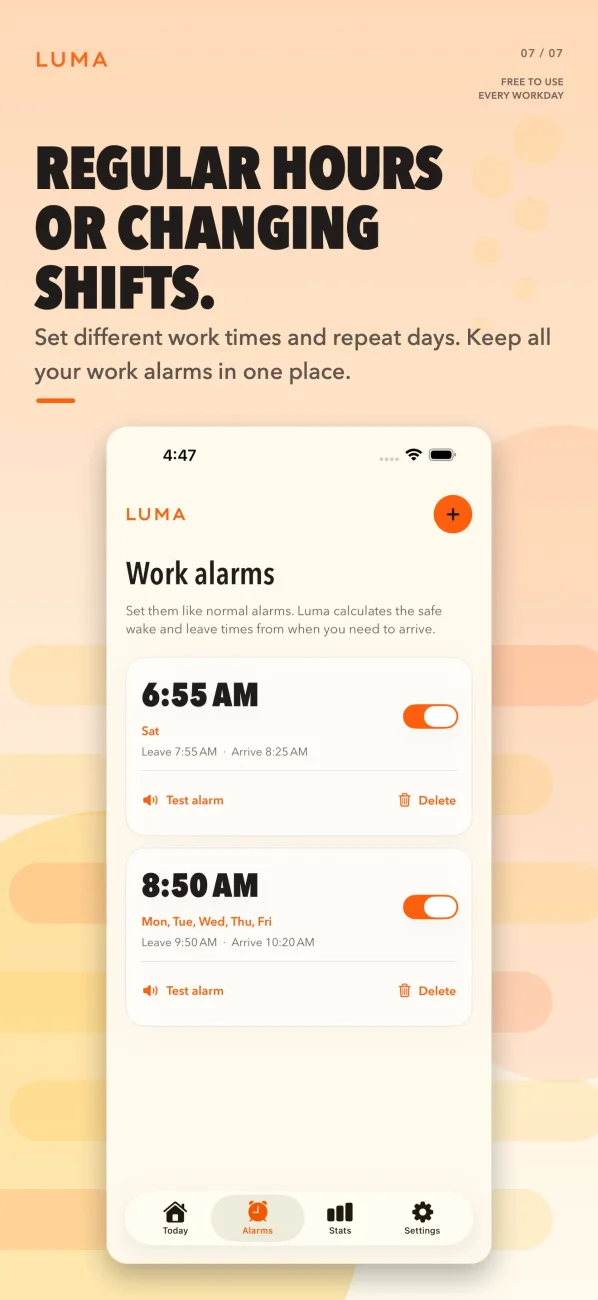
Save how long you normally need to get ready and your longest normal commute. Then create an alarm by choosing your work arrival time and repeat days. Luma calculates wake and departure times for you to confirm. Add different alarms for different workdays, whether you work regular hours or changing shifts.
WAKE WITH A PLAN
- Keep saved alarms together in the Alarms tab, with familiar repeat-day and on/off controls.
- See your next wake, leave and work times on Today.
- Add an optional ten-minute buffer when you create an alarm.
- Choose your sound, planned snooze and optional Heavy Sleeper extra wake check.
- Try the optional alarm test before relying on your setup for work.
LEAVE WITH TIME TO SPARE
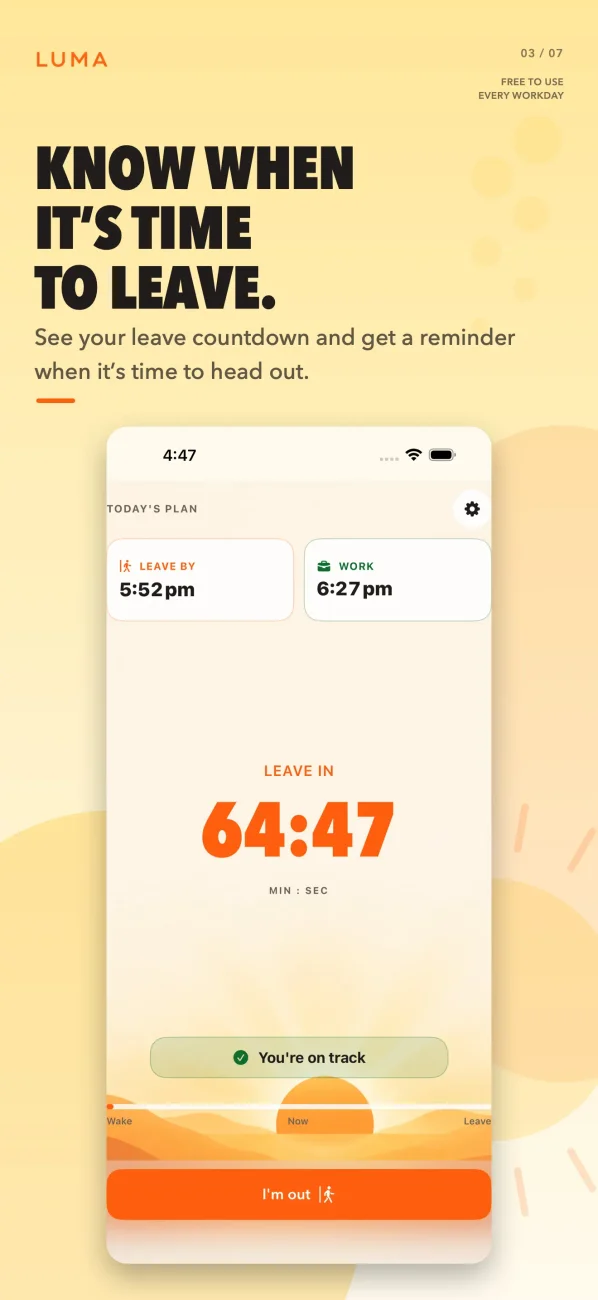
- Follow a live countdown through your morning.
- Tick off your preparation checklist.
- Record when you are out the door.
- Get a prompt to check whether you arrived on time.
SEE YOUR PROGRESS
- Record on-time, late or uncertain arrivals.
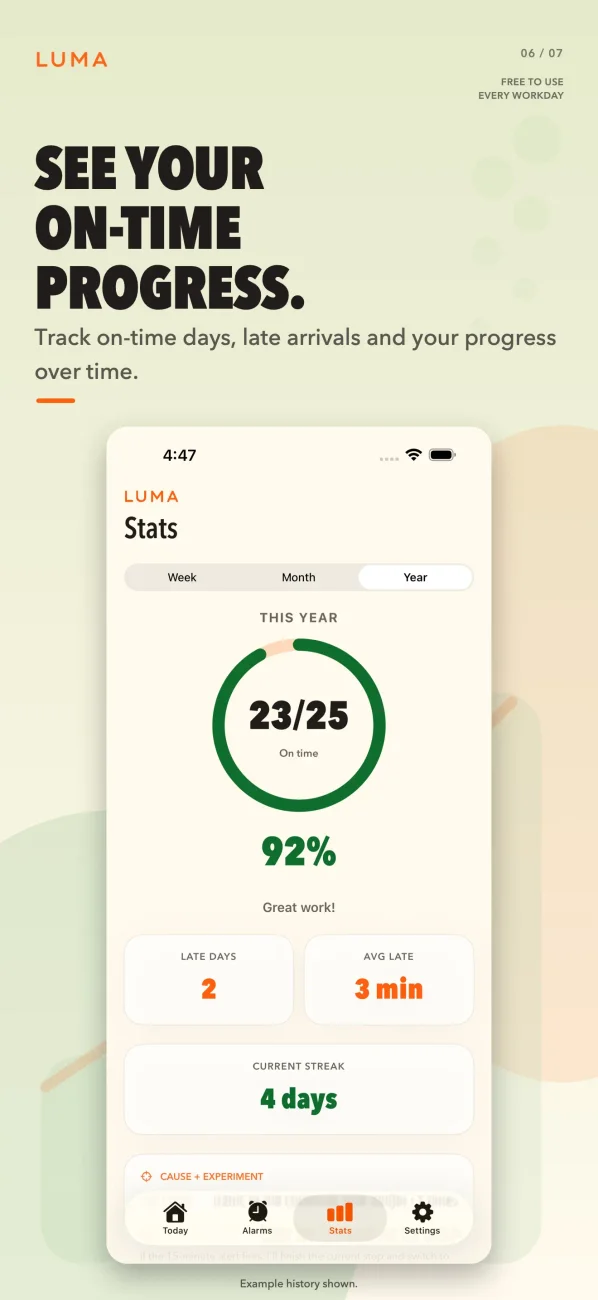
- Review your on-time rate, streak, early or late minutes and recent trend.
- See individual workday history in Stats.
- Keep unanswered check-ins out of your success rate.
MAKE CAREFUL IMPROVEMENTS
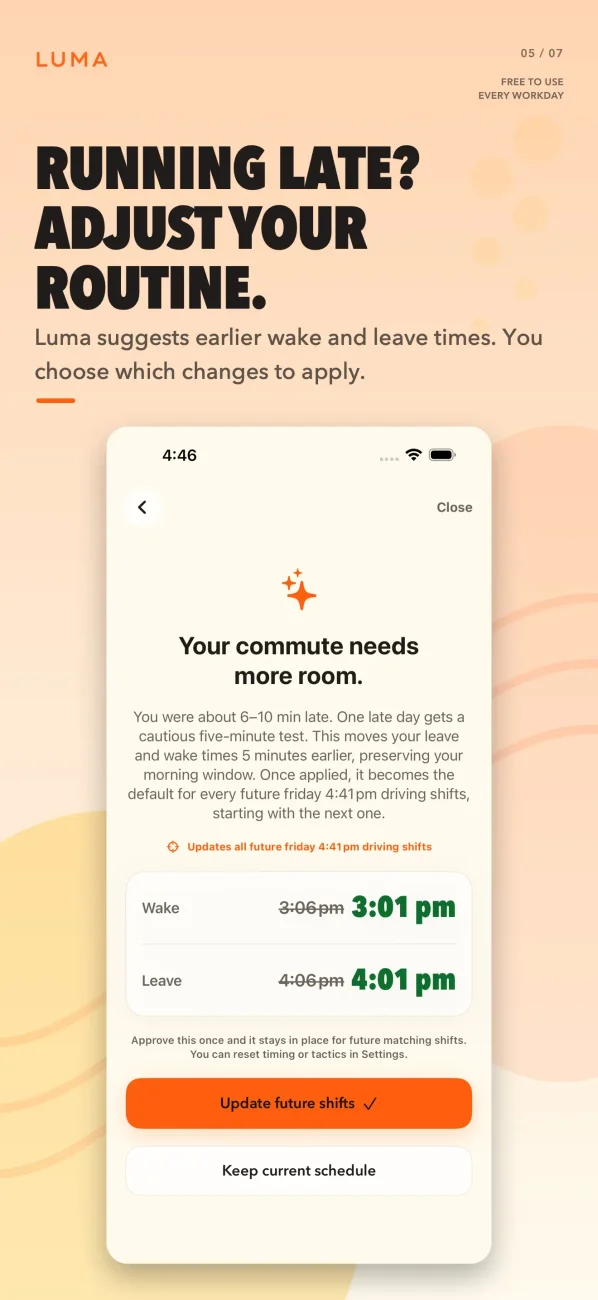
After a late arrival, Luma asks what happened and can suggest a small adjustment for the same weekday and start time. Changes require your approval. One late day never silently changes every alarm, and adaptive suggestions only move wake or departure earlier. Reducing preparation time, commute time or a buffer remains your choice.
Luma's current features are free to use. Existing subscribers can manage or cancel their Apple subscription in Settings. Deleting the app does not cancel an Apple subscription.
Your schedule and punctuality history stay on your device. Luma has no user account, traffic feed, weather feed or location tracking. An anonymous app identifier, limited app/device/store metadata, Apple AdServices attribution token and any existing subscription history may be sent to RevenueCat for subscription analytics and Apple Ads measurement as described in our privacy policy.
Luma requires iOS 26 or later and uses AlarmKit. Keep alarm permission and power available, test your setup after changing device or alarm settings, and maintain a backup alarm whenever missing work could cause harm. Keep Luma visible and do not protect it with Require Face ID, because iOS can prevent alarms for hidden or locked apps. Luma helps you plan; it cannot guarantee waking or arriving on time.
Terms of Use: https://www.apple.com/legal/internet-services/itunes/dev/stdeula/
Privacy Policy: https://tryluma.work/privacy
What’s new
Version 1.0.2 · Nov 3, 2026
Luma is now free to use. Complete onboarding, set up your mornings and create work alarms without a subscription. Existing subscribers can manage their Apple subscription in Settings. Your saved alarms and punctuality history remain on your device.
App privacy
What Ashton McHardy declares on the App Store about how this app handles data.
-
Data not linked to you
May be collected but is not linked to your identity.
- Purchases
Privacy practices may vary, for example with the features you use or your age.
Information
- Seller
- Ashton McHardy
- Category
- Productivity
- Version
- 1.0.2
- Updated
- Nov 3, 2026
- Released
- Sep 16, 2026
- Size
- 32.6 MB
- Requires
- iOS 26.0 or later
- Age rating
- 4+
- Price
- Free
- In-app purchases
- Yes
- Copyright
- © 2026 Ashton McHardy
You might also like
-
 Chrono TimeBlocksTrack your time blocks
-
 Showup: Passive Habit TrackerAuto attendance & streaks
-
 My Nurse Shift PlannerWork Calendar & Hours Tracker
-
 Nursie: Nurse Shift PlannerCalendar, Pay & Overtime
-
 Nuj Alarm ClockWake Up. Get Up. Or Pay Up!
-
 Cute Calendar: Daily PlannerSimple calendar for daily plan
-
 Recolorr: Adult Colouring BookRelaxing Adult Colouring Book
-
 TimeFinder: Schedule PlannerDaily & Hourly Time Blocking
-
 Detox: Digital DetoxApp Blocker for Dopamine Detox
-
 Base44: Build with AITurn ideas into software