
- Age rating4+
- CategoryUtilities
- Developer剑炜 陈
- LanguagesEnglish+ 8 more
- Size6.0 MB
Links to the official App Store page
Download.org hosts no file of LumberFit. The button opens its official App Store page, published by 剑炜 陈. Listing last checked on Nov 15, 2026.
Screenshots
About
LumberFit is the ultimate cut list optimizer and transport planner for woodworkers, DIY enthusiasts, and professional contractors.
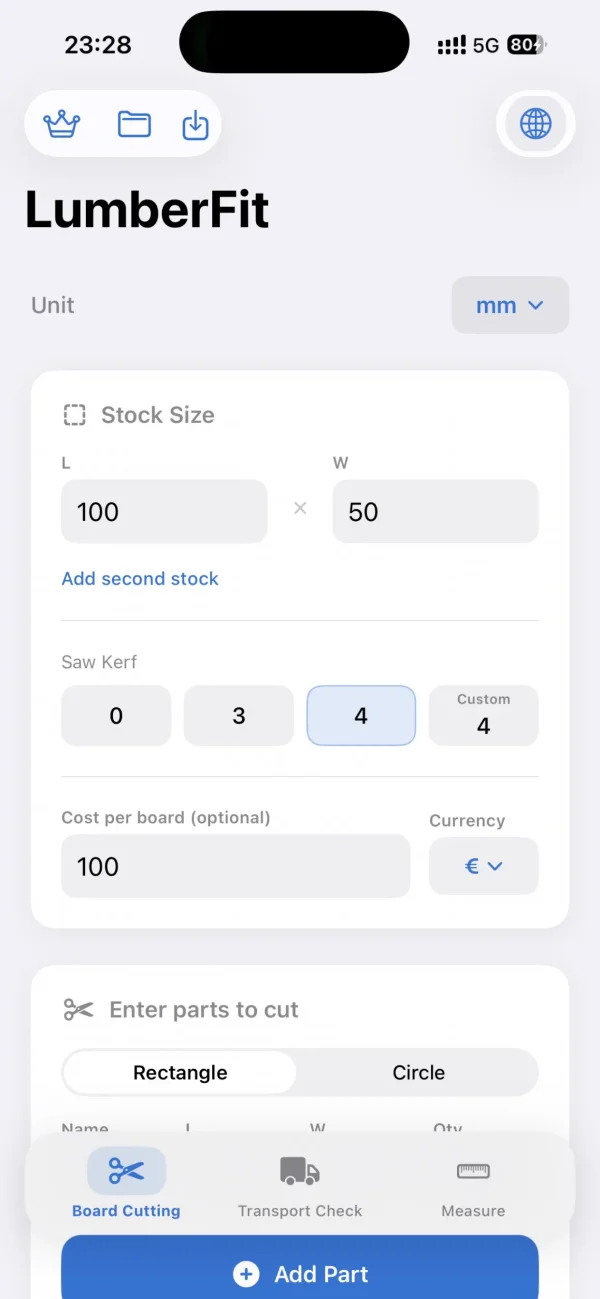
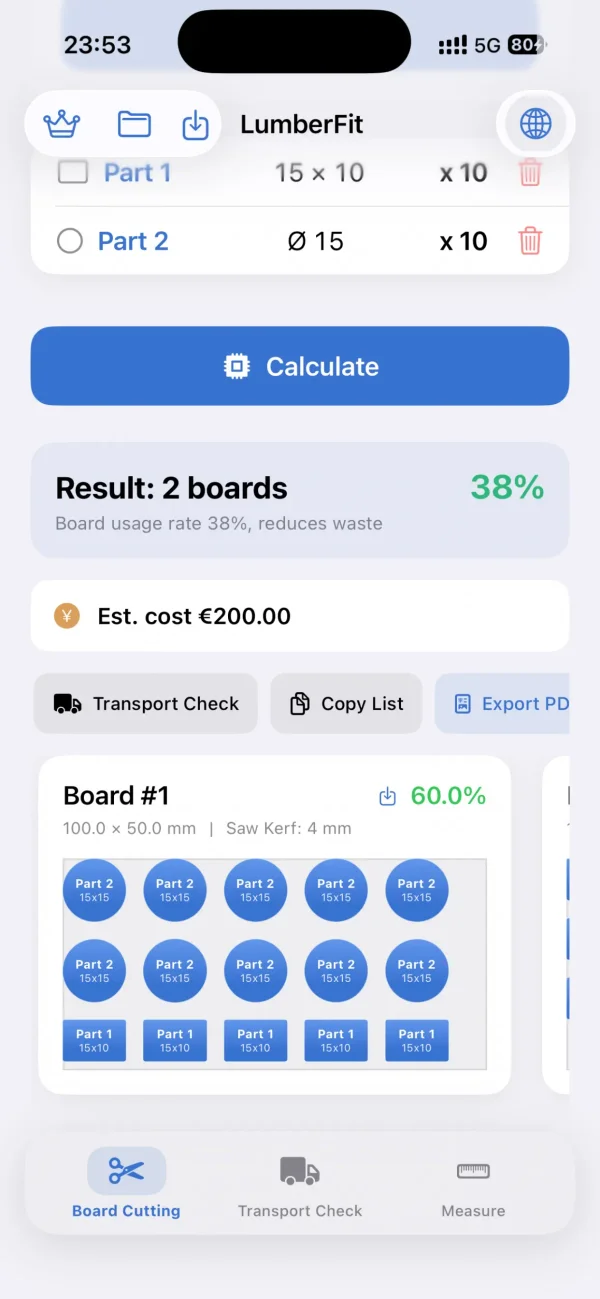
• Board cutting — Enter stock size and parts; get the best nesting layout and usage rate in seconds. Supports rectangles and circles, optional saw kerf, and multiple units (mm, cm, m, inch, ft). Optional cost per board with flexible currency for material cost estimates. Save and load schemes; tap a recent run to view full detail and cutting layout.
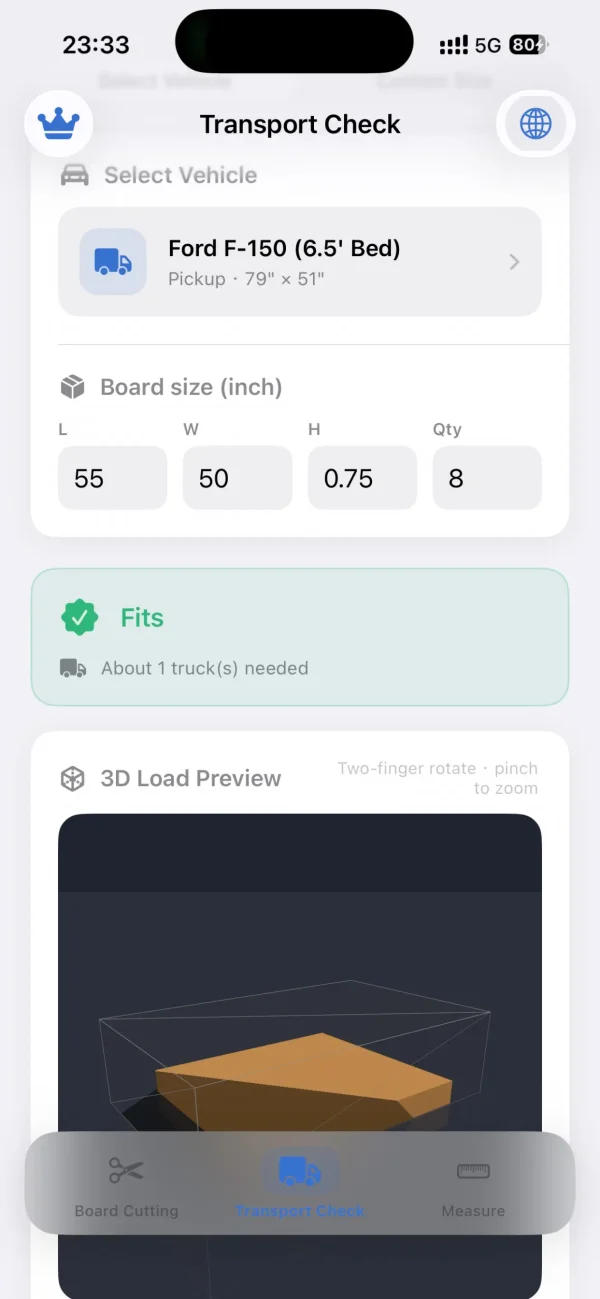
• 3D load check — See how boards fit in your truck or van. Multiple vehicle models, enhanced 3D preview.
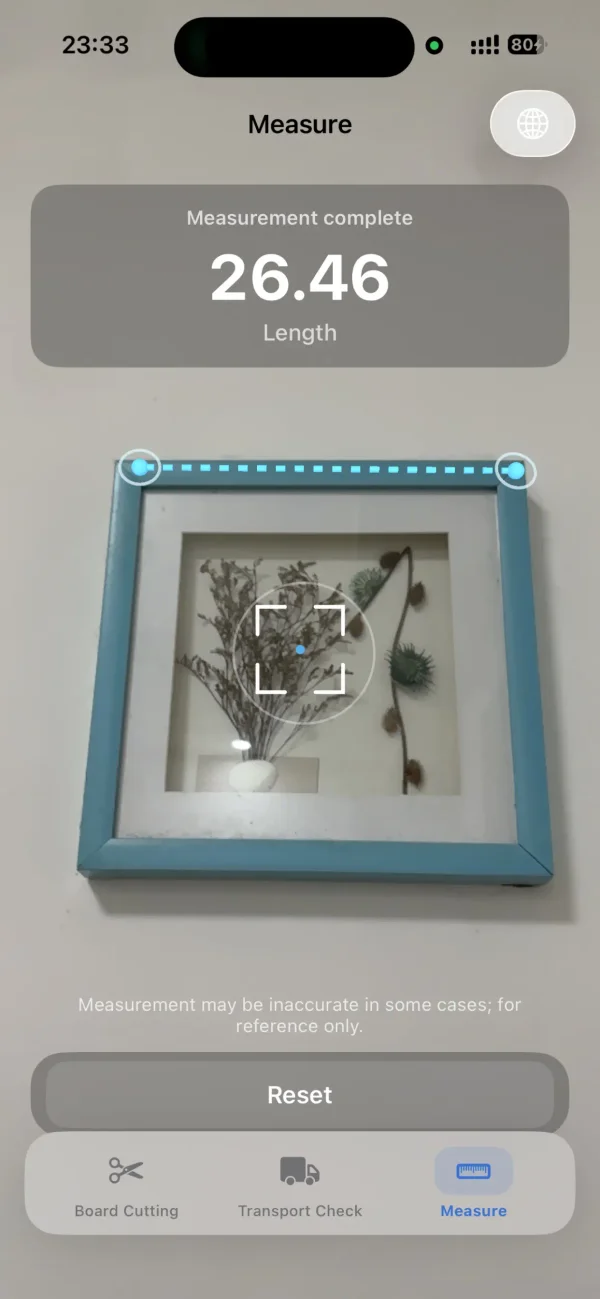
• Camera measure — Use your iPhone camera to measure length in space (AR). Place two points and read the distance in cm. For reference; may vary in some conditions.
• Export & share — Export professional PDF cutting lists with layouts and cost summary. Copy cut lists, share layout images, save HD results to Photos. Subscribe for unlimited calculations and HD export. Free trial; cancel anytime.
Privacy Policy & Terms of Use (EULA): https://superficial-restaurant-956.notion.site/Privacy-Policy-Terms-of-Use-EULA-2ebf52245d5580228c77ef1b82fcfed5
What’s new
Version 4.2 · Nov 4, 2026
Thanks for using LumberFit. Version 4.2 makes cutting-to-transport smoother and more reliable:
• Keep your work — Switch tabs without losing your cut list, parts, or nesting results. Jump from a layout result to Transport Check with sizes and board count prefilled.
• Smarter cutting — See a quick area hint (parts vs stock) before you calculate. Clearer empty-state guidance when adding parts. Fairer free-trial counting and a clearer upgrade prompt when free uses are used up.
• More accurate results — Circle parts use true circular area for usage rate. Dual-stock runs better report parts that still don’t fit. 3D load preview correctly treats boards that fit when rotated.
• Polish & stability — Refined tab bar and cards, smoother onboarding (Next → Get Started), and assorted UI/stability fixes across Cutting, Transport, and Measure.
App privacy
What 剑炜 陈 declares on the App Store about how this app handles data.
-
Data not collected
The developer does not collect any data from this app.
Privacy practices may vary, for example with the features you use or your age.
Information
- Seller
- 剑炜 陈
- Category
- Utilities
- Version
- 4.2
- Updated
- Nov 4, 2026
- Released
- Jan 20, 2026
- Size
- 6.0 MB
- Requires
- iOS 17.0 or later
- Age rating
- 4+
- Price
- Free
- In-app purchases
- Yes
- Languages
- English, French, German, Italian, Japanese, Korean, Simplified Chinese, Spanish, Traditional Chinese
- Copyright
- © 2026 Chen Jianwei
You might also like
-
 AdaptiTimer: Intervall TimerHIIT, Focus & Pomodoro
-
 WakioWake your computer up
-
 Calculator Star: Math & GamesVoice Calc, Chess, Sudoku, IQ
-
 PandaCalc – Notes CalculatorSave, Track & Recover Numbers
-
 Hidden Camera Finder, DetectorFind hidden cameras
-
 SharkZip - Zip with PasswordArchive files with password
-
 Tasbih Counter DigitalDigital Tasbih App for Dhikr
-
 Simple Breathwork - SlowCalm mind, breathing & hrv
-
 MedRecords+Your Medical History, Anytime
-
 Tally Counter – Tap ProPeople, Scores & Clicker