
- Age rating4+
- CategoryPhoto & Video
- Developer丹丹 张
- LanguagesEnglish+ 2 more
- Size28.3 MB
Links to the official App Store page
Download.org hosts no file of Lume - Retro Camera. The button opens its official App Store page, published by 丹丹 张. Listing last checked on Nov 27, 2026.
Screenshots


About
Lume. Catch the soft light.
Give everyday moments a softer, nostalgic feel. Choose a camera style, adjust its color and accessories, then take the shot. Or import a photo and build your own film look at your own pace.
FIND YOUR CAMERA
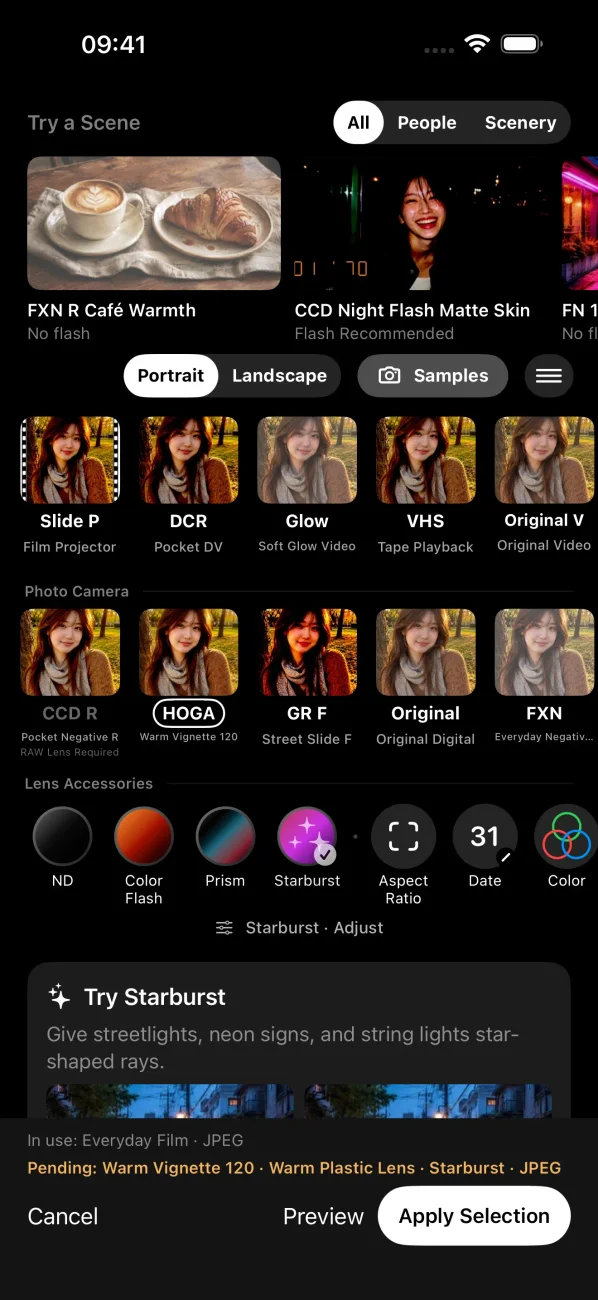
• Browse photo and video styles on a two-row camera shelf. Keep exploring after each selection, then tap the down arrow to return to the viewfinder.
• Choose supported color profiles, date stamps, aspect ratios and frames. Favorite cameras and organize the shelf.
• Use front and rear cameras, tap to focus and meter, adjust exposure, set a timer and compose with guides.
SHAPE THE LOOK
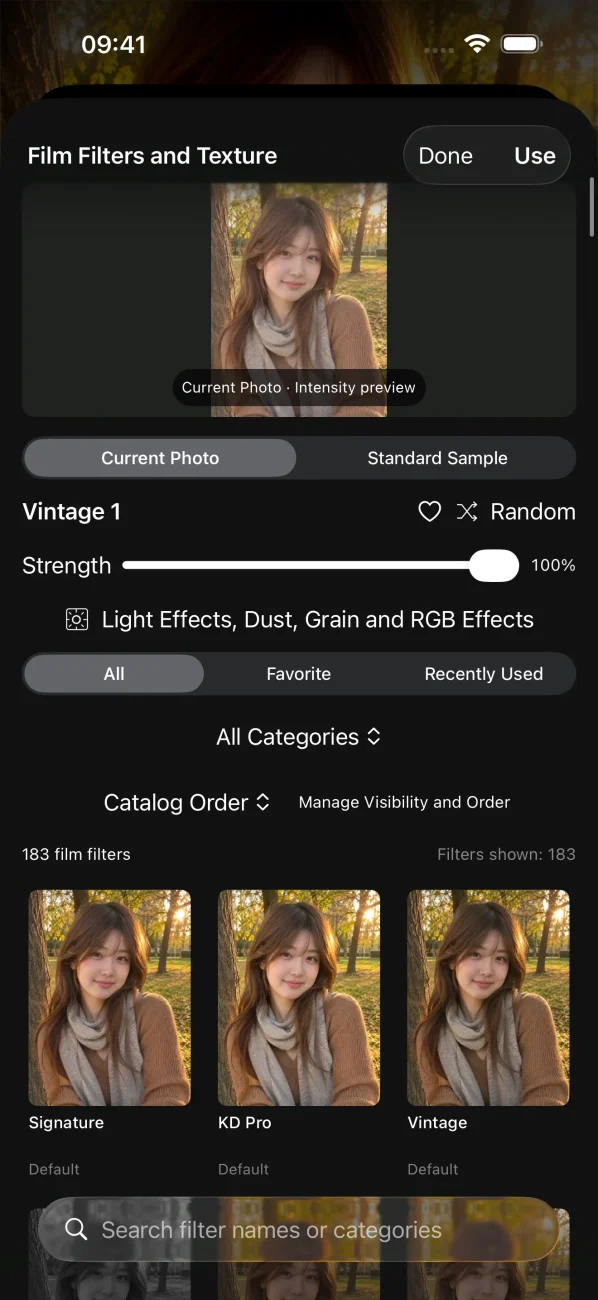
• Browse, search and favorite film filters, with previews and adjustable intensity on your image.
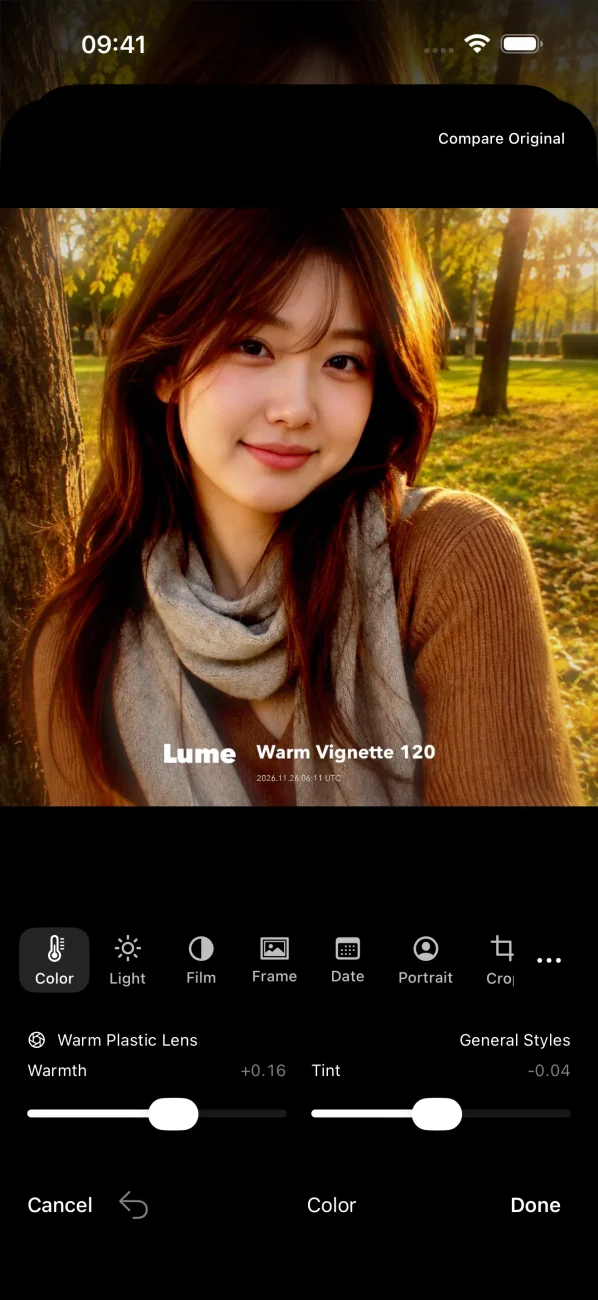
• Add grain, vignette, light leaks, halation, dust and chromatic effects.
• Explore star, prism, fisheye, color-flash and digital dimming accessories. Availability varies by camera.
• Crop, rotate and adjust color; add date stamps and original frames. Keep presets, drafts and saved edit versions.
GO BEYOND A SINGLE PHOTO
• Shoot retro-style video, or import a clip to adjust its look, trim and speed.
• Arrange photos into collages or create stacked-photo animations from video and Live Photo sources.
• Use RAW, Live Photos and depth photography on supported devices and camera configurations. Available formats and physical lenses depend on your hardware.
KEEP YOUR WORK CLOSE
• Photos and videos are processed on your device. No account required.
• View, favorite and edit your work in the local library. Save to Photos or use system sharing to export finished work and originals.
• Back up your library and merge it back later. Export a backup before removing the app.
• Available in English, Simplified Chinese and Traditional Chinese, with camera widgets and Shortcuts.
All features are free. No ads, subscriptions or in-app purchases.
Camera and microphone permissions are requested when needed. Saving capture locations is off by default and requests a location only after you enable it. Unmodified originals may retain their original location metadata. Digital dimming darkens the image; it does not extend sensor exposure. Retro looks are original digital simulations and do not promise an exact match to any physical film or camera.
What’s new
Version 1.0.7 · Nov 26, 2026
Choose from 10 built-in portraits. Compare film filters and explore more scenes with the same portrait. Preview lens accessories live in Photo mode.
App privacy
What 丹丹 张 declares on the App Store about how this app handles data.
-
Data not collected
The developer does not collect any data from this app.
Privacy practices may vary, for example with the features you use or your age.
Information
- Seller
- 丹丹 张
- Category
- Photo & Video
- Version
- 1.0.7
- Updated
- Nov 26, 2026
- Released
- Nov 5, 2026
- Size
- 28.3 MB
- Requires
- iOS 17.0 or later
- Age rating
- 4+
- Price
- Free
- Languages
- English, Simplified Chinese, Traditional Chinese
- Copyright
- © 2026 xuewu yang
You might also like
-
 The Time Travel CameraTurn Now into Then
-
 FilmRueFilm Camera & Cinema Video
-
 Sable: Film CameraVideo that looks like a movie
-
 taeppl.movRecord. Overwrite. Tape.
-
 BadCamLike a disposable camera
-
 ManualCam – Pro CameraLearn manual photo & video
-
 Shutterbox: Film Cam & EditorVHS, film & vintage video
-
 VHS Camera: Retro Video Editor80s Vintage Camcorder Filters
-
 Video Tape CameraRecord clips. Make a movie.
-
 VideoBro: Shared VHS CamcorderMake Home Videos with Friends