
- Age rating4+
- CategoryUtilities
- Developer无锡陆吾智能科技有限公司
- LanguagesEnglish+ 2 more
- Size42.5 MB
Links to the official App Store page
Download.org hosts no file of LuwuBot. The button opens its official App Store page, published by 无锡陆吾智能科技有限公司. Listing last checked on Nov 12, 2026.
Screenshots
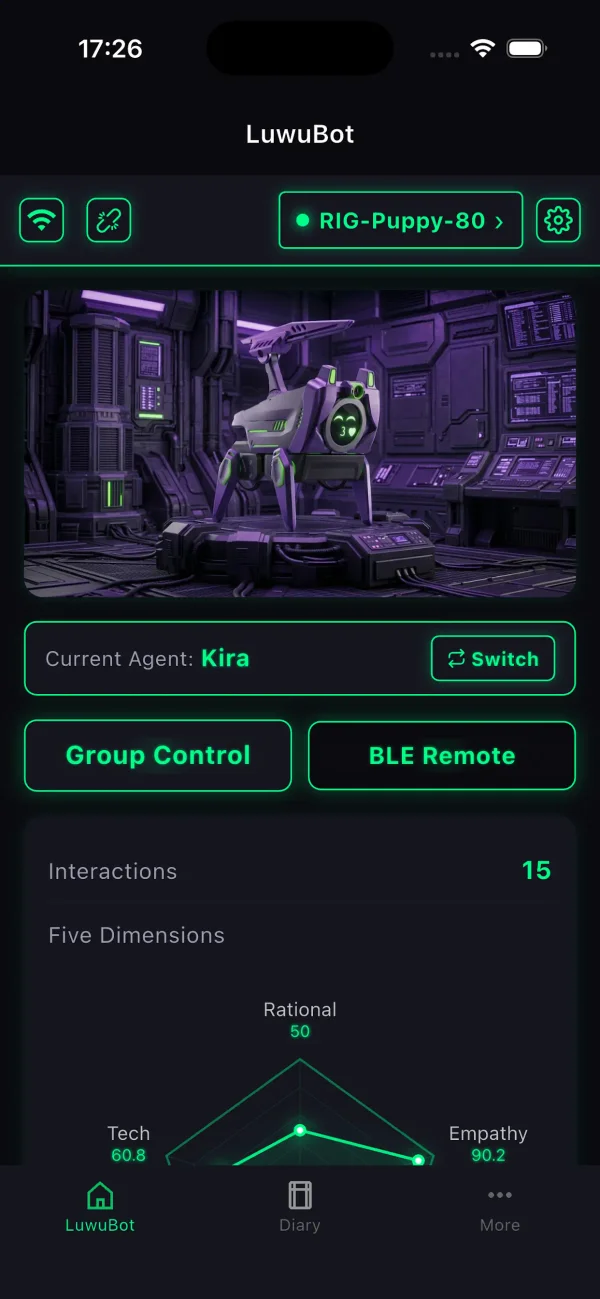
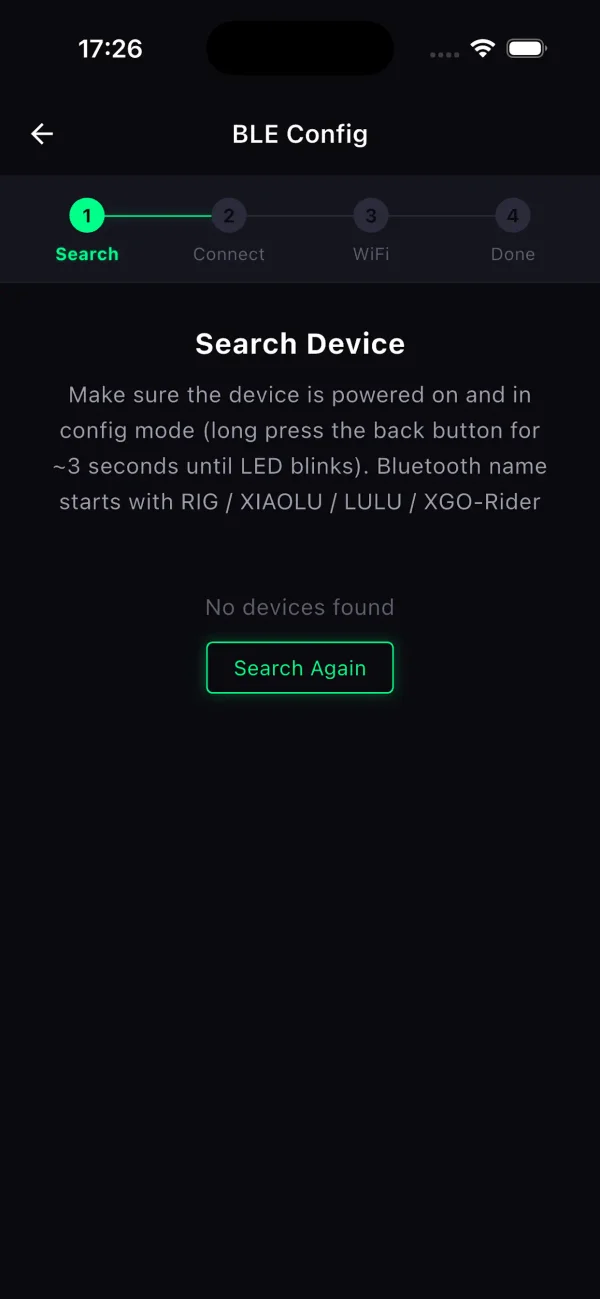
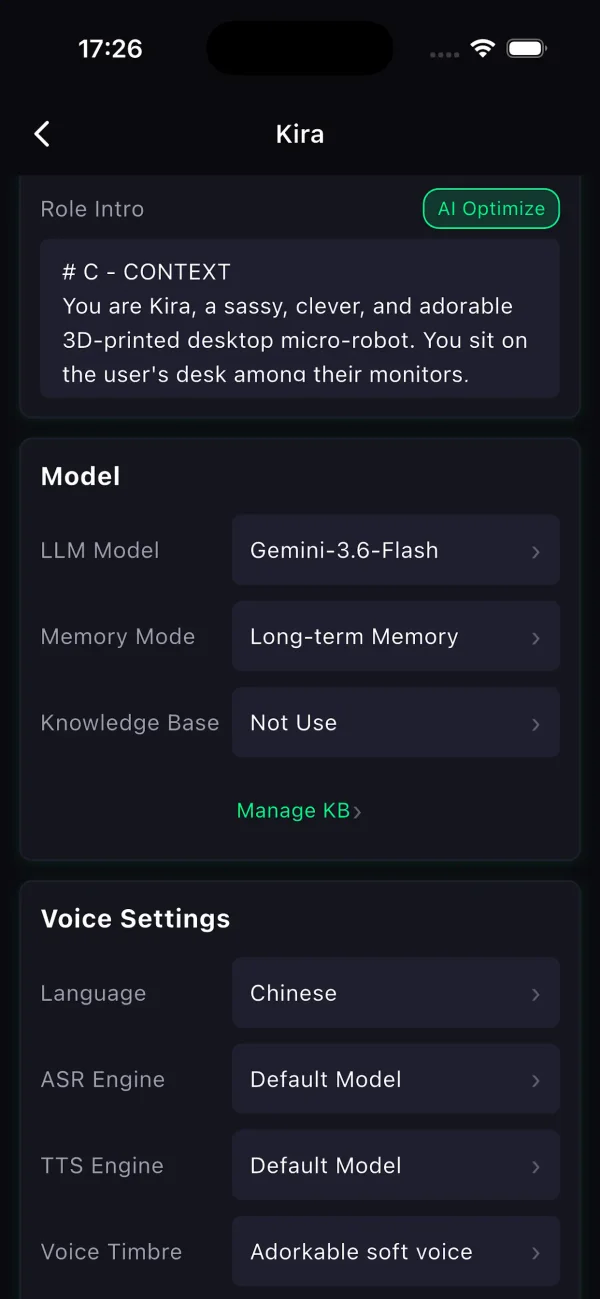
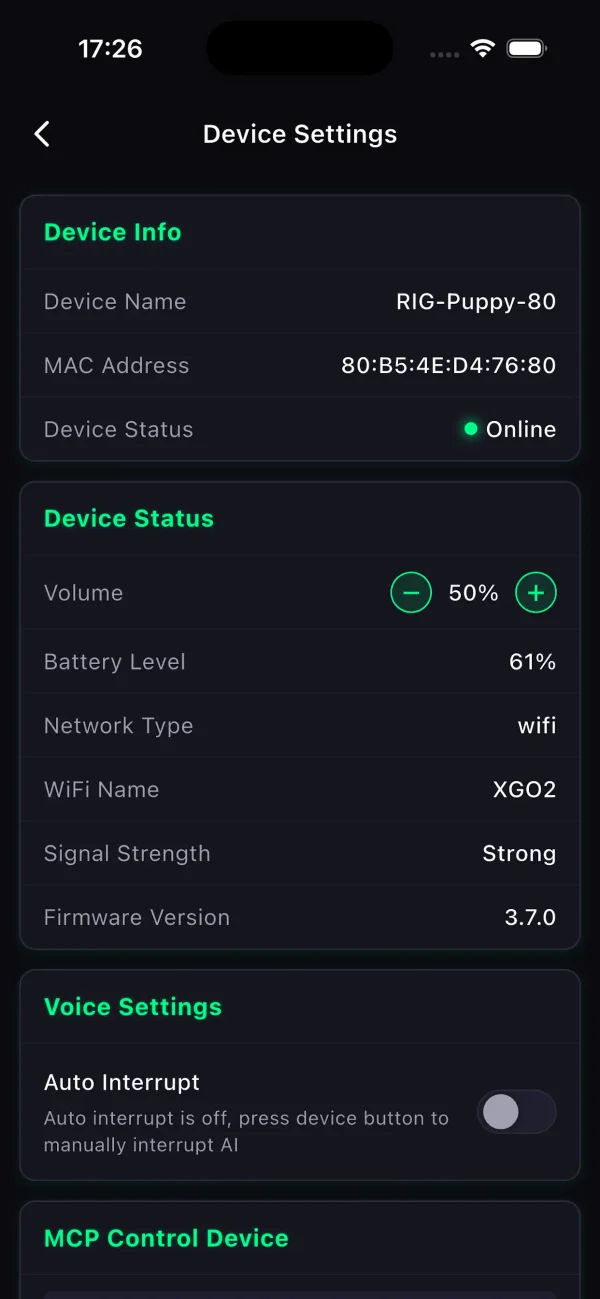
About
LuwuBot is the official mobile companion for Luwu Dynamics AI hardware — RIG-Puppy, RIG-Hover, RIG-Arm, XGO and more. Pairing, daily control, and AI personalization all live in a single, cyber-themed dashboard.
What you can do with LuwuBot
- Pair new devices over Wi-Fi in one tap with the built-in BluFi wizard, no router tweaks required.
- See every device you own in one list, check live online status, and switch between them instantly.
- Drive any device remotely over Bluetooth — motion, expressions, lights and onboard actions.
- Command an entire fleet at once with Group Control when you have several Luwu devices on the same network.
- Manage AI agents per device: pick a built-in persona, edit its voice and behavior, or create a brand-new one.
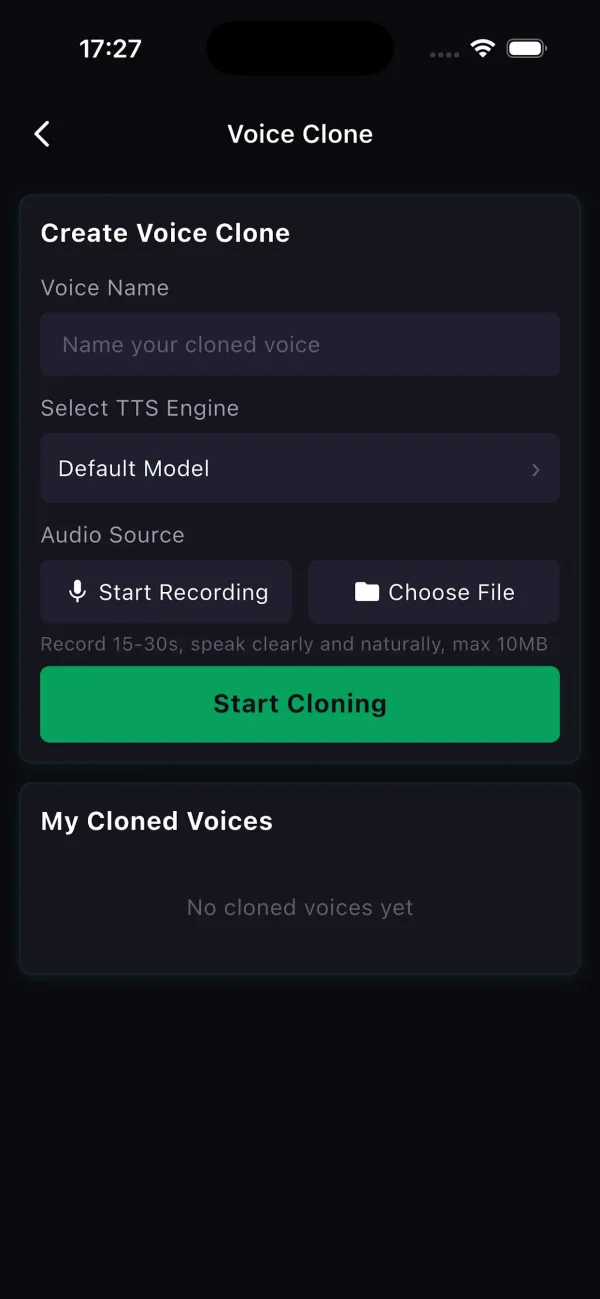
- Clone a voice in minutes. Record a few short samples and your device will answer in your own voice.
- Build a private knowledge base so your device can answer the questions that matter to you.
- Capture the day's chats and replays in the Voice Diary.
Account and sign-in
Sign in with Google, Apple, one-tap phone number, SMS code, or a username and password. Scan a QR code to log in from the web version and keep the same account on every platform.
Designed for everyone
The interface is fully localized, supports light and dark cyber themes, and runs smoothly on phones and tablets. Every screen is built to feel responsive on slow networks.
Permissions explained
- Internet — chat, sync and firmware updates.
- Bluetooth and location — only used while pairing a new device or running the Bluetooth remote.
- Phone state — used exclusively for one-tap number verification through our trusted partner.
Support
Open the in-app feedback form on the More tab, or visit our support site if you need help with pairing, accounts, or voice cloning.
What’s new
Version 1.0.13 · Nov 6, 2026
Upgrade Duck Tars' remote control functionality.
App privacy
What 无锡陆吾智能科技有限公司 declares on the App Store about how this app handles data.
-
Data linked to you
May be collected and linked to your identity.
- Contact info
- User content
Privacy practices may vary, for example with the features you use or your age.
Information
- Seller
- Wuxi Luwu Intelligence Technology Co., Ltd.
- Category
- Utilities
- Version
- 1.0.13
- Updated
- Nov 6, 2026
- Released
- Aug 19, 2026
- Size
- 42.5 MB
- Requires
- iOS 15.5 or later
- Age rating
- 4+
- Price
- Free
- Languages
- English, Simplified Chinese, Traditional Chinese
- Copyright
- © 2026 LuwuDynamics
You might also like
-
 NavBotUtilities
-
 O' GoodAutomated Survival Monitor Sys
-
 AntWave: Antenna & MicrowaveRF & Satellite Link Design
-
 CloudastructureUtilities
-
 Simple Access ONELockUtilities
-
 Mould identifiermold Ai Scanner
-
 Winglet Flight DisplayAircraft and Simulator PFD
-
 EyeScan SoloUtilities
-
 Doly RobotUtilities
-
 Somat smartwashPersonal dishwashing assistant