
- Age rating4+
- CategoryUtilities
- DeveloperChristopher Rohde
- Size8.4 MB
Links to the official App Store page
Download.org hosts no file of LuxStage. The button opens its official App Store page, published by Christopher Rohde. Listing last checked on Nov 13, 2026.
Screenshots

About
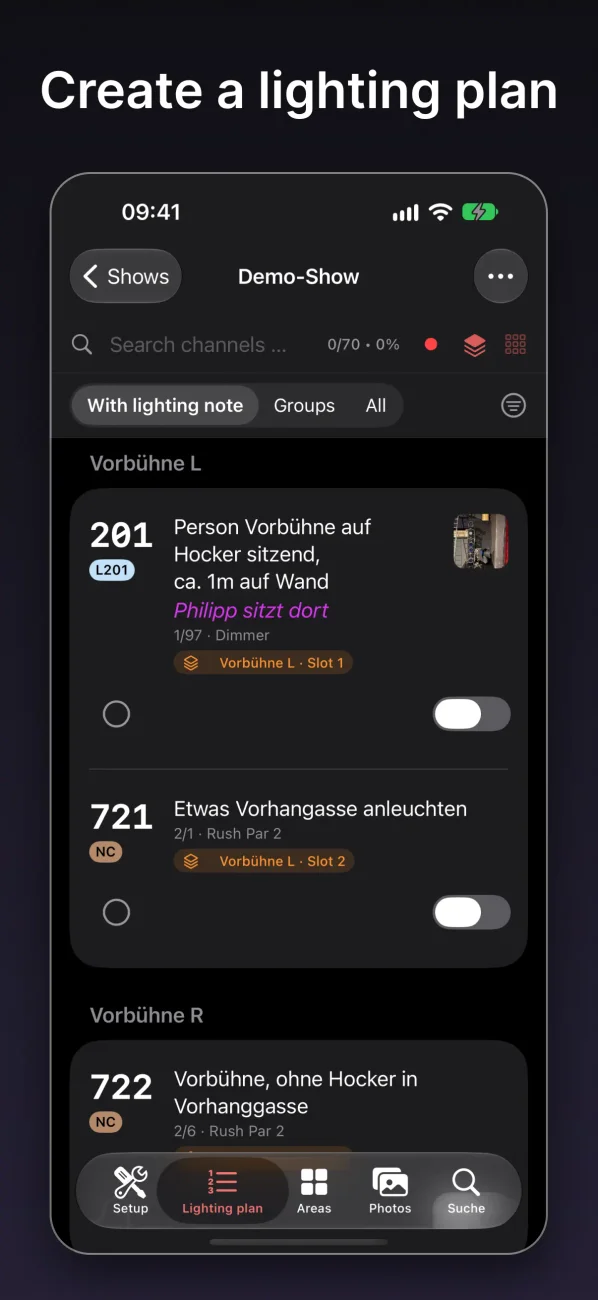
No more binders, printouts and outdated versions. LuxStage is the app for theatre lighting crews: setup, focus notes and console control in one place, for the whole team and in real time.
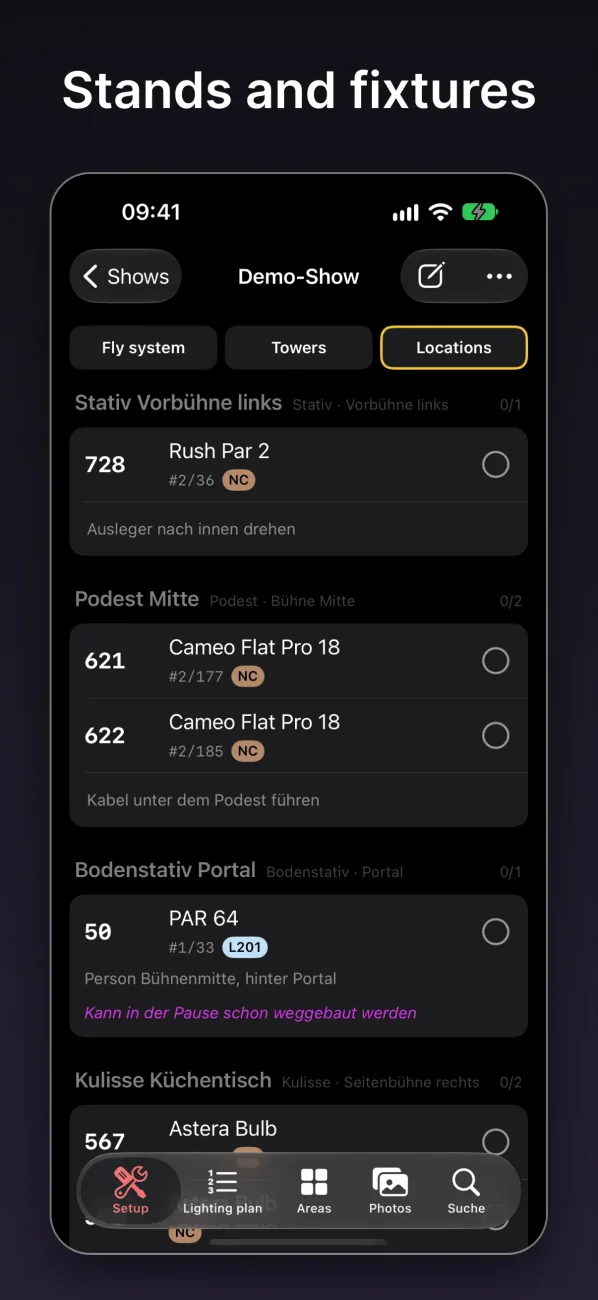
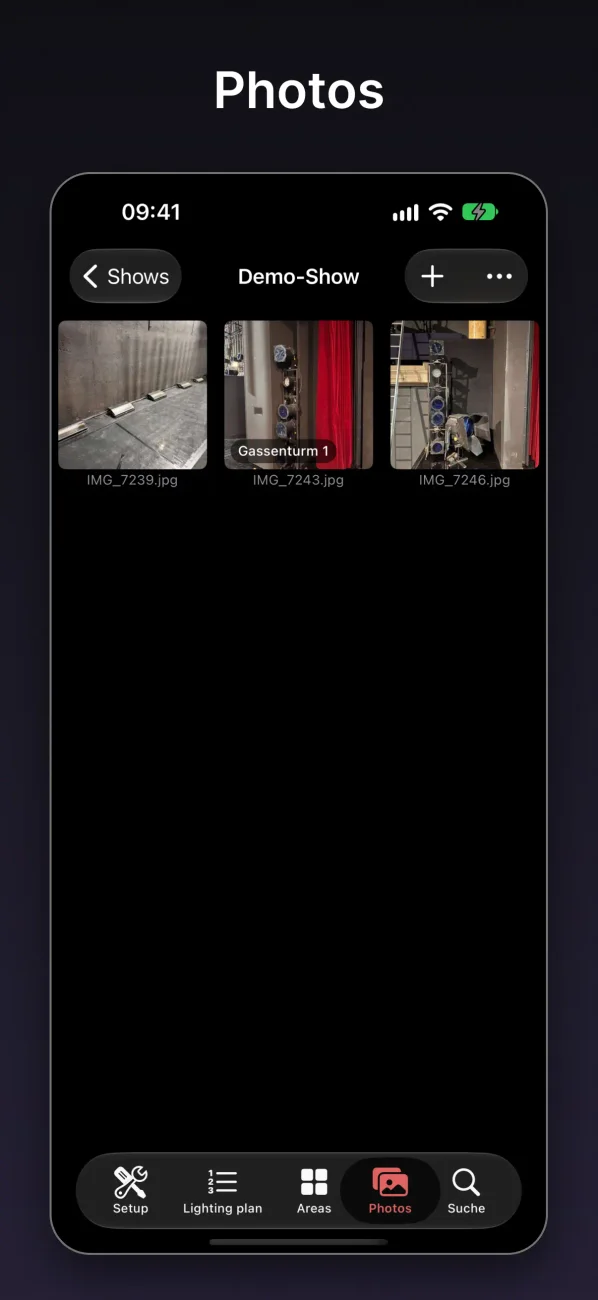
Everything tied to the channel number Pick a channel: note, gel, photos and position (FOH boom, truss, bar) are right there. The fixture comes on right away.
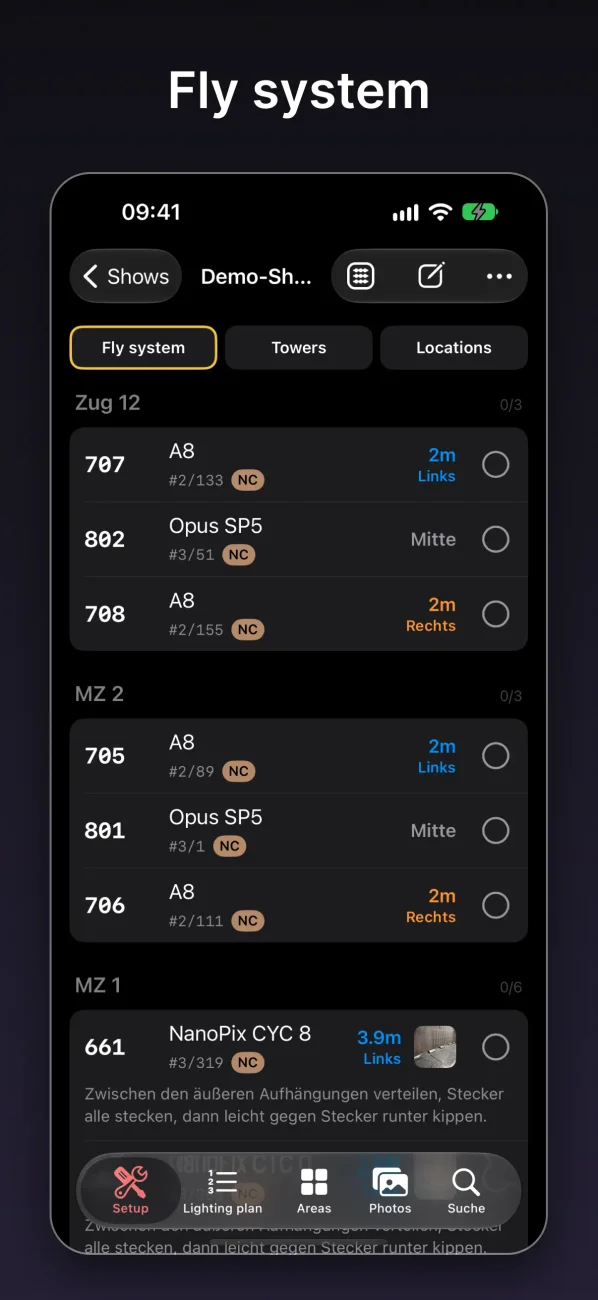
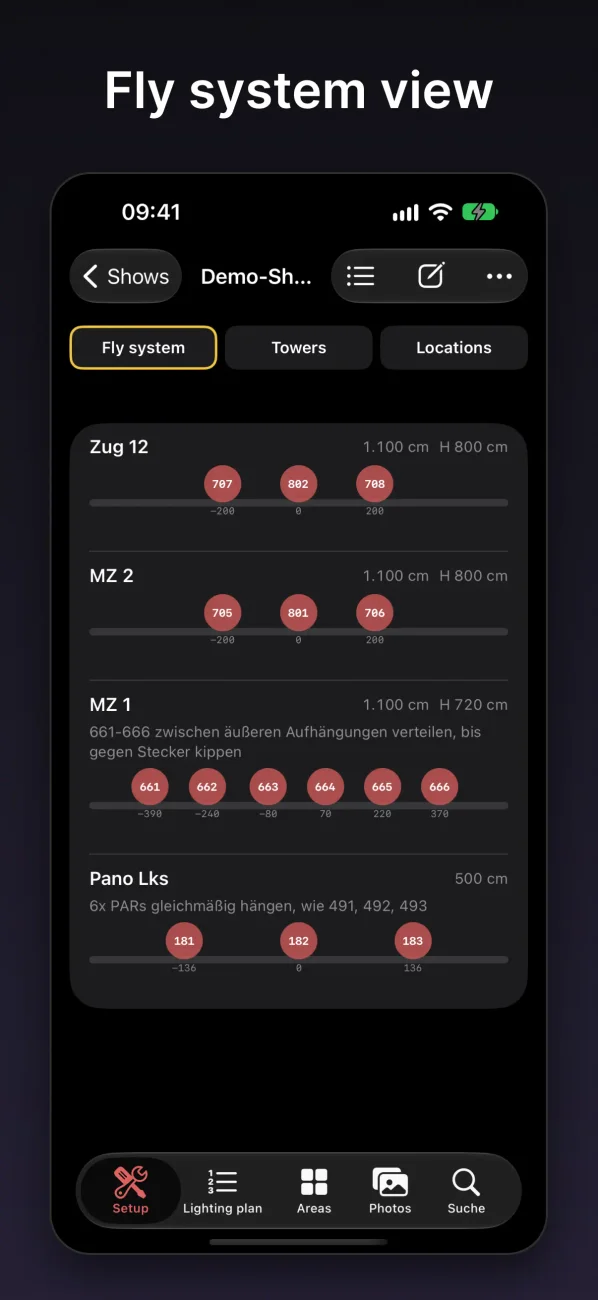
Rig made visible The drawing shows what hangs where. Photos record how a fixture was focused. Import your channels from an ETC Eos export.
One account, one status for everyone The app connects to your LuxStage server. Write your documentation and drawings comfortably on a computer in the web app. On the move, everything is in the app, including photos and check-offs. Everyone on the team sees the same status instantly.
Focusing as a team Check off focused fixtures. Everyone sees the current status at once and can tell other departments how long it will take.
Your ETC console in your hand Control your console straight from the app: run cues, check channels, operate moving lights. You don't need a second device or a second app for it.
LuxStage is an independent product and is not made by ETC. Compatible with ETC consoles via OSC. Console control also works without an account.
https://www.apple.com/legal/internet-services/itunes/dev/stdeula/
What’s new
Version 2026.11.3 · Nov 12, 2026
New: LuxStage now works offline too.
• Keep working offline: circuits, boom towers, fly bars, locations, drawing plans and photos stay on your device. Changes sync automatically once you're back online. The app asks you if there are conflicts.
• Setup: Checkmarks and notes appear live for everyone on your team. The toolbar has new icons.
• Tags: Add tags with #tag in notes. Tap a tag to filter the circuit list. Search finds them too.
• Circuit list: New "Groups" tab and a filter button for priority and tags.
• Edit circuit groups, archive with restore option.
• Overhead rigging: Duplicate fly bars, finer grid, enter measurements directly in the dialog.
• Photos: Filenames are shown, sort by name or circuit number.
• Focus plan and focus notes with clear labels.
• The "Color" column is now called "Gel" everywhere.
• Show assistant now imports templates completely, including groups and locations.
• EOS import takes all console fields from the patch.
• Drawing plan fills the screen, rotated fly bars display correctly.
• Remote tab shows a message if no connection is set up yet.
• Improvements to stability and speed.
App privacy
What Christopher Rohde declares on the App Store about how this app handles data.
-
Data not collected
The developer does not collect any data from this app.
Privacy practices may vary, for example with the features you use or your age.
Information
- Seller
- Christopher Rohde
- Category
- Utilities
- Version
- 2026.11.3
- Updated
- Nov 12, 2026
- Released
- Aug 25, 2026
- Size
- 8.4 MB
- Requires
- iOS 26.0 or later
- Age rating
- 4+
- Copyright
- © Christopher Rohde
You might also like
-
 WS ETagUtilities
-
 Pekaway BlueConnect. Monitor. Configure.
-
 TapInk - NFC E-Paper writerWaveshare E-Paper writer
-
 Pekaway ConnectYour mobile smart home
-
 OrdercubeRestaurant Communication
-
 NFCAppUtilities
-
 RouteEffect - Video RouterBlackmagic Videohub Control
-
 APZ PatientenportalUtilities
-
 Stage Timer - Event CountdownTime left in events made clear
-
 LiveTime ViewerUtilities