
LynMusic
Navidrome, NAS & Offline Music
Designed for iPhone, iPad, Mac
Free · In-app purchases
- Age rating4+
- CategoryMusic
- Developer文浩 麦
- LanguagesEnglish+ 11 more
- Size35.5 MB
Links to the official App Store page
Download.org hosts no file of LynMusic. The button opens its official App Store page, published by 文浩 麦. Listing last checked on Nov 25, 2026.
Screenshots
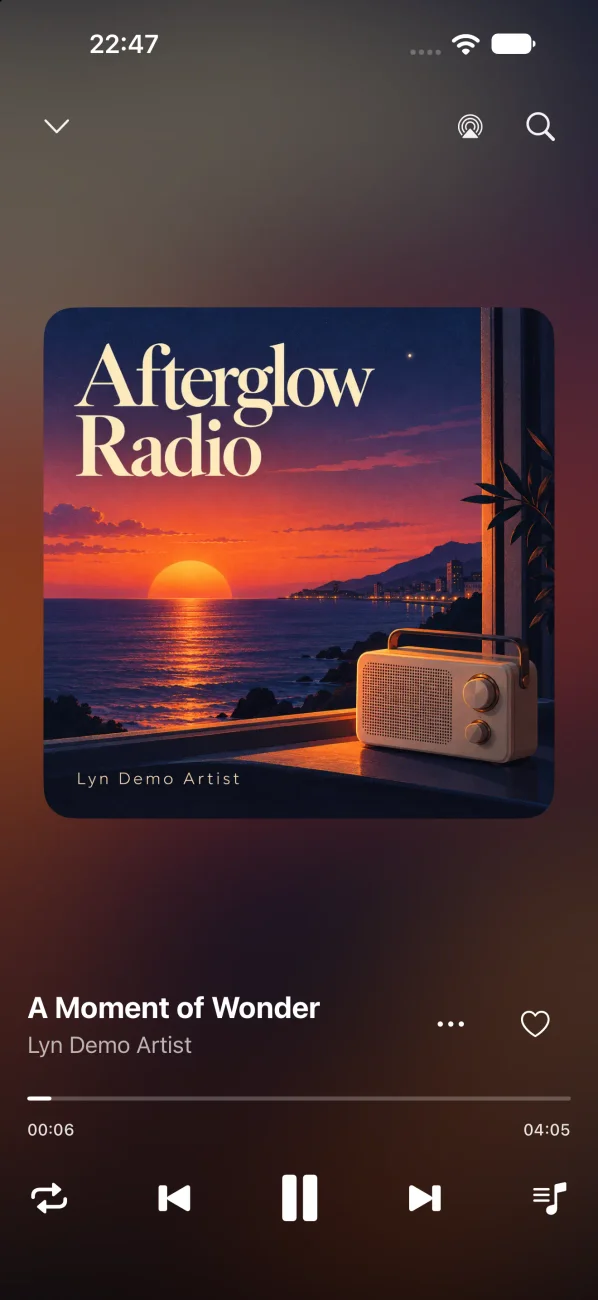
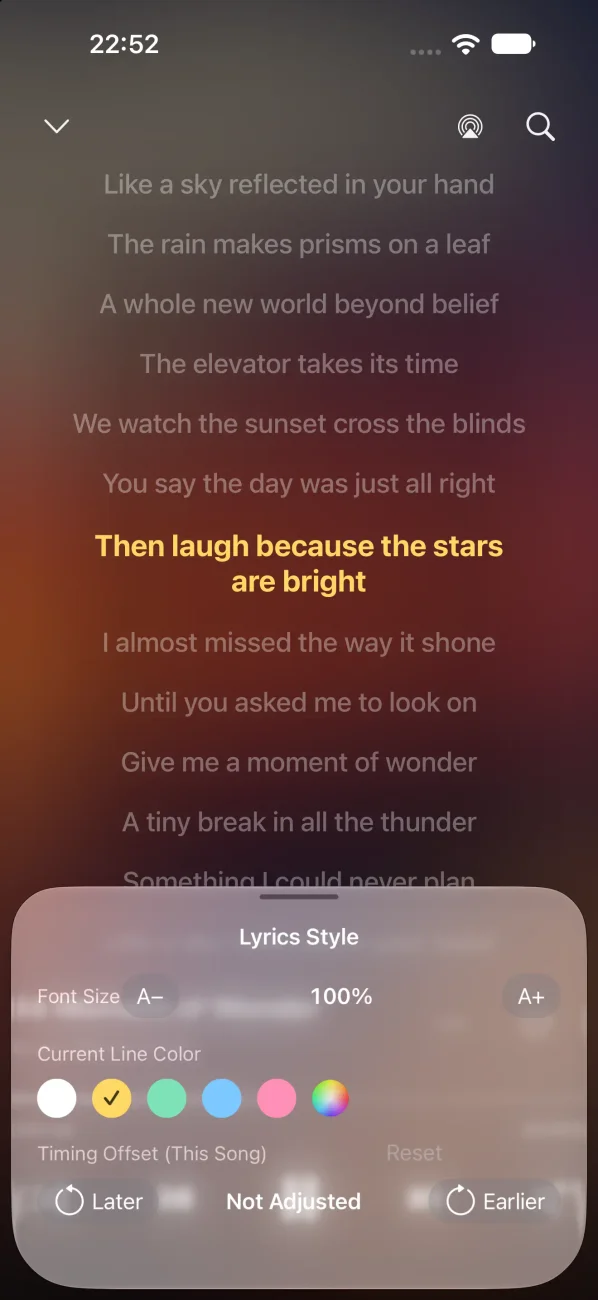

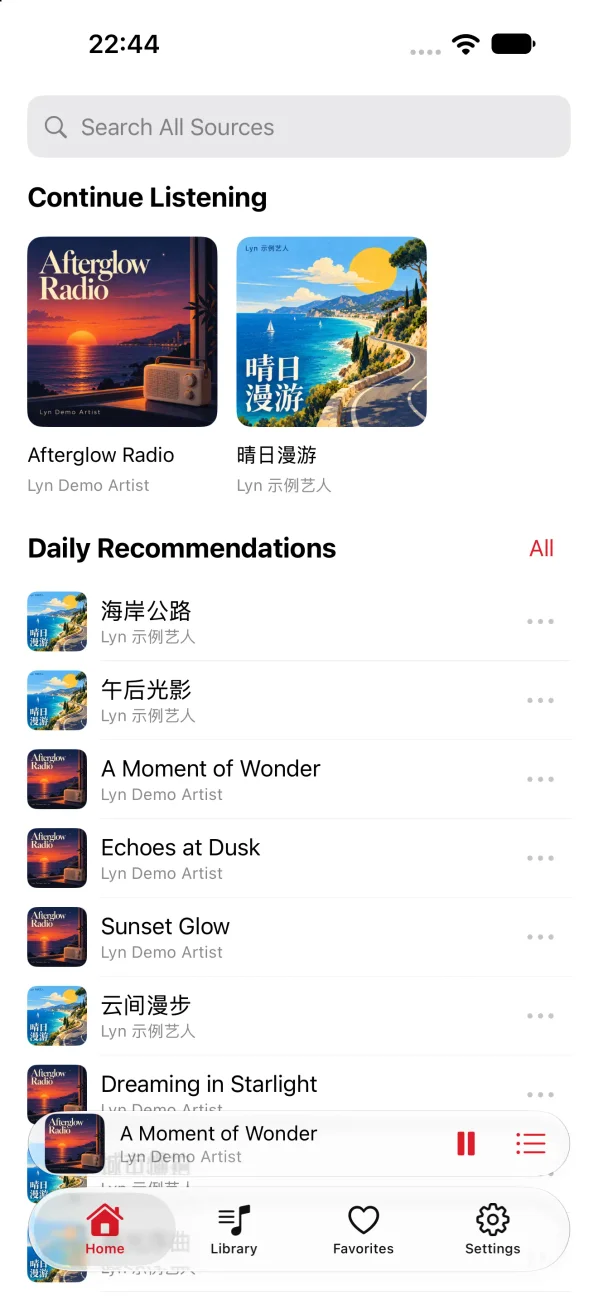
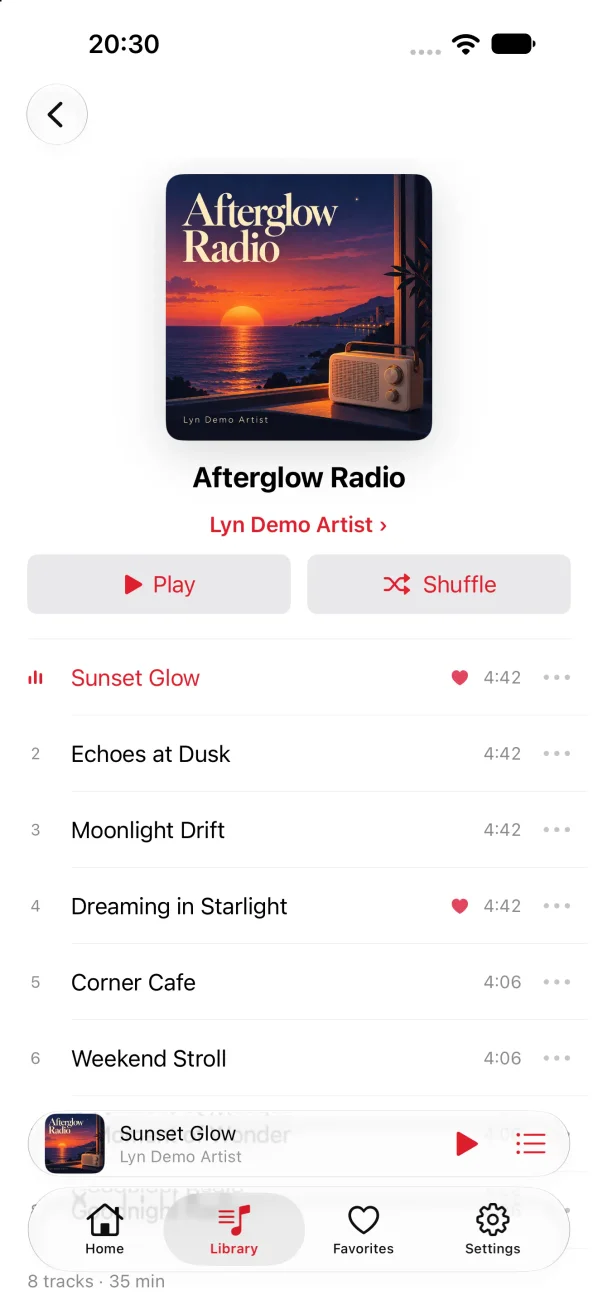


About
LynMusic is a native player for your personal music library on iPhone, iPad, Mac, and Apple TV. Connect your NAS and personal music servers—or import local music on iPhone, iPad, and Mac—to browse, organize, and enjoy high-quality playback across your Apple devices.
CONNECT YOUR ENTIRE LIBRARY
• Import local audio folders on iPhone, iPad, and Mac. Transfer music to your iPhone or iPad over Wi-Fi using a web browser.
• Connect directly to Navidrome, Subsonic, Emby, Jellyfin (10.10 or later), FN Music, SMB, and WebDAV
• Stream in original quality; set separate Wi-Fi and cellular quality preferences on iPhone and iPad (Mac and Apple TV use the default quality setting)
• Supports a wide range of audio formats, including lossless formats, with offline downloads on iPhone, iPad, and Mac
NATIVE ACROSS YOUR APPLE DEVICES
• iPhone & iPad: Fluid gestures, thumb-friendly layouts, custom app icons, and offline library
• Mac: Native desktop experience, floating desktop lyrics, and quick menu bar controls
• Apple TV: Big-screen immersive playback designed for the remote, plus Home Screen Top Shelf picks
EFFORTLESS LIBRARY & PLAYBACK
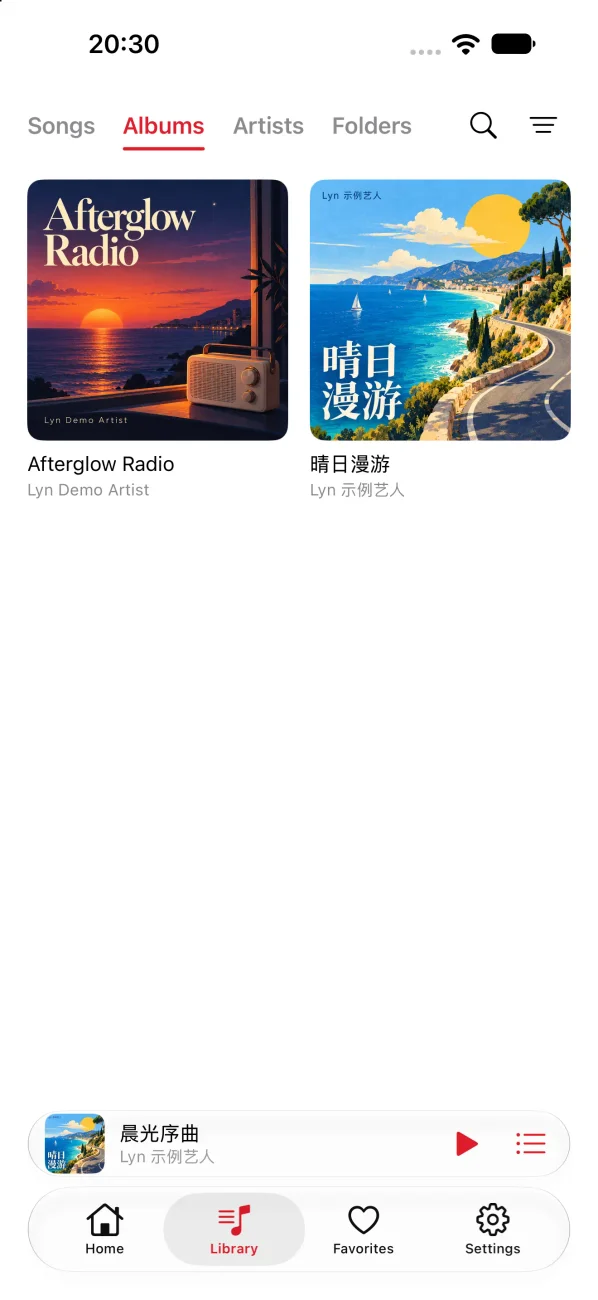
• Browse by songs, albums, and artists with fast search; album detail on iPhone and iPad includes multi-disc grouping and audio quality badges
• Manage liked songs and playlists, and sync with supported music servers. On iPhone, iPad, and Mac, you can filter liked songs by source or show only downloaded tracks. Your sort order is saved.
• Full playback queue, sleep timer, AirPlay, and local tag & artwork editing (iPhone, iPad, and Mac)
IMMERSIVE LYRICS & PLAYER APPEARANCES
• Supports embedded lyrics, sidecar LRC files, and online lyric search—with word-by-word sync, translations, and romanization. Jump to a selected lyric to play from that point.
• Choose from Cover, Vinyl, and Immersive player appearances that blend album artwork naturally into the screen
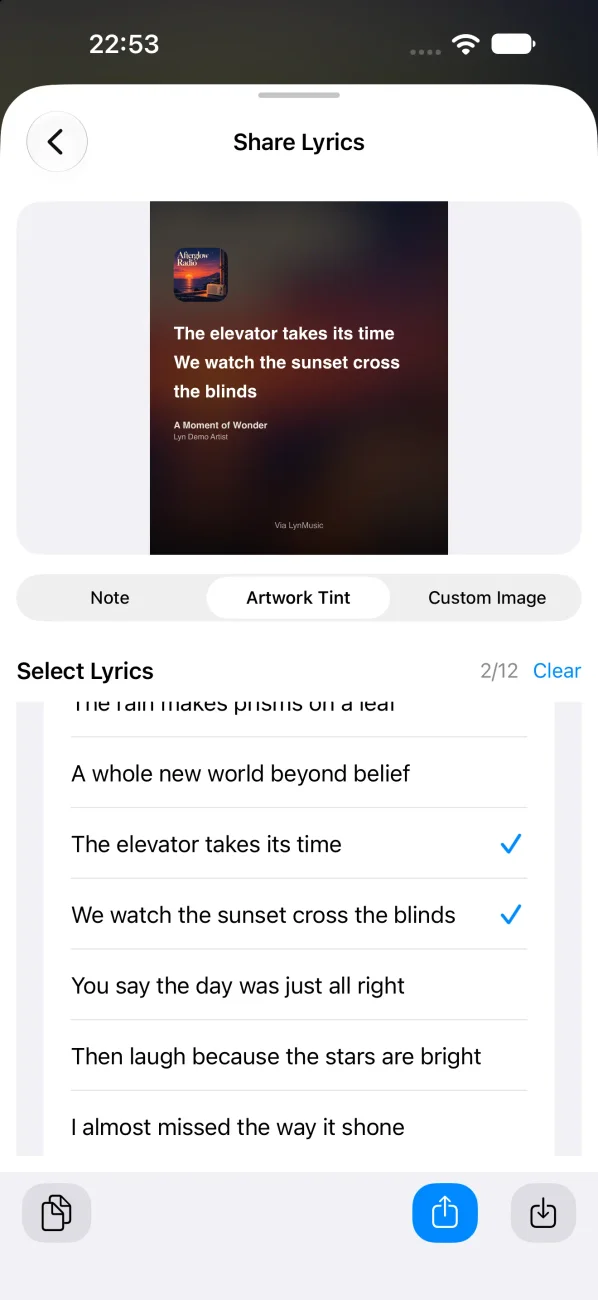
• Import custom lyric fonts and export or share lyric cards (iPhone, iPad, and Mac); customize lyric styling on iPhone and iPad
LYNMUSIC PREMIUM
Start with a 168-hour free trial (available once per Apple Account across platforms, with no automatic charge). Upgrade to Premium to unlock:
• All Platforms (iPhone, iPad, Mac & Apple TV): Gapless playback, playback cache, and additional player appearances
• iPhone, iPad & Mac: Equalizer (EQ), lyric font import, and lyric card image export & sharing (Mac also includes sidebar backgrounds)
• iPhone & iPad: Unlock Premium themes, custom lyric styling, and more app icons. On iOS/iPadOS 26 or later, you can also trim a song and set it as your ringtone.
Available as iPhone / iPad Lifetime, Mac Lifetime, and All-platform Lifetime (covers iPhone, iPad, Mac, and Apple TV; single-platform Lifetime purchases do not unlock Apple TV). Each Lifetime purchase is a one-time payment with no auto-renewal. See in-app details for full terms.
ABOUT MUSIC SOURCES
LynMusic is a player for your personal music library and does not provide a built-in music catalog. You need to import your own audio files or connect to personal music servers you are authorized to access. Availability of certain features and benefits depends on device platform, music source, and server configuration.
What’s new
Version 1.7 · Nov 24, 2026
Library, Albums & Artists
• The Songs tab on iPhone and iPad now has one-tap playback and a track count. Liked songs show a heart.
• Album pages now feature larger cover art, an audio quality badge, and a Shuffle button.
• Artist pages now have Songs, Albums, and Liked tabs.
Liked & Playlists
• Swipe between Liked and Playlists on iPhone. Search liked songs, filter by source, or show only downloaded tracks. Your sort order is saved.
• Playlist lists now show cover art and quick actions, and the iPad sidebar shows cover art too. Playlist pages have a Play button and a track count. Track numbers display in full, even in long playlists.
Icons & Settings
• A new red sound-bar icon is now the default, and the launch screen displays LynMusic.
• Preview eight icons in Settings → Appearance → App Icon. The default and original icons are free to use. Applying any of the other six requires Premium.
App privacy
What 文浩 麦 declares on the App Store about how this app handles data.
-
Data linked to you
May be collected and linked to your identity.
- Contact info
- User content
- Identifiers
- Diagnostics
Privacy practices may vary, for example with the features you use or your age.
Information
- Seller
- 文浩 麦
- Category
- Music
- Version
- 1.7
- Updated
- Nov 24, 2026
- Released
- Sep 17, 2026
- Size
- 35.5 MB
- Requires
- iOS 16.0 or later
- Age rating
- 4+
- Price
- Free
- In-app purchases
- Yes
- Languages
- English, Dutch, French, German, Italian, Japanese, Korean, Portuguese, Russian, Simplified Chinese, Spanish, Traditional Chinese
- Copyright
- © 2026 MaiWenHao
You might also like
-
 Music Nest: Local HiFi PlayerNAS, FLAC, Lyrics, Playlists
-
 Navid Music: Clear HiFi PlayerLyrics・MetroDesign · Navidrome
-
 WacaVisual Local Music Player
-
 Aduoer MusicOne player. All your music.
-
 Zhiyin Player - Offline MusicOffline · Wireless Transfer
-
 NetMusic: Cloud & NAS PlayerNavidrome, WebDAV & Offline
-
 Minidisc - Navidrome & LidarrYour Music, Your Server
-
 Cloudflow Music – NAS PlayerNAS · Cloud · Local · Lossless
-
 bMusic: FLAC, MP3 Music PlayerOffline Local Lyrics & Karaoke
-
 SirenX - Hi-Res Music PlayerLocal Music & Navidrome