LyrPlay
Lyrion Music Player
Designed for iPhone, iPad, iPod touch
Free · In-app purchases
- Age rating4+
- CategoryMusic
- DeveloperEric Miller
- LanguagesEnglish
- Size8.4 MB
Links to the official App Store page
Download.org hosts no file of LyrPlay. The button opens its official App Store page, published by Eric Miller. Listing last checked on Nov 22, 2026.
Screenshots

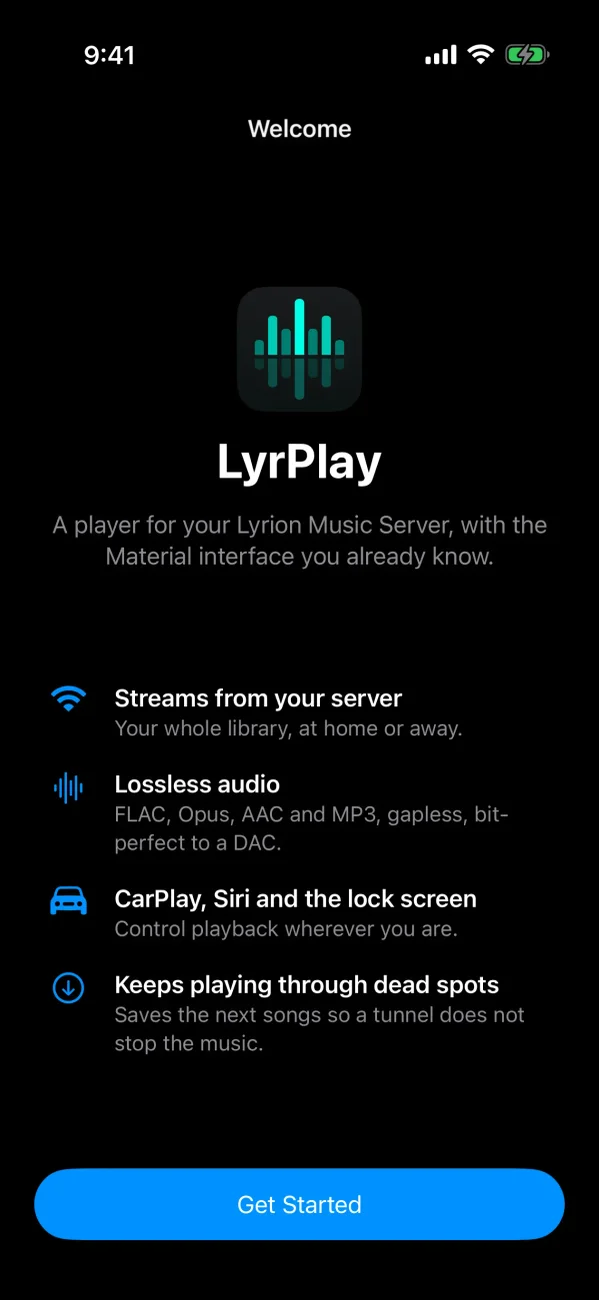
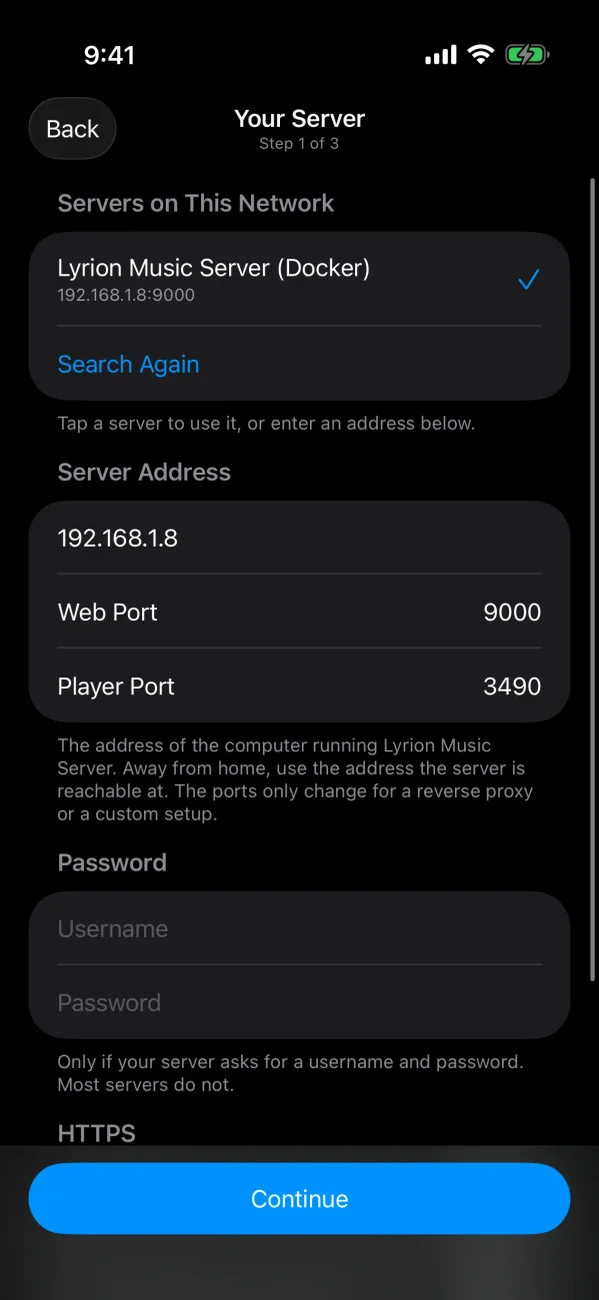

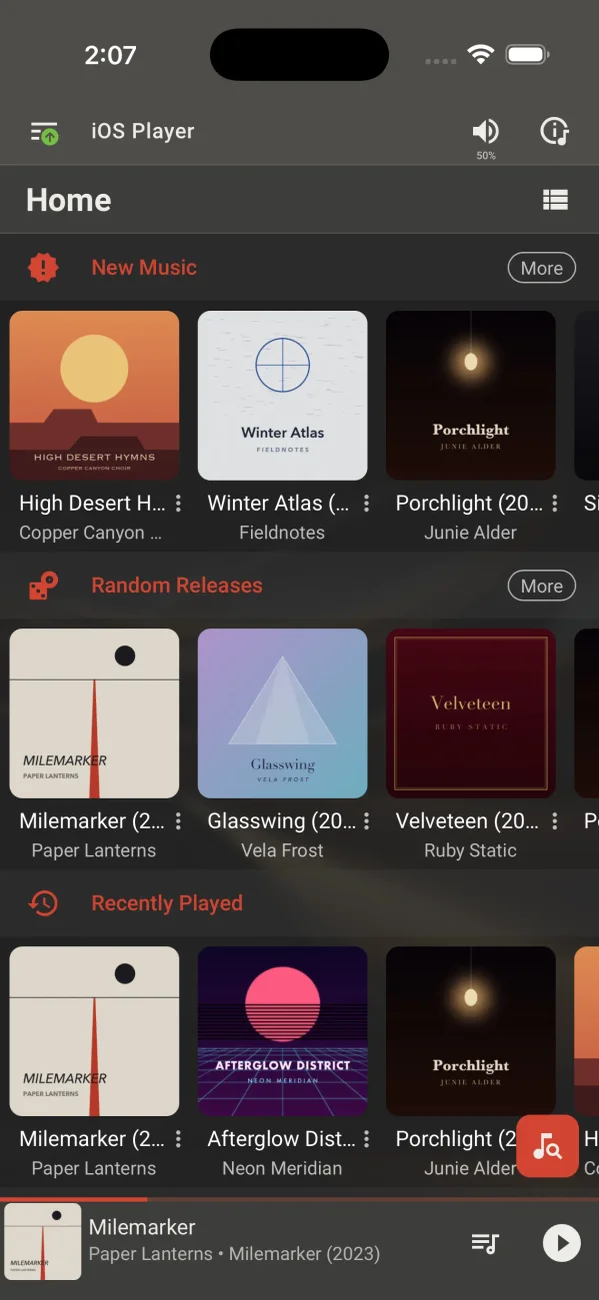
About
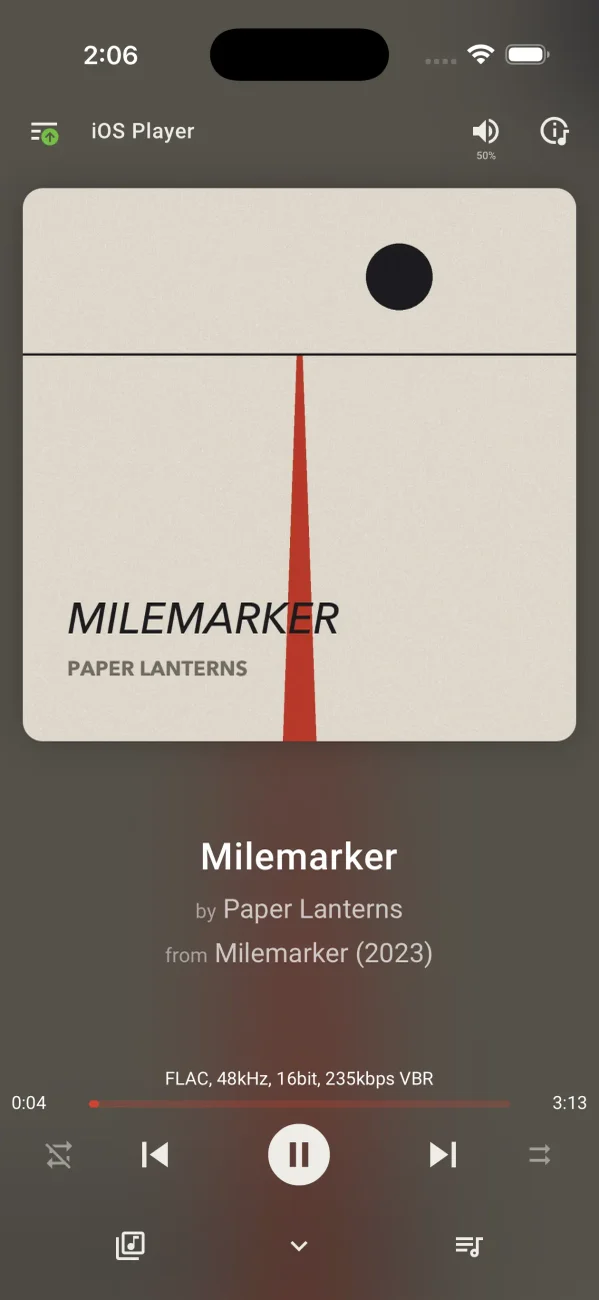
Transform your iPhone and iPad into a premium Squeezebox player with LyrPlay, the ultimate iOS companion for Lyrion Media Server (LMS). Enjoy your personal music collection with native FLAC / Opus support, seamless Material web interface integration, and high-quality audio streaming.
KEY FEATURES
Native FLAC Support
Stream lossless audio with native decoding for 16-bit and 24-bit FLAC files. Experience your music collection with crystal-clear quality that preserves every detail.
Material Web Interface and CarPlay Support
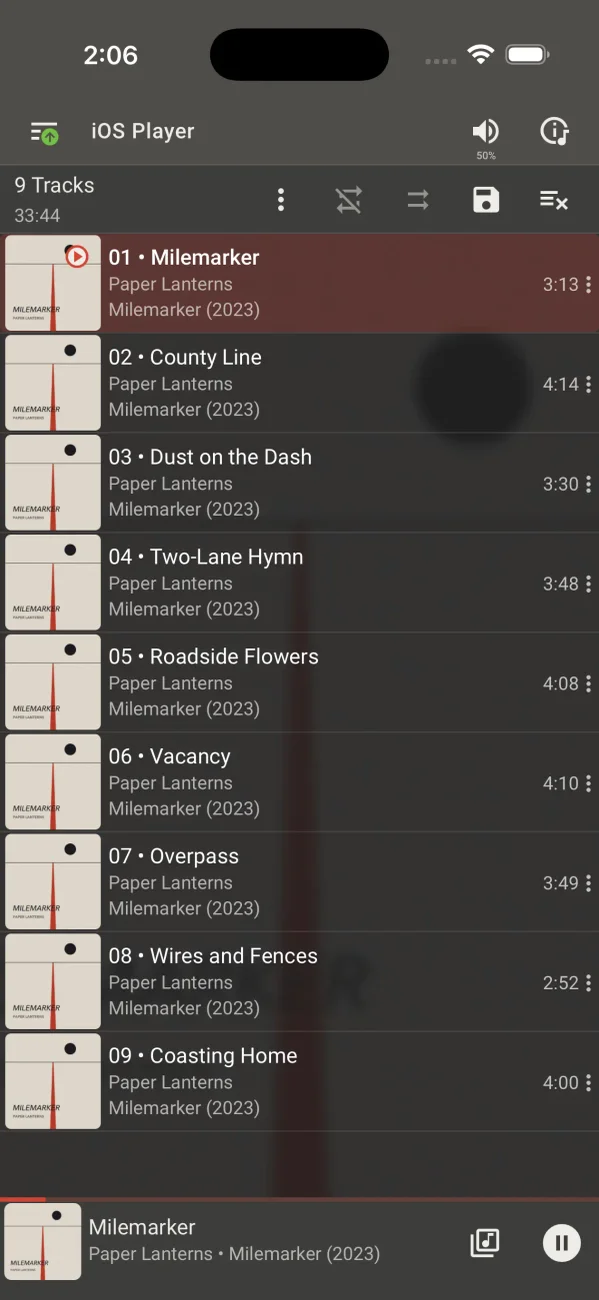
Integrates with the Material Skin by CDrummond, providing full LMS control through a touch-optimized interface. Access your entire music library, playlists, and server settings with intuitive navigation.
Background Audio
Continuous playback with proper iOS integration including lock screen controls, Control Center access, and background audio support. Your music never stops, even when switching apps.
Keep Playing Offline
Saves the next songs in your queue on the phone, so music keeps playing through tunnels and dead spots, and your server picks up where you are when the network returns.
Server Discovery
Automatic LMS server detection with backup server support and failover capabilities. Connect effortlessly to your home server with robust connection management.
Performance Optimized
Built specifically for iOS with efficient networking, smart buffering, and bandwidth optimization options for various connection speeds.
AUDIO FORMAT SUPPORT
FLAC (16-bit, 24-bit) with native decoding
AAC, MP3, M4A, Opus and other standard formats
Configurable transcoding for bandwidth optimization
Lock screen and Control Center integration
Volume control through LMS and device buttons
Gapless Playback
Player Synchronization - restart track after sync
REQUIREMENTS
iOS 15.6 or later
Lyrion Media Server (LMS)
Material Skin plugin installed on your LMS server
Network access to your LMS server (home network, VPN or HTTPS)
TECHNICAL SETUP
For advanced configuration options including transcoding optimization, visit the project documentation at github.com/mtxmiller/LyrPlay.
Built with SwiftUI for iOS interface, Bass for native FLAC / Opus support, and WebKit for Material skin integration. LyrPlay delivers a quality Squeezebox experience on your iOS device.
Turn your iPhone or iPad into a network audio player for your personal music server.
What’s new
Version 1.8.0 · Nov 6, 2026
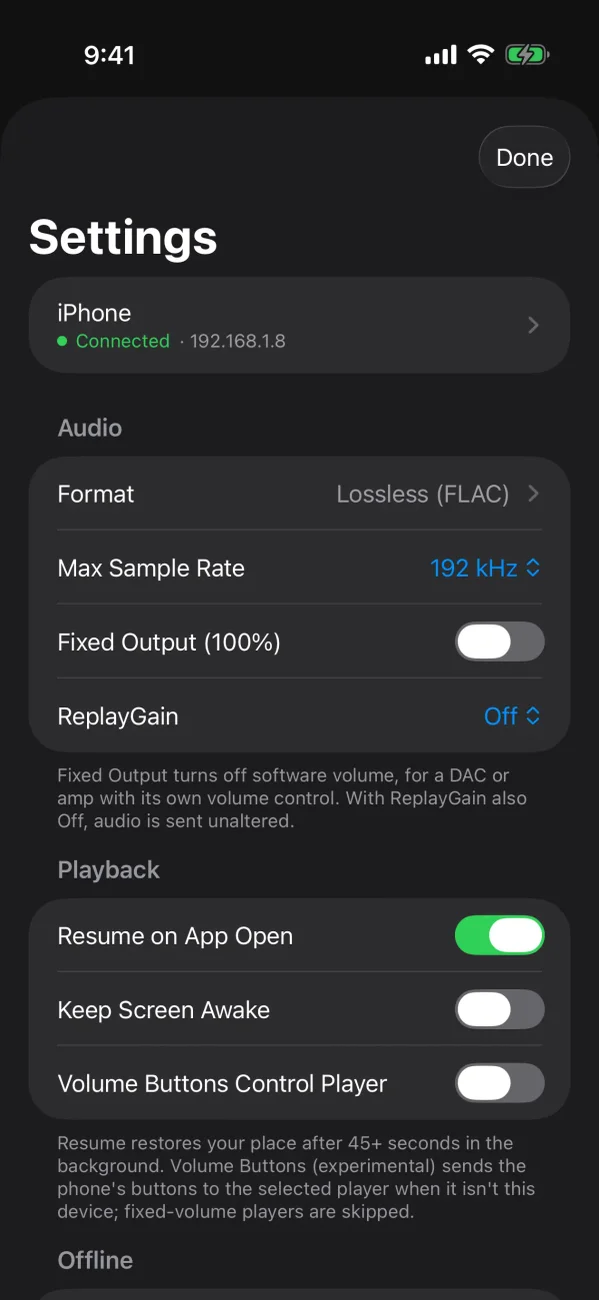
Download before you go. With Keep Playing Offline on, LyrPlay now saves the next songs in your queue while nothing is playing, so the music is ready before you leave the house. A Saved for Offline ring in Settings > Offline shows how much of the queue is on the phone. Saved songs come down in the format you stream (Opus or Ogg with the MobileTranscode plugin), not as full-size FLAC files, and the storage limit is larger.
Offline playback polished. Play works on a weak signal straight from the saved songs. ReplayGain follows your player's setting (track, album or smart) offline, the way the server applies it. A song that finishes just as the connection drops is followed by the next saved song instead of silence. When the server can't be reached, the connection screen now opens the offline player directly.
Audio Format. The Opus, Ogg Vorbis and WAV settings now work with LMS's "Prefer native format" option left on, as it is by default, so there is nothing to change on the server. AAC files play as they are on the Opus and Ogg settings instead of being converted to MP3, and each setting's description shows exactly what it asks the server for.
CarPlay. Cover art on the CarPlay home screen no longer drops to the default icon after playing saved songs. Playlists start from the first song again, and a crash when a CarPlay list grew past the car's limit is fixed.
Also: the Gradient Shine icon lost its white edge, the Reverse Out and White icons are no longer swapped, and the server password no longer appears in diagnostic logs.
App privacy
What Eric Miller declares on the App Store about how this app handles data.
-
Data not collected
The developer does not collect any data from this app.
Privacy practices may vary, for example with the features you use or your age.
Information
- Seller
- Eric Miller
- Category
- Music
- Version
- 1.8.0
- Updated
- Nov 6, 2026
- Released
- Aug 9, 2025
- Size
- 8.4 MB
- Requires
- iOS 15.6 or later
- Age rating
- 4+
- Price
- Free
- In-app purchases
- Yes
- Languages
- English
- Copyright
- © 2026 Eric Miller
You might also like
-
 xTune - Lyrion Remote & PlayerLyrion Music Remote and Player
-
 RigelianMPD & OpenHome control app
-
 JPLAYThe new reference hi-fi app.
-
 Mobile MAClient for Music Assistant
-
 nexTrack - UPnP Flac PlayerHi-Res Music Through DLNA UPnP
-
 VolumioThe official Volumio app
-
 MaximumMPDMusic
-
 NarjoMusic
-
 Nautiline: OpenSubsonic ClientStream Your Music
-
 Signalyst HQPlayer 6 ClientMusic