
MacroFast
Calorie,Macros,Fasting,Glucose
Designed for iPhone
Free · In-app purchases
- Age rating4+
- CategoryHealth & Fitness
- DeveloperBramhand Consultancy Services Inc.
- LanguagesEnglish
- Size2.8 MB
Links to the official App Store page
Download.org hosts no file of MacroFast. The button opens its official App Store page, published by Bramhand Consultancy Services Inc. Listing last checked on Nov 12, 2026.
Screenshots



About
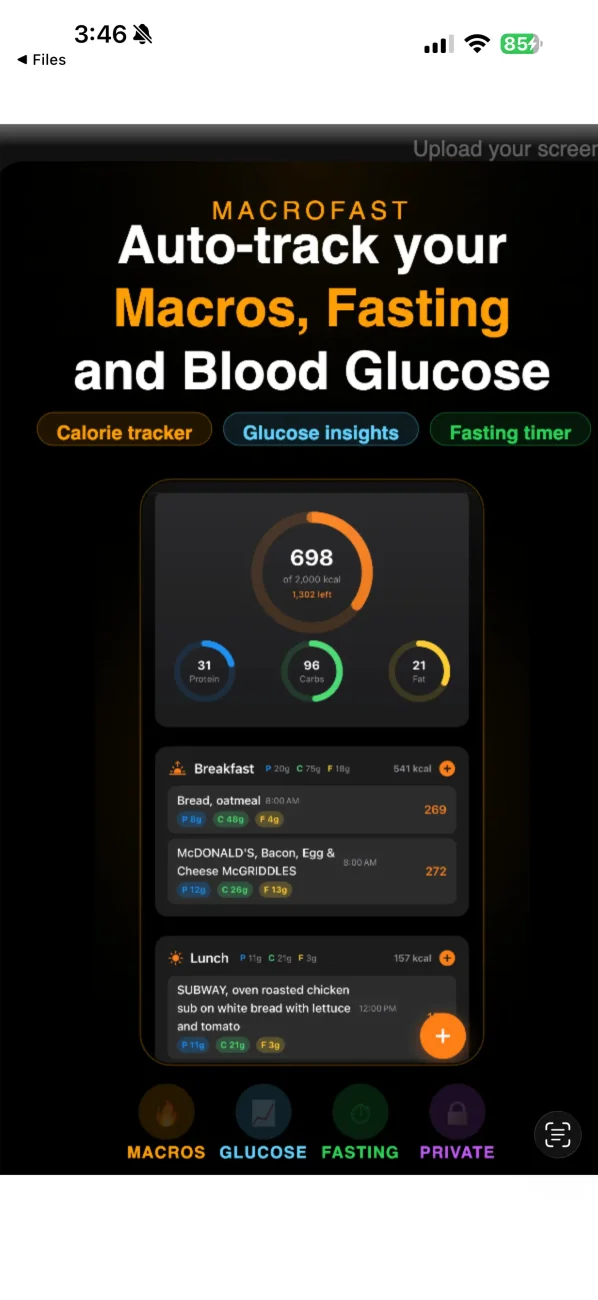
Track what you eat, how long you fast, and how your meals affect your glucose — all without an account, cloud sync, or ads. Everything stays on your iPhone.
LOG FOOD IN SECONDS
Search 500,000+ foods from the USDA database — stored entirely on-device, no internet needed. Scan a barcode and get instant nutrition data from the Open Food Facts database. Snap a photo of your meal and let on-device AI identify the food and fill in the macros. Or just type it in manually.
Every entry shows calories, protein, carbohydrates, and fat. Set your daily targets and watch your rings fill as you log.
FASTING TRACKER — PREMIUM
MacroFast automatically calculates your fasting window from the last meal you logged. No timers to start or stop. See your current fast length, your fasting zone, and your full fasting history at a glance. Black coffee, water, and zero-calorie items can be marked to exclude from your fast.
GLUCOSE INSIGHTS — PREMIUM
Connect a continuous glucose monitor via Apple Health and see how your meals affect your blood sugar. MacroFast draws a 24-hour, 3-day, or 7-day trend chart directly from your Apple Health data — on-device, never uploaded. Set a personal in-range goal and track your time within it.
Supports both mg/dL and mmol/L. Units are detected automatically from your Apple Health settings.
Note: Glucose Insights is a personal wellness tool. It is not a medical device and does not provide medical advice. Always consult your healthcare provider for clinical guidance.
HISTORY & TRENDS — PREMIUM
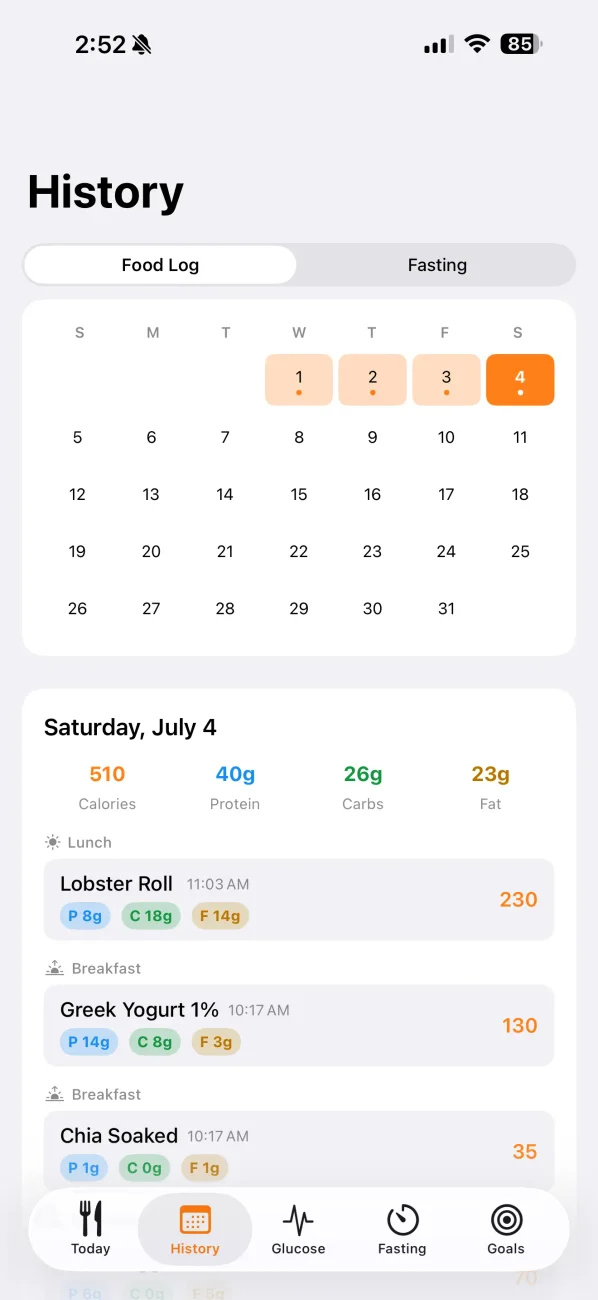
A full calendar view of every day you've logged. Tap any date to see your totals, meal breakdown, and fasting window for that day. Weekly and monthly charts show your calorie and macro trends over time.
APPLE HEALTH INTEGRATION
MacroFast can optionally write your logged meals — calories, protein, carbohydrates, and fat — to Apple Health so they appear alongside your other health data. This is off by default and can be toggled in Goals at any time.
PRIVACY BY DESIGN
No account. No sign-in. No cloud. No ads. No tracking.
All your food entries, macro history, fasting records, and glucose data stay on your device in Apple's encrypted on-device storage. Barcode lookups are anonymous. The USDA food database is bundled in the app — it never phones home.
PREMIUM SUBSCRIPTION
MacroFast Premium unlocks:
· Fasting Tracker with zone history
· Glucose Insights with trend charts
· Full History calendar
· Weekly and monthly macro charts
Basic calorie and macro logging is always free, forever.
MacroFast is not a medical device. Calorie targets, fasting zones, and glucose goal ranges are personal wellness goals you configure — not clinical recommendations. Consult a qualified healthcare provider before making changes to your diet or when interpreting health data.
What’s new
Version 1.2 · Aug 13, 2026
What's new in MacroFast:
• Fiber tracking — log fiber alongside calories, protein, carbs, and fat. Barcode scanning populates fiber automatically from Open Food Facts. Fiber syncs to Apple Health with your other nutrition data.
• Ask your own AI — export your full nutrition history, fasting windows, and glucose data to your clipboard with one tap, then paste into ChatGPT, Claude, Gemini, or any AI assistant for personalized insights.
• Log Again from History — long-press any food entry in the History food log to get the same context menu as Today: Log Again ×1, ×2, or ×3, Edit, or Delete.
• Smarter trend charts — weekly and monthly charts now show only completed days in the averages. Today appears as a faded bar so you can see where you're tracking without skewing the numbers.
• Photo library fix — the "Choose from Library" button in Add Food now works correctly alongside the camera option.
• Calorie precision — values over 1,000 kcal now display two decimal places (e.g. 1.63k) for a more accurate read at a glance.
App privacy
What Bramhand Consultancy Services Inc. declares on the App Store about how this app handles data.
-
Data not collected
The developer does not collect any data from this app.
Privacy practices may vary, for example with the features you use or your age.
Information
- Seller
- Bramhand Consultancy Services Inc.
- Category
- Health & Fitness
- Version
- 1.2
- Updated
- Aug 13, 2026
- Released
- Jul 10, 2026
- Size
- 2.8 MB
- Requires
- iOS 17.0 or later
- Age rating
- 4+
- Price
- Free
- In-app purchases
- Yes
- Languages
- English
- Copyright
- © Bramhand Inc.
You might also like
-
 LimeFast AI: Fasting CoachFasting, Meals & AI Coach
-
 CoFasting 16:8 Fasting TrackerFast Together, Partner Timer
-
 Fasting MasteryEat Later. Brag Sooner.
-
 Intake Calorie Deficit TrackerAI Food Log, Macros & TDEE
-
 Jihora: Intermittent FastingFast Timer · No Subscription
-
 Derio: Calories, Fasting, AIHealth coach & nutrition
-
 Calorie Deficit: Diet TrackCalories, fasting & macros
-
 MyFitnessCal AIFitness and Nutrition Tracker
-
 LifeRx WellnessHealth & Fitness
-
 Healthness: Fasting & AI DietCalorie Counter & Gym Log