
Magical Mixing Console
X Air & M Air control
Designed for iPhone, iPad, iPod touch
Free
- Age rating4+
- CategoryMusic
- DeveloperMatias Barrios
- LanguagesEnglish
- Size9.4 MB
Links to the official App Store page
Download.org hosts no file of Magical Mixing Console. The button opens its official App Store page, published by Matias Barrios. Listing last checked on Nov 23, 2026.
Screenshots
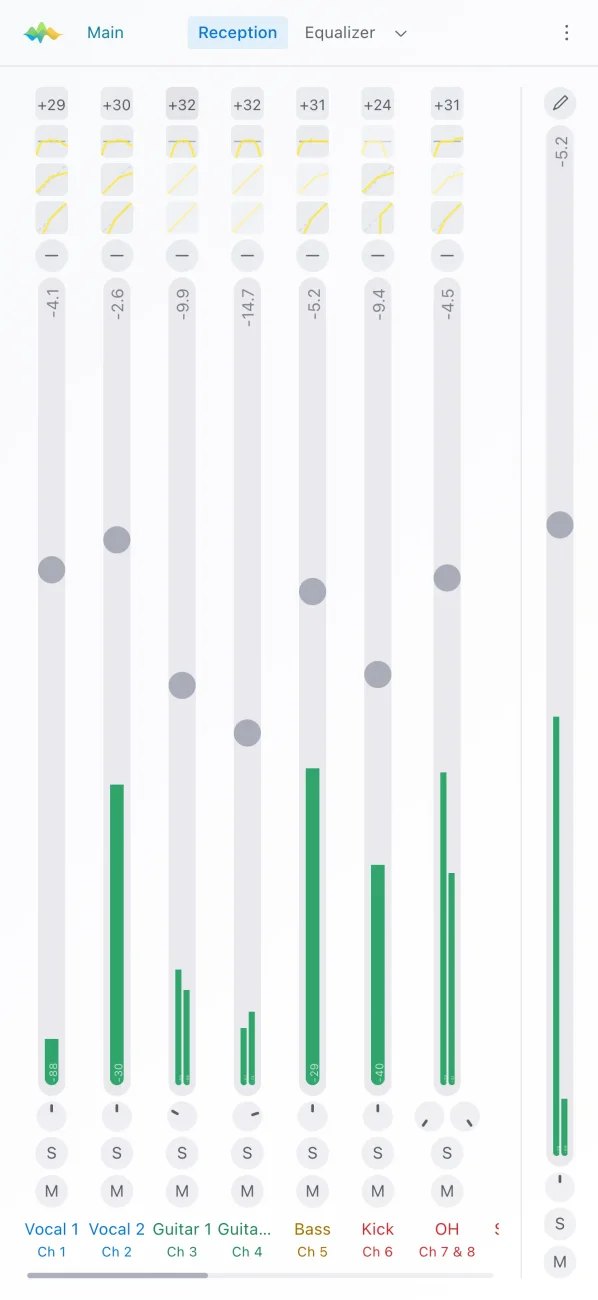
About
Magical Mixing Console (MMC) is the mobile and tablet remote control app built for Behringer X Air and Midas M Air digital mixers. Control your XR18, X18, MR18, XR16, or MR12 from your iPhone or iPad over Wi‑Fi — adjust faders, EQ, compressor, gate, routing, FX, scenes, DCAs, and mute groups while you walk the room, check a monitor wedge, or mix from backstage.
FULL REMOTE CONTROL
MMC gives you deep access to your desk, not just volume sliders. Mix live with the same power you expect from X Air Edit on a laptop, redesigned for touch and small screens:
• Channel, aux, main, monitor, line, and FX return buses
• Input gain, polarity, stereo link, and source assignment
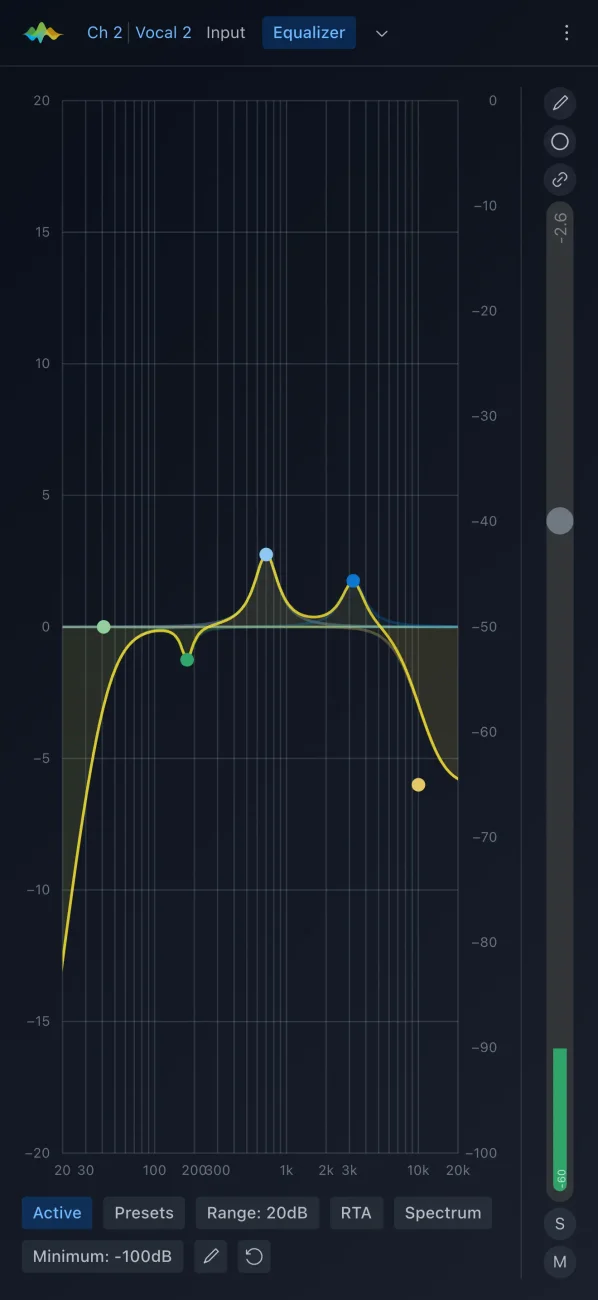
• 4-band parametric EQ, gate, and compressor on every bus
• FX processors and effect routing
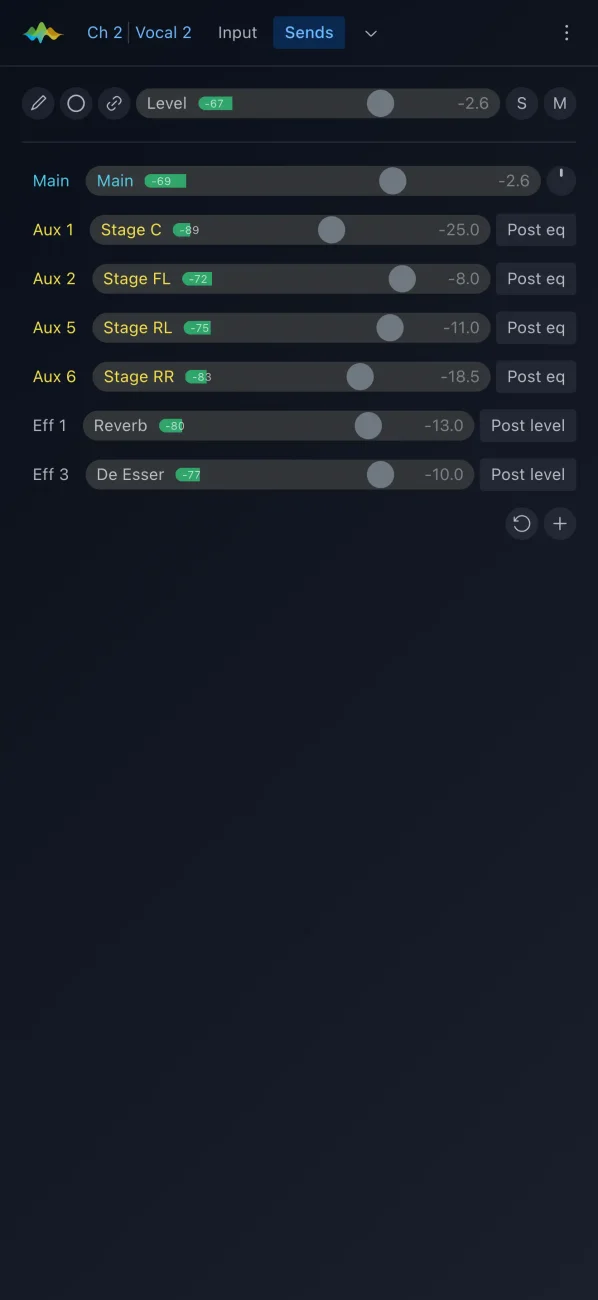
• Sends and reception — see who feeds a bus and where it sends next
• DCAs, mute groups, and automix
• Physical outputs — mains, phones, aux, USB, Ultranet
• Device scenes (on the mixer) and app scenes (saved locally)
BUILT FOR LIVE SOUND ON MOBILE
Whether you run sound at church, in a band, at a small venue, or for rehearsals, MMC is a live mixing app designed for real gigs on imperfect networks:
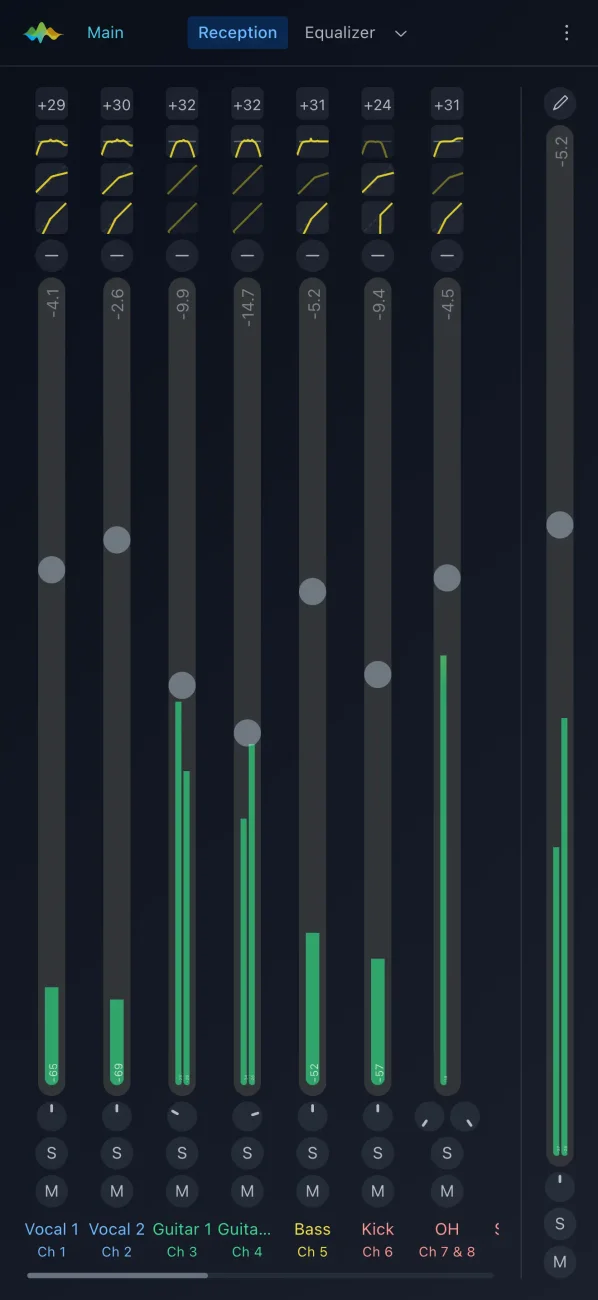
• Vertical bus layout on phones — faders-first wireless mixing for one-handed portrait use
• UI scale — enlarge text, faders, knobs, and buttons together for dim stage lighting and accurate touch
• Dark theme and adjustable accent colors
• Active scene in the header — see and save your live desk scene without digging through menus
• Processing previews — gate, EQ, and compressor at a glance from the bus strip
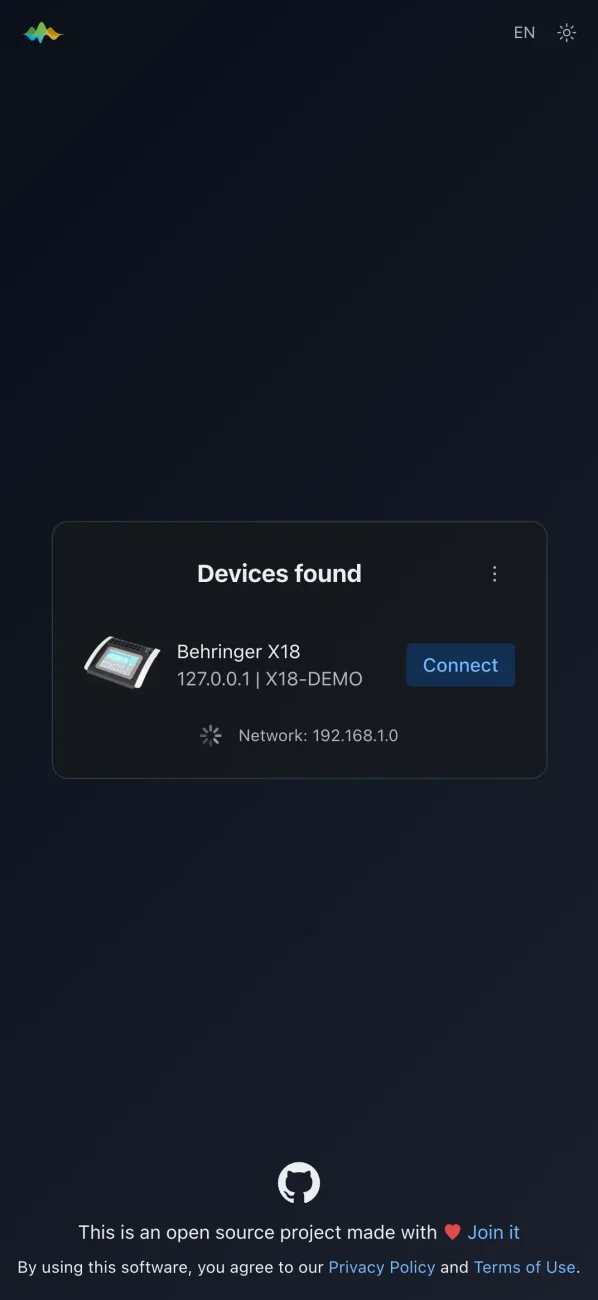
• Clear connect screen with readable UDP error messages when something goes wrong
• English, Spanish, and German
SETUP FASTER — LEARN AS YOU GO
MMC lowers the learning curve without dumbing down the mixer:
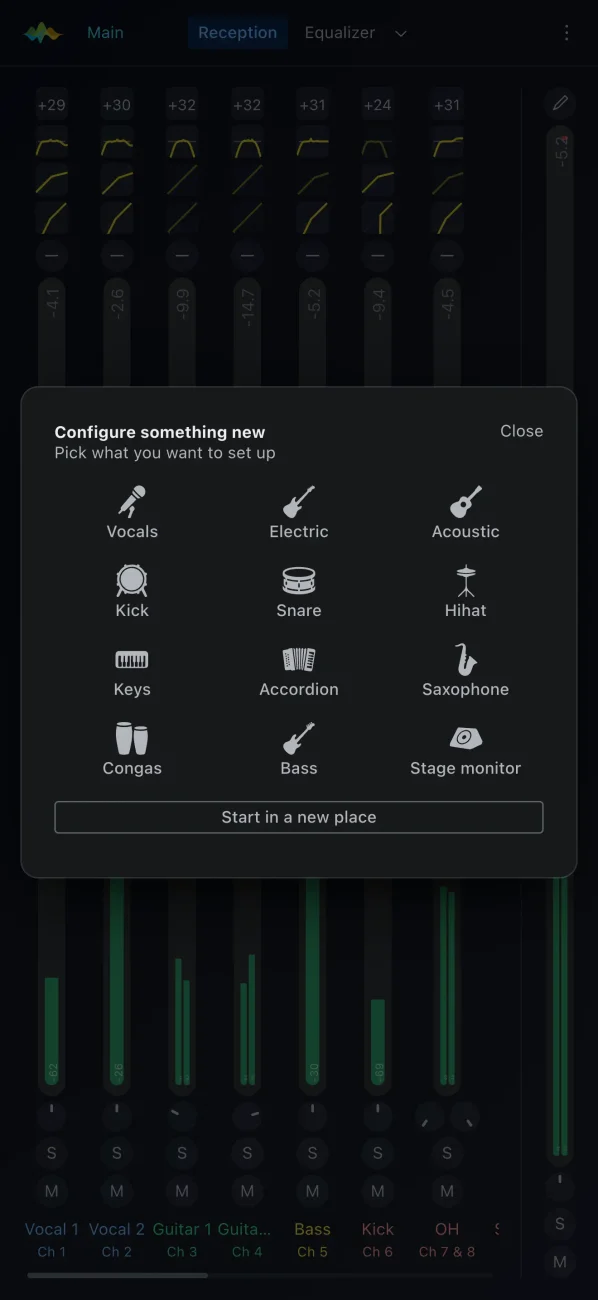
• Setup wizard — configure vocals, kick, snare, bass, keys, and stage monitors with sensible starting points for EQ, gate, and compression
• Fresh Start — reset buses, levels, routing, and processing for a new show while keeping saved scenes, device name, and your app presets
• Built-in Help — plain-language guide to buses, inputs, outputs, sends, and signal flow
• Vault — save compressor and gate presets and app scenes for recall later
• Demo mode — explore the iPad and iPhone mixer app without hardware connected
SUPPORTED MIXERS
Behringer X Air family: X18, XR18, XR16, and v2 variants (X18V2, XR18V2)
Midas M Air family: MR18, MR12, and v2 variants (MR18V2)
Connection uses the same local network (Wi‑Fi) protocol as the official Behringer and Midas apps. Your iPhone or iPad and the mixer must be on the same network.
WHO MMC IS FOR
• Sound volunteers and beginners who want a clearer mobile mixer app than the factory UI
• Bands and worship teams who mix from an iPad or iPhone while moving around the venue
• Anyone who owns an X Air or M Air desk and wants wireless remote mixing with full processing and routing control
WHO MMC IS NOT FOR
MMC does not support Yamaha, Allen & Heath, Soundcraft, or other mixer brands. It is not a DAW, recorder, or offline audio editor — it remotely controls your physical X Air / M Air hardware over the network.
WHY CHOOSE MAGICAL MIXING CONSOLE?
If the official X Air app feels dense on a phone, or you want onboarding tools, presets, and built-in explanations alongside full mixer control, MMC is built for you. Same desk. Same network. An interface designed so your digital mixer feels manageable in your pocket — without hiding what you need at show time.
Download Magical Mixing Console — the Behringer and Midas X Air remote app for iPhone and iPad.
Learn more: magicalmixingconsole.com
What’s new
Version 2.3.2 · Nov 21, 2026
Multicast enabled, device searching is working as expected now, as well as per IP.
App privacy
What Matias Barrios declares on the App Store about how this app handles data.
-
Data not linked to you
May be collected but is not linked to your identity.
- Usage data
- Diagnostics
Privacy practices may vary, for example with the features you use or your age.
Information
- Seller
- Matias Barrios
- Category
- Music
- Version
- 2.3.2
- Updated
- Nov 21, 2026
- Released
- Jul 15, 2025
- Size
- 9.4 MB
- Requires
- iOS 15.0 or later
- Age rating
- 4+
- Price
- Free
- Languages
- English
- Copyright
- © 2026 Matías Barrios
You might also like
-
 Dijji StudioBehringer X-Air & X32 Control
-
 Console Remote ControlMusic
-
 XAir Monitor MixerXR18 Personal Monitor Mixer
-
 MXBusMonitor Mixing for X32/X-Air
-
 ShowMIDIEffortlessly visualize MIDI
-
 FLOW MixMusic
-
 MixSense - Learn Mixing by EarEQ, Compression & Ear Training
-
 MultitrackerMultitrack Audio & Midi Player
-
 MX-QMusic
-
 Mackie Master Fader SEControl Your DLSE Series Mixer