MagStud Pro: Stud Finder
Compare measured wall passes
Designed for iPhone, iPad
$2.99
- Age rating4+
- CategoryUtilities
- DeveloperRobert Corbin
- LanguagesEnglish
- Size6.5 MB
Links to the official App Store page
Download.org hosts no file of MagStud Pro: Stud Finder. The button opens its official App Store page, published by Robert Corbin. Listing last checked on Nov 18, 2026.
Screenshots
About
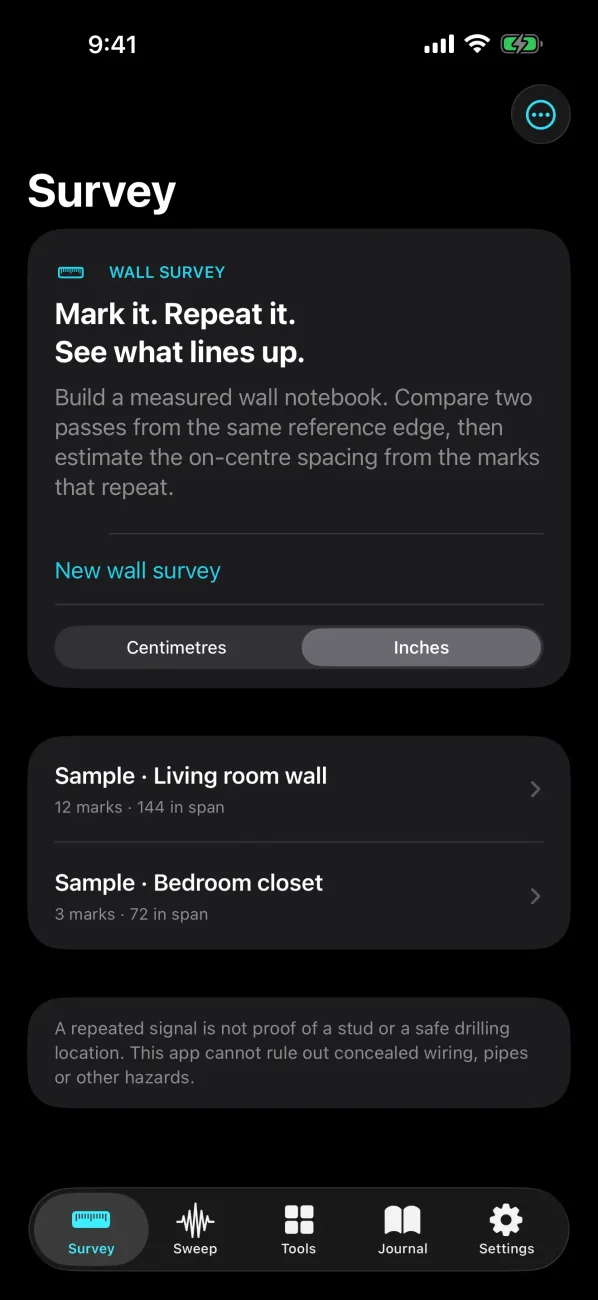
Wall Survey keeps measured wall observations in a saved notebook, compares two passes from the same reference edge, and estimates the on-centre spacing from the marks that repeat.
HOW IT WORKS
1. Open Survey and create a wall with a name and measured span, in inches or centimetres.
2. Add observations for pass 1 and pass 2 using distances you measure along the wall. Add a live magnetic reading when supported.
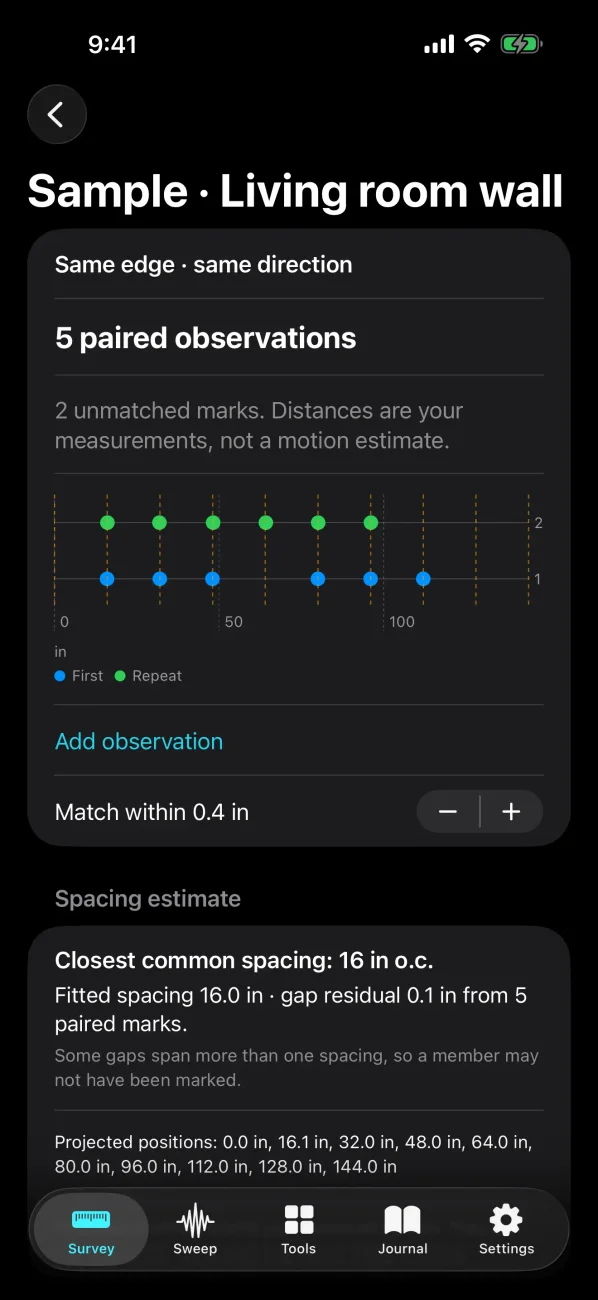
3. Choose a matching tolerance and inspect paired and unmatched marks.
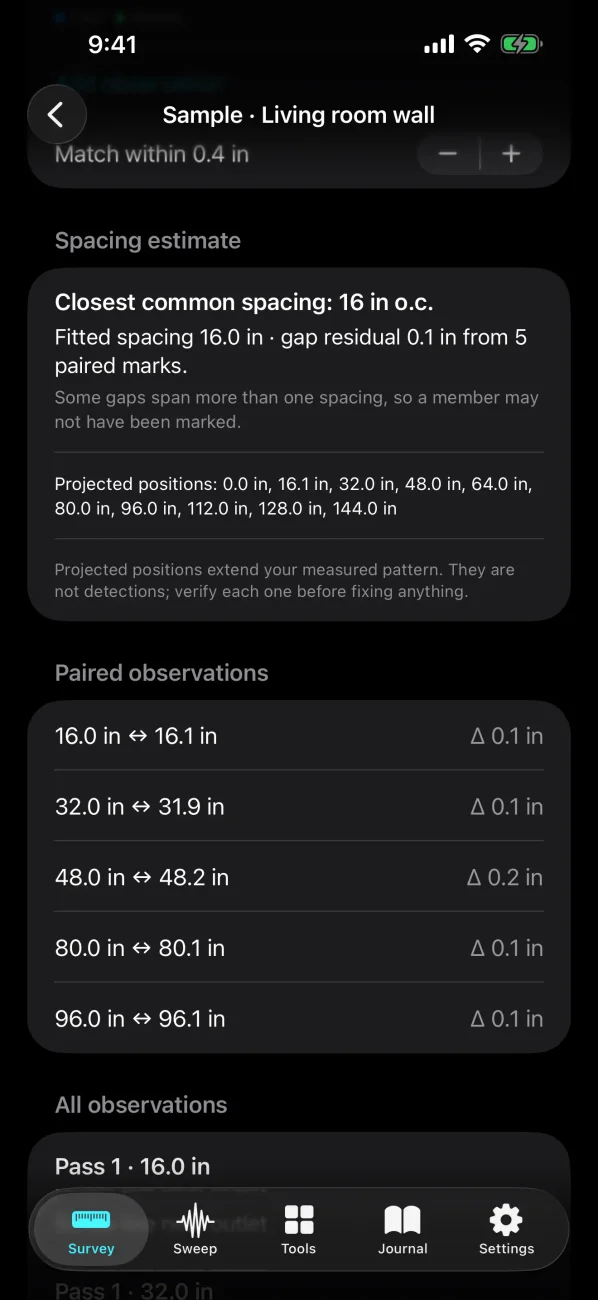
4. With two or more paired marks, see the closest common spacing (16, 19.2 or 24 in, 400 or 600 mm), the fitted spacing, and projected positions across the wall. Gaps that span a missed member, ambiguous fits and irregular gaps are called out.
5. Share a survey, export a backup or CSV, and restore a backup later without overwriting existing surveys.
SWEEP AND JOURNAL
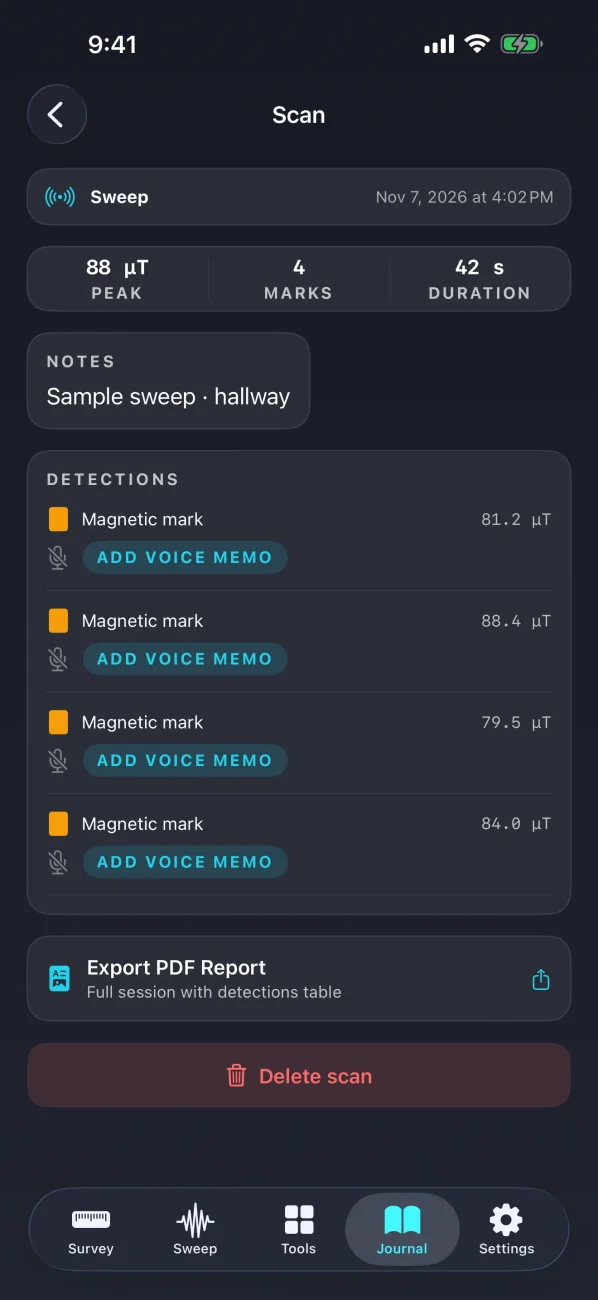
Sweep shows the live magnetic field magnitude with haptic and audio cues. Tap MARK at each peak and save the sweep to the Journal with its marks, peak reading, ambient offset and duration. Add scan notes with a wall photo and voice memos, export a PDF report, or export the Journal as CSV.
TOOLS
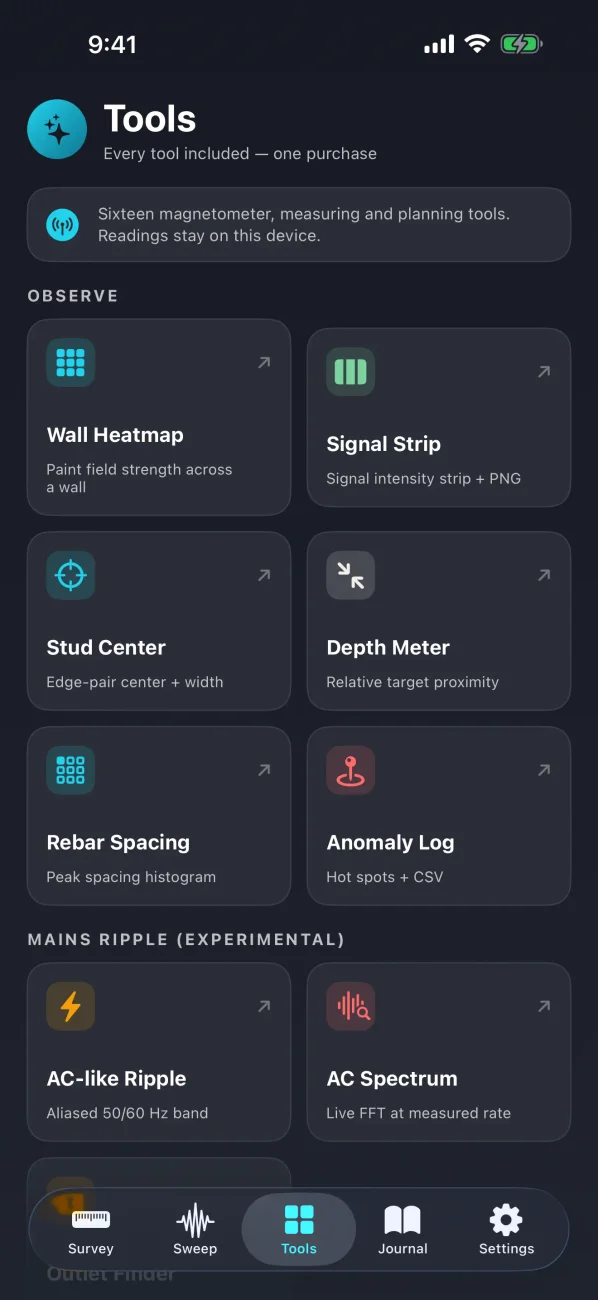
Sixteen tools in one place: wall heatmap, signal strip, stud center, relative depth meter, rebar spacing histogram, anomaly log with CSV, joist spacing, stud sketch, framing reference, level and plumb, compass with declination, figure-8 calibration and sensitivity profiles. Experimental mains-ripple tools (ripple indicator, spectrum, outlet coincidence) use the measured sensor rate and say when 50/60 Hz ripple cannot be measured.
WHAT TO KNOW
Phone magnetometers respond to ferrous metal such as screws, nails and plates, not wood. Distances are entered measurements, not motion tracking. A repeated signal or projected position is not proof of a stud or a safe drilling location. The app cannot confirm that wiring is live or dead and cannot rule out hidden electrical, plumbing, gas or other services. Use suitable tools before drilling. Devices without a magnetometer support manual surveys and show an unavailable-sensor message.
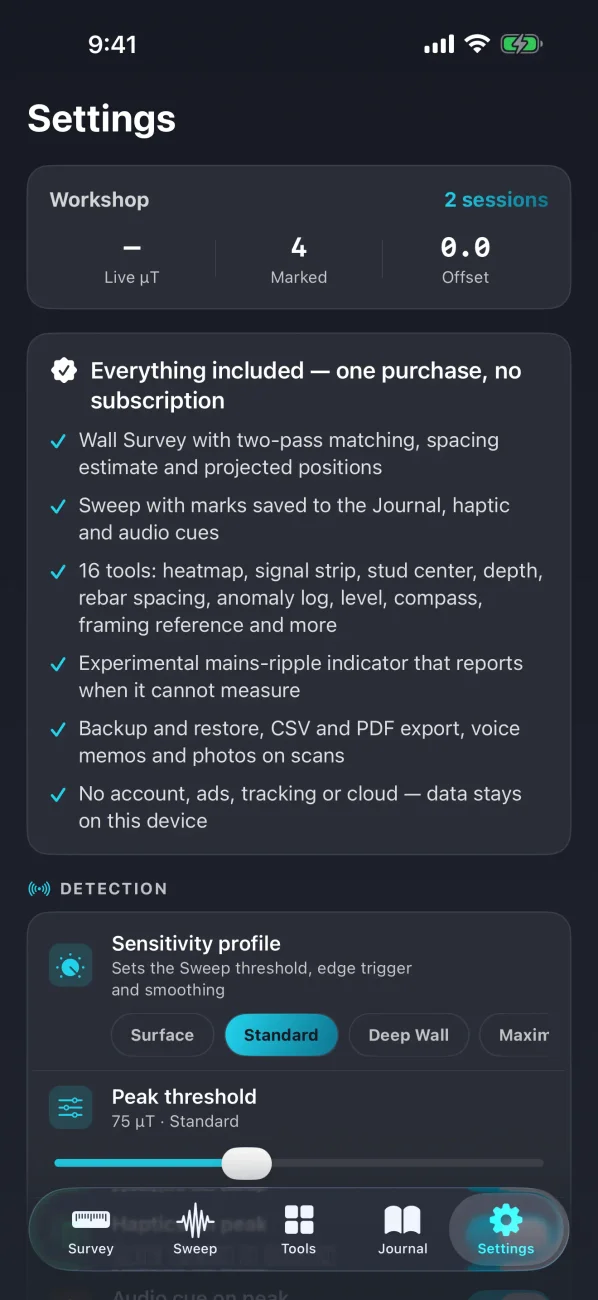
One purchase with everything included. No account, subscription, ads or tracking. Surveys and journal records stay on your device unless you share them.
iPhone and iPad.
What’s new
Version 4.0 · Nov 10, 2026
MagStud Pro 4.0
• Spacing estimate: Wall Survey estimates the on-centre spacing from marks that repeat on both passes and projects the next positions.
• Survey in inches or centimetres.
• Sweep marks are now saved to the Journal with peak, ambient offset and duration. Marks saved by earlier versions without a session are gathered into one labelled session.
• Backup and restore for wall surveys, plus CSV export for surveys and the Journal.
• New Tools tab with all 16 tools grouped, and a working back button in every tool.
• The AC tools are now an experimental ripple indicator: they use the measured sensor rate, say when 50/60 Hz cannot be measured, and never show "clear" or "safe".
• The Wall Type classifier was removed because its material profiles were not supported by measurements.
• Framing reference notes corrected against IRC Table R602.3(5).
• Larger text support and higher-contrast labels.
App privacy
What Robert Corbin declares on the App Store about how this app handles data.
-
Data not collected
The developer does not collect any data from this app.
Privacy practices may vary, for example with the features you use or your age.
Information
- Seller
- Robert Corbin
- Category
- Utilities
- Version
- 4.0
- Updated
- Nov 10, 2026
- Released
- May 20, 2026
- Size
- 6.5 MB
- Requires
- iOS 17.0 or later
- Age rating
- 4+
- Price
- $2.99
- Languages
- English
- Copyright
- © 2026 Shadowfetch
You might also like
-
 NeatPaste: Strip AI MarkdownClean asterisks and em dashes
-
 Espresso: Quick MessageSend Without Saving Numbers
-
 SteelCargo - inventory managerPersonal Inventory Organizer
-
 ZeroExif - Photo PrivacyRemove EXIF & GPS from photos.
-
 Site Calc ProConstruction Calculator Tape
-
 Camera Light MeterReflected Shutter Aperture
-
 QuickRoom3DScan rooms into floor plans
-
 QR Scanner · BaroFast QR & Barcode Reader Safe
-
 JiuKong RecorderPro video and audio meters
-
 CryBaby Anti-Phone SnatcherI will cry if you touch me