Make flashcards in seconds
AI Study Cards & Quiz Maker
Designed for iPhone, iPad, Mac
Free · In-app purchases
- Age rating4+
- CategoryEducation
- DeveloperLong Vu
- LanguagesEnglish+ 11 more
- Size198.2 MB
Links to the official App Store page
Download.org hosts no file of Make flashcards in seconds. The button opens its official App Store page, published by Long Vu. Listing last checked on Nov 14, 2026.
Screenshots

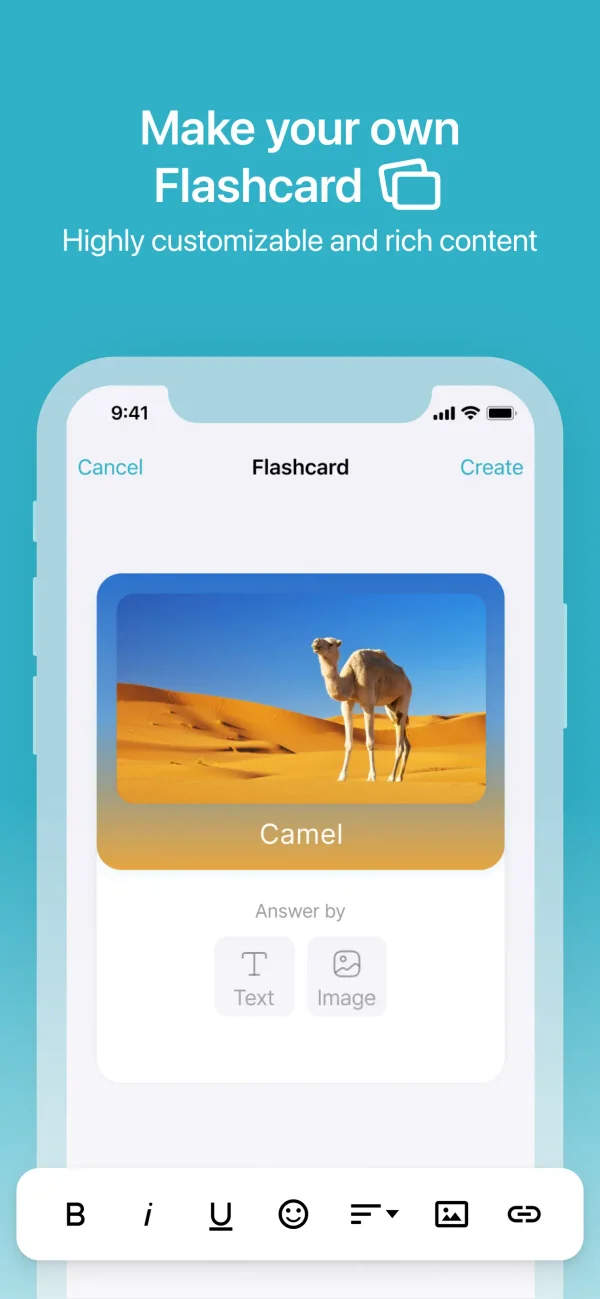
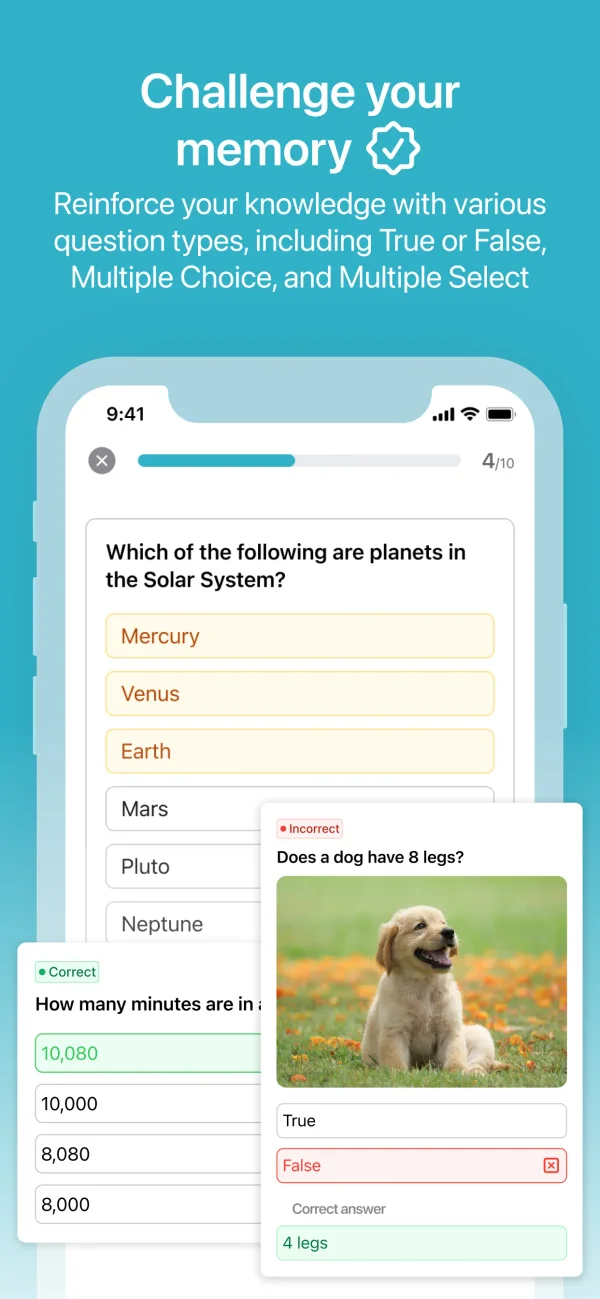
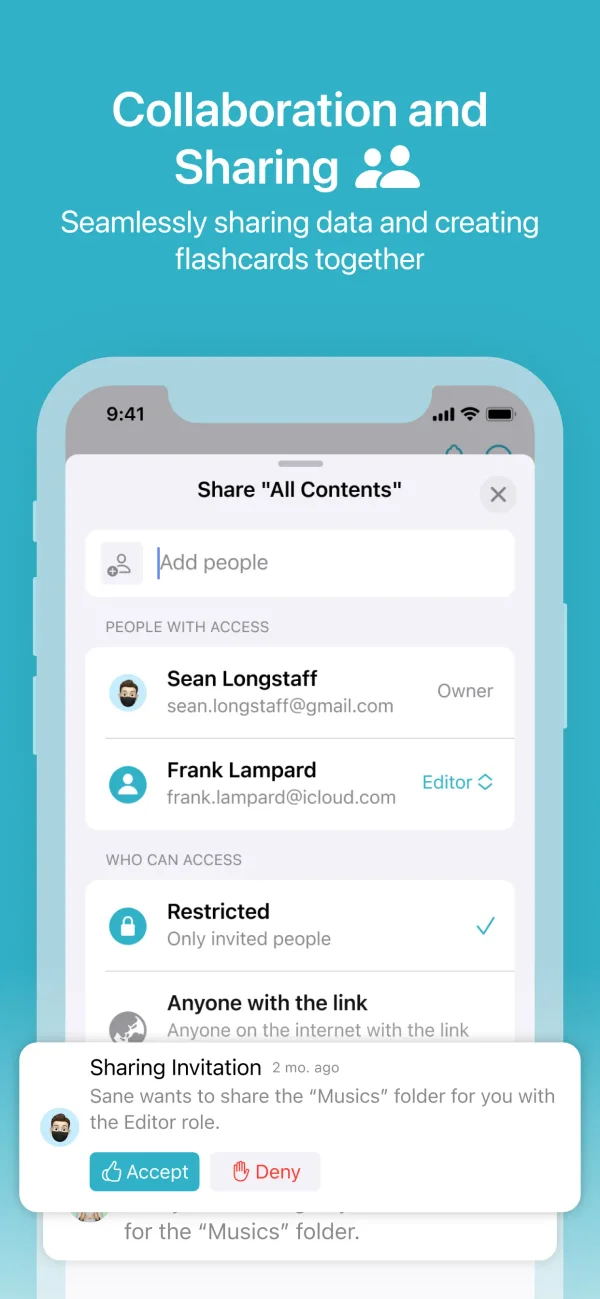
About
MakeFlashcard turns anything you want to learn into flashcards in seconds, then plans your reviews so it sticks for good. Languages, medicine, law, coding, exams or just for fun: study less and remember more.
CREATE IN SECONDS
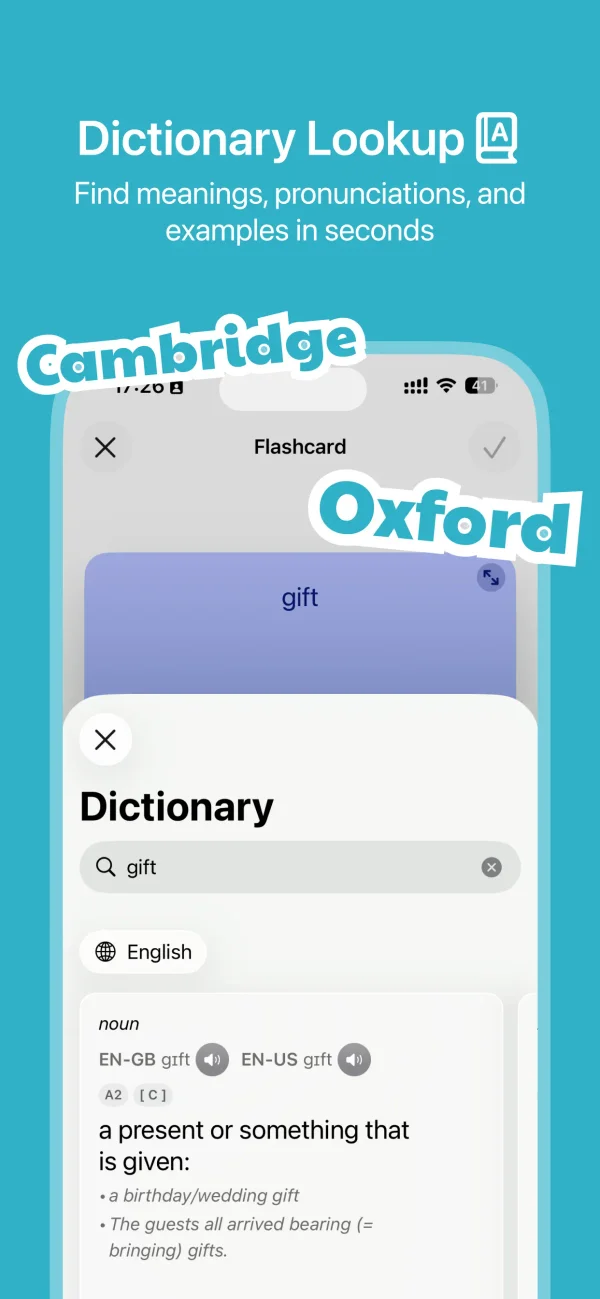
- Write your own cards with rich text, images, audio, LaTeX equations and a built-in dictionary.
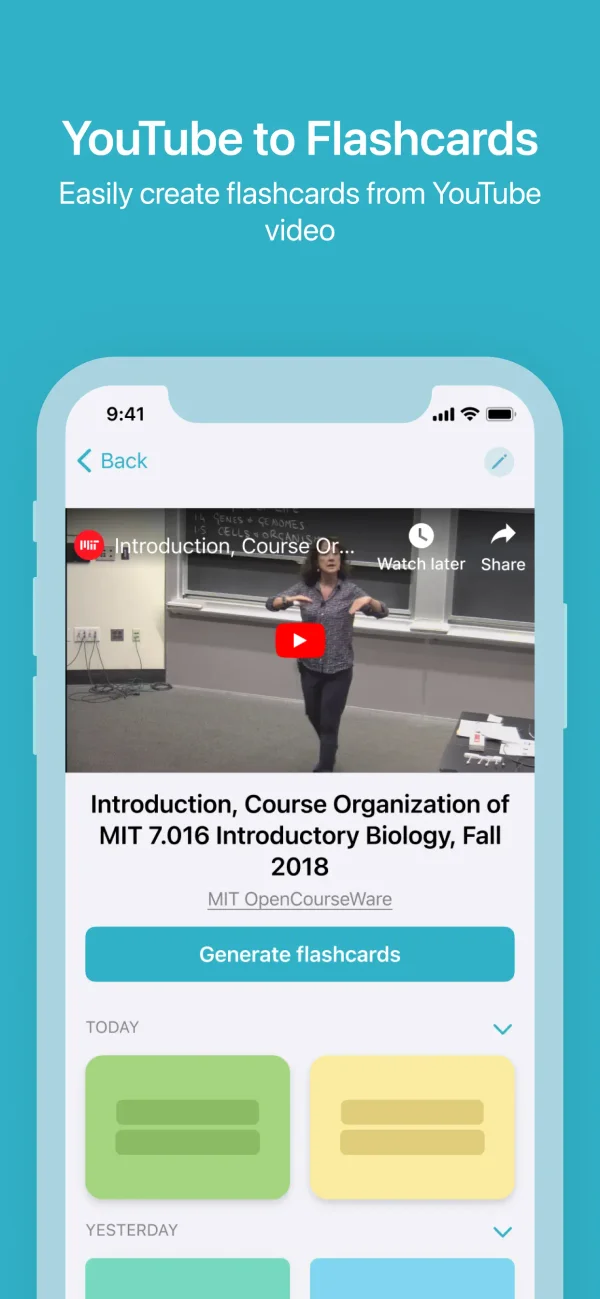
- Let AI write the answer for you, or turn a YouTube video, a PDF, slides or a photo into a whole deck.
- Create flashcards from the share menu in any other app.
- Drag and drop text, images and files to turn them into flashcards, or import cards from text and files.
- Connect MakeFlashcard to Claude or Codex and build decks straight from your AI assistant.
REMEMBER FOR LONGER
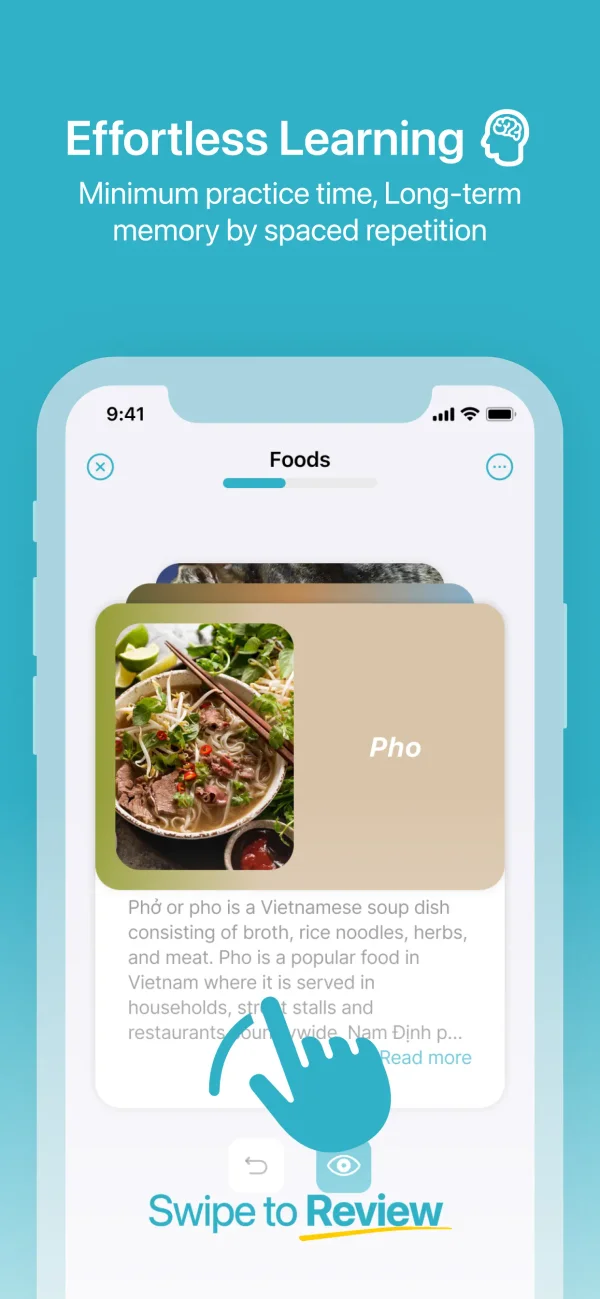
- Adaptive spaced repetition learns how well you know each card and brings it back right before you would forget it.
- Rate each card Again, Hard, Good or Easy, and see when it will come back before you choose.
- Set daily limits for new and review cards, and get reminders only at the times you pick.
- Mix things up with quizzes and a matching game.
- Follow your streaks, retention, upcoming reviews and hardest cards in Statistics, filtered by folder or tag.
- Keep your cards in view with Home Screen widgets.
ORGANIZE YOUR WAY
- Keep everything tidy with nested folders and tags, with AI suggesting tags for you.
- Give folders and cards your own colours and styles.
- Share folders with friends and build flashcards together.
STUDY EVERYWHERE
- Use it on iPhone, iPad, iPhone Duo and Mac, with everything kept in sync.
- Keep studying offline, and your changes sync when you are back online.
- Work faster on iPad and Mac with keyboard shortcuts and a full-screen card editor.
FREE AND PREMIUM
MakeFlashcard is free to download and use, with a limited number of folders, flashcards and files and a few ads. Premium unlocks unlimited folders, flashcards and files (PDF, slides), full style customization and no ads. Buy Premium once on one platform and you are Premium everywhere. AI features run on tokens, or on your own ChatGPT or Claude API key at no extra cost.
SUBSCRIPTION TERMS
Premium is available as monthly and annual subscriptions, or as a one-time lifetime purchase. Prices are shown in the app and may vary by country. Payment is charged to your Apple Account when you confirm the purchase. Subscriptions renew automatically unless auto-renew is turned off at least 24 hours before the end of the current period, and your account is charged for the renewal within 24 hours before the period ends. You can manage subscriptions and turn off auto-renew in your Account Settings after purchase. Any unused part of a free trial is forfeited when you buy a subscription.
Terms of use: https://makeflashcard.com/terms
Privacy policy: https://makeflashcard.com/privacy-policy
We love hearing your ideas and feedback: contact@makeflashcard.com
What’s new
Version 7.0.0 · Nov 13, 2026
• Hello, Duo! MakeFlashcard now fully supports iPhone Duo, with every screen adapting as you fold and unfold, and your cards, games and videos picking up right where you left off.
• Added adaptive review scheduling that learns how well you remember each card and brings it back at just the right time, and existing users can upgrade in Settings.
• Rate cards Again, Hard, Good or Easy, and see when each card will come back before you choose.
• Set daily limits for new and review cards, and get review reminders only in the time windows you pick.
• Redesigned Statistics with streaks, retention, upcoming reviews, card maturity and your hardest cards, all filterable by folder and tag.
• Redesigned Quiz Central and taking a quiz, with the Check button always within reach.
• Flashcards now open full screen, with a Details inspector for style, layout and tags.
• Read a PDF or watch a video right beside its flashcards on iPad and iPhone Duo.
• Settings now show two columns on iPad and Mac.
• Redeem offer codes right in the store.
• Fixed crashes when opening the camera or taking a photo, images that stayed blank, and many layout issues.
App privacy
What Long Vu declares on the App Store about how this app handles data.
-
Data not collected
The developer does not collect any data from this app.
Privacy practices may vary, for example with the features you use or your age.
Information
- Seller
- Long Vu
- Category
- Education
- Version
- 7.0.0
- Updated
- Nov 13, 2026
- Released
- Jun 10, 2022
- Size
- 198.2 MB
- Requires
- iOS 18.0 or later
- Age rating
- 4+
- Price
- Free
- In-app purchases
- Yes
- Languages
- English, Arabic, Dutch, French, German, Italian, Japanese, Korean, Portuguese, Spanish, Thai, Vietnamese
- Copyright
- © 2026 Long Vu
You might also like
-
 Flashcards Maker: StuditFlash Cards, Scan & Memorize
-
 Flashcards maker - AI generateSimple Flash Cards learn app
-
 Flashcards Maker - KardsAIFlash cards & Quizzes with AI
-
 AI Quiz Generator - QuizaticPDF Flashcards & Test Prep
-
 Study Notes & Flashcards MakerNote taking app for students
-
 Flashtex: Study FlashcardsLaTeX, Markdown flash cards
-
 Fresh Cards - FlashcardsFlashcards, beautifully done
-
 Smart Flashcard and dictionaryAI Translation To Wordlist
-
 Flashcards! — Flash Cards AppLearn new languages!
-
 AI Flashcards - Study & LearnMake or Import Your Own Decks