
- Age rating4+
- CategoryProductivity
- DeveloperTailor Made Systems Ltd
- Size40.8 MB
Links to the official App Store page
Download.org hosts no file of MALMS Engineer. The button opens its official App Store page, published by Tailor Made Systems Ltd. Listing last checked on Nov 12, 2026.
Screenshots
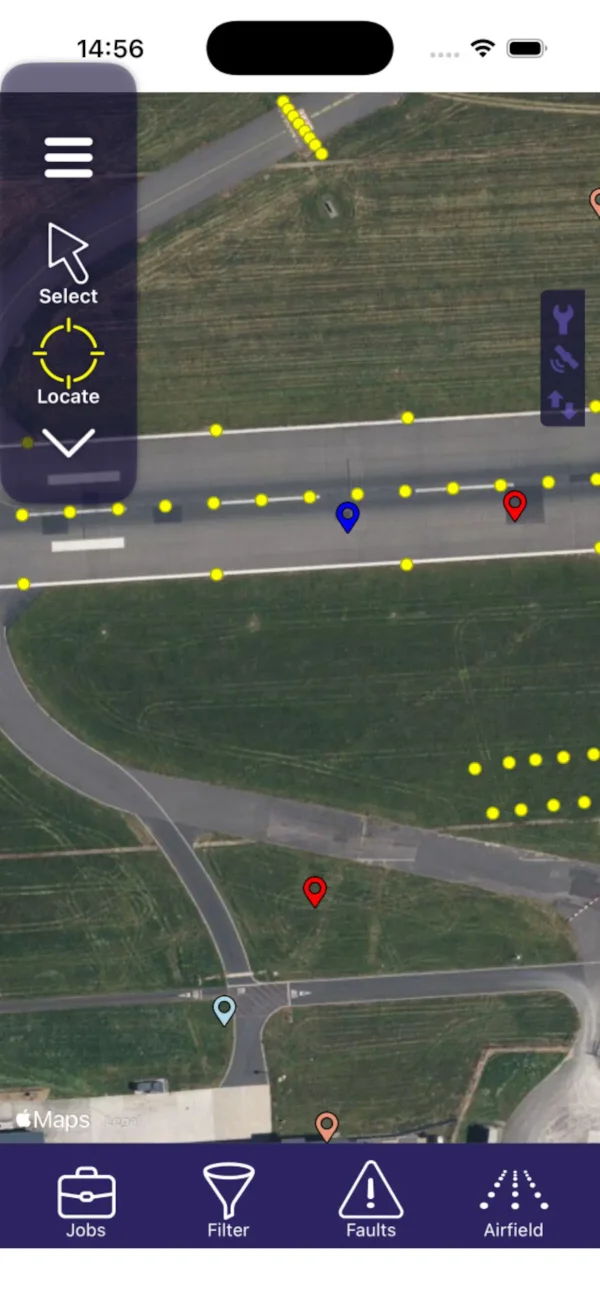
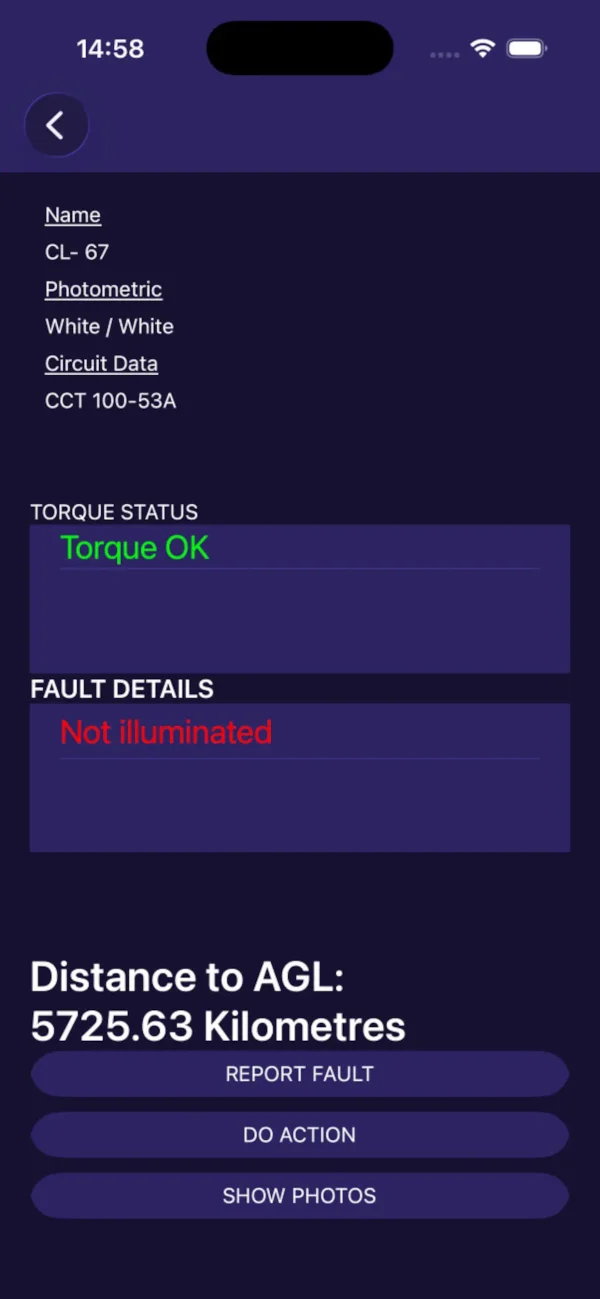

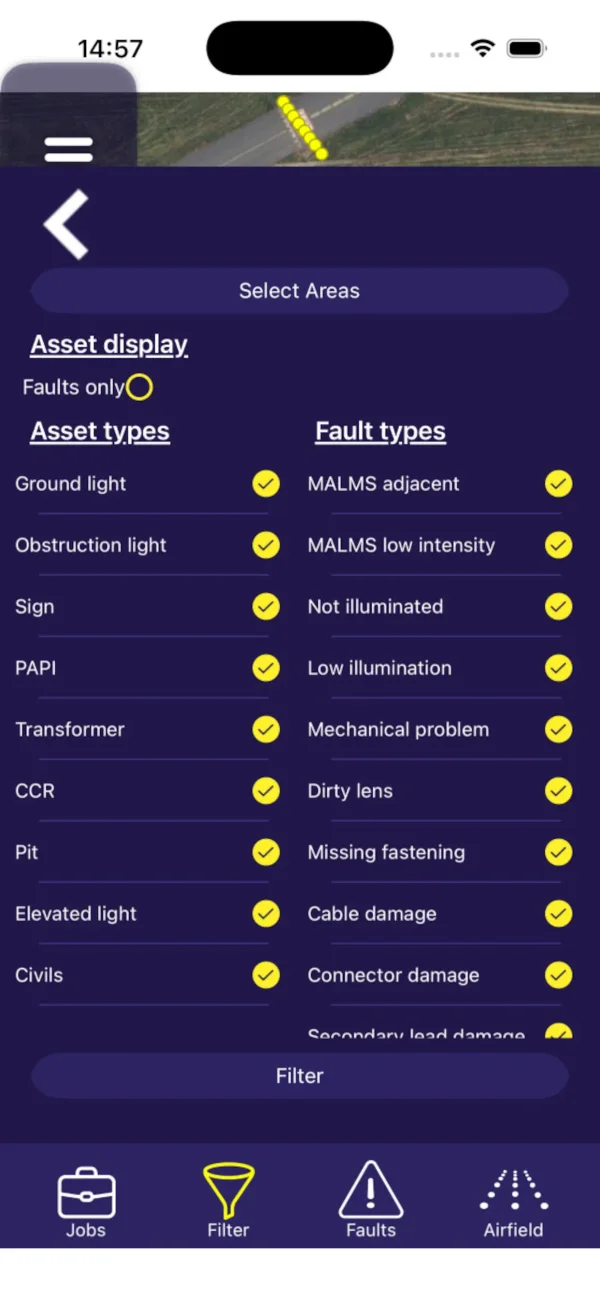
About
MALMS Engineer is a professional mobile maintenance and inspection tool designed to support airfield lighting engineers in the field. The app provides a fast and reliable way to view airport lighting assets, record inspections, report faults, and complete maintenance actions directly from a mobile device.
Engineers can access detailed information for individual AGL (Airfield Ground Lighting) units, including asset details, circuit data, photometric information, torque status, and fault history. The app streamlines workflows by allowing faults and actions to be recorded instantly, helping ensure accurate maintenance records and improved operational efficiency.
Key Features:
View airport airfield lighting assets and location details
Record inspections and maintenance results
Report faults and track fault status
Perform actions such as replace, repair, torque, and retorque
Scan QR codes to quickly add airports and connect to systems
Display asset technical data including circuit and photometric details
Track torque results and maintenance completion status
Built for use in demanding field environments
MALMS Engineer is intended for use by authorised airport maintenance teams and engineering personnel. It supports improved reliability and traceability of maintenance work, helping ensure compliance and operational safety.
What’s new
Version 2.15.1 · Oct 2, 2026
Torque Status on the map
• A new Torque Status view colours the map like the Dashboard's Torque Status map: yellow for lights torqued since a date you choose, cyan for lights still to do, and grey for lights that are never torqued.
• Find it under the arrow in the map's side bar. The date and how many lights are done show at the bottom of the map, and tapping the date changes it.
• No job is needed, and torques from other devices appear within about 15 seconds.
App privacy
What Tailor Made Systems Ltd declares on the App Store about how this app handles data.
-
Data not linked to you
May be collected but is not linked to your identity.
- User content
Privacy practices may vary, for example with the features you use or your age.
Information
- Seller
- Tailor Made Systems Ltd
- Category
- Productivity
- Version
- 2.15.1
- Updated
- Oct 2, 2026
- Released
- Mar 30, 2026
- Size
- 40.8 MB
- Requires
- iOS 15.0 or later
- Age rating
- 4+
- Copyright
- © Tailor Made Systems Ltd
You might also like
-
 Site App ProOnsite Health & Safety
-
 SiteAssistProductivity
-
 ELM AppEast London Mosque Official
-
 HEIC to JPEG : image converterconvert photo to png gif jpeg
-
 Rota Calendar: Shift PlannerRotating Work Schedule Maker
-
 Photo Translator AR Camera OCRscan & translate+ text grabber
-
 Listen - Text to AudioRead to me
-
 Humanize AI Text DetectorHumanize AI Text & Paraphrase
-
 Day Counter & Tracker - SinceCount Date & Time
-
 Xenius SEMS PlusProductivity