
- Age rating4+
- CategoryPhoto & Video
- DeveloperCanalier
- LanguagesEnglish
- Size28.3 MB
Links to the official App Store page
Download.org hosts no file of Manual Lens. The button opens its official App Store page, published by Canalier. Listing last checked on Nov 16, 2026.
Screenshots
About
Manual Lens transforms your iPhone into a professional camera with manual controls. Whether you're a photography enthusiast, content creator, or professional photographer, Manual Lens gives you the precision and control you need to capture your vision perfectly.
KEY FEATURES
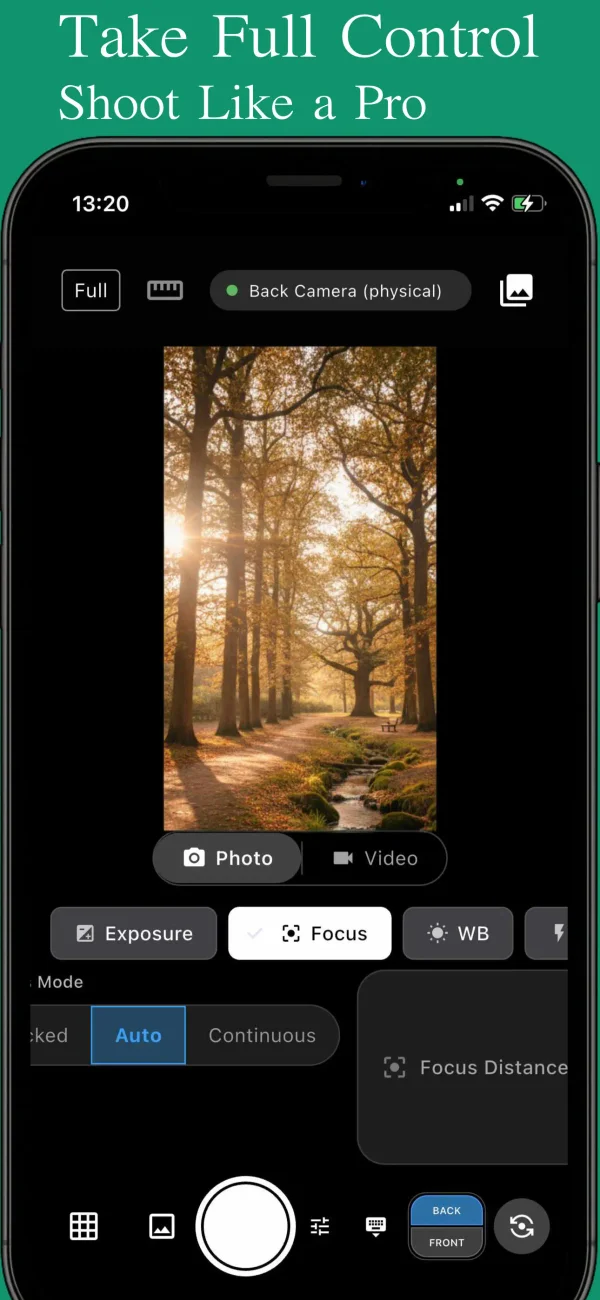
■ MANUAL CONTROL
Take charge of every aspect of your photography:
- Manual ISO
- Shutter Speed
- Manual Focus
- Exposure Compensation
- White Balance
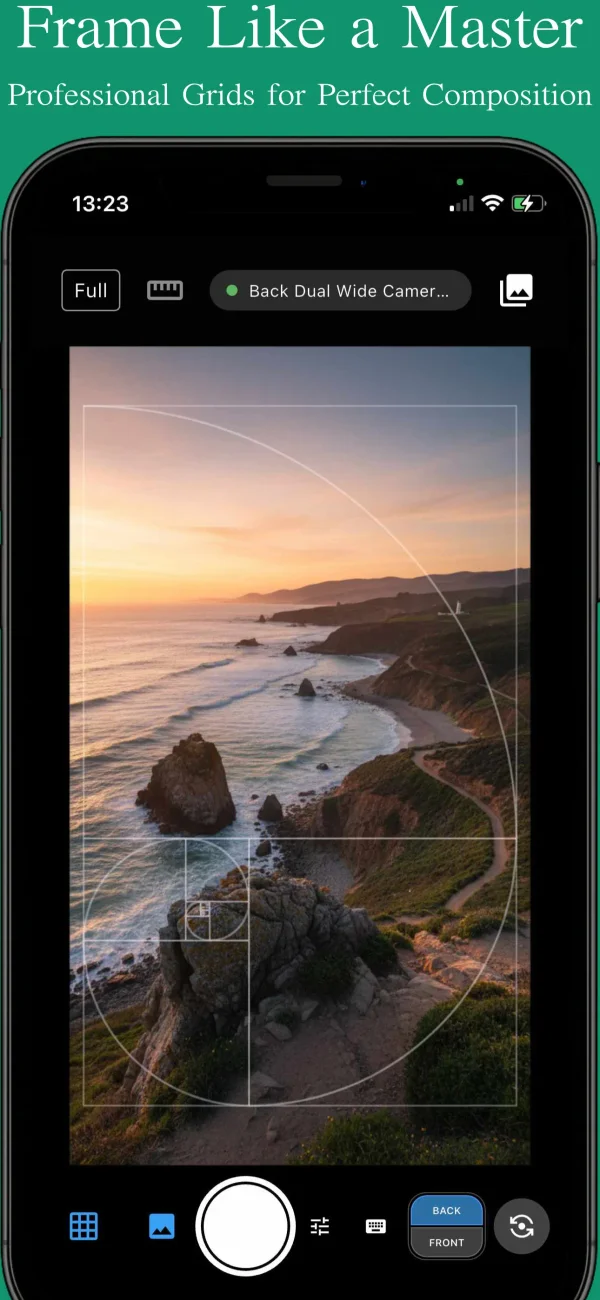
■ COMPOSITION TOOLS
Frame your shots like a master:
- 3x3 Grid - Classic composition guide
- Golden Ratio - For naturally pleasing proportions
- Fibonacci Spiral - Create dynamic compositions
- 4x4 Grid - Perfect for architectural photography
- Diagonal Lines - Add drama to your shots
- Center Cross - Precision alignment tool
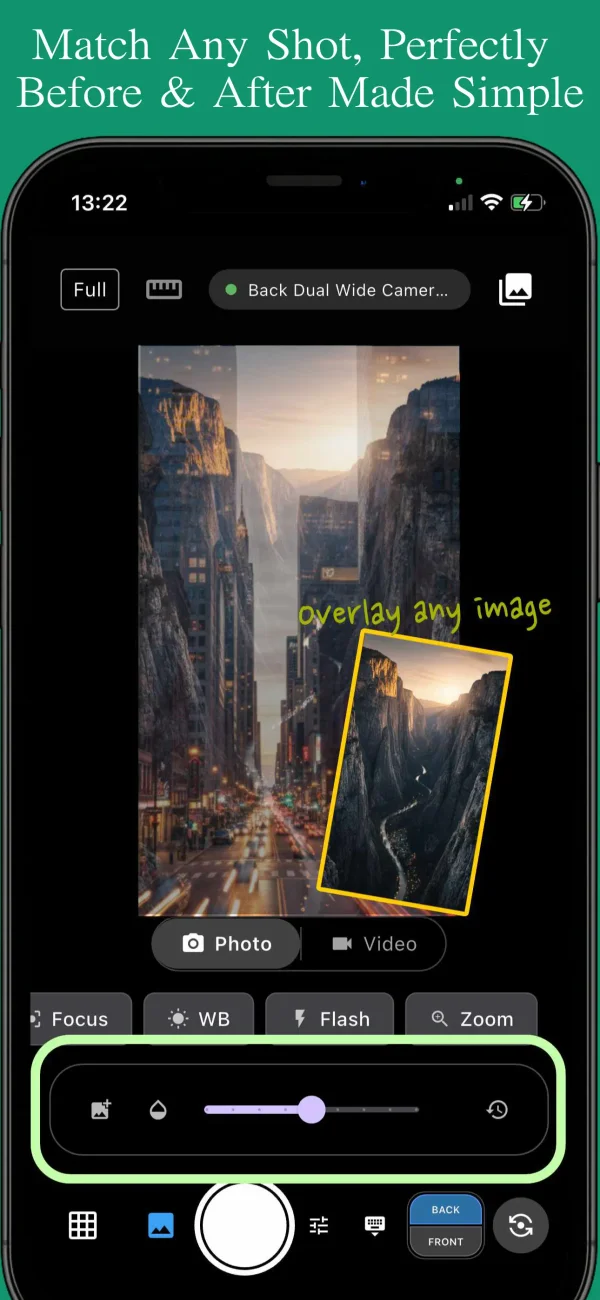
■ OVERLAY FEATURE
Never miss the perfect recreation:
- Import any reference image as semi-transparent overlay
- Adjustable opacity from 10-90%
- Perfect for before/after shots
- Essential for consistent product photography
- Match historical photos at the same location
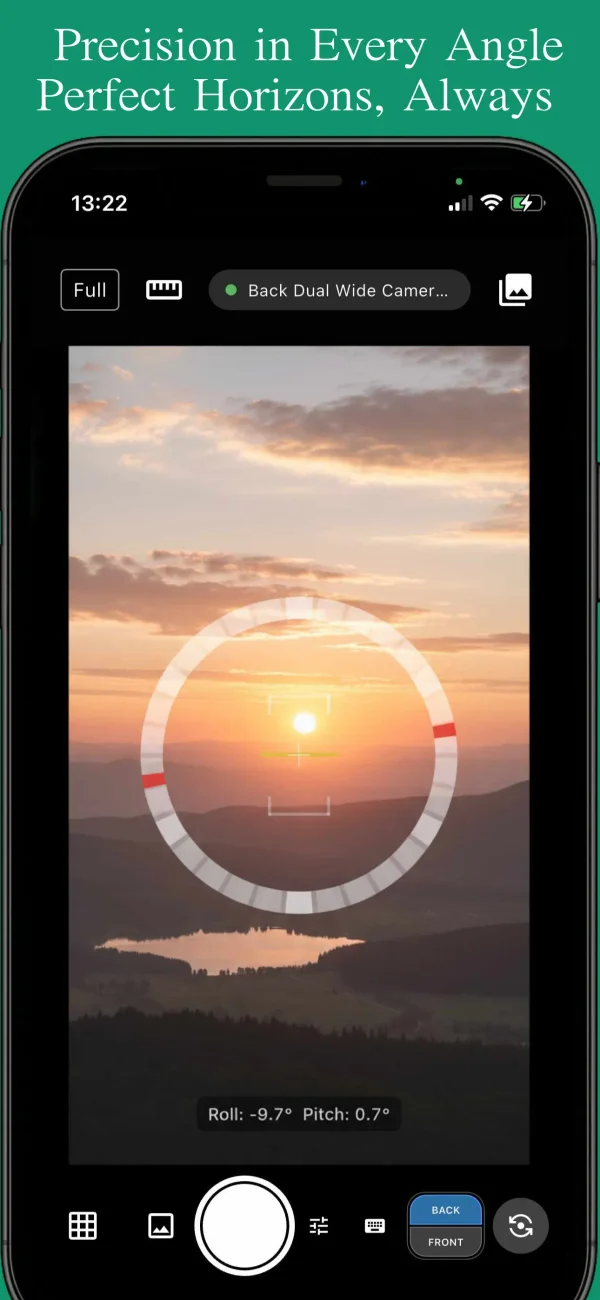
■ PRECISION SENSOR DISPLAY
Stay perfectly aligned:
- Real-time dual-axis level indicator
- Digital horizon for landscapes
- Pitch and Roll angle display
■ DEVICE ADAPTATION
Manual Lens automatically detects your device's capabilities:
- Dynamic UI generation based on hardware
- Only shows controls your device supports
WHY MANUAL LENS?
Unlike auto-mode camera apps, Manual Lens puts you in manual control. Many parameters that your iPhone's camera hardware supports are accessible through our intuitive interface. No more fighting with auto-exposure that doesn't understand your creative vision. No more focus hunting when you know exactly where you want to focus.
The unique overlay feature sets Manual Lens apart from every other camera app. It will help you shoot:
- Architecture - Matching historical photographs
- Science - Documenting changes over time
- Real Estate - Consistent property photos
- Social Media - Perfect recreation of viral shots
- Art Projects - Precise composition matching
DESIGNED FOR PROFESSIONALS
Manual Lens isn't just another camera app with filters and effects. It's a serious tool for serious photographers. Every feature has been carefully designed to provide maximum control without overwhelming the interface. The monochrome UI reduces distractions, letting you focus on what matters - your shot.
CONTINUOUS UPDATES
We're constantly improving Manual Lens based on user feedback.
SUPPORT
We take pride in our responsive customer support. Having issues or suggestions? Contact us directly through the app or visit our support page. We typically respond within 24 hours.
COMPATIBILITY
Some features require specific hardware capabilities and may not be available on all devices. The app automatically adapts to show only supported features on your device.
Download Manual Lens today and discover what your iPhone camera is truly capable of. Take control. Shoot manual. Create extraordinary.
Note: Some manual controls are not availabe on some models.
App privacy
What Canalier declares on the App Store about how this app handles data.
-
Data not collected
The developer does not collect any data from this app.
Privacy practices may vary, for example with the features you use or your age.
Information
- Seller
- CANALIER CORPORATION
- Category
- Photo & Video
- Version
- 1.0
- Updated
- Sep 12, 2025
- Released
- Sep 12, 2025
- Size
- 28.3 MB
- Requires
- iOS 12.0 or later
- Age rating
- 4+
- Price
- Free
- Languages
- English
- Copyright
- © 2025 Canalier Corporation
You might also like
-
 Image Converter - PNG JPG HEICConvert photo to pdf
-
 VideoEditly: Background SwapSmart Erase&Background Change
-
 GPS Map Camera – Geotag StampPhotos Stamp with GPS Camera
-
 Black and White - Polaroidssave memories
-
 Tripix Cam: Photo Timer CameraSelf Timer & Hands Free Shots
-
 Stopmotion Animation ProLets Make Movies!
-
 Upscale on Device - VideoKitEnhance Videos on Device
-
 Compress Photos - PixFitResize Image · HEIC Converter
-
 PhotoID ProPassport Size Photo Generator
-
 Photo Overlay Aid - MemoryLensCamera Guide for Then & Now