Maple View: NVR Viewer
Local NVR camera viewer
Designed for iPhone, iPad
Free · In-app purchases
- Age rating4+
- CategoryUtilities
- DeveloperLumination Labs
- LanguagesEnglish
- Size44.6 MB
Links to the official App Store page
Download.org hosts no file of Maple View: NVR Viewer. The button opens its official App Store page, published by Lumination Labs. Listing last checked on Nov 17, 2026.
Screenshots
About
Maple View is a private, local-network viewer for Luma and other compatible NVR-recorded camera systems. Connect directly to your NVR over your home or business network — no cloud account, no remote service, and no video leaving your premises.
Built for owners who want a fast, focused viewer without the overhead of a cloud-tethered app, Maple View talks straight to the NVR you already own.
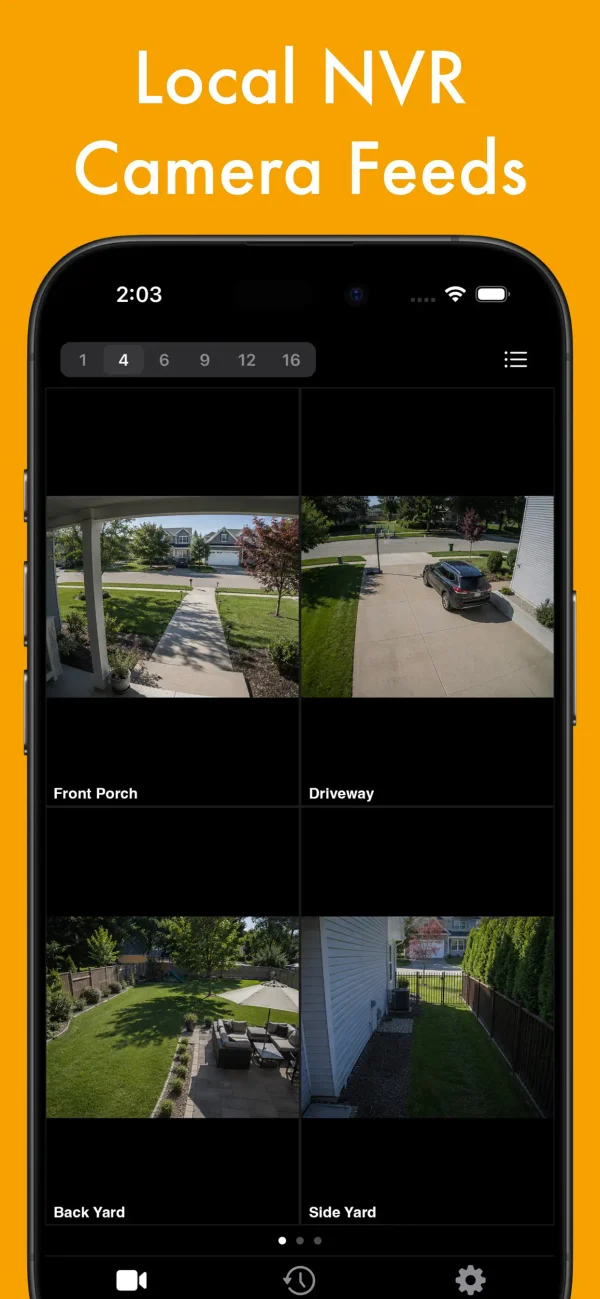
LIVE
• Single-camera live view with full-screen playback
• Multi-camera grids: 1- and 4-up are free; 6-, 9-, 12-, and 16-up unlock with a one-time Pro purchase
• High-quality mode for 4K H.265 streams on supported channels
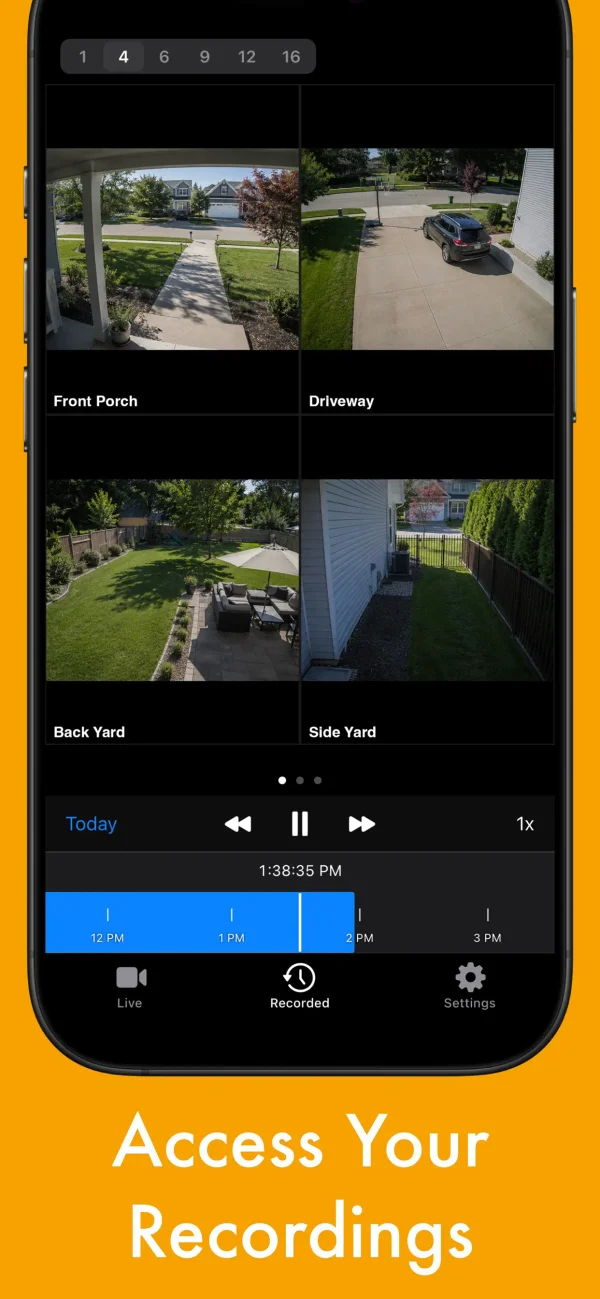
RECORDED PLAYBACK
• Per-camera recorded segments with a scrub timeline
• Variable playback speed: 1×, 2×, 4×, 8×
• Pause, seek, and skip-back controls
• Resume playback after the app returns to the foreground
DESIGNED FOR LOCAL USE
• Connects to your NVR directly over the LAN
• No cloud relay, no telemetry, no account sign-up
• Your camera feeds and recordings never leave your network
MAPLE VIEW PRO (one-time in-app purchase)
• Unlocks 6-, 9-, 12-, and 16-camera grid layouts
• One-time purchase, restores on any device signed in to the same Apple ID
WORKS WITH
Maple View has been tested with the Luma x20 series (LUM-220-NVR) and is designed around its protocol. It should also work with other NVRs built on the same underlying platform, but compatibility is not guaranteed.
REQUIREMENTS
• An NVR reachable on the same local network as your iPhone, iPad, or Mac
• An iOS / iPadOS / macOS device meeting the listed minimums
PRIVACY
Maple View does not collect, transmit, or store any video, account credentials, or usage data on remote servers. NVR credentials are stored locally on your device. See the Privacy Policy for details.
OPEN SOURCE
The full source code for Maple View is published on GitHub at https://github.com/luminationlabs/mapleview. You're welcome to audit exactly how the app handles your NVR credentials and video, or build your own copy from source.
——
Maple View is an independent app from Lumination Labs. It is not affiliated with, endorsed by, or sponsored by Snap One, Luma Surveillance, TVT Digital, or any other NVR manufacturer. "Luma," "Snap One," and other product names referenced are trademarks of their respective owners and are used only to describe compatibility.
What’s new
Version 1.4.1 · Oct 23, 2026
This update improves frame rates in saved clips
App privacy
What Lumination Labs declares on the App Store about how this app handles data.
-
Data not collected
The developer does not collect any data from this app.
Privacy practices may vary, for example with the features you use or your age.
Information
- Seller
- Lumination Labs, Inc.
- Category
- Utilities
- Version
- 1.4.1
- Updated
- Oct 23, 2026
- Released
- May 12, 2026
- Size
- 44.6 MB
- Requires
- iOS 16.4 or later
- Age rating
- 4+
- Price
- Free
- In-app purchases
- Yes
- Languages
- English
- Copyright
- © 2026 Lumination Labs, Inc.
You might also like
-
 BuildMate CalcFeet, Inches & Fractions Calc
-
 NVR UMViewerUtilities
-
 OpenCCTV: Camera Viewer & NVRLive view, recording & alerts
-
 NetPulse DiagnosticsWi-Fi, VPN & Network Tools
-
 FS Protect MobileUtilities
-
 Cam Hub: ONVIF NVR ViewerMix NVRs + IoT. iOS & Apple TV
-
 LumiPartnerUtilities
-
 NetScanPro: Network ScannerPrivate Wi-Fi device finder
-
 IQCCTVUtilities
-
 Construction Calculator ToolFractions | Convert Feet & In