
MapShifter: Stylized Game Map
Aesthetic minimap GPS, retro
Designed for iPhone, iPad
Free · In-app purchases
- Age rating4+
- CategoryNavigation
- DeveloperFilipp Bazun
- LanguagesEnglish+ 9 more
- Size164.5 MB
Links to the official App Store page
Download.org hosts no file of MapShifter: Stylized Game Map. The button opens its official App Store page, published by Filipp Bazun. Listing last checked on Nov 25, 2026.
Screenshots

About
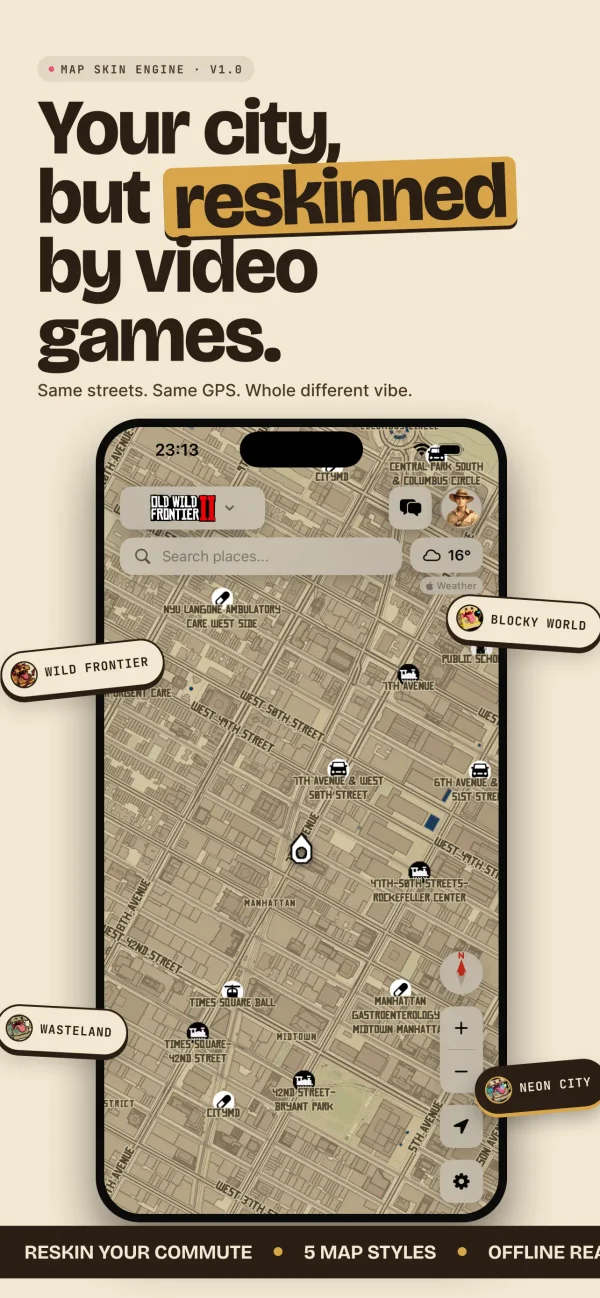
Your city, but reskinned by video games.
Same streets. Same GPS. Whole different vibe.
MapShifter replaces your everyday map with hand-crafted, game-inspired worlds — and gives you turn-by-turn navigation, place search, and offline maps inside each one.
A map that evolves as you explore.
FEATURES
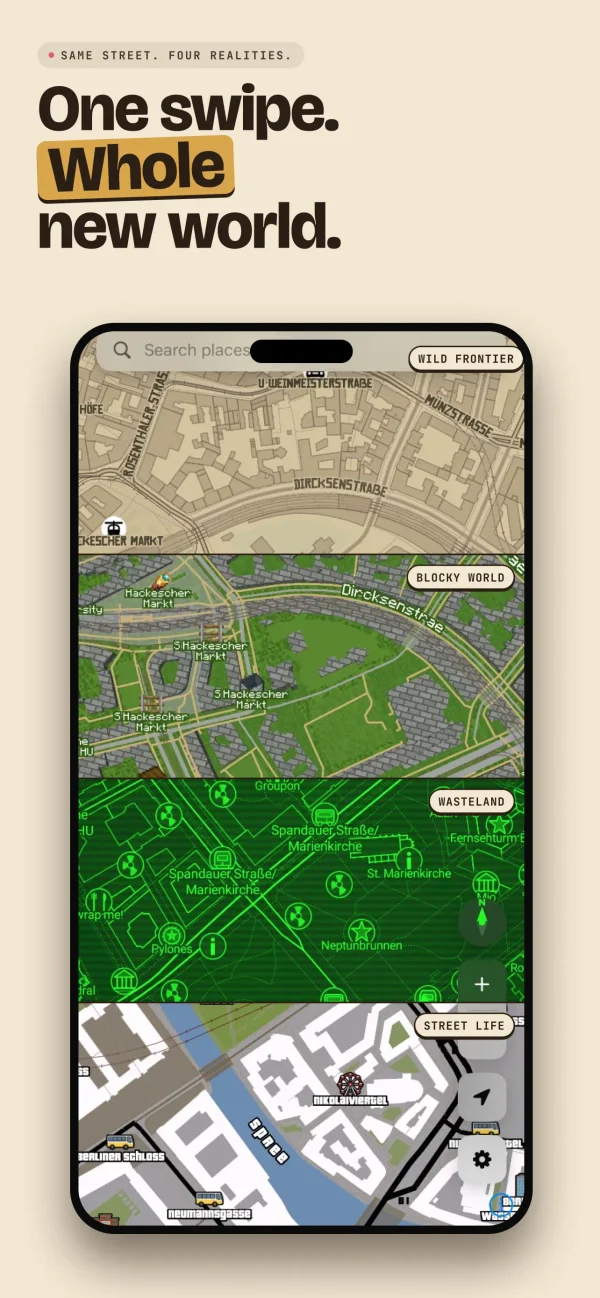
• Swap live between six map skins without losing your route
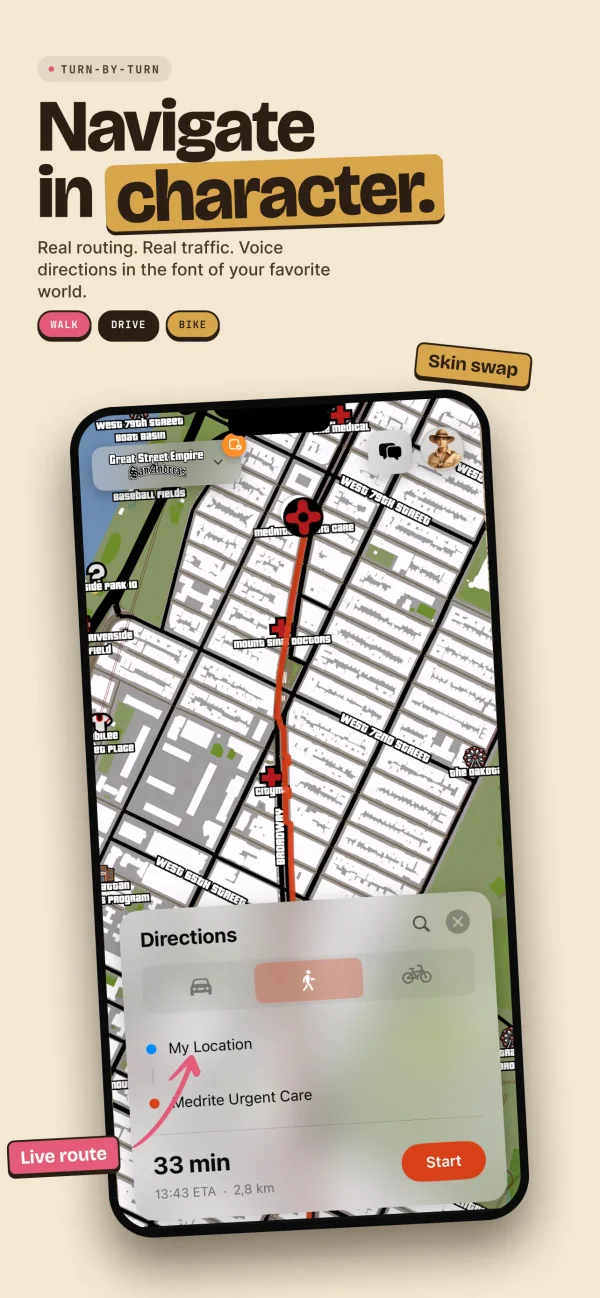
• Turn-by-turn navigation for driving, walking, and cycling
• Real search — restaurants, ATMs, landmarks — millions of places from OpenStreetMap
• Offline maps — download any region and roam without a signal
• Journey tracker — visited countries, history, streaks, and achievements
• Apple Watch companion — the map on your wrist, in your favorite skin
• CarPlay — your themed map, position arrow, route, search, and turn-by-turn guidance on the car display
• Home Screen widgets — a live mini-map styled to match your theme
SKINS AT LAUNCH
• Old Wild Frontier II — sepia tones, serif typography, trail dust
• Great Street Empire: SA — bold, graffiti-flavored urban cartography
• Great Street Empire V — modern, dark style
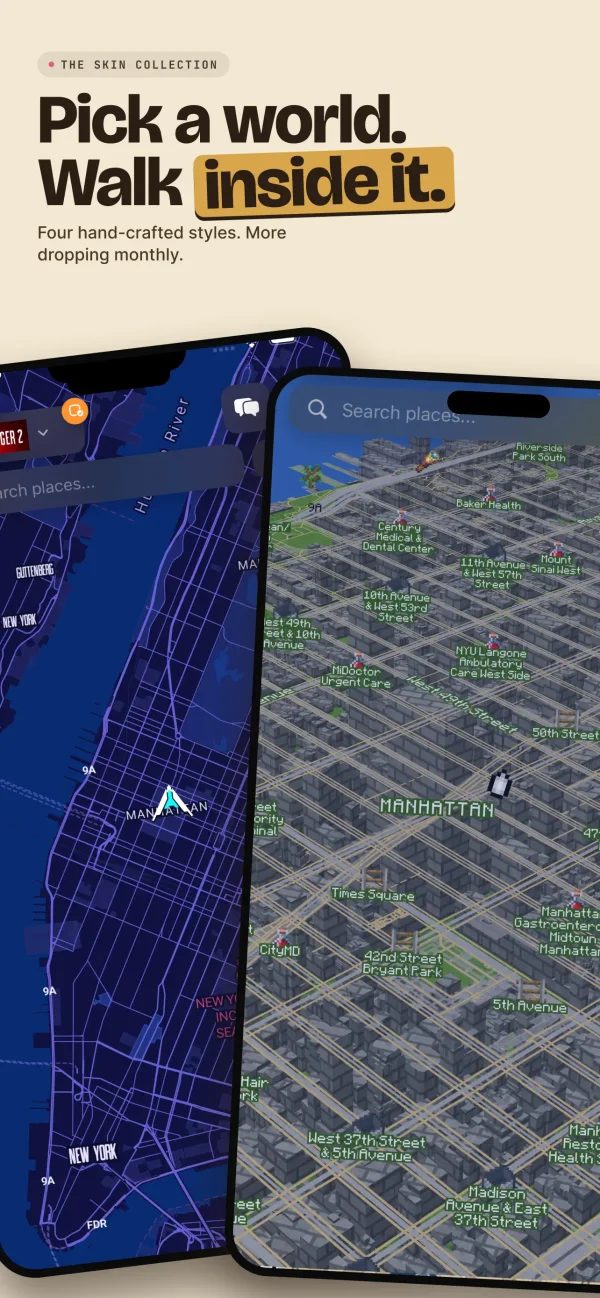
• Voxel Realm — pixelated, cubed, lush green biomes
• Cybershock 2099 — dark, modern, glowy districts
• Wastefield 4 — phosphor-green glow, radiated terrain
New skins drop regularly.
PRIVACY FIRST
• No accounts. Install, open, go.
• No ads, ever.
• Anonymous product analytics and crash diagnostics; no advertising, attribution, or tracking SDKs.
• We don't operate a server that logs your location.
• We don't build behavioral profiles or sell data.
MAPSHIFTER PRO (OPTIONAL)
• Extra looks for every map, unlocked with one payment (Lifetime) or a yearly plan. The yearly plan renews automatically until you cancel it in your App Store account settings.
• Every map, its default look, navigation, offline maps and fog of war stay free.
MapShifter is an independent indie project — a love letter to the games that made us fall in love with maps. It is not affiliated with, endorsed by, or sponsored by any game studio, publisher, or franchise referenced. Every skin is original artwork and typography inspired by broader cartographic styles. All trademarks remain the property of their respective owners.
Built on open foundations: OpenStreetMap (map data, © OSM contributors, ODbL), MapLibre (rendering), Project OSRM (routing), Photon + Nominatim (search), Wikidata (place info). Huge thanks to the communities behind each.
Download free. Pick your world. Start exploring.
Support: support@mapshifter.com
Website: https://mapshifter.com/
Privacy: https://mapshifter.com/privacy.html
Terms of Use (EULA): https://mapshifter.com/terms.html
What’s new
Version 1.0.46 · Nov 24, 2026
• New looks for every map. Tap the new Customize button next to the theme name on the map to give a map different colors, from paper atlases to snowy winters. Each map's default look stays free.
• Tap any extra look to try it on your own map for 30 seconds.
• MapShifter Pro unlocks all the extra looks, with one payment or a yearly plan. Everything that was free stays free, with no ads.
• Great Street Empire VI now has a night map. Choose Day, Night or Auto, which switches at sunset where you are with a slow fade. Tap the slider button on its theme card, or long-press the theme button on the map.
• Great Street Empire VI adds Sunset, Storm and a Live look that follows golden hour and the weather where you are.
• Place cards now look like each theme's own game menus, with matching lettering.
• Work, School and starred places now get their own icons in every theme, alongside Home.
• With a place card open, the theme, profile and search buttons now open right away instead of waiting for the card to close.
• The Fog of War page in onboarding now shows the fog clearing over a real map, and asks plainly whether you want it on.
• On CarPlay, search, favorites, nearby and the map buttons now show as soon as you open MapShifter, not only after you start a route.
• Your location arrow now shows on CarPlay right away, even with your phone locked and the car parked, instead of waiting for a route.
• On CarPlay, if a touch moves the map away from your car while you're driving, it now glides back to follow you after a few seconds instead of staying put.
• No signal? You can still head for a place. Offline, MapShifter shows the direction and distance to the place you pick as a straight line. It's not a road route, so choose your own streets; road directions come back as soon as you're online.
App privacy
What Filipp Bazun declares on the App Store about how this app handles data.
-
Data not linked to you
May be collected but is not linked to your identity.
- Purchases
- Usage data
- Diagnostics
Privacy practices may vary, for example with the features you use or your age.
Information
- Seller
- Filipp Bazun
- Category
- Navigation
- Version
- 1.0.46
- Updated
- Nov 24, 2026
- Released
- Apr 23, 2026
- Size
- 164.5 MB
- Requires
- iOS 18.0 or later
- Age rating
- 4+
- Price
- Free
- In-app purchases
- Yes
- Languages
- English, French, German, Italian, Japanese, Korean, Portuguese, Russian, Simplified Chinese, Spanish
- Copyright
- © 2026 Filipp Bazun
You might also like
-
 Mappr: Game MapsMinimap IRL, GPS & CarPlay
-
 Game Maps: IRLGamified Maps & Navigation
-
 Game Maps - Play the IRL MapGame-Style Minimap & GPS
-
 Pixel Maps - Game Maps IRLLive your favorite game worlds
-
 Game Maps IRL: SpawnMap GPSNavigation & Routes for Gamers
-
 Game Maps Online : Car MapsGame Map and Navigation
-
 MapSkins GPSCustom map themes & navigation
-
 SpawnMe: Game Map NavigationMinimap GPS to Explore Cities
-
 Game Maps Real LifeMinimap GPS for real life
-
 Game Maps Reality IRLMinimap GPS & custom themes