Maquette Studio: Art Mannequin
3D Pose Reference for Drawing
Designed for iPhone, iPad, Mac
Free · In-app purchases
- Age rating4+
- CategoryGraphics & Design
- DeveloperAnastasiia Trofimova
- LanguagesEnglish+ 2 more
- Size150.2 MB
Links to the official App Store page
Download.org hosts no file of Maquette Studio: Art Mannequin. The button opens its official App Store page, published by Anastasiia Trofimova. Listing last checked on Nov 26, 2026.
Screenshots

About
Maquette Studio is a 3D pose and scene reference tool for artists. Pose a figure by hand, frame it through a real lens, light it the way you mean to paint it, and draw from the result.
FREE TO DOWNLOAD
Pose one figure and take the reference with you:
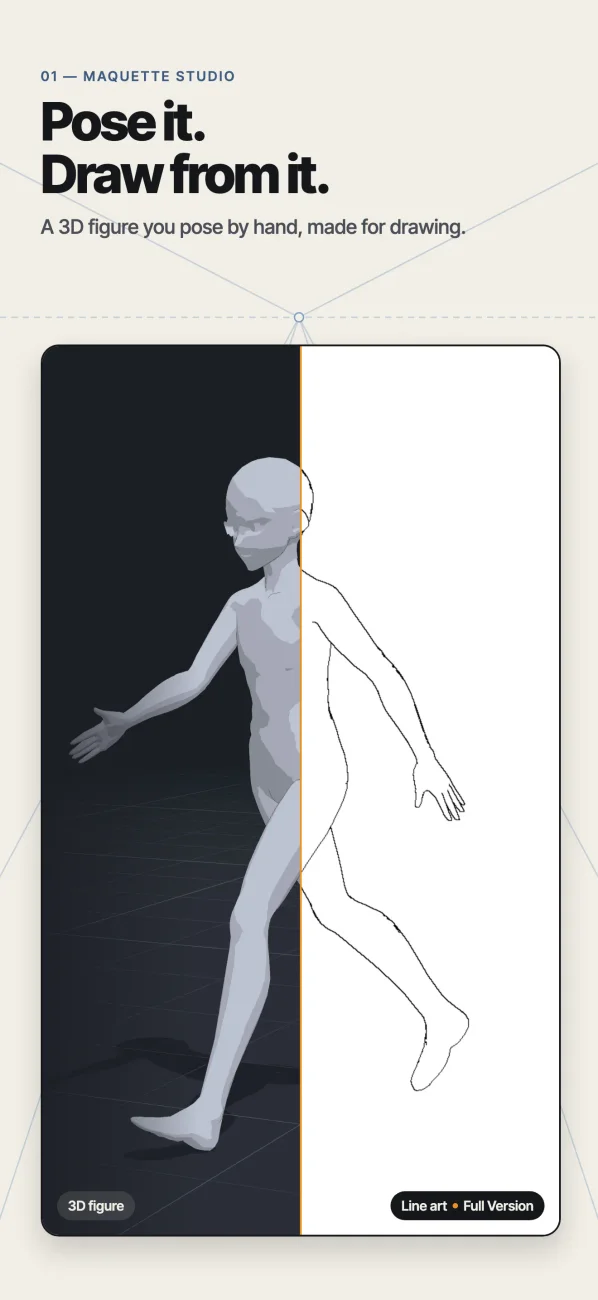
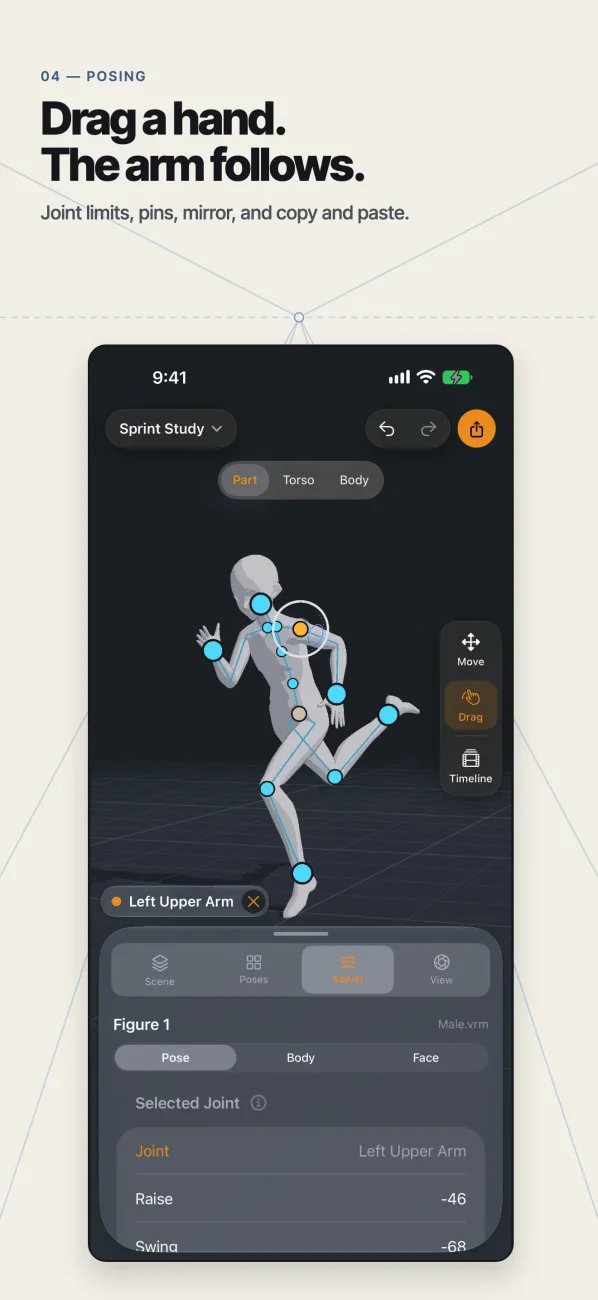
• Posing by touch and Apple Pencil. Drag a hand or a foot and the limb follows, bending within human joint limits, or switch the limits off for poses no body could hold. Pin hands, feet, hips or head while you pose the rest. With Apple Pencil Pro, squeeze for posing tools and roll the barrel to twist.
• A pose library: walk, run, sit, kneel, crouch and lie down, a set of bundled poses, and your own saved poses. Hand presets for open, relaxed, fist, point and grip. Mirror a pose in one step.
• Pose From Photo: pick a photograph and the pose is found on the device with Apple's Vision framework. Drag any joint to correct it and set depth in a side view. Joints the detector is unsure of are left for you to place, and the photo is never uploaded.
• Proportions for head, shoulders, arms, torso, legs and height, with presets and your own saved body types, plus the expressions a figure carries.
• Props for blocking out a scene: box, sphere, cylinder, staff, seat, chair, bench, table, step and stairs, or your own OBJ and GLB meshes. Place the staff in a figure's hand and close the fingers around it, or attach any prop to a hand and it follows the pose. Add reference pictures as image planes.
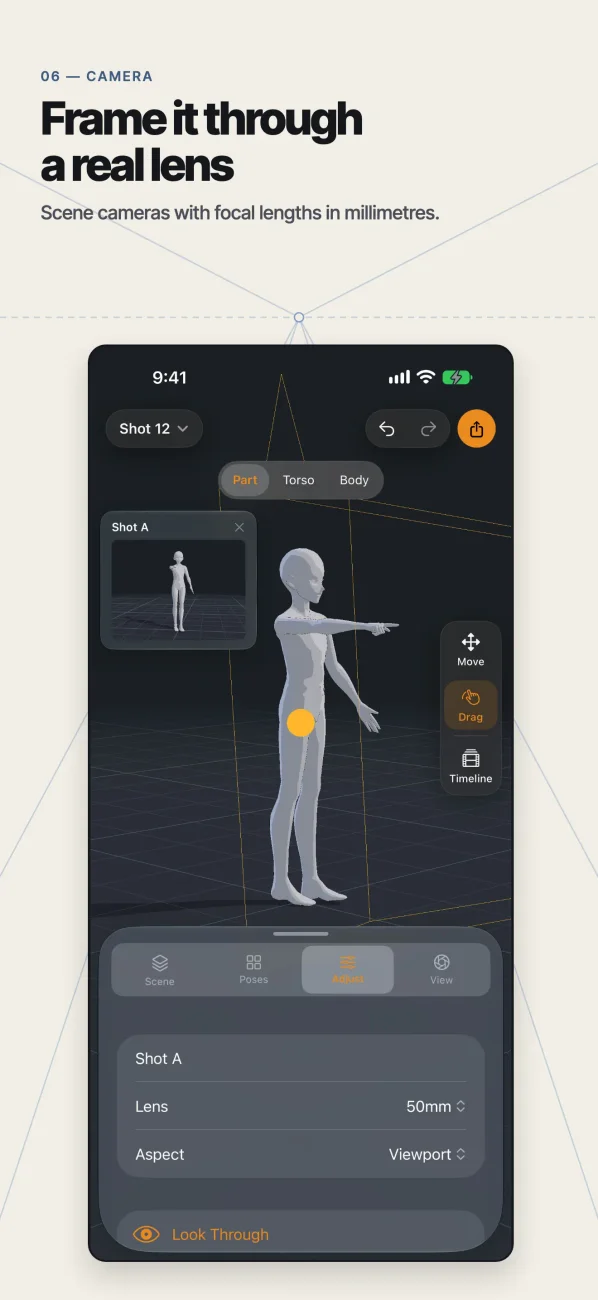
• A camera that behaves like a lens: focal length in millimetres, orthographic to check proportions, depth of field, saved views, and scene cameras that show the exact frame an export will hold, with an optional fisheye or pincushion curve.
• Shading and light you can paint from: toon with an ink outline, matcap, or the figure's own textures; key, fill and rim lights with an ambient lift.
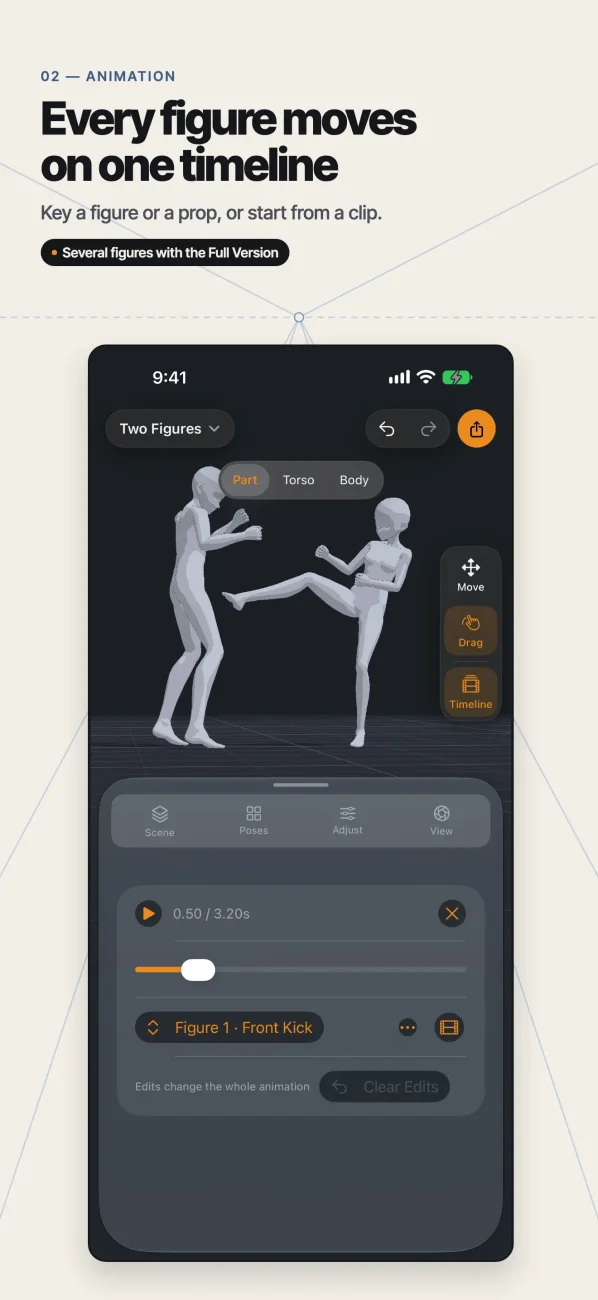
• Animation on one timeline: key a figure or a prop, or start from the catalog's free Walk, Run, Idle and Look Around clips. Ghosts of the frames before and after show the motion while you edit. Every object's keys show on the track: pinch to zoom, and drag keys and clips to retime them.
• Hair and clothing that hang under gravity, and figures that do not pass through each other or the props.
• Save and open scenes and poses. A pose is stored against the standard humanoid skeleton, so it applies to any figure.
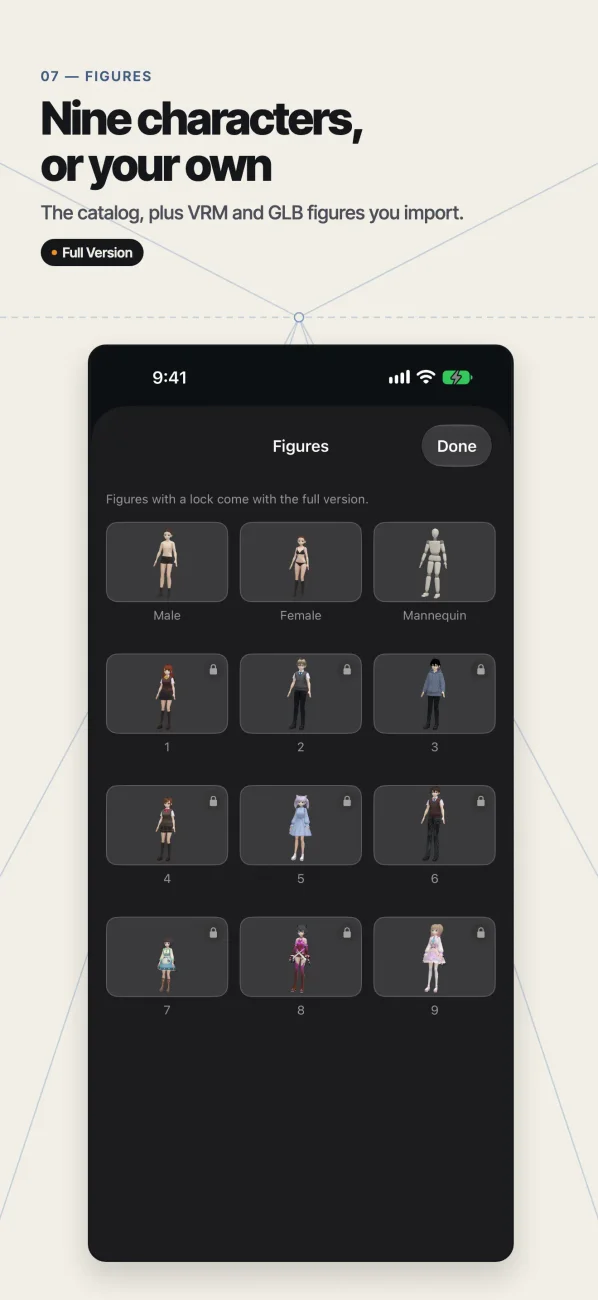
• Three free figures: Male, Female and a wooden Mannequin.
• PNG export, opaque, at the same sizes as every other format, from your view or from any scene camera.
FULL VERSION: ONE-TIME IN-APP PURCHASE
One purchase covers iPad, iPhone and Mac with the same Apple Account. No subscription.
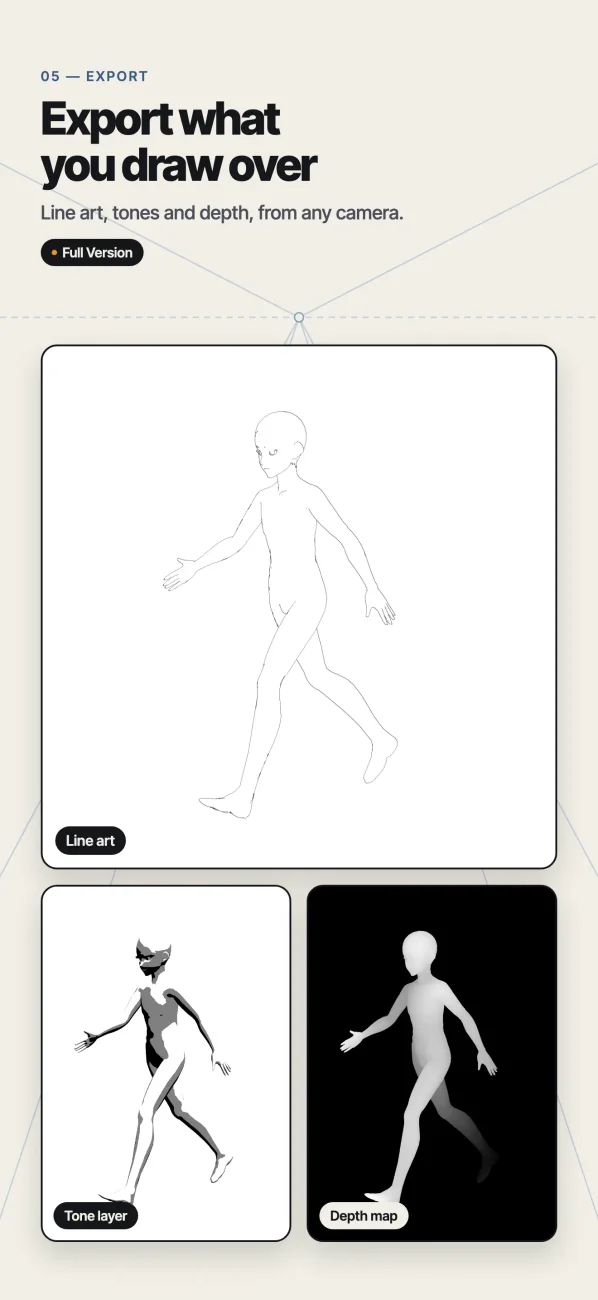
• Drawing-ready exports: Line Art (black on white, or anti-aliased ink on transparency), Tone Layer (shadow and half-tone on transparency), Depth Map, transparent PNG, Turnaround sheet (front, three-quarter and side in one image) and Perspective Guides (horizon, vanishing points and ground grid, matched to the camera).
• Animation export as a PNG sequence or an H.264 movie, from a clip or a turntable.
• More than one figure in a scene.
• Nine catalog characters.
• The animation catalog: 22 more clips, from standing poses and emotes to kicks, a roll and a running jump, each ready to edit.
• Your own figures: VRM (0.x and 1.0) and glTF binary (.glb) models.
• On the Mac, agent control: an AI assistant can pose and compose the open scene for you.
IPAD FIRST
Built for iPad, touch and Apple Pencil. The same app runs on iPhone, and the native Mac version comes with the same purchase.
PRIVATE
No account, no ads, no tracking. Scenes and poses stay on your device. Anonymous crash and performance reports can be turned off in Settings.
What’s new
Version 1.4.6 · Nov 25, 2026
• Figures and props now show how they are connected. In the scene list, a figure on a chair shows "on Chair", and the chair shows who sits on it.
• A prop's page has two cards, Figure on This Prop and Held by a Figure, each with the status and the actions: Sit On, Stand On, Get Off, Attach to and Detach. Attach to opens a list of joints, so you do not have to select a joint first.
• On a figure's Pose page, the Props card shows what the figure sits on, stands on or holds, with Sit On, Stand On and Get Off for every prop in the scene.
• Get Off puts the figure on the floor next to the prop. A short message on the canvas tells you each change, and one Undo reverses it.
• An animation clip on a figure that sits or lies on a prop first takes the figure off the prop, except Sit Down. One Undo puts the figure back.
• Export shows "Preparing…" while it works and cannot start twice. The Export button is in the centre of the top bar.
• At the left or right, the tool bar shows icons only, and the Follow levels have their own icons. The buttons in the corners of the canvas move only when the tool bar comes near them.
• New pose pictures in the Poses library. A pose that you save gets its picture at once.
• The panel pages have the same margin on the left and the right.
App privacy
What Anastasiia Trofimova declares on the App Store about how this app handles data.
-
Data not linked to you
May be collected but is not linked to your identity.
- Usage data
- Diagnostics
Privacy practices may vary, for example with the features you use or your age.
Information
- Seller
- Anastasiia Trofimova
- Category
- Graphics & Design
- Version
- 1.4.6
- Updated
- Nov 25, 2026
- Released
- Nov 3, 2026
- Size
- 150.2 MB
- Requires
- iOS 18.0 or later
- Age rating
- 4+
- Price
- Free
- In-app purchases
- Yes
- Languages
- English, Japanese, Korean
- Copyright
- © 2026 Maquette Studio