
margin - Expense Tracker
Private spending log
Designed for iPhone, iPod touch
Free
- Age rating4+
- CategoryFinance
- DeveloperMinjae Gil
- LanguagesEnglish+ 1 more
- Size24.6 MB
Links to the official App Store page
Download.org hosts no file of margin - Expense Tracker. The button opens its official App Store page, published by Minjae Gil. Listing last checked on Nov 14, 2026.
Screenshots
About
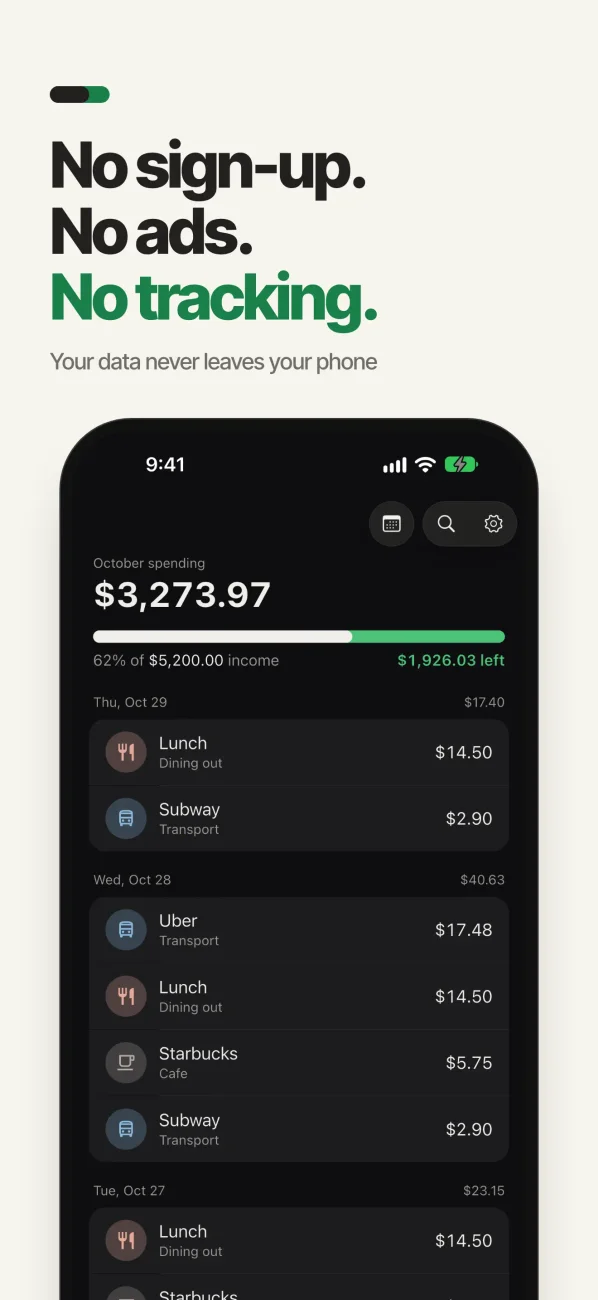
margin is an expense tracker with no sign-up, no ads, and no servers. Log what you spent in seconds, before you forget. Every feature is free.
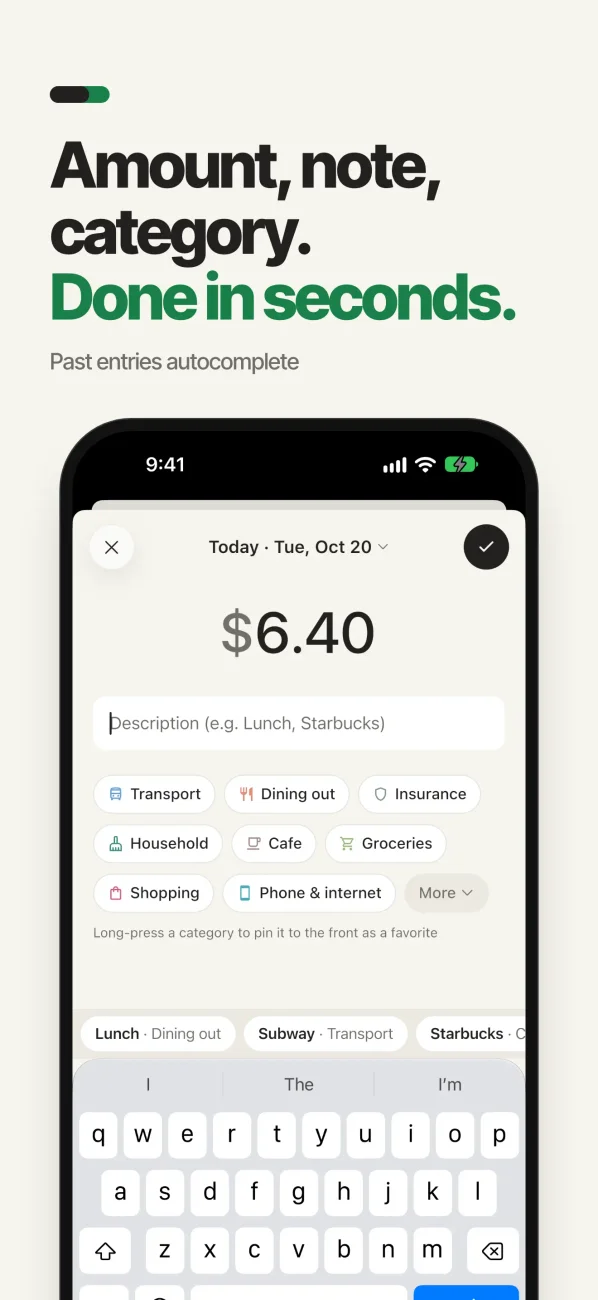
■ Fast entry
• Amount → note → category, without leaving the keyboard
• Autocomplete from past entries: tap "Starbucks · Cafe" to save instantly
• Notes you use often appear in faded text as you type
• Pin your go-to categories to the front
• Optional one-tap save when you pick a category
• Home Screen and Lock Screen widgets open the entry screen in one tap
• iOS 18 or later: add it to Control Center and the Lock Screen buttons too
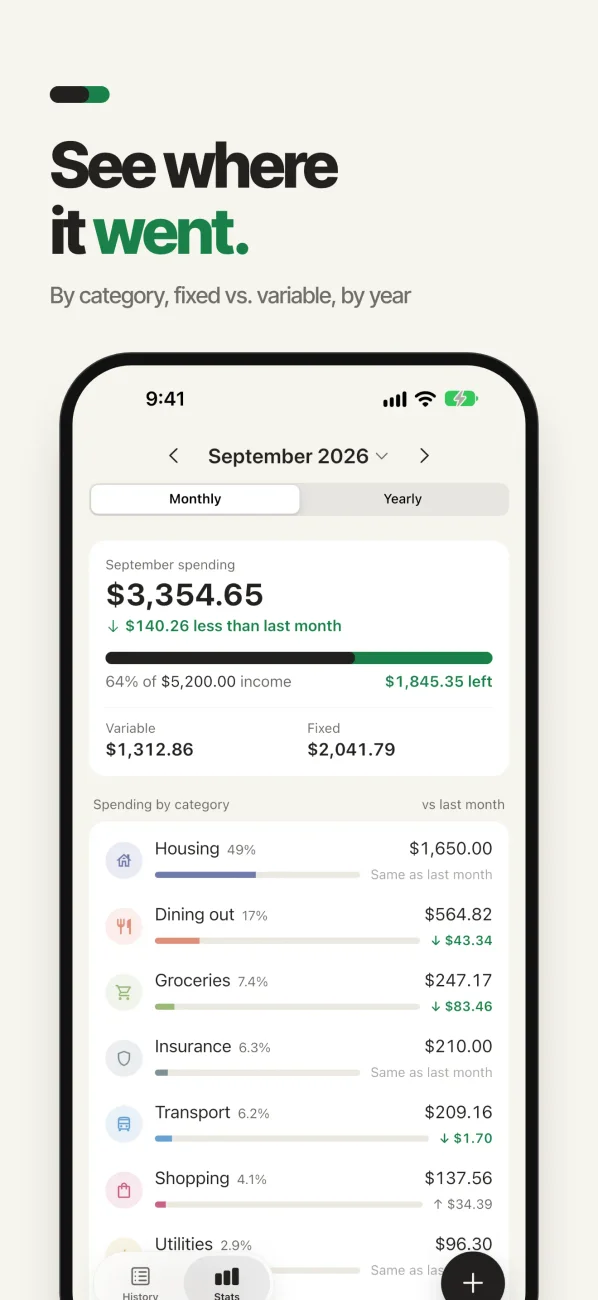
■ Stats at a glance
• This month's spending, income, and what's left
• Spending by category, with fixed and variable costs
• A yearly table for the big picture; tap a month to open it
• Swipe to move between months and years
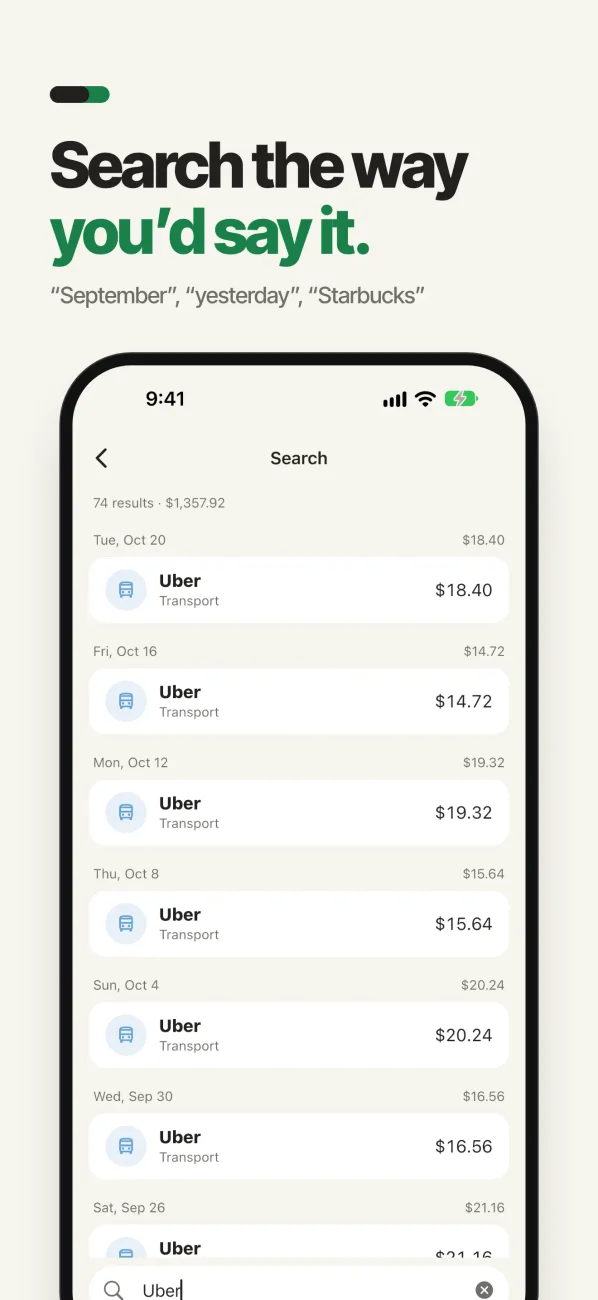
■ Search
• Search by note, category, amount, or date
• Natural dates like "September" or "yesterday"
■ Add-ons (free, turn on only what you need)
Turn them on in Settings → Features → Add-ons. They start off so the app stays simple, and turning one off never deletes your records.
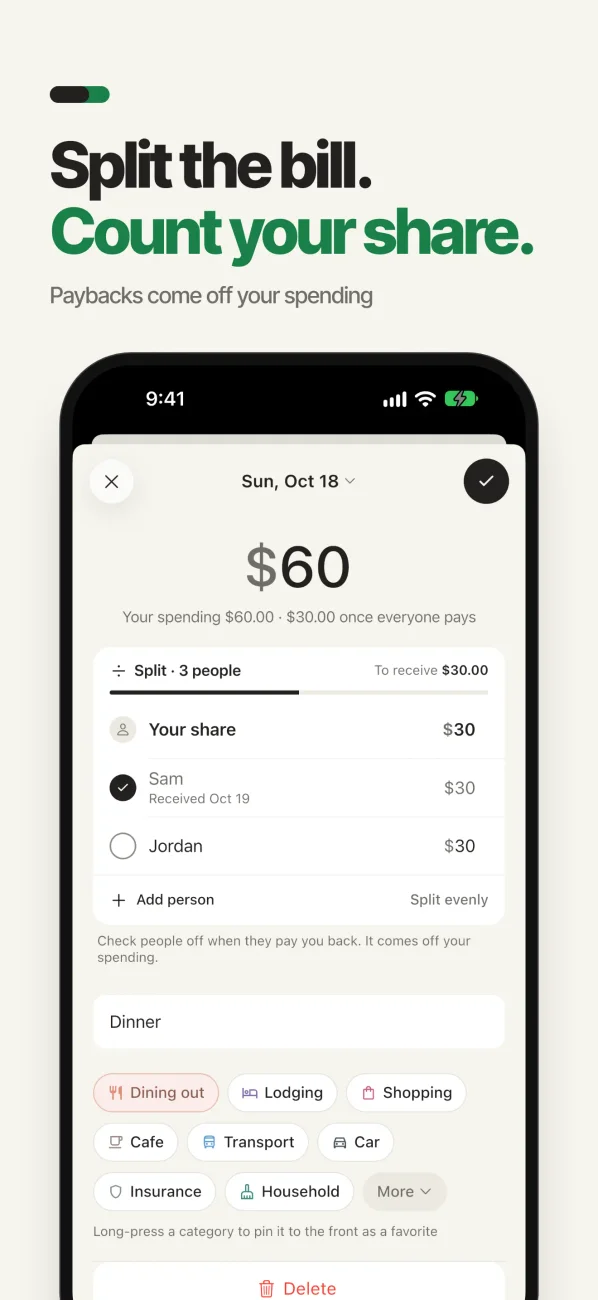
Split
• When you pay for everyone, what friends pay you back comes off your spending
• Type the amount and tap "Split" above the keyboard to divide it evenly
• Check people off as they pay. Once everyone has, only your share counts
• Paybacks come off the month you paid, so that month stays accurate
• See what you're still owed in a banner at the top of your list
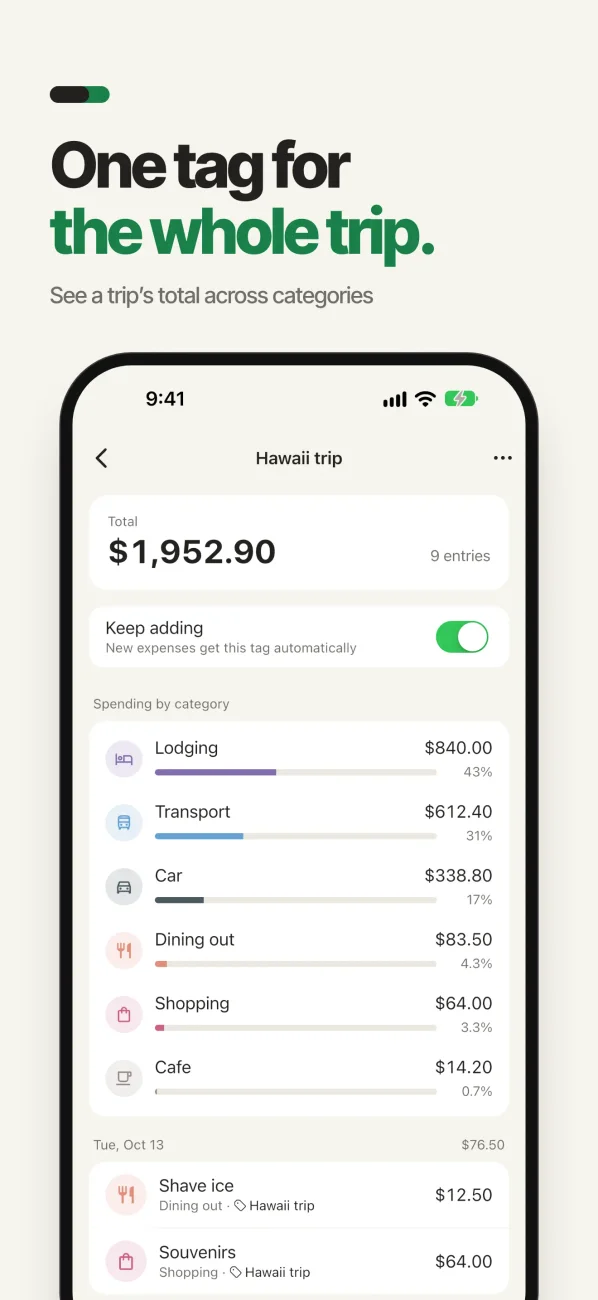
Tags
• Group spending across categories, like a trip, and see its total
• Turn on "Keep adding" and every new expense on the trip gets the tag
• Tagged spending still counts in its own category
• See totals by tag in your stats
■ Your data stays on your phone
• No account, no login
• No network access, no ads, no tracking
• No paid features, no subscription
• Included in your iCloud device backup
• Export and import to move to a new device
■ Also
• Light and dark mode
• English and Korean
• Won, dollar, euro, yen, and yuan
• Add categories and edit their names, icons, and colors
What’s new
Version 1.2.0 · Oct 30, 2026
New
• Upcoming and repeating expenses: add subscriptions, rent, or anything due later ahead of time. They move into your history on their day. See what's still going out this month at the top of your list, and swipe or press and hold to mark one Paid, skip it once, or edit the repeat.
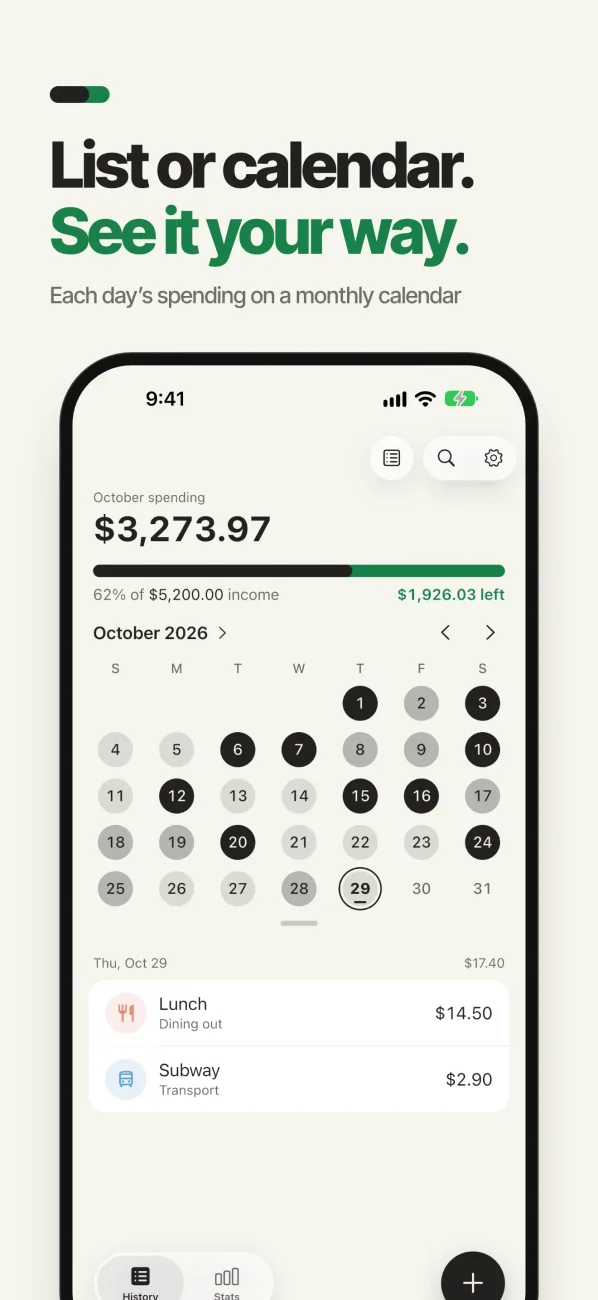
• Income bar: see how much of this month's income you've spent and how much is left, right at the top of your list. Press and hold the bar to see what's left after upcoming expenses.
• Calendar view: see your history on a calendar, with bigger spending days shaded darker. Tap a day to see its records, or push up to fold it down to that week.
• Budgets: set a monthly budget for each category and see right away which ones are over or nearly used up. Turn it on in Settings → Features → Add-ons.
• Notes: add a note to any expense, like who you were with or where the receipt is. Search finds your notes too. Turn it on in Settings → Features → Add-ons.
• See how each add-on works in a short animation before you turn it on. Watch them again anytime in Settings → Features → Tips.
• Widgets: new widgets for this month's spending, today's spending, quick add with your categories, and a month overview. Lock Screen widgets show this month's total and what's left.
• Stats: the summary shows income, what's left, and how you compare with last month. Tap a category to see just its expenses, or tap the period title to jump to any month or year.
• Pick dates from a calendar.
Improved
• Swiping left shows a Delete button instead of deleting right away.
• Swipe right from anywhere to go back, and tap the status bar to jump to the top.
• Better text contrast and polish throughout.
App privacy
What Minjae Gil declares on the App Store about how this app handles data.
-
Data not collected
The developer does not collect any data from this app.
Privacy practices may vary, for example with the features you use or your age.
Information
- Seller
- Minjae Gil
- Category
- Finance
- Version
- 1.2.0
- Updated
- Oct 30, 2026
- Released
- Oct 20, 2026
- Size
- 24.6 MB
- Requires
- iOS 15.0 or later
- Age rating
- 4+
- Price
- Free
- Languages
- English, Korean
- Copyright
- © 2026 Minjae Gil
You might also like
-
 Murphy: Delightful bookkeepingMurphy is a potato not a CPA
-
 DayLedger - Simple BudgetFinance
-
 StockKitFinance
-
 셰쥴 - 개인 가계부·커플 데이트 비용Finance
-
 Money: Simple TrackerExpense & Budget Tracker
-
 Budgetelo: Envelope Budget AppZero-Based Planner & Tracker
-
 Simple SpendingsInsightful spending tracker
-
 MiniMoney: Budget TrackerAd-free expense tracker
-
 동그란 가계부 : 게으른 사람들을 위한 가계부Finance
-
 WOORI: Shared Expense TrackerShared expense tracker for all