
- Age rating4+
- CategoryProductivity
- DeveloperMatthew Oddie
- LanguagesEnglish
- Size1.3 MB
Links to the official App Store page
Download.org hosts no file of Margin Widgets. The button opens its official App Store page, published by Matthew Oddie. Listing last checked on Nov 26, 2026.
Screenshots

About
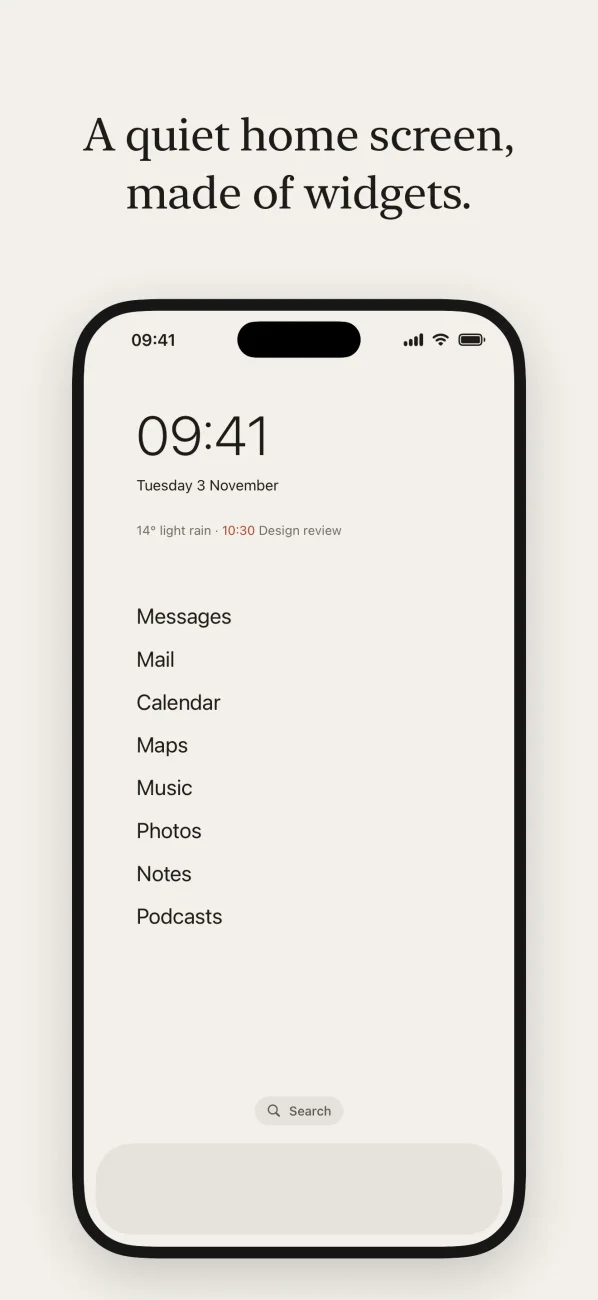
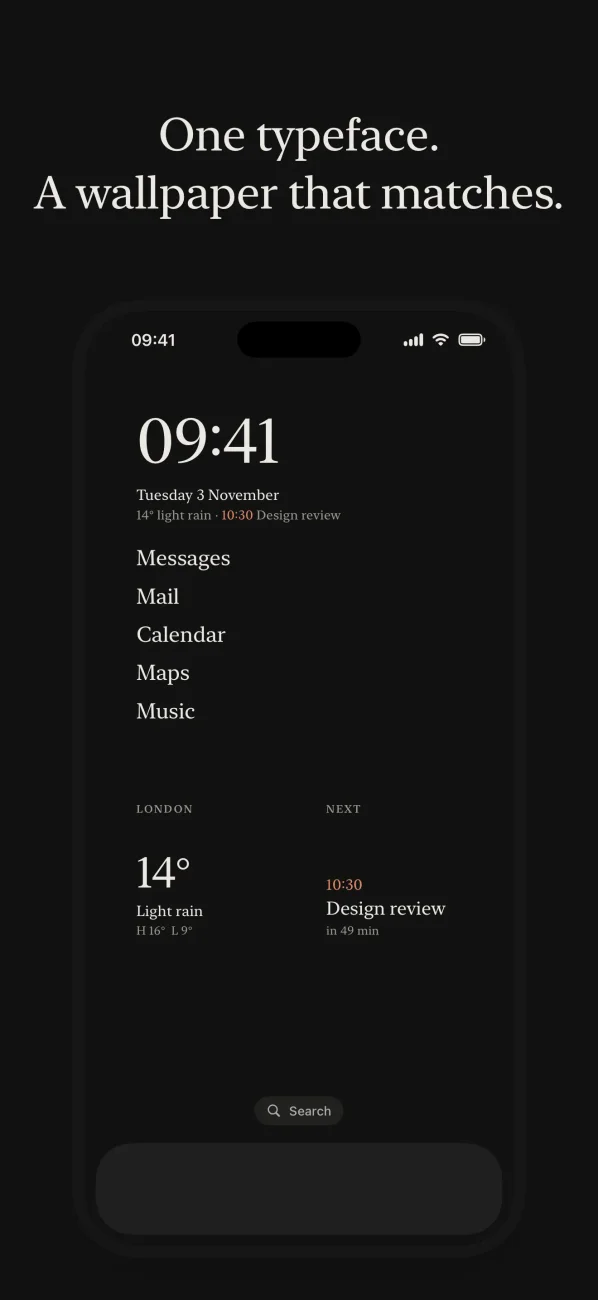
Margin replaces rows of bright icons with a page of calm text: the time, the weather, your next event, and your apps as a list of names. One typeface, and a wallpaper in exactly the same color, so the widgets disappear into it.
TEXT INSTEAD OF ICONS
Your apps become a short list of names. Tap one and it opens, just like an icon. Nothing is uninstalled or locked: your other apps stay in the App Library and search.
A WALLPAPER THAT MATCHES
Margin saves a plain wallpaper in your theme's color to Photos, so the widget backgrounds blend away and only the words are left.
WIDGETS
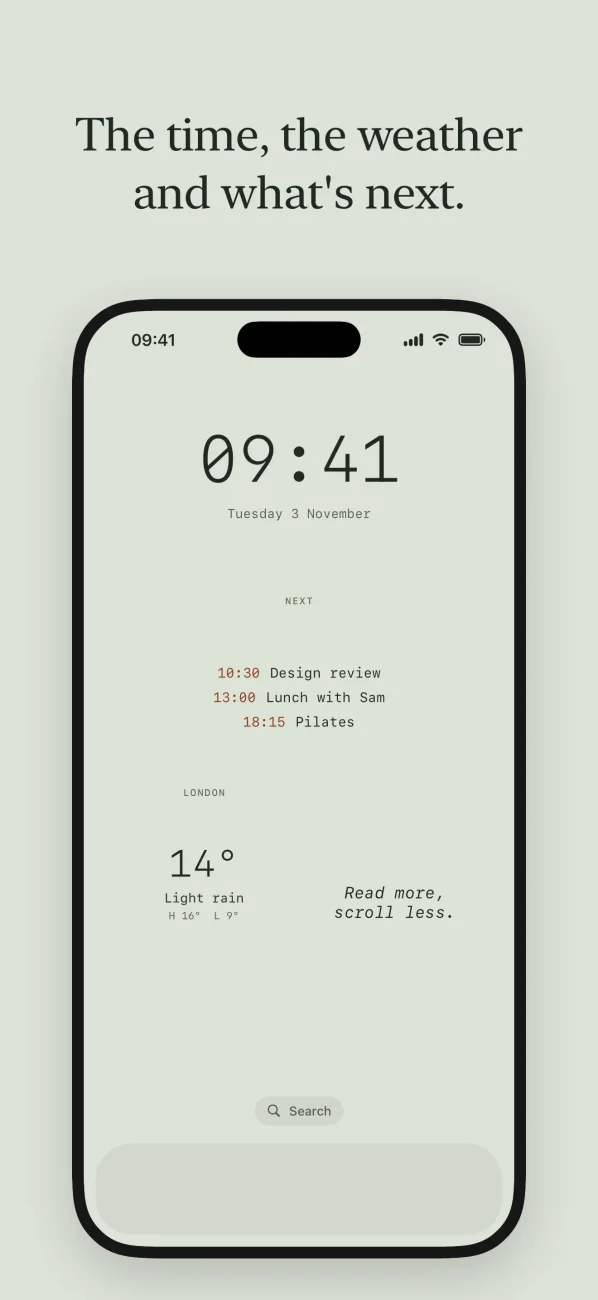
• Today: the time and date, with the weather and your next event
• Clock: the time in large type, and nothing else
• Next up: your next event and how long until it starts
• Weather: the temperature and conditions, in words
• Note: a line of your own
• Reminders: your next few reminders. Tap the circle to tick one off
• Launcher: your apps as a list of names
• Home page: the time, your apps and your note in one widget, filling the whole page at extra large
• Spread: two facing pages for iPhone Duo, your day on the left and your apps on the right
On the Lock Screen: Next up, Weather, Note, and App shortcut, which opens one app of your choice.
EIGHT THEMES, OR YOUR OWN COLOR
Paper, Ink, Sage, Dusk, Sand, Mist, Clay and Forest, in Sans, Serif or Mono, aligned left or centered. Or choose any color, and Margin picks text colors that stay readable on it. Every widget shares your choice, so nothing shouts louder than anything else.
MADE FOR IPHONE DUO
Open iPhone Duo and its Home Screen shows two pages side by side, like a book. Add a Spread to each and Margin sets them as a two-page spread: the time, the weather, your next events and reminders on the left; your apps and your note on the right, with the wider margins on the outer edges, the way a book is set.
LISTS THAT FOLLOW YOUR FOCUS
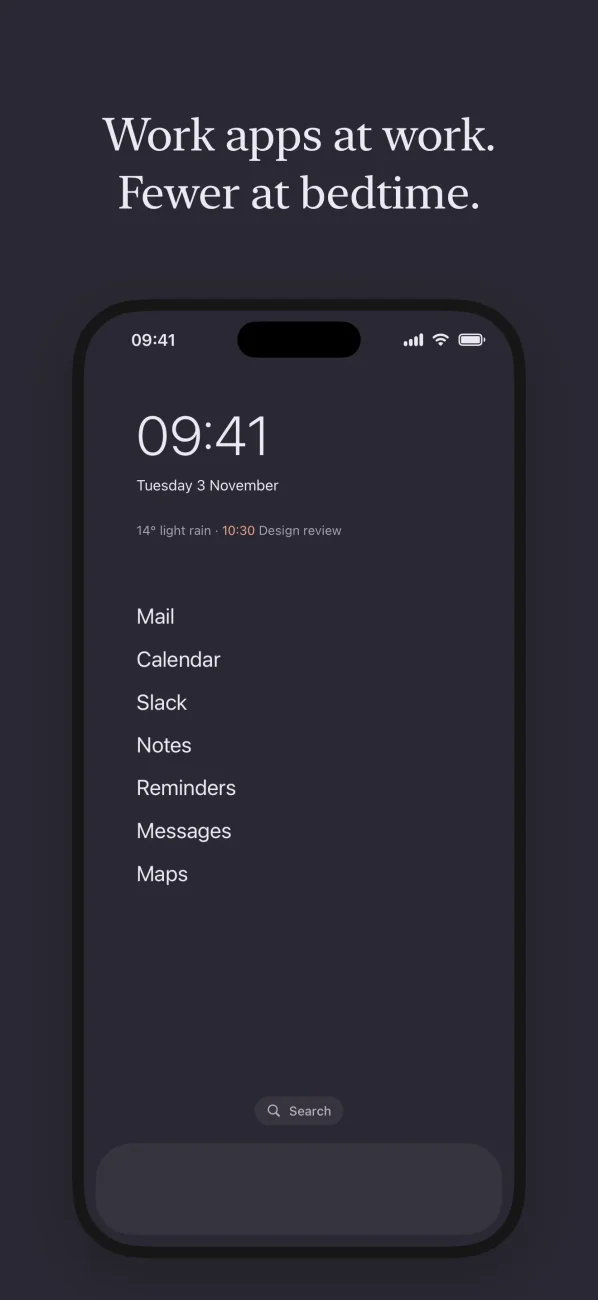
Keep a few lists of apps and let a Focus switch between them: work apps when Work Focus is on, just a few at bedtime. Each list can span up to three Home Screen pages.
GUIDED SETUP
Setup takes about three minutes. Margin walks you through choosing a look, setting the wallpaper, picking your apps and quieting the rest of your Home Screen.
PRIVATE BY DESIGN
No accounts, no analytics, no tracking and no servers of our own. Your calendar and reminders are read on your iPhone and never sent anywhere. Your location is used once, to choose where the weather is for. Weather comes from Apple Weather.
The launcher can open apps that have a link: most of Apple's apps, and popular ones like WhatsApp, Spotify, Slack, Signal, Notion and Obsidian. 46 in all, with more added in updates. Any other app with a link can be added by hand.
Requires iOS 27.
What’s new
Version 1.3 · Nov 25, 2026
• Made for iPhone Duo. Open it up and the new Spread widget turns the two facing Home Screen pages into a book: your day on the left, your apps and your note on the right.
• On iPhone Duo, Margin's settings show the spread across the whole screen as you change the look.
App privacy
What Matthew Oddie declares on the App Store about how this app handles data.
-
Data not collected
The developer does not collect any data from this app.
Privacy practices may vary, for example with the features you use or your age.
Information
- Seller
- Matthew Oddie
- Category
- Productivity
- Version
- 1.3
- Updated
- Nov 25, 2026
- Released
- Nov 8, 2026
- Size
- 1.3 MB
- Requires
- iOS 27.0 or later
- Age rating
- 4+
- Price
- Free
- Languages
- English
- Copyright
- © 2026 Matt Oddie
You might also like
-
 DoOne: Focus & TasksOne task. One timer.
-
 Minimal: Simple Home ScreenDistraction-Free App Launcher
-
 Lock Screen Notes: StickyNotes on your Lock Screen
-
 Pablo: AI Life OrganizerTrips, plans, projects.
-
 Crastinate • To-Do made SimpleCheck off today, no sweat
-
 Paperweight: Your Dumb PhoneMinimal app launcher
-
 ro - minimal widgetsDistraction-free home screen
-
 Craft Web ClipperSave any website to Craft
-
 FoldtypeA typewriter in your pocket
-
 Timemator: Time TrackerWork Hours Tracker & Billing