
- Age rating4+
- CategoryProductivity
- Developerkazunobu tsujino
- LanguagesJapanese+ 8 more
- Size10.0 MB
Links to the official App Store page
Download.org hosts no file of markru - Notes Bookshelf. The button opens its official App Store page, published by kazunobu tsujino. Listing last checked on Nov 23, 2026.
Screenshots
About
Markdown notes are easy to write — and easy to forget. markru is built for what comes after writing: shelving, binding, and rereading your own notes like books.
(Markdown writing, shelving, binding, and rereading all work without AI; only the AI helpers, such as tag suggestions and summaries, need a supported device and settings where Apple Intelligence is available.)
No markru account to sign up for. Import .md and .txt files, and export your notes as .md files or a ZIP.
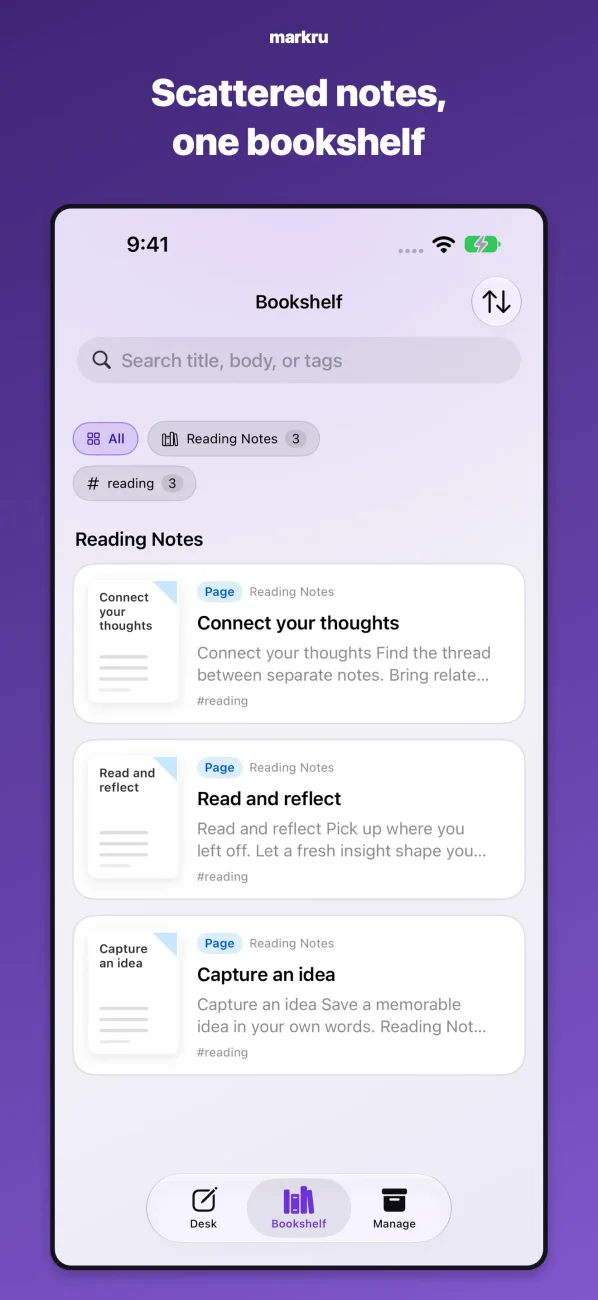
YOUR NOTES, SHELVED LIKE BOOKS
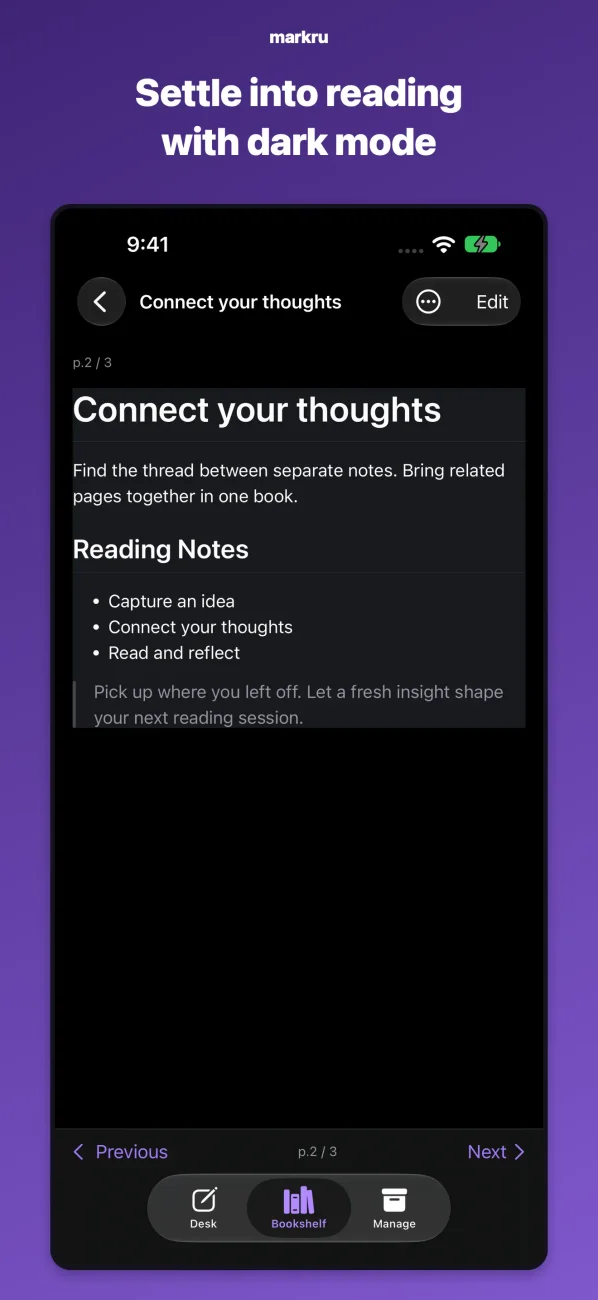
Promote finished notes from drafts to your bookshelf. Browse by shelf, search, and sort by what you read last.
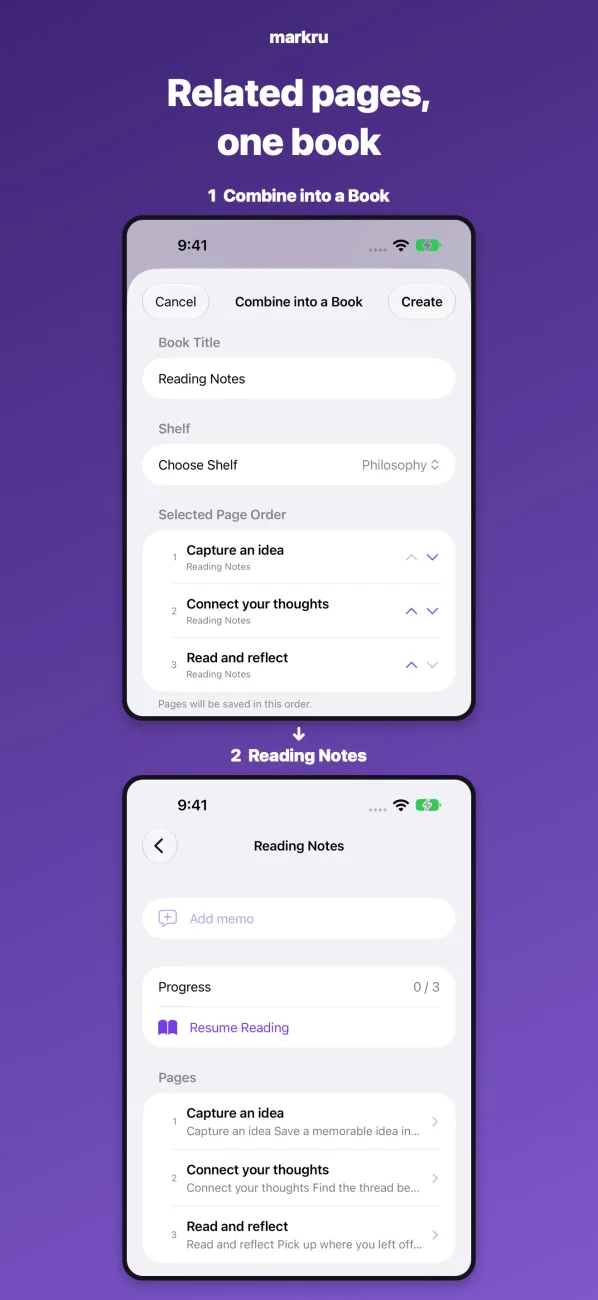
BIND NOTES INTO ONE READABLE BOOK
Combine related pages into one book. Reorder pages, add new ones, and read them as a single piece — or unbind anytime.
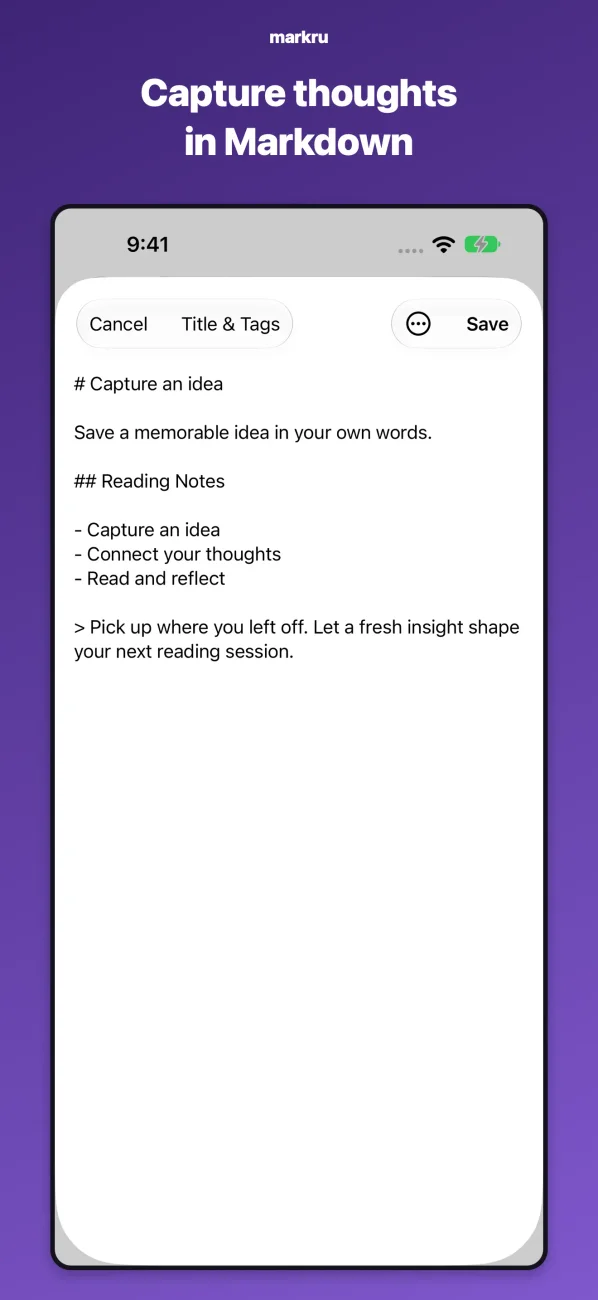
WRITE IN CLEAN MARKDOWN
A focused Markdown editor with a formatting bar for headings, lists, checklists, tables, code, and more. Save your note, then read it in a clean, formatted layout. Some writing helpers — tag suggestions, formatting, and summaries — are partly powered by Apple Intelligence, on your device by default.
Note: Whether the AI helpers appear depends not only on your device, but also on whether Apple Intelligence is turned on and ready. To check your device, open Settings in markru and look under Apple Intelligence. Where it isn't available, these helpers fall back to manual entry — everything else in the app still works. If you turn on Private Cloud Compute in the app's settings, formatting, summaries, and save comments are processed by Apple's Private Cloud Compute instead; tag suggestions always stay on your device. Your notes are never sent to our servers or any third-party server.
CAPTURE IDEAS IN SECONDS
Quick Capture works like a paper memo: jot it down, the title can come later. Send text from any app with the share sheet.
IMPORT & EXPORT
Import .md and .txt files. Export notes as .md files, or bundle them into a single .zip.
KEEP YOUR SHELVES IN ORDER
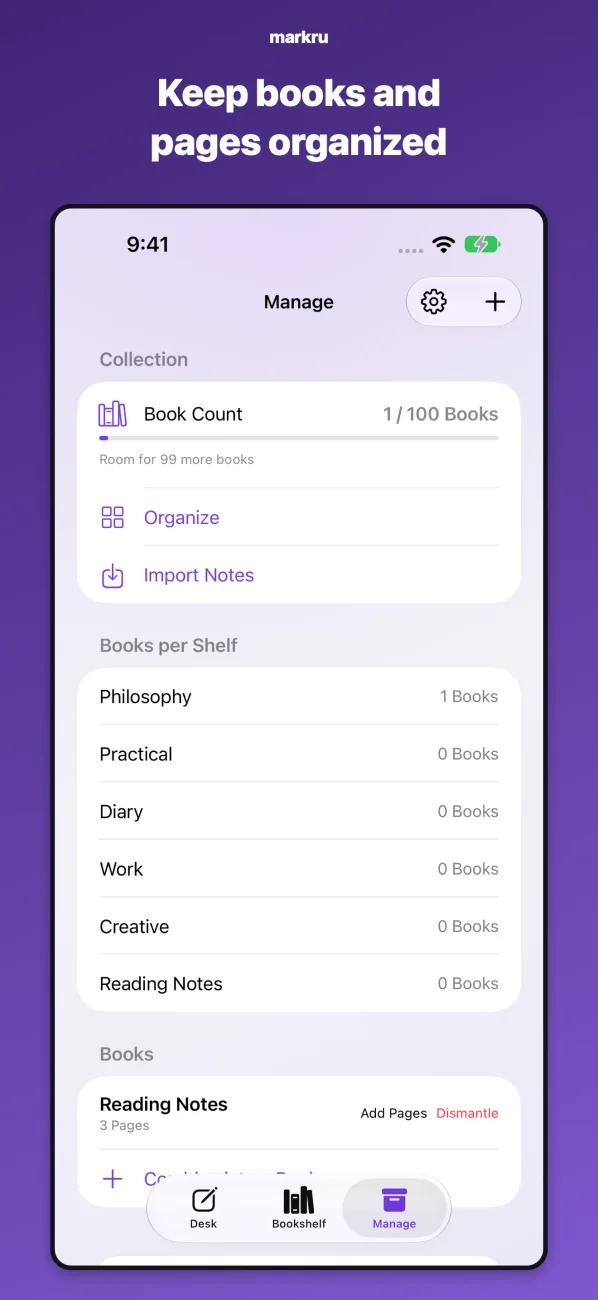
See your note, shelf, and book counts at a glance. Select the paragraphs you need and bring them together in a new note. Clean up or bind notes as your library grows.
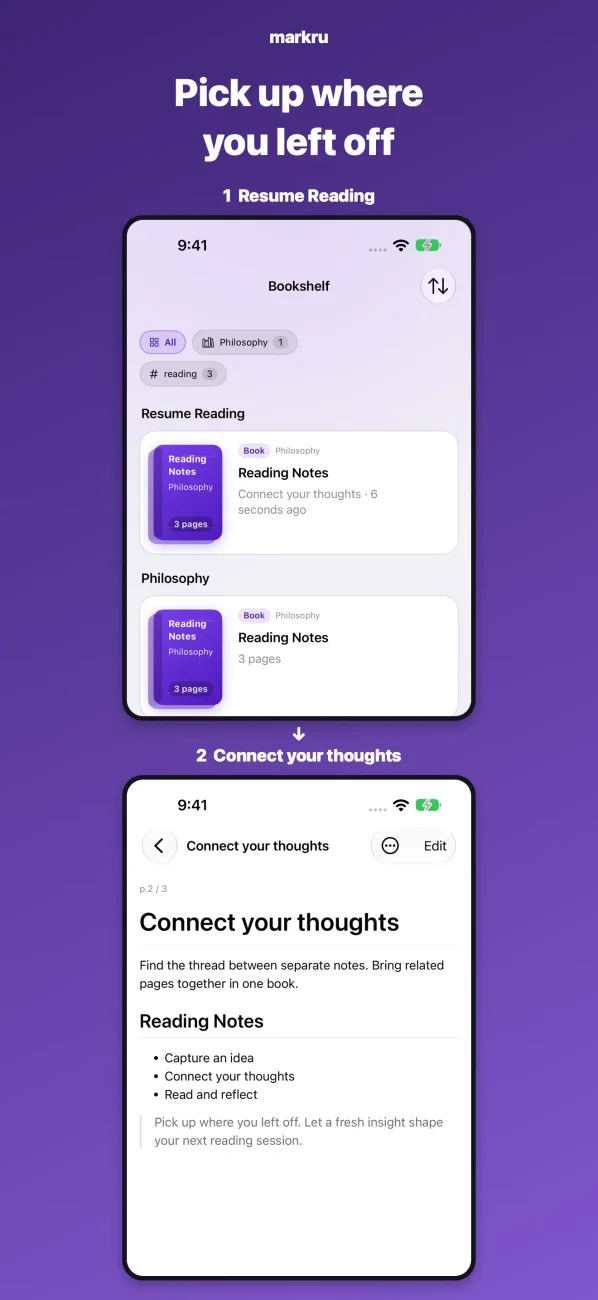
PICK UP RIGHT WHERE YOU LEFT OFF
markru remembers your reading progress in every book, so returning to your notes feels like reopening one.
USAGE AND COLLECTION LIMITS
You can currently use markru without making a purchase. Your collection starts with room for 100 books and can be expanded without a purchase in steps of 50, up to 300. Each standalone page or book on your bookshelf counts as one book. Pages inside a bound book do not count separately toward your collection.
PRIVATE BY DESIGN
Your notes live as plain Markdown files on your device or in iCloud Documents — never on our servers. iCloud sync uses the Apple Account signed in on your device, with iCloud Drive turned on — not a markru account. Without iCloud, notes are saved on this device.
Write lightly. Reread deeply.
What’s new
Version 1.6.6 · Nov 17, 2026
This update adds integrations with other Ru series apps and makes saving and loading more reliable.
• Choose "Send to taskru" from the … menu of a note or book page to pick unchecked checklist items and add them as tasks in taskru. Sent items are marked "Sent".
• Diary entries finalized in liferu can now be imported automatically into Drafts on the Desk, tagged "liferu".
• Saved changes are no longer rolled back, and shelf or book membership is no longer lost, during iCloud reloads or sync conflicts.
• If deleting, binding, or moving items between shelves is interrupted, your data is kept and you can try again.
• Improved Markdown import and export, including CRLF line endings, multi-line titles, horizontal rules, dates without a time zone, and long file names.
• Editing history that can't be read or written is no longer treated as empty history.
• Other stability improvements.
Requires iOS/iPadOS 27 or later. Integrations require compatible versions of each app. Writing, organizing, and reading notes work without integrations or AI.
App privacy
What kazunobu tsujino declares on the App Store about how this app handles data.
-
Data not linked to you
May be collected but is not linked to your identity.
- Identifiers
- Usage data
Privacy practices may vary, for example with the features you use or your age.
Information
- Seller
- kazunobu tsujino
- Category
- Productivity
- Version
- 1.6.6
- Updated
- Nov 17, 2026
- Released
- Jun 17, 2026
- Size
- 10.0 MB
- Requires
- iOS 27.0 or later
- Age rating
- 4+
- Languages
- Japanese, Italian, Spanish, German, French, Simplified Chinese, Traditional Chinese, English, Korean
- Copyright
- © 2026 Kazunobu Tsujino
You might also like
-
 Local Memo: Offline NotesOffline notes and folders
-
 ColorPin 色分けメモ帳・付箋ノートカラーノートで予定もチェックリストも
-
 LinkAfterProductivity
-
 NewPracticeNote to Put Input Into Action
-
 Folio, a minimal notebookRich text, Pencil & backlinks
-
 Raven: Markdown Notes & EditorOffline & Local Text Files
-
 just bookmark it!Bookmark management service
-
 めももProductivity
-
 OfflineNotes (c4f3a0)Productivity
-
 neboola — ideas, tasks & notesBrainstorm, plan, organize