
- Age rating4+
- CategoryUtilities
- Developer雨燕 杨
- LanguagesEnglish+ 1 more
- Size724.0 KB
Links to the official App Store page
Download.org hosts no file of Maskduck. The button opens its official App Store page, published by 雨燕 杨. Listing last checked on Nov 16, 2026.
Screenshots
About
Maskduck is the fastest way to hide sensitive information in your screenshots and photos before you share them.
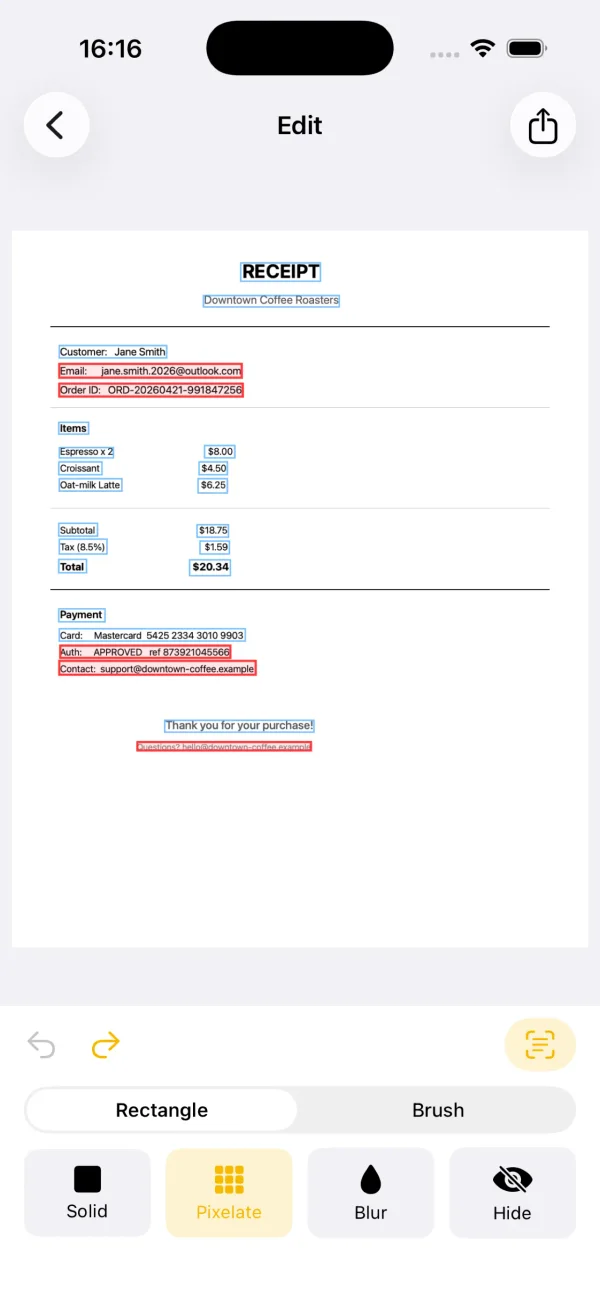
Smart detection finds private info for you — then a single tap covers it up. Everything happens on your device. Your photos never leave your phone.
WHAT IT MASKS
• Phone numbers
• Email addresses
• Credit and debit card numbers
• ID and document numbers
• Bank account numbers
• IP addresses
• License plates
• Long numeric strings that look private
HOW IT WORKS
1. Pick a photo from your library.
2. Maskduck scans the text and highlights anything sensitive.
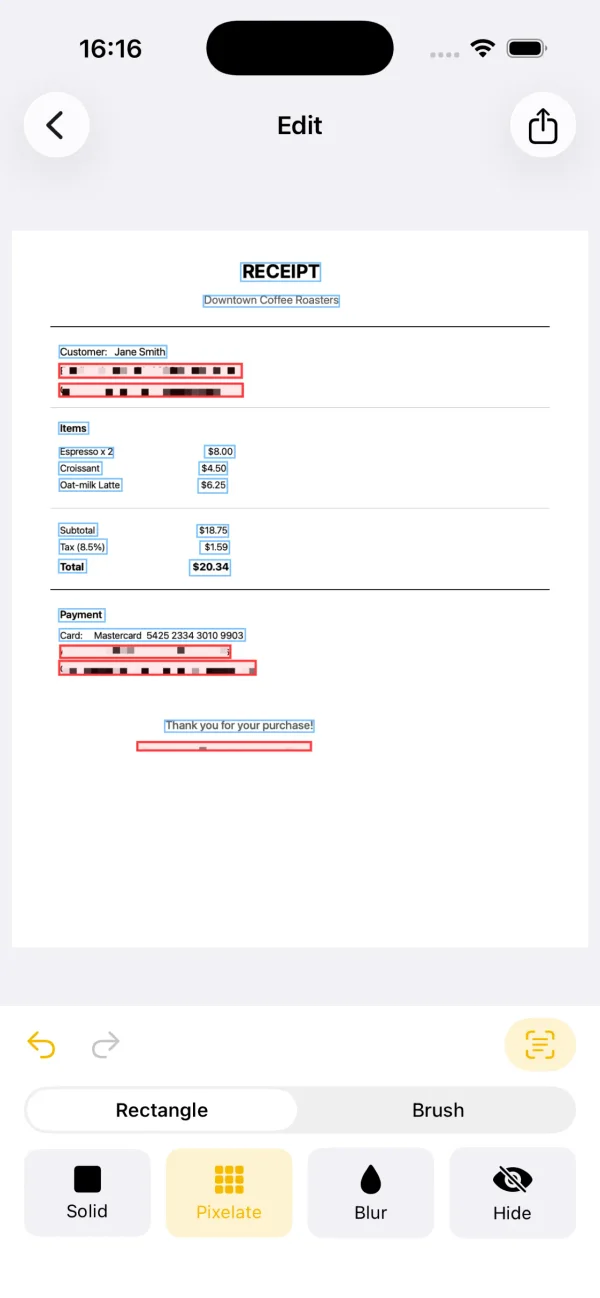
3. Tap to hide it — or draw your own mask with the brush or rectangle tool.
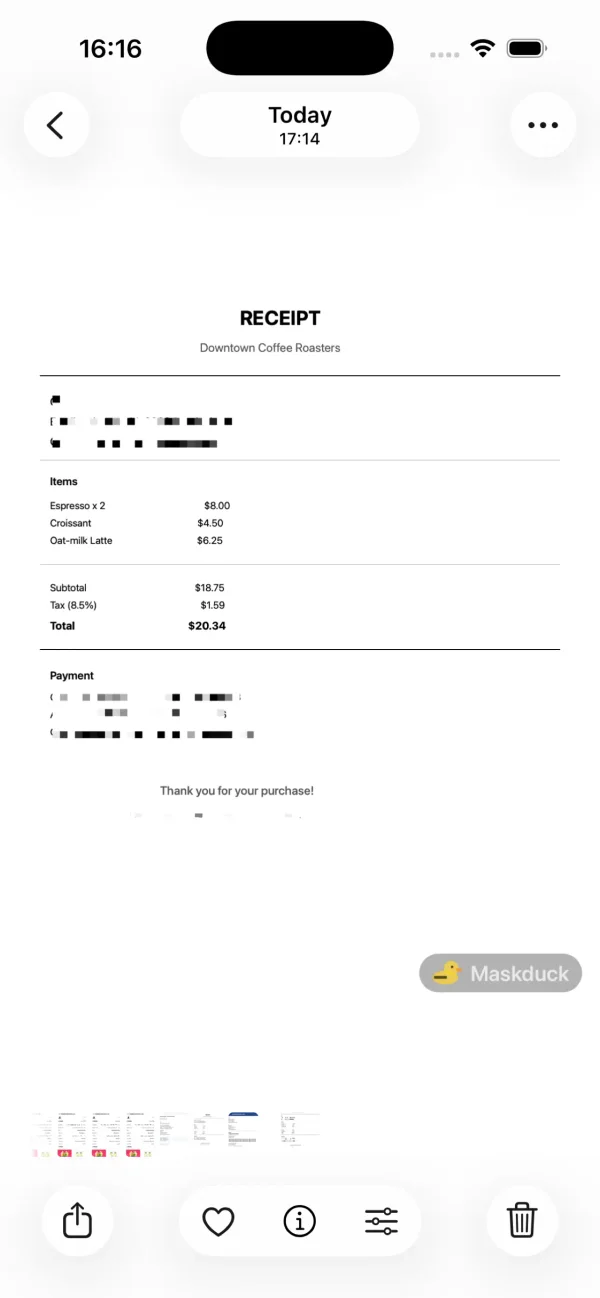
4. Save or share. That's it.
FOUR MASK STYLES
• Solid — clean black bars
• Pixelate — classic mosaic look
• Blur — soft gaussian blur
• Hide — cover with a matching background
BUILT FOR PRIVACY
• 100% on-device processing — nothing is uploaded
• No account, no sign-in, no ads, no tracking
• Works offline
• Only asks for the photo permissions it actually needs
WHO IT'S FOR
• Anyone sharing receipts, tickets, or order confirmations
• Sellers posting product photos with personal info in the background
• Developers and designers sharing screenshots with tokens or emails
• Journalists and researchers redacting documents
• Anyone who values privacy before hitting "send"
Stop cropping awkwardly or editing in five different apps. Maskduck handles it in seconds.
What’s new
Version 1.2 · Apr 28, 2026
• Optional in-app purchase to remove the watermark on exports — one-time, no subscription.
• Faster image processing for both the editor and the Shortcuts action.
App privacy
What 雨燕 杨 declares on the App Store about how this app handles data.
-
Data not collected
The developer does not collect any data from this app.
Privacy practices may vary, for example with the features you use or your age.
Information
- Seller
- 雨燕 杨
- Category
- Utilities
- Version
- 1.2
- Updated
- Apr 28, 2026
- Released
- Apr 22, 2026
- Size
- 724.0 KB
- Requires
- iOS 16.0 or later
- Age rating
- 4+
- Price
- Free
- In-app purchases
- Yes
- Languages
- English, Simplified Chinese
- Copyright
- © 2026 Mindigest
You might also like
-
 NiuMa - Salary & Work TrackerTrack your work and slacking
-
 AppHunt - Global pricingGlobal pricing alerts wishlist
-
 ScanText: Easy OCROCR or Photo/PDF files to Text
-
 Photo to ZIP - Image to ZipZip Photos Fast, Share Easily.
-
 Angle Meter PROMeasure Angle & Level
-
 Photo Cleaner: TidyHeroAI Duplicate Photos Cleaner
-
 Calendar IslandReminders & Calendar in Island
-
 AlarmTuneCustom Volume for Every Alarm
-
 Caption Generator AIAI captions for your photos
-
 YingBoxPrivate Media Player