
Math Keyboard - Formula Input
Type any formula with ease.
Designed for iPhone, iPad
Free · In-app purchases
- Age rating4+
- CategoryUtilities
- DeveloperYuta Nishimatsu
- LanguagesEnglish+ 174 more
- Size8.8 MB
Links to the official App Store page
Download.org hosts no file of Math Keyboard - Formula Input. The button opens its official App Store page, published by Yuta Nishimatsu. Listing last checked on Nov 24, 2026.
Screenshots



About
Struggling to type math symbols on your phone?
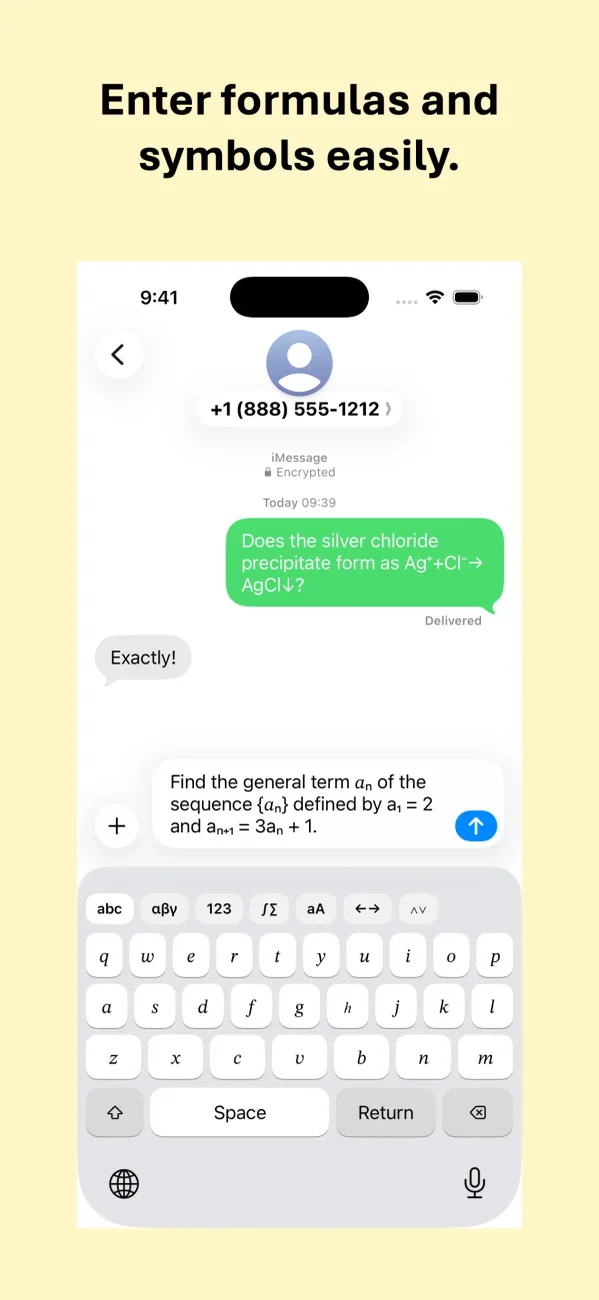
Math Keyboard is a custom keyboard that lets you input the symbols, Greek letters, superscripts, subscripts, and more commonly used in math and physics — directly from your keyboard.
No more searching the web every time just to copy a symbol. From class notes and reports to chats and memos, type math expressions smoothly in any app.
【Key Features】
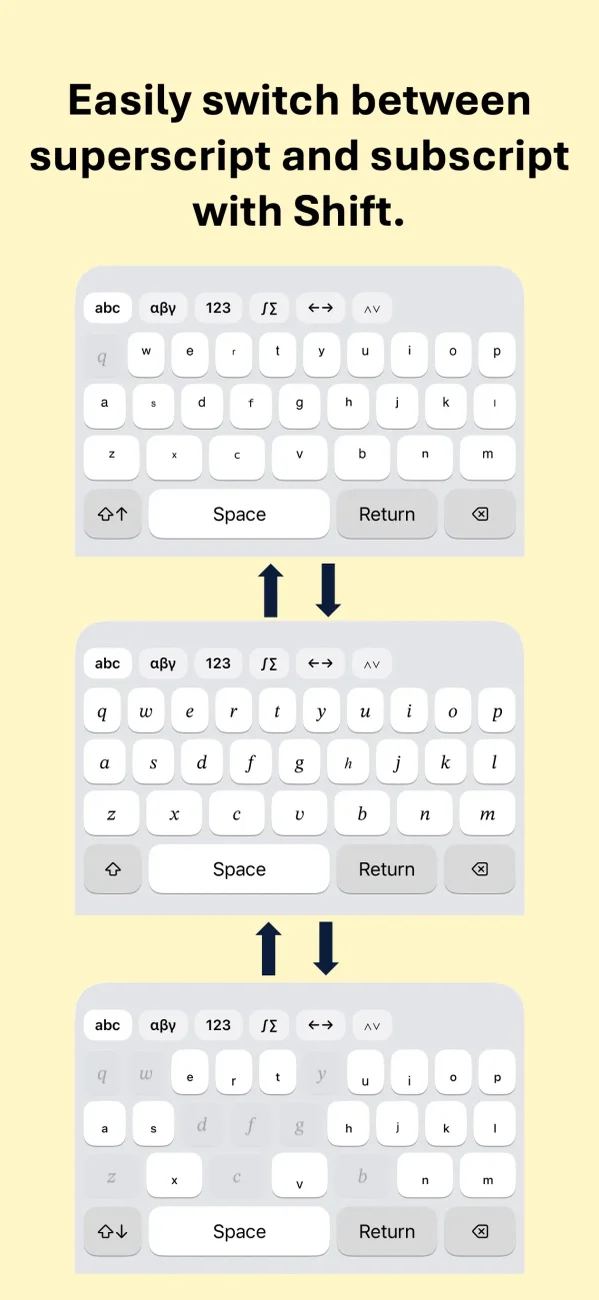
Superscript / subscript for numbers, letters, and symbols
Full Greek alphabet support
Rich set of math symbols (basic)
Custom keyboard support
【Highlights】
Same look and feel as the standard keyboard
Shift key to toggle superscript / subscript (or uppercase / lowercase)
Easy tab switching within the keyboard
Long-press the Space key to move the cursor
Add and reorder categories
【About Pro】
The free version has limited categories. Upgrade to Pro to unlock all categories, including:
Standard alphabet
Advanced math symbols (calculus)
Arrows
Logic & sets
Custom keyboard
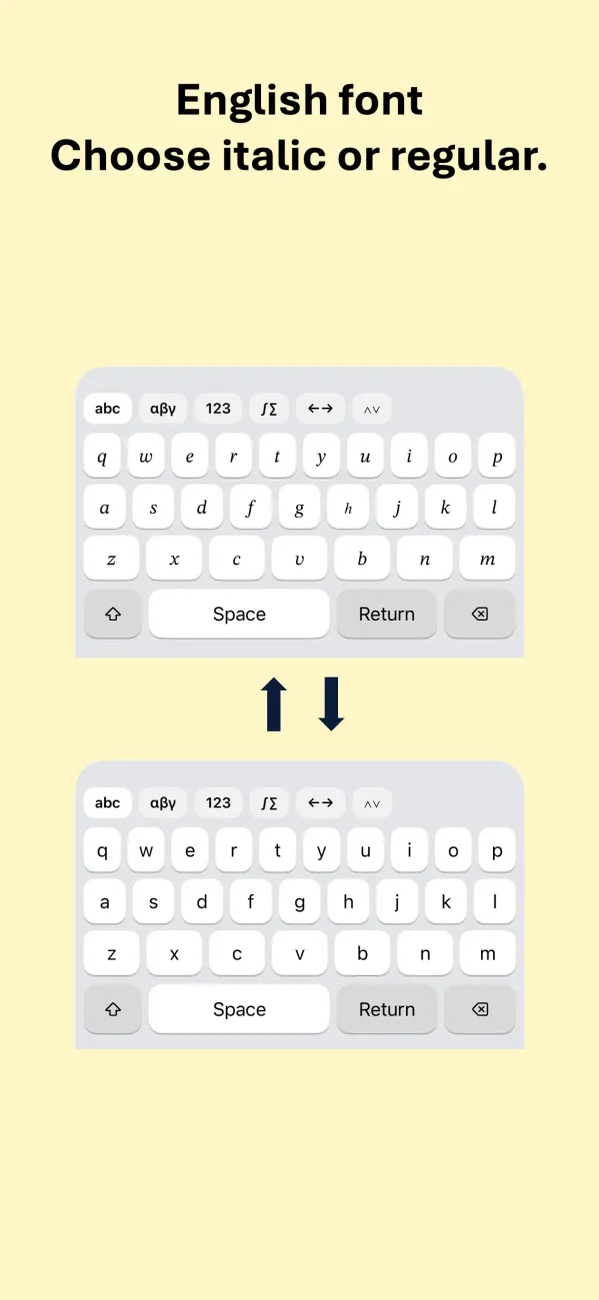
You can also switch the alphabet display style between italic and regular.
※ This in-app purchase is a one-time payment.
※ To use this keyboard, you need to add it and enable "Allow Full Access" in the Settings app. (We do not collect any of your input — your privacy is fully protected.)
What’s new
Version 5.0 · Nov 23, 2026
• You can now create up to four custom keyboards.
• Added character search to the custom keyboard editor.
• Added more characters, including combining marks.
• Improved accessibility.
• Added support for more languages.
App privacy
What Yuta Nishimatsu declares on the App Store about how this app handles data.
-
Data not collected
The developer does not collect any data from this app.
Privacy practices may vary, for example with the features you use or your age.
Information
- Seller
- Yuta Nishimatsu
- Category
- Utilities
- Version
- 5.0
- Updated
- Nov 23, 2026
- Released
- Jan 9, 2026
- Size
- 8.8 MB
- Requires
- iOS 26.2 or later
- Age rating
- 4+
- Price
- Free
- In-app purchases
- Yes
- Languages
- English, Abkhazian, Achinese, Acoli, Afrikaans, Akan, Albanian, Amharic, Arabic, Armenian, Assamese, Awadhi + 163 more
- Copyright
- © 2026 Math Keyboard
You might also like
-
 LaTeXBoardMath & LaTeX Keyboard
-
 SciKeyScientific Symbols Keyboard
-
 Keyboard for AiMath keyboard for AI chat
-
 Sigmakey: Math KeyboardType LaTeX, fractions, roots
-
 Keyboard Math: Symbols & UnitsUtilities
-
 Symbol KeysUtilities
-
 Unicode: Math Symbol KeyboardSpecial Characters, Copy Paste
-
 Math Keyboard For EquationsQuickly type math problems
-
 Calcula KeyboardScientific Math Keyboard
-
 xKeyboard - Custom KeyboardCustom Layout & Key