- Age rating4+
- CategoryEducation
- DeveloperMyroslava Zazuliak
- LanguagesGerman+ 1 more
- Size71.1 MB
Links to the official App Store page
Download.org hosts no file of Math Trainer: Vectors. The button opens its official App Store page, published by Myroslava Zazuliak. Listing last checked on Nov 23, 2026.
Screenshots
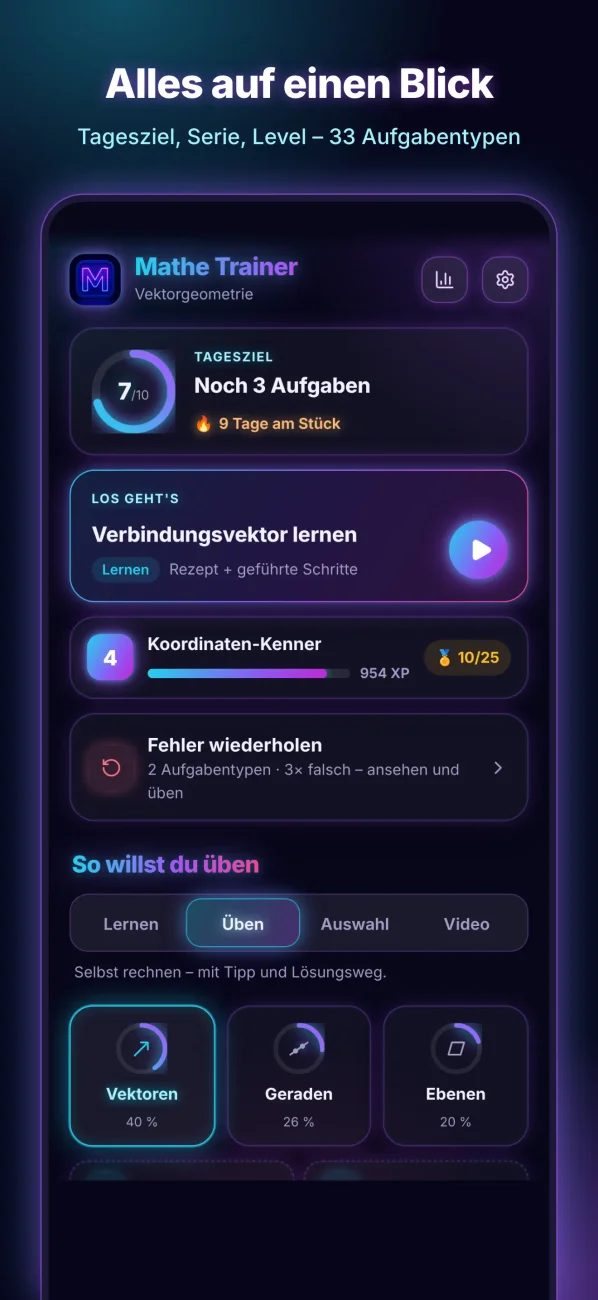
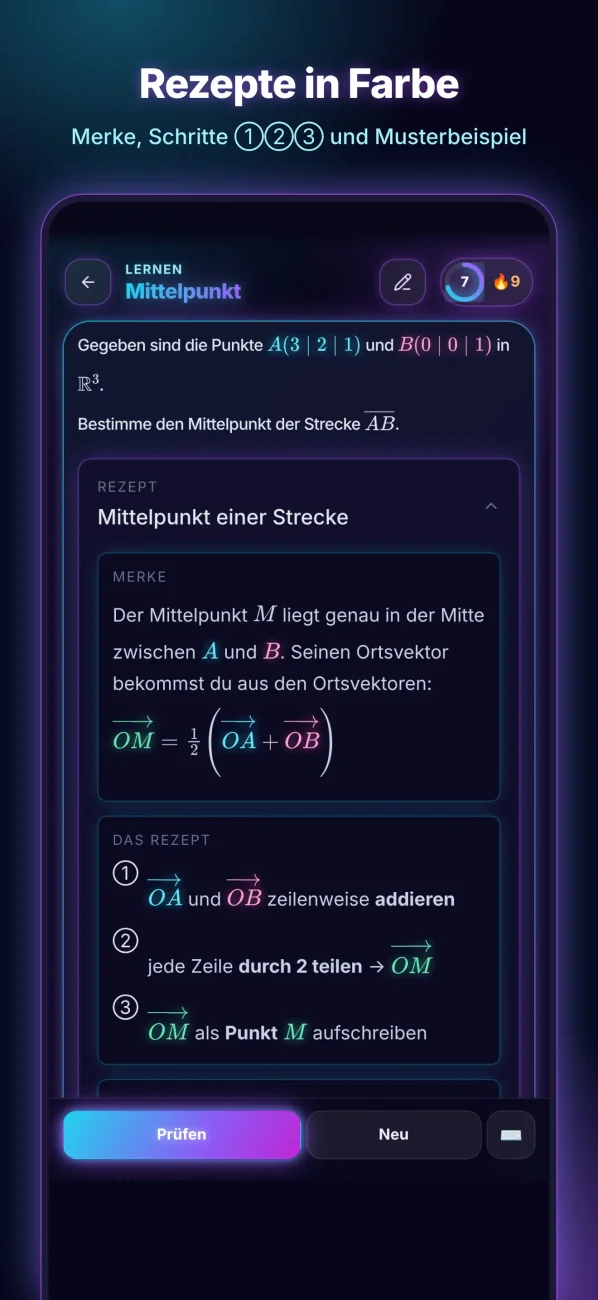
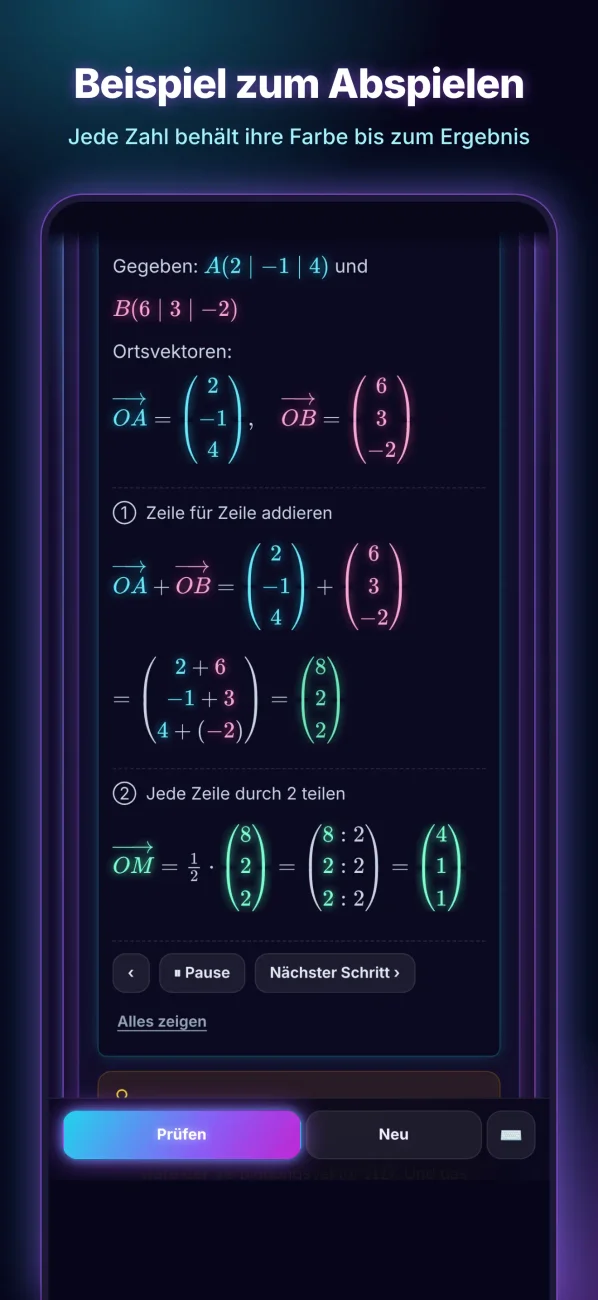
About
Vector geometry for upper secondary school – understand and practice step by step. 33 task types on vectors, lines and planes, with learning mode, practice mode, multiple choice and test mode.
NEW IN VERSION 3.0
• Completely new design with daily goal, streak, levels and badges
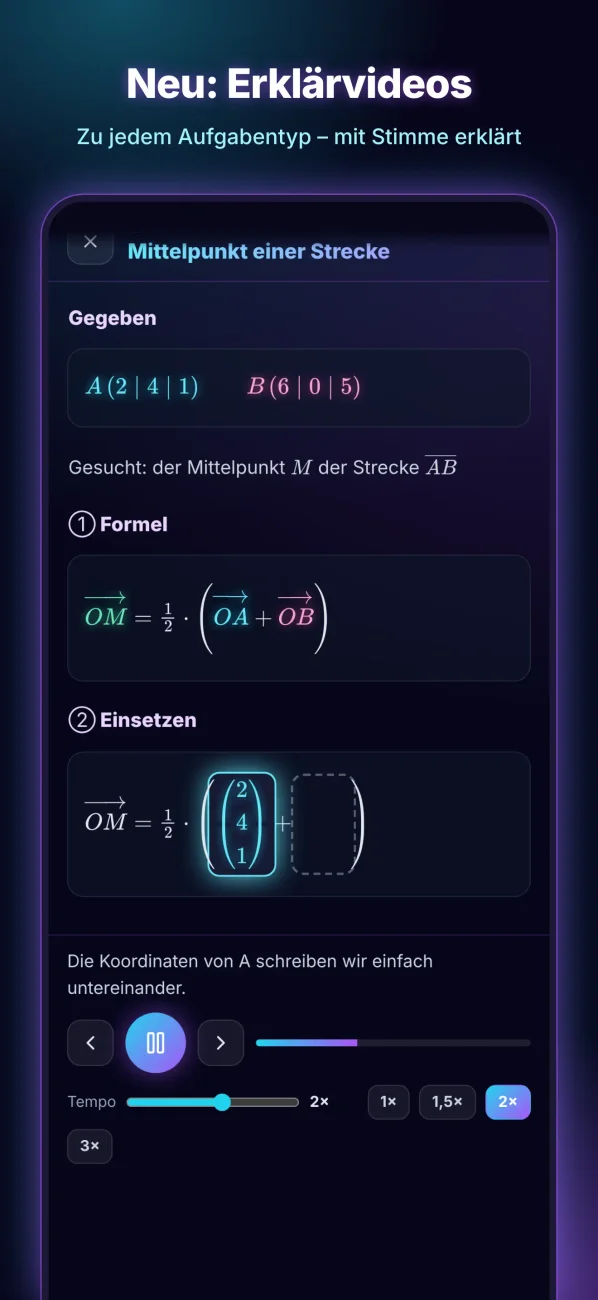
• Explainer videos for every task type: the solution builds up step by step, a voice explains, numbers light up and fly into place – speed from 0.75× to 3×
• Colour-coded recipes: every number keeps its colour until the result, worked example to play
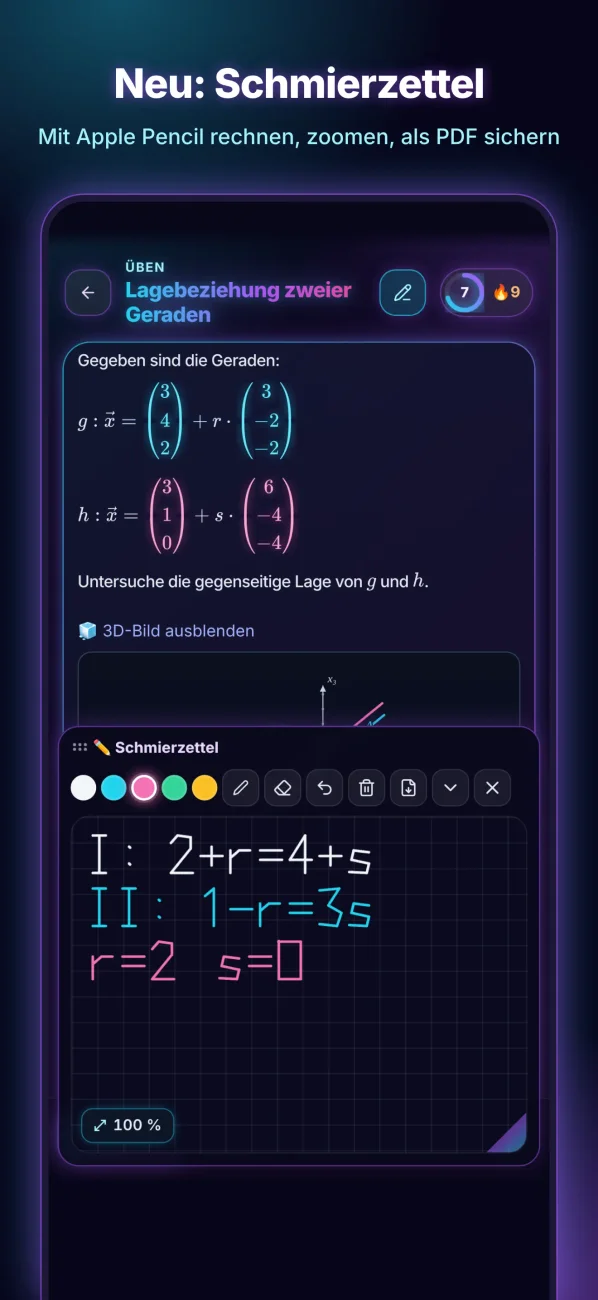
• Scratchpad: work along with Apple Pencil or finger, pinch to zoom, save notes with the task as PDF – also in tests
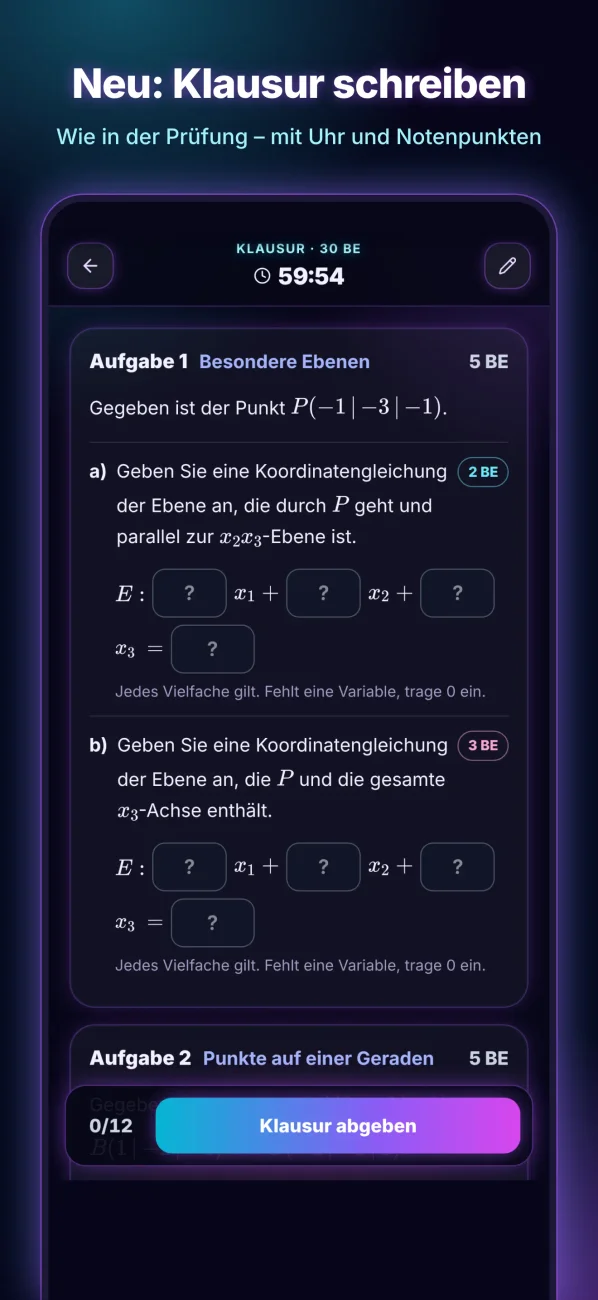
• Write a mock exam: like the real exam with 45, 60 or 90 minutes, difficulty levels I–III, word problems and grade points
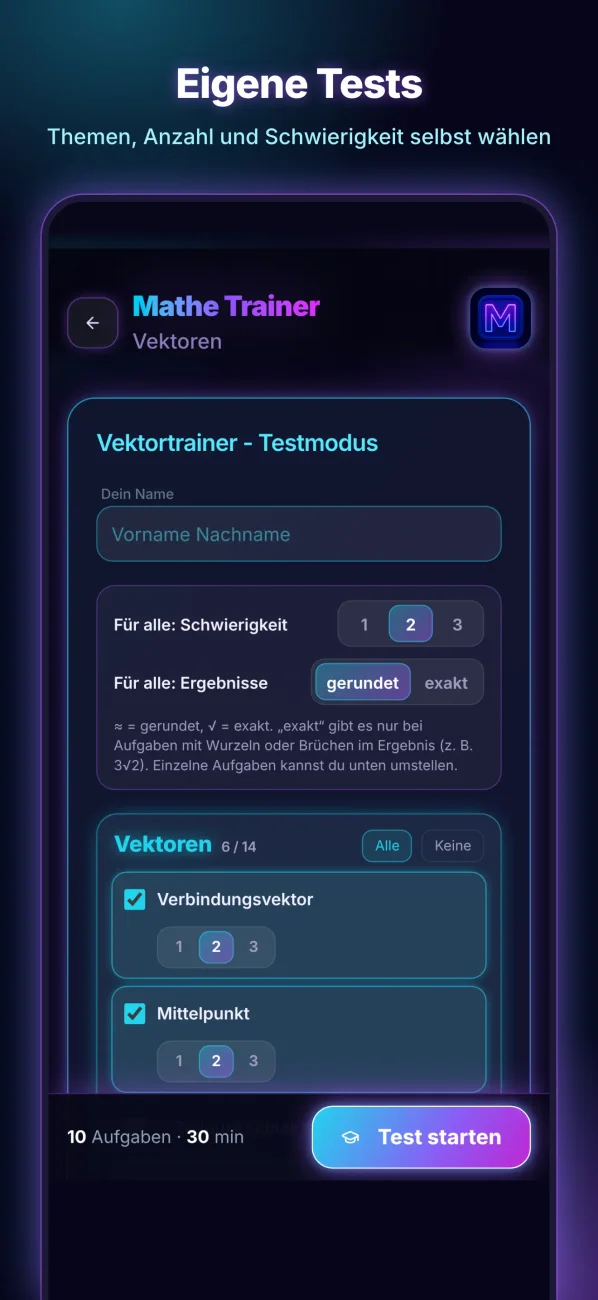
• New test mode: choose topics, number, difficulty and exact results (roots, fractions); all tests are saved
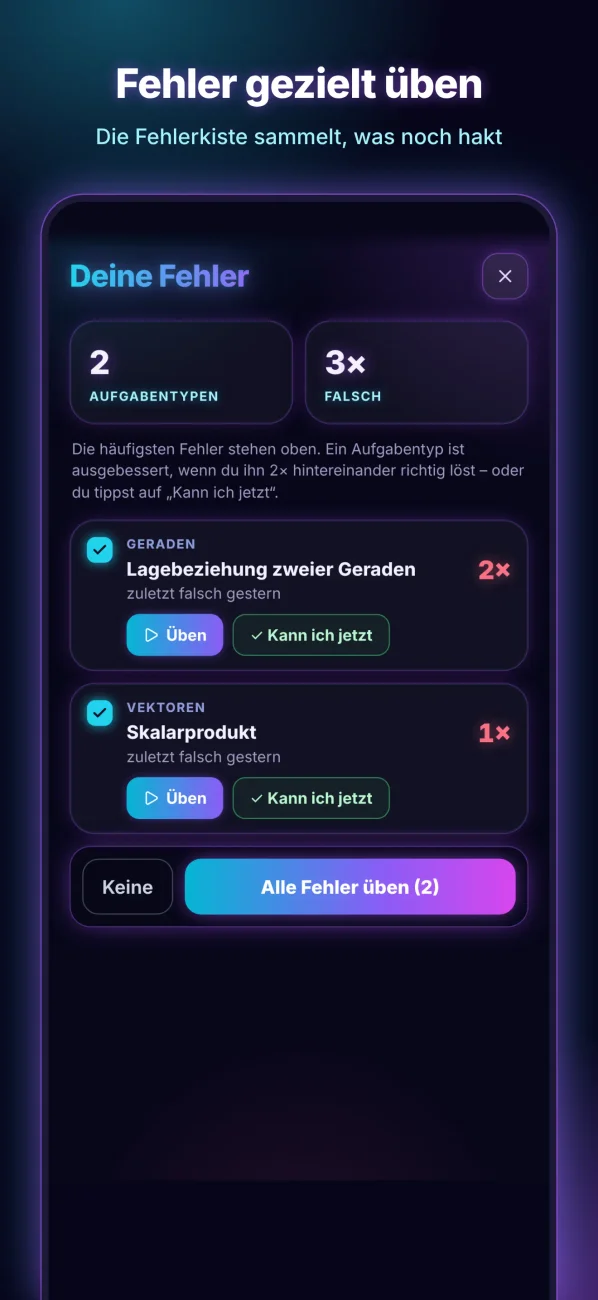
• Mistake box: collects what went wrong and practises it again
• Your own mix: practise any task types mixed
• Detailed solutions, equations solved line by line
FOUR WAYS TO PRACTICE
• Learning mode: First the recipe – key facts, numbered steps ①②③ and a worked example. Then the app guides you step by step through a new task: you calculate every intermediate step yourself, get a targeted hint for typical mistakes, and if you get stuck, it shows you how it's done.
• Practice mode: type in the result – with on-screen keypad, hints and a detailed solution.
• Multiple choice: pick the answer – the wrong options are typical mistakes.
• Test mode: choose task types and number of questions, work like in an exam, get a score based on the German grading system and a PDF result.
ROTATABLE 3D PICTURES
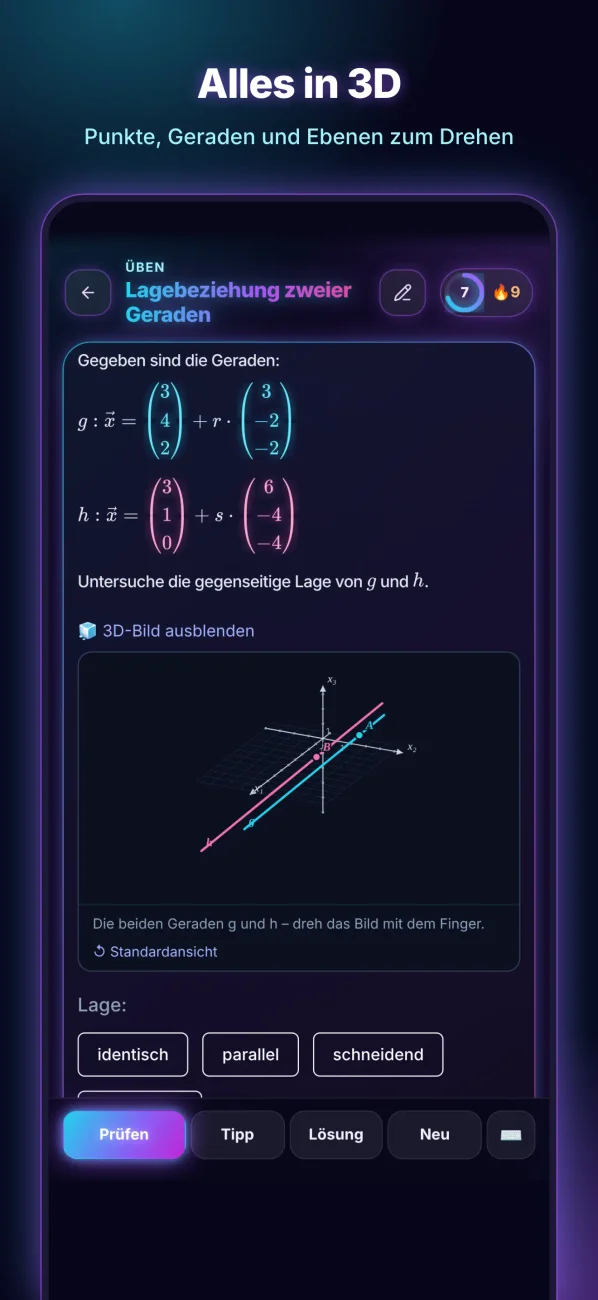
See points, vectors, lines and planes in space and turn them with your finger – so you understand what you are calculating.
33 TASK TYPES
VECTORS (14 task types)
Connecting vector · Midpoint · Dividing a segment · Magnitude · Unit vector · Collinearity · Dot product · Orthogonality · Cross product · Angle between vectors · Area of triangle/parallelogram · Volume of pyramid/parallelepiped · Figures in space · Reflection/projection onto coordinate planes
LINES (9 task types)
Line in parametric form · Point test · Trace points · Relative position of two lines · Intersection point · Angle between lines · Angle line – coordinate plane · Distance point – line · Distance between skew lines
PLANES (10 task types)
Plane in parametric form · Parametric → coordinate form · Coordinate → parametric form · Point test · Trace points · Position line – plane · Position of two planes · Distance point – plane · Angle line/plane – plane · Reflection in a plane
FREE AND PREMIUM
Many basic task types are free. Unlock all others with a one-time in-app purchase – no subscription.
MORE FEATURES
• Difficulty levels from easy to challenging
• Exact answers with square roots or decimals
• Solutions in clean mathematical notation – always calculated with position vectors
• For iPhone and iPad, dark design, German and English
IDEAL FOR
Exam preparation · Final exams (Abitur) · Checking homework · Independent practice in class and at home
Vector math doesn't have to be complicated. Start now and become a vector pro!
What’s new
Version 3.0 · Nov 19, 2026
Big update – version 3.0
• Completely new design with daily goal, streak, levels and badges
• New: explainer videos for every task type – narrated, step by step
• Colour-coded recipes with a worked example to play
• New: scratchpad for Apple Pencil and finger, zoomable, as PDF
• New: write a mock exam – like the real exam with grade points
• Test mode with exact results and saved tests
• New: mistake box and your own mix
• Detailed solutions, many small improvements
App privacy
What Myroslava Zazuliak declares on the App Store about how this app handles data.
-
Data not collected
The developer does not collect any data from this app.
Privacy practices may vary, for example with the features you use or your age.
Information
- Seller
- Myroslava Zazuliak
- Category
- Education
- Version
- 3.0
- Updated
- Nov 19, 2026
- Released
- Dec 23, 2025
- Size
- 71.1 MB
- Requires
- iOS 16.0 or later
- Age rating
- 4+
- In-app purchases
- Yes
- Languages
- German, English
- Copyright
- © Christian Henzler
You might also like
-
 Vektor Tutor: 3D RechnerEducation
-
 Mathe-VollLogo – Gratis lernenEducation
-
 VokabelheroEducation
-
 BrainiacAI-powered homework assistant
-
 Fit4GymiZAP Prep & AI Tutor
-
 Chinesisch Vereinfacht-DeutschReference
-
 ER3D Euler Rotations in 3D3D Kinematics in AR
-
 Ohmniq: Elektrotechnik lernenElektronik für Azubi & Schule
-
 Multiplying Polynomials - CWEducation
-
 VocabCaptureEducation