
Maths Solver Helper: TwinSolve
Homework, Photos & Study Steps
Designed for iPhone
In-app purchases
- Age rating4+
- CategoryEducation
- DeveloperLIE KUN JI
- LanguagesEnglish+ 4 more
- Size16.7 MB
Links to the official App Store page
Download.org hosts no file of Maths Solver Helper: TwinSolve. The button opens its official App Store page, published by LIE KUN JI. Listing last checked on Nov 12, 2026.
Screenshots
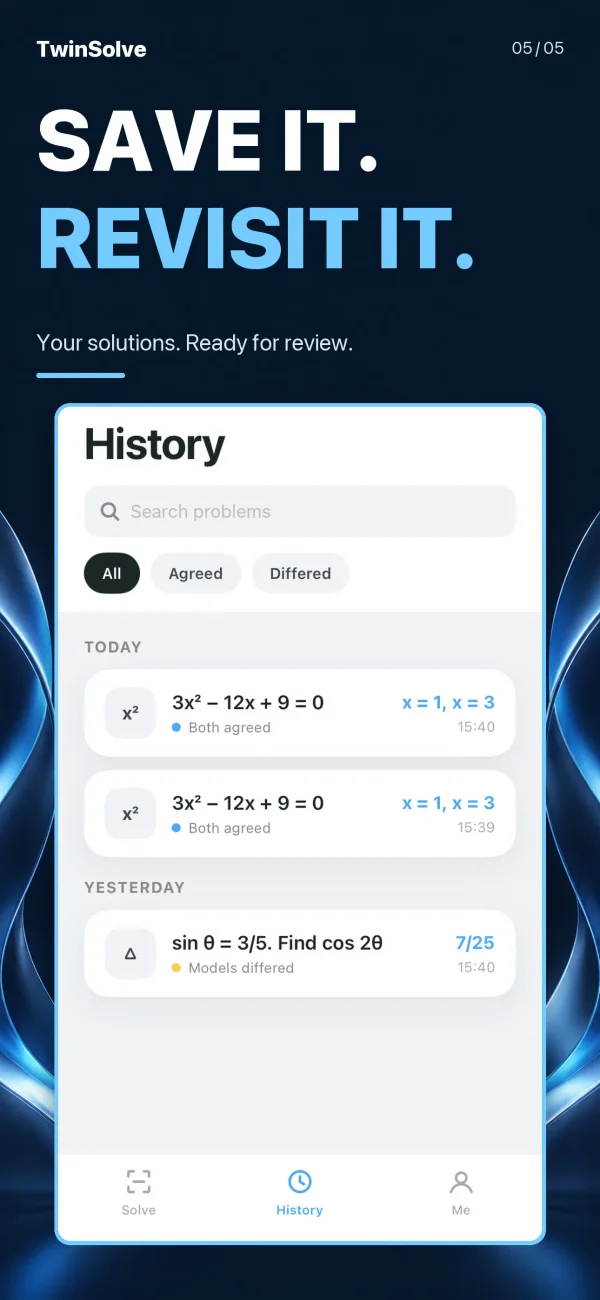
About
Maths homework starts with a question. Make the next step easier to understand with TwinSolve.
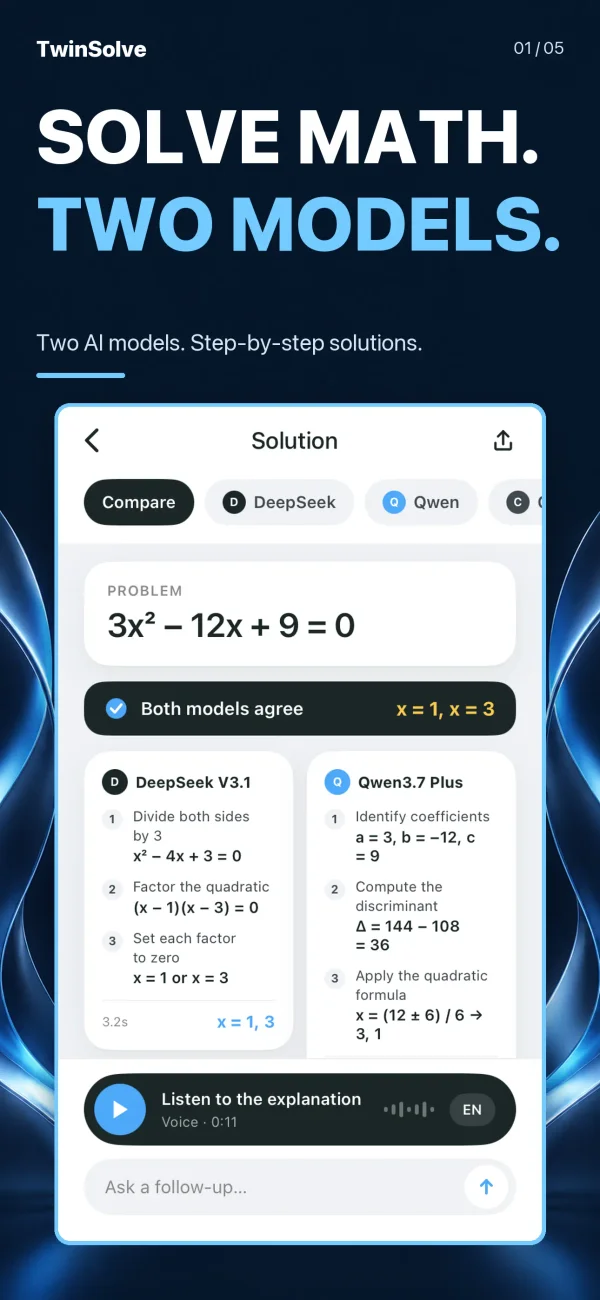
Photograph a maths problem, choose an image from your library or type the question. By default, two AI models work on the same problem separately, and their answers appear with steps side by side. Read both approaches, compare the working and ask about the part that still needs explaining.
PHOTO TO STEP-BY-STEP HELP
Use a clear photo of a worksheet, textbook, handwritten exercise or diagram. For a short equation or word problem, type directly instead. Recognition depends on image quality: keep the relevant question and its labels visible, and check the recognised text before relying on the answer.
COMPARE THE WORKING
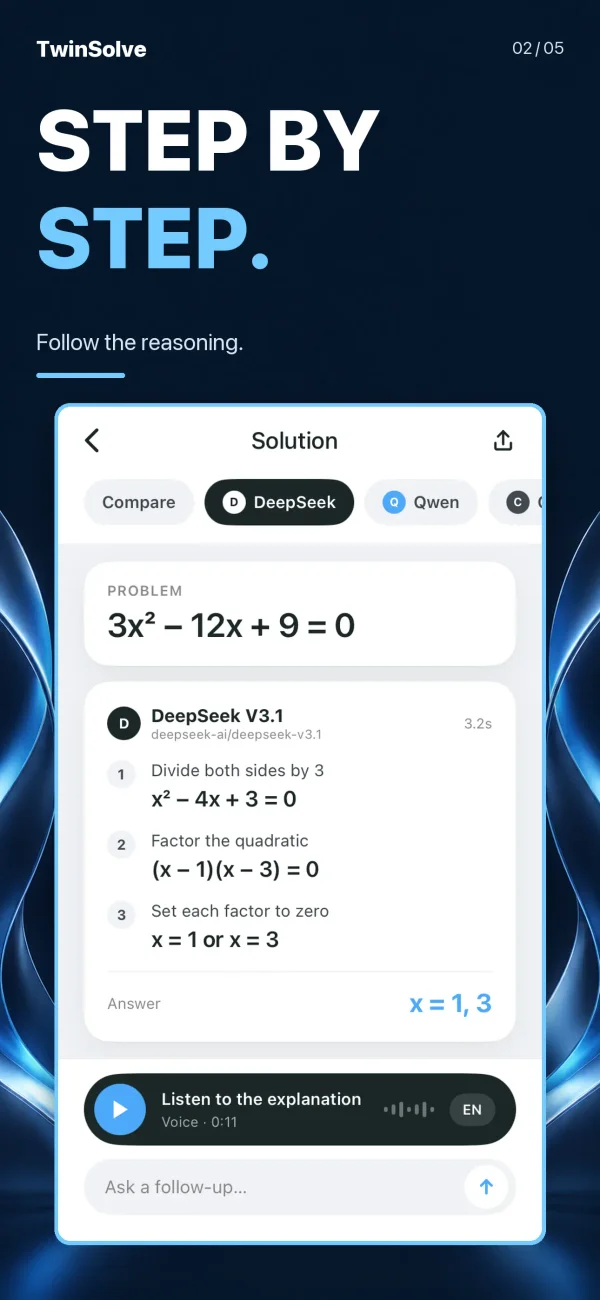
An answer alone does not explain how to get there. TwinSolve displays the selected models' steps with short titles and mathematical expressions, so you can follow the transformations and compare different approaches.
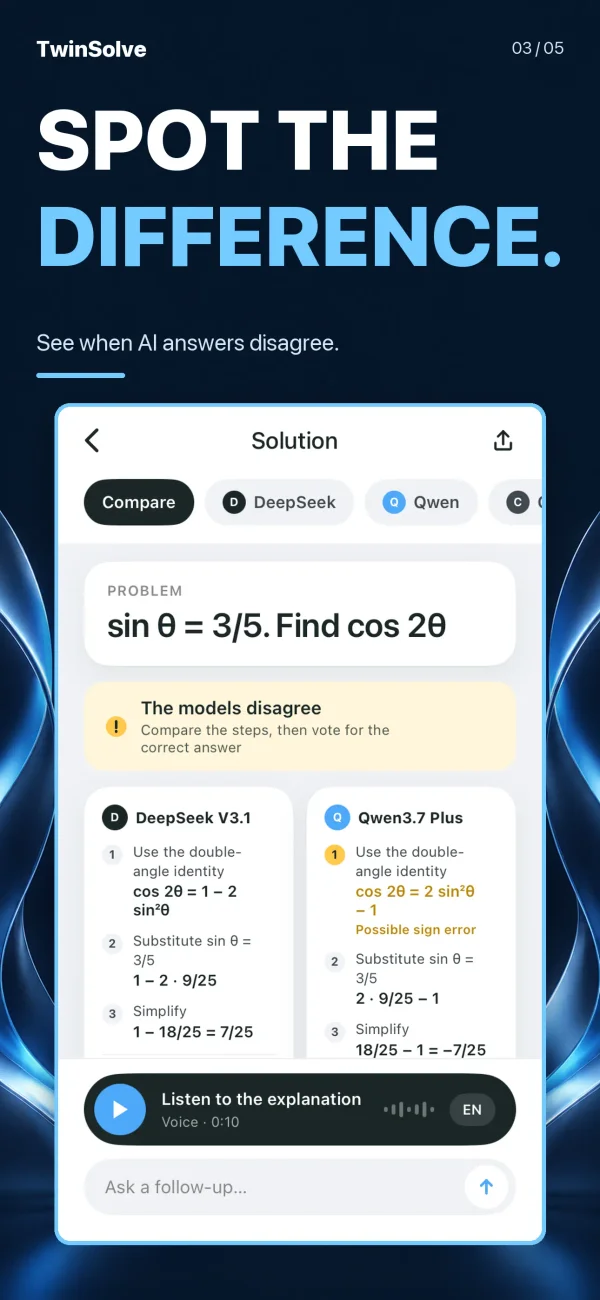
When the answers differ, a comparison check may identify a possible error and flag a step to review. These are AI suggestions, not proof that a particular answer is right or wrong. Matching answers can also contain mistakes. Use the comparison to decide what to check in your own working.
ASK ANOTHER QUESTION
Ask a follow-up about the selected solution, such as why a formula applies, how an expression was simplified or what a step means.
With Pro, you can request a third model's solution for another perspective on a disagreement.
MATHS AND SCIENCE PRACTICE
Explore algebra, equations, fractions, percentages, ratios, geometry, trigonometry, calculus, statistics and probability. TwinSolve can also help work through physics and chemistry questions. It is useful when reviewing homework, revisiting a worked example or discussing a difficult question with a parent or study partner.
Use it alongside school homework and revision: try a question yourself, compare the methods, then practise the working again in your own words.
LISTEN IN YOUR CHOSEN LANGUAGE
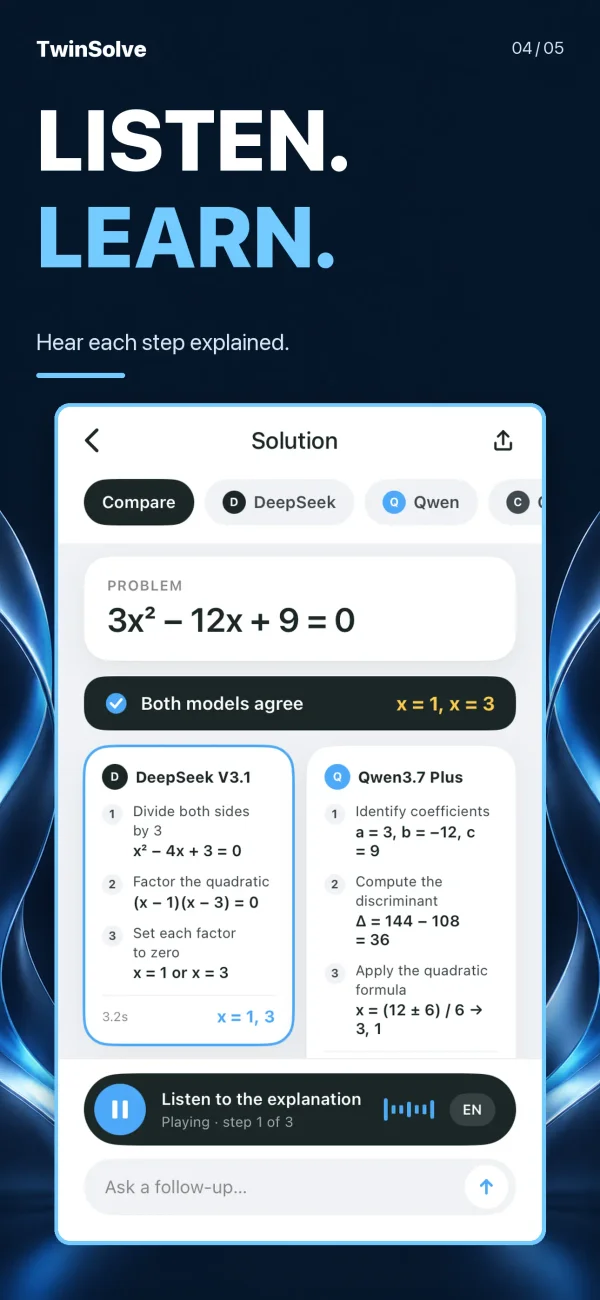
Read-aloud playback follows the solution step by step. Choose from 12 explanation languages: English, Simplified Chinese, Japanese, Spanish, German, French, Korean, Portuguese, Russian, Hindi, Vietnamese and Arabic. Your selection sets the language for new AI explanations and the playback voice; it does not automatically translate earlier saved answers.
The interface has five languages: English, Simplified Chinese, Japanese, Spanish and Korean. Interface and explanation languages can be selected separately.
KEEP YOUR STUDY NOTES
Reopen saved questions and solutions in the history on your device, share solution text and mark the explanation you prefer. Votes record your personal preference. No account registration is required, and there are no ads. AI recognition and solving need an internet connection and send the question and relevant content to external AI services. See the privacy policy for details.
FREE ACCESS AND PRO
A daily free allowance is included; the current limit is shown in the app. Free access includes the default models and English, Chinese and Japanese explanation choices. Pro removes the daily solve limit and unlocks the additional model and all explanation languages.
Available plans, local prices and any eligible trial are displayed before purchase. Payment is charged to your Apple Account. Subscriptions renew automatically unless cancelled at least 24 hours before the period ends; renewal is charged within the final 24 hours. Manage or cancel subscriptions in your Apple Account settings. Deleting the app does not cancel a subscription.
AI can make mistakes. Check answers and follow your school's rules for AI assistance.
Terms: https://tianye2856.github.io/privacy-pages/twinsolve-terms.html
Privacy: https://tianye2856.github.io/privacy-pages/twinsolve-privacy-policy.html
App privacy
What LIE KUN JI declares on the App Store about how this app handles data.
-
Data not collected
The developer does not collect any data from this app.
Privacy practices may vary, for example with the features you use or your age.
Information
- Seller
- LIE KUN JI
- Category
- Education
- Version
- 1.0.0
- Updated
- Sep 18, 2026
- Released
- Sep 18, 2026
- Size
- 16.7 MB
- Requires
- iOS 17.0 or later
- Age rating
- 4+
- In-app purchases
- Yes
- Languages
- English, Japanese, Korean, Spanish, Simplified Chinese
- Copyright
- © LIE KUN JI
You might also like
-
 中学数学 中1中2中3の苦手をさかのぼって解き直すドリルEducation
-
 高校数学 数I〜数C 解法の最初の一手Education
-
 高校物理 物理基礎 立式の最初の一手Education
-
 化学マスターEducation
-
 数学のべんきょう - 方程式と図形Education
-
 数学Ⅰ・A 共通テスト対策 実戦模試 - 全問解説つきEducation
-
 Derivon - Calculus PracticeCalc Derivatives & Integrals
-
 Japanese Part of Speech CameraJapanese Grammar Camera App
-
 物理マスターEducation
-
 毎日積分|数IIIの積分ドリルEducation