MaxScan: Receipt & PDF Scanner
Private AI, scan & edit PDFs
Designed for iPhone, iPad
Free · In-app purchases
- Age rating4+
- CategoryProductivity
- DeveloperSensonet
- LanguagesEnglish+ 7 more
- Size1.2 GB
Links to the official App Store page
Download.org hosts no file of MaxScan: Receipt & PDF Scanner. The button opens its official App Store page, published by Sensonet. Listing last checked on Nov 17, 2026.
Screenshots



About
Your documents. Your private AI.
MaxScan turns paper and files into documents you can understand, edit and share. Scan receipts, notes and contracts, then work with them using an AI assistant that runs on your device.
ASK, UNDERSTAND AND CREATE
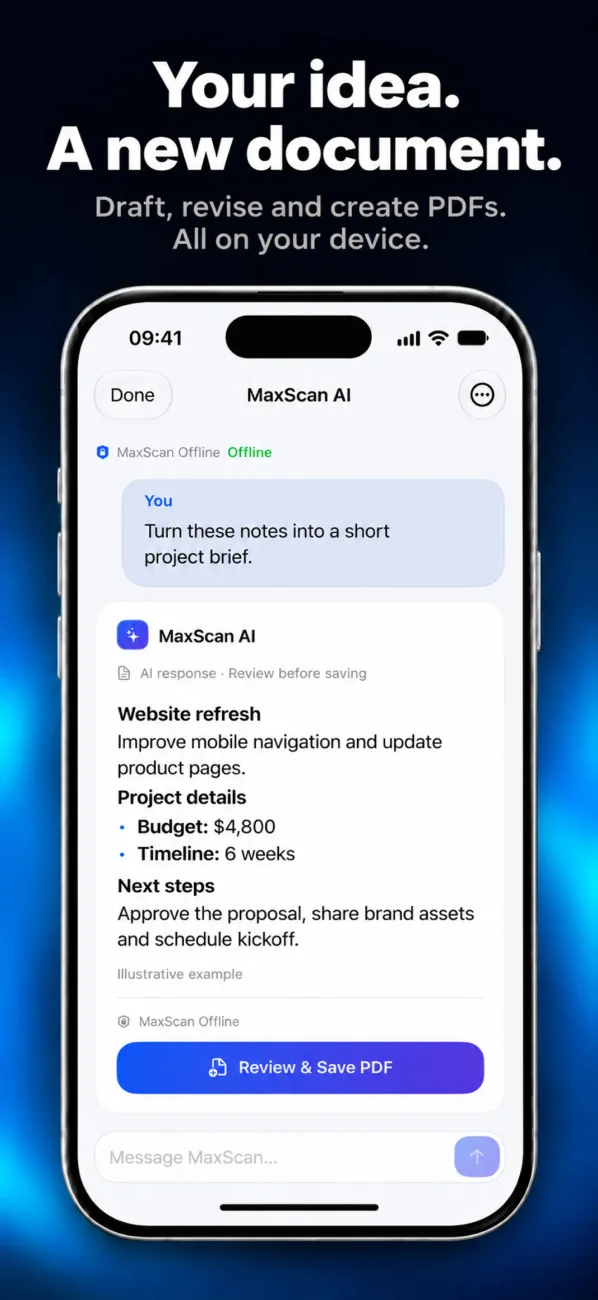
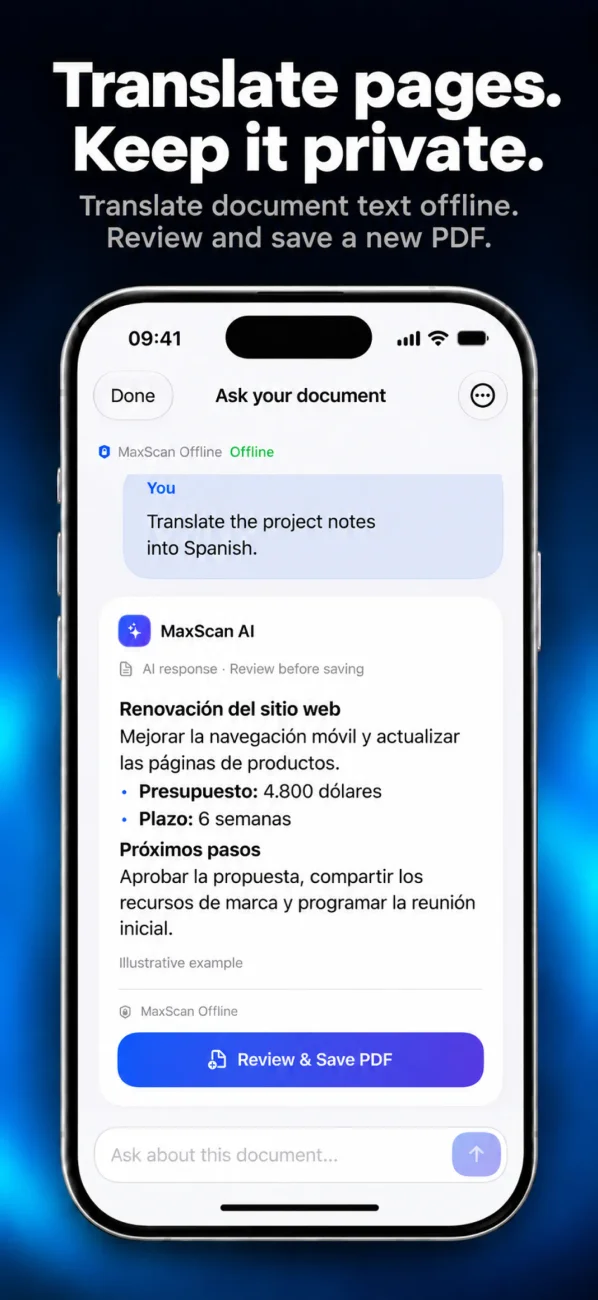
Ask questions about your documents, summarize key points, translate text or request a rewrite. Start a new document from an idea, revise the draft in chat and export it as a PDF. Import PDFs, images, plain text and Markdown files.
COMPARE DOCUMENTS
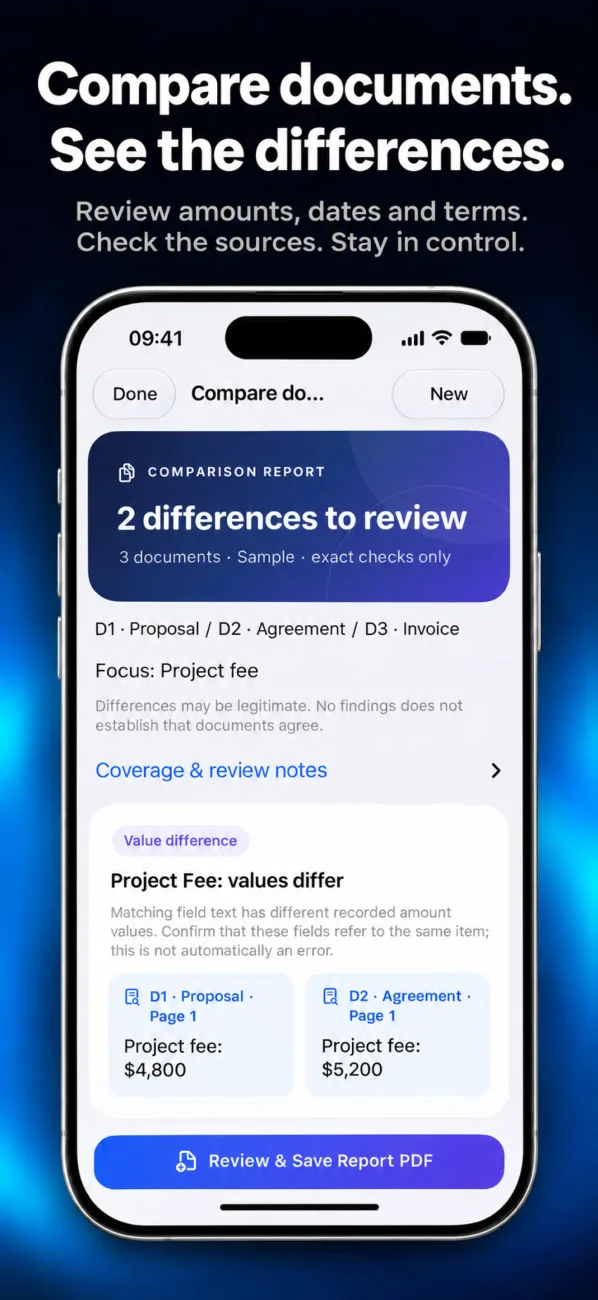
Compare 2–5 documents to review differences in amounts, dates and wording. Follow source references and page citations where available to check potential discrepancies yourself.
PRIVATE AI, AVAILABLE OFFLINE
AI processing happens on your device. A bundled model works without an additional model download; Apple Intelligence is used by default when supported and available. Documents are not sent to a cloud AI service. No account, ads or tracking analytics. Files you choose to share or retrieve from cloud storage, and system backups, follow those services’ settings.
SCAN AND ORGANIZE
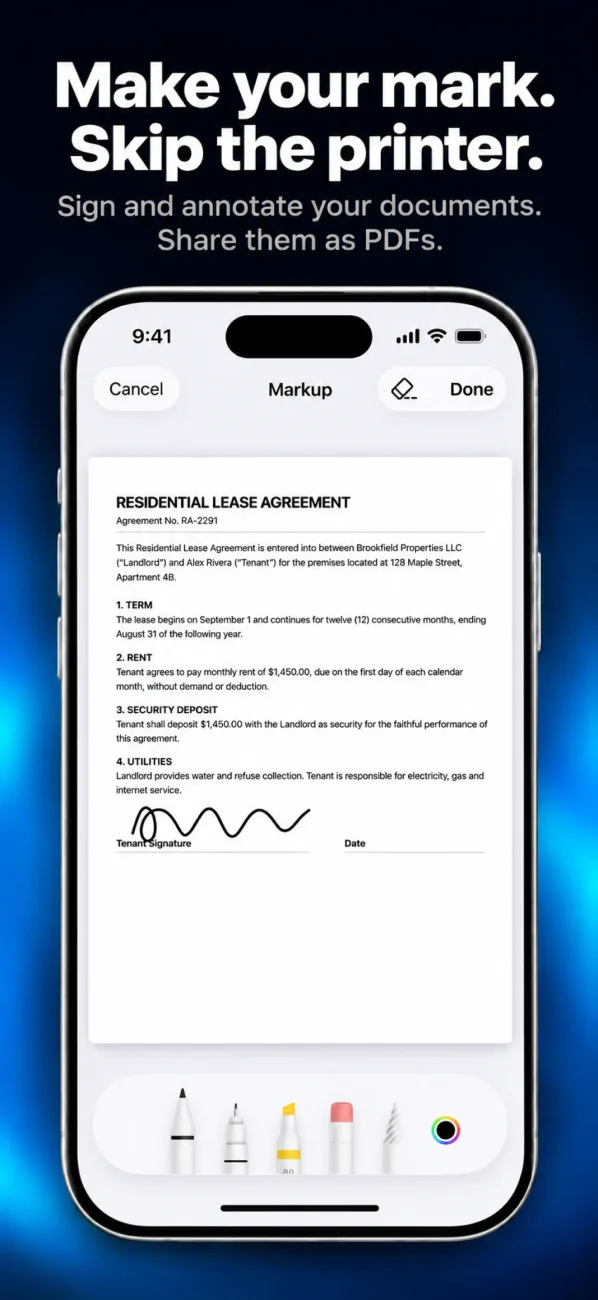
Create multipage scans with automatic edge detection, crop and filters. Rotate, reorder or remove pages, import PDFs and share your documents. Free scanning is unlimited, with no watermark.
MORE WITH MAXSCAN PRO
Try 5 completed AI actions free. A one-time Pro purchase unlocks continued AI use plus text recognition and search, smart organization, signatures, password-protected PDFs and receipt tools with CSV export. No subscription. Existing Pro users receive the new AI features.
AI availability and speed depend on your device and available memory; some older devices cannot run the bundled model. English works best; results in other languages vary. AI can make mistakes or miss differences. Review translations, drafts and comparison findings before using them.
What’s new
Version 1.3 · Nov 11, 2026
Introducing private, offline document AI.
• Chat with scanned or imported documents.
• Summarize, translate and rewrite text.
• Draft new documents and export them as PDFs.
• Compare 2–5 documents and review potential discrepancies with source references.
• Enjoy a refreshed interface and improved reliability.
Includes 5 free AI actions. Pro unlocks continued AI use. AI availability depends on your device and available memory; always review generated results.
App privacy
What Sensonet declares on the App Store about how this app handles data.
-
Data not collected
The developer does not collect any data from this app.
Privacy practices may vary, for example with the features you use or your age.
Information
- Seller
- SENSONET BILISIM TEKNOLOJILERI ELEKTRONIK YAZILIM SANAYI VE TICARET LTD STI
- Category
- Productivity
- Version
- 1.3
- Updated
- Nov 11, 2026
- Released
- Aug 19, 2026
- Size
- 1.2 GB
- Requires
- iOS 17.0 or later
- Age rating
- 4+
- Price
- Free
- In-app purchases
- Yes
- Languages
- English, Dutch, French, German, Japanese, Russian, Spanish, Turkish
- Copyright
- © Sensonet
You might also like
-
 Screenshot Cleaner +Find & delete screenshots fast
-
 Wisper:Speech to Text AI NotesTranscribe meetings & lectures
-
 Kalenda – All Your CalendarsEvery account. One calendar.
-
 aawinCalm To-Do List for Focus
-
 ArrivalSentinelGeofence arrival alerts & log
-
 Parent ChecklistApp for parents by parents.
-
 ProflioUseful resume generation tools
-
 Carbon - Calendar MirrorCopy events between calendars
-
 Recto NotesWhere notes become plans
-
 Chart Maker Bar Line Pie GraphPie Scatter Export Offline CSV