May Calendar
See All Your Plans at a Glance
Designed for iPhone, iPad
Free · In-app purchases
- Age rating12+
- CategoryProductivity
- DeveloperMotoki Takahashi
- LanguagesEnglish+ 19 more
- Size38.7 MB
Links to the official App Store page
Download.org hosts no file of May Calendar. The button opens its official App Store page, published by Motoki Takahashi. Listing last checked on Nov 24, 2026.
Screenshots

About
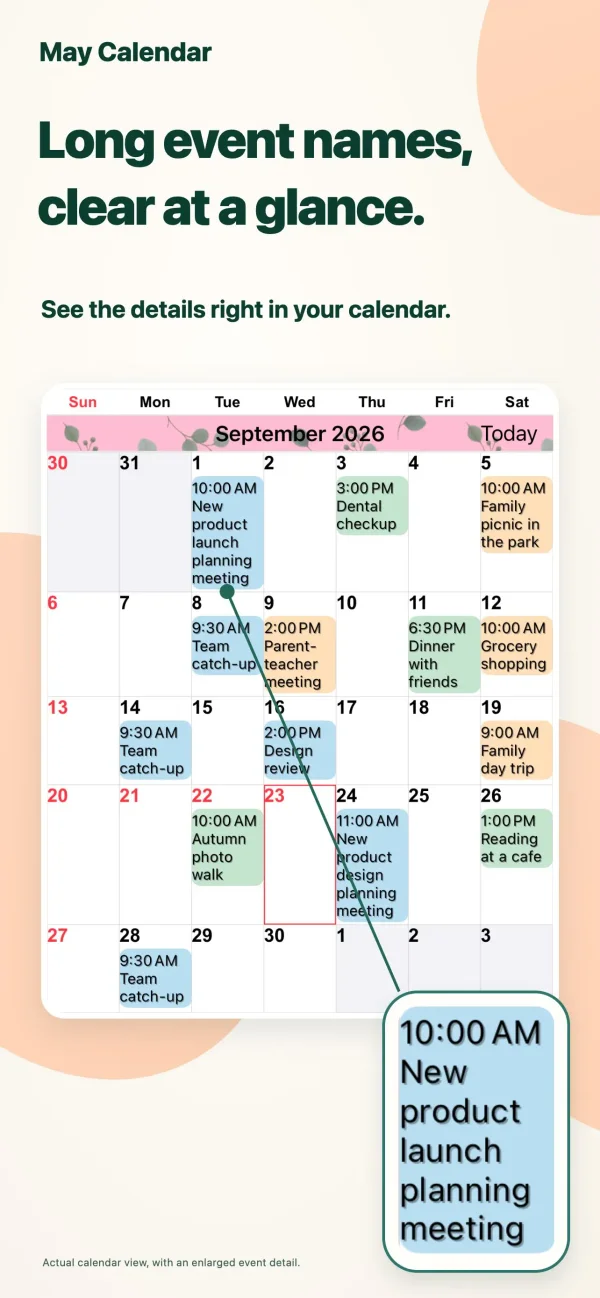
Read long event titles right in month view.
May Calendar wraps event titles across multiple lines, so you can read your plans directly on the calendar. Show event times and locations, choose a comfortable text size, and switch between work and personal calendars with a tap.
MAKE YOUR CALENDAR EASIER TO READ
Customize fonts and text sizes to suit you. Give your calendar a personal touch with theme colors, event background colors, and patterns.
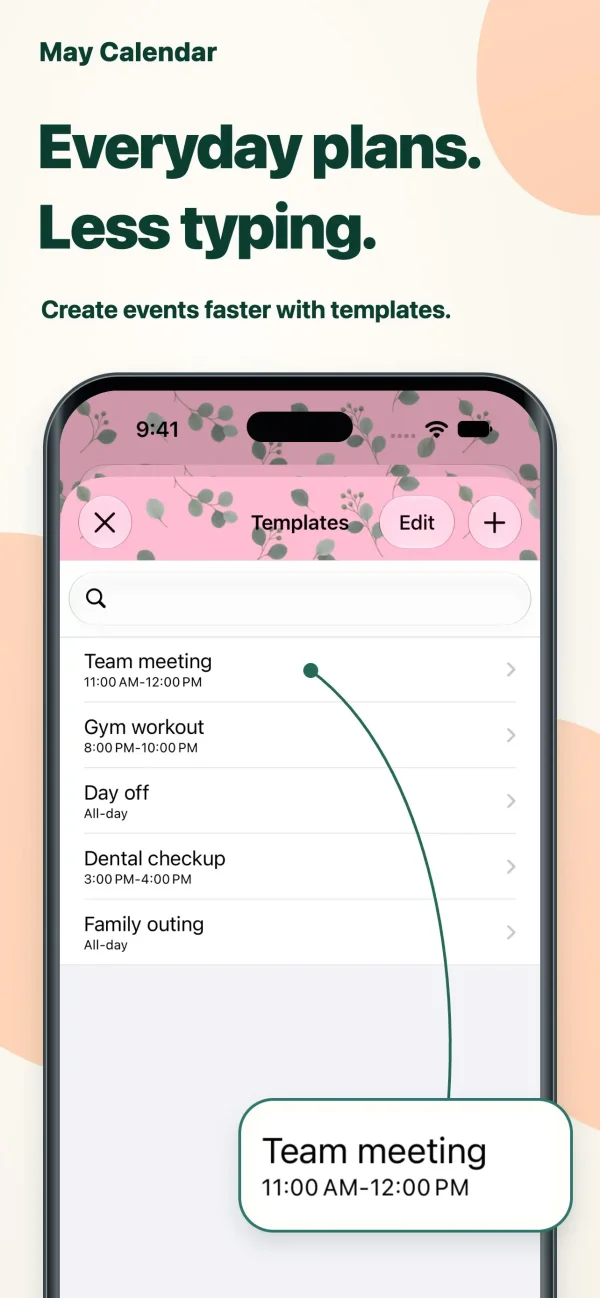
ADD FREQUENT EVENTS FASTER
Save templates for events you often create, such as meetings, workouts, and appointments. Double-tap a date to open your templates, then tap one to add the event.
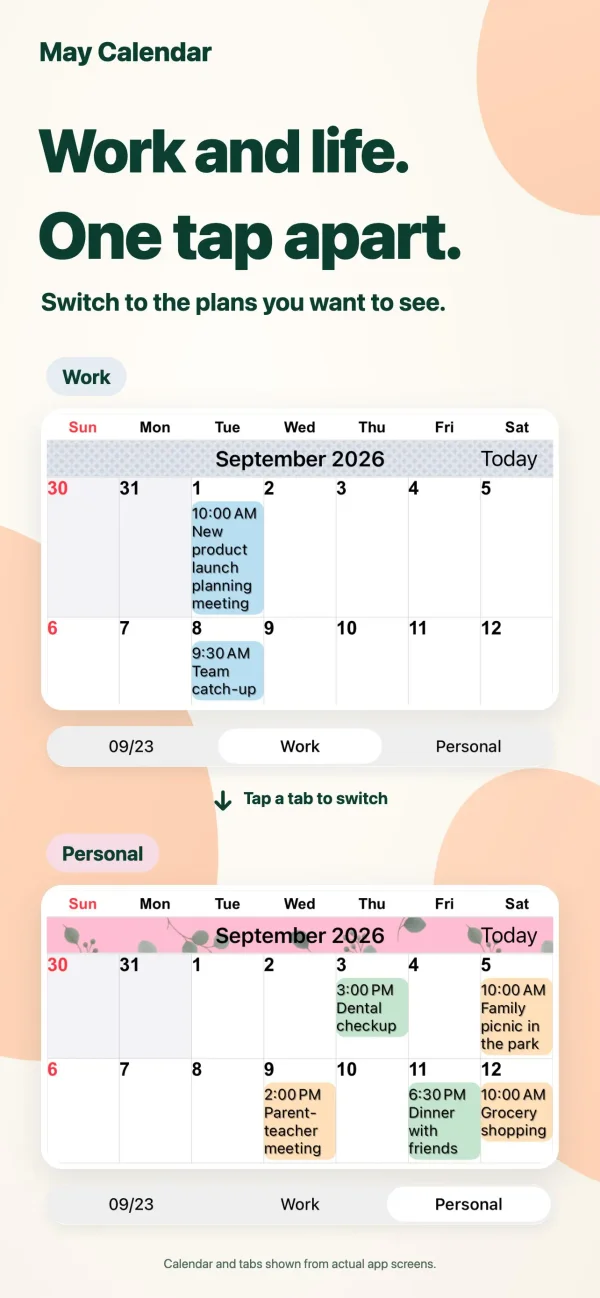
SWITCH BETWEEN WORK AND PERSONAL
Save different combinations of calendars and switch between them with one tap. Choose which calendars to show for work, personal plans, or any other part of your day.
CHOOSE FROM 20 WIDGETS
Find a widget that suits your needs, with additional options available exclusively on iPad.
FOCUS ON THE EVENTS YOU NEED
Filter your calendar to show only events that match the text you enter. Set rules to apply background colors and patterns to matching events.
SET ALERTS BEFORE EVENTS START OR END
Set alerts before an event’s start time or end time.
Notifications are delivered by Apple’s Calendar app.
MORE WAYS TO CUSTOMIZE
• Time zone settings
• Choice of first day of the week
• Reminder display
• Holiday display
• Week numbers
• Lunar calendar display
What’s new
Version 3.18.0 · Nov 7, 2026
- Changed how events spanning multiple days are displayed in the week view widget.
- Fixed a bug where the week view widget started on the wrong day of the week.
App privacy
What Motoki Takahashi declares on the App Store about how this app handles data.
-
Data used to track you
May be used to track you across apps and websites owned by other companies.
- Location
- Identifiers
- Usage data
- Diagnostics
-
Data linked to you
May be collected and linked to your identity.
- Purchases
- Location
- Identifiers
- Usage data
- Diagnostics
-
Data not linked to you
May be collected but is not linked to your identity.
- Diagnostics
Privacy practices may vary, for example with the features you use or your age.
Information
- Seller
- Motoki Takahashi
- Category
- Productivity
- Version
- 3.18.0
- Updated
- Nov 7, 2026
- Released
- Aug 11, 2021
- Size
- 38.7 MB
- Requires
- iOS 16.6 or later
- Age rating
- 12+
- Price
- Free
- In-app purchases
- Yes
- Languages
- English, Arabic, Dutch, Finnish, French, German, Hindi, Indonesian, Italian, Japanese, Korean, Polish + 8 more
- Copyright
- © 2021-2026 Motoki Takahashi
You might also like
-
 Calendar ZProductivity
-
 N Calendar - Planner & AgendaClear and Calm Calendar App
-
 Page CalendarThe smooth page-turn calendar
-
 MyDayWidget - Calendar WidgetsReminder & Lock Screen Planner
-
 Calendar - Schedule PlannerDaily & Weekly Planner, Agenda
-
 Sticker Calendar: Time PlannerSchedule, Reminders & Tasks
-
 FirstSeed CalendarCalendars and widgets
-
 My Calendar: Planner & AgendaOffline Planner, No Sign-In
-
 Calendar: Schedule PlannerDaily, Weekly Planner & Agenda
-
 Week Plan CalendarKeep track of events & todos!