
- Age rating4+
- CategoryPhoto & Video
- DeveloperSKENE
- LanguagesEnglish+ 11 more
- Size34.8 MB
Links to the official App Store page
Download.org hosts no file of Mayica. The button opens its official App Store page, published by SKENE. Listing last checked on Nov 7, 2026.
Screenshots

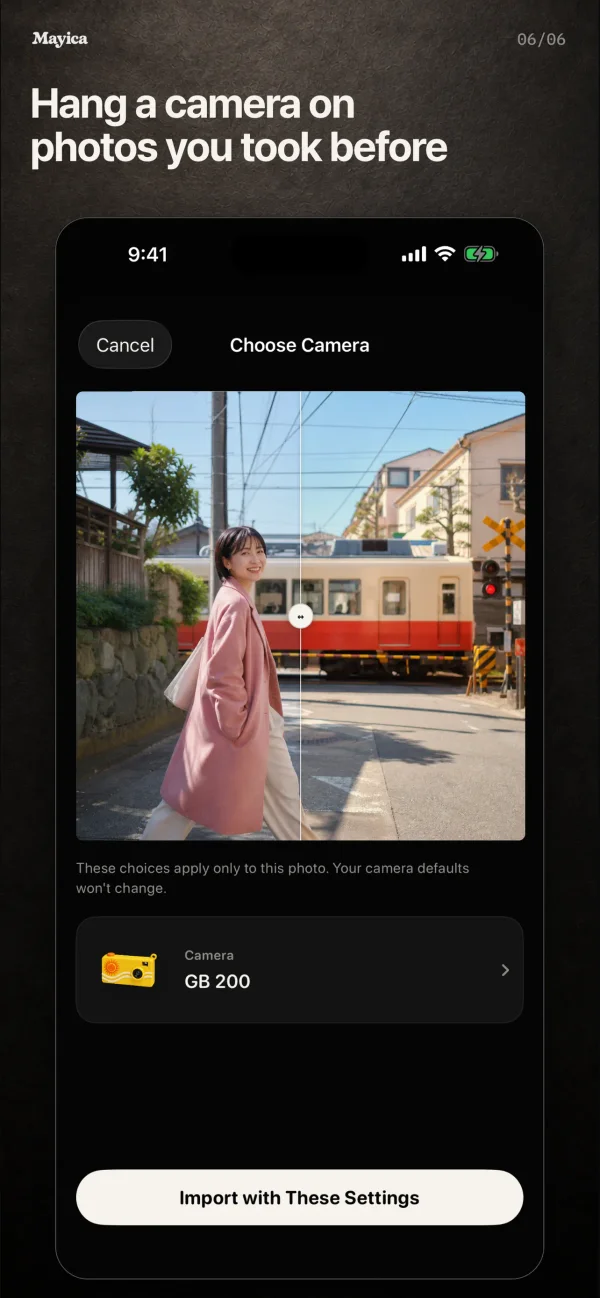
About
Maybe it's the camera. Maybe I just love you.
Photos of the people we love always look a little better. That thought is where Mayica started.
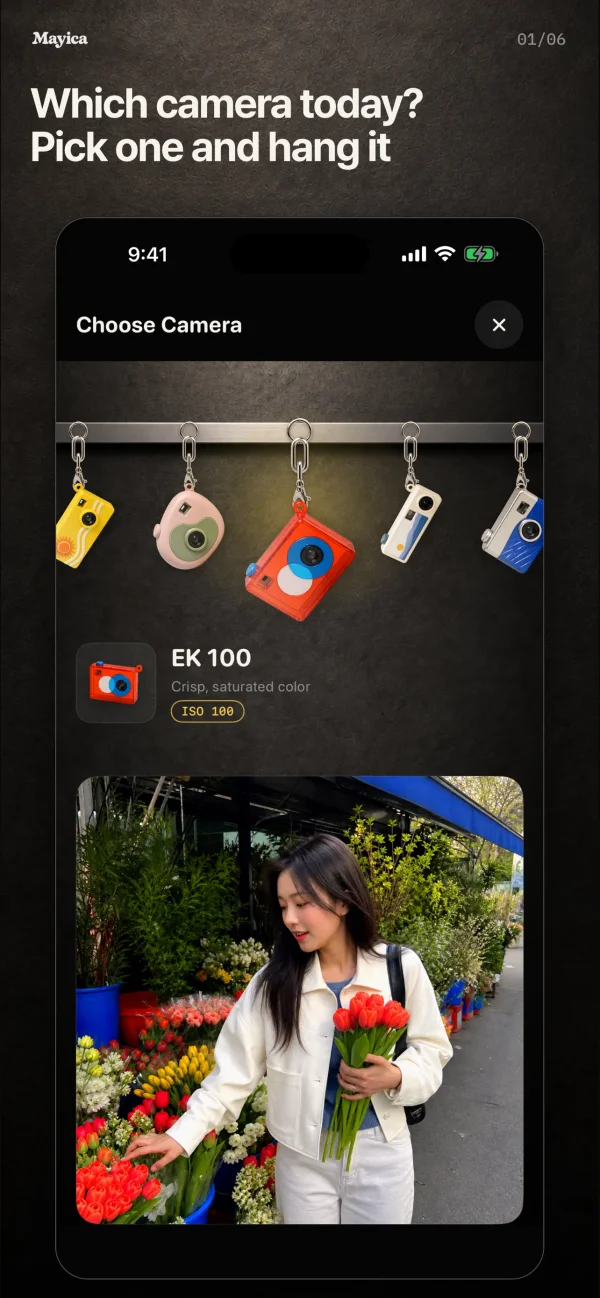
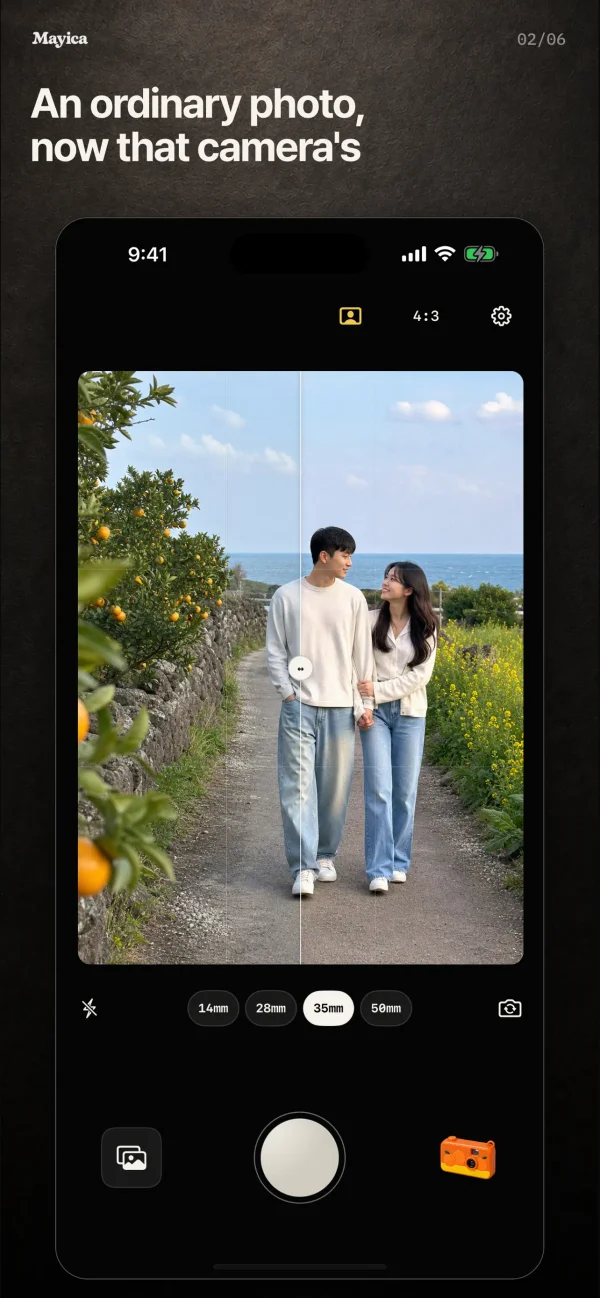
Remember the tiny camera keyring on your bag? Mayica keeps a wall of them. Pick one, hang it by the shutter, and just shoot. Tilt your phone and it swings. Press the shutter and the photo takes on that camera's color and grain. The viewfinder shows the scene exactly as it is.
Every camera on the wall suits a different scene: a Sunday afternoon with nothing planned, tulips at the flower market, convenience-store light on a wet road, dense black and white, even a photo that looks like it came from the phone you had back then. Choosing which one to hang today is where the shot begins.
FOR YOU IF
• You love the feel of film but are tired of scrolling through twenty filters.
• You want the photo finished on the spot, with no editing afterward.
• You keep photos of the people you love, the light on a trip, and days when nothing happened.
SHOOTING IS SIMPLE
• Pick 14, 28, 35, or 50 mm, tap to focus, touch and hold to lock it.
• Swipe up and down for exposure, left and right for the aperture effect: how much the background blurs and how the lens feels.
• Hold the shutter for a bulb exposure and keep the trails of light.
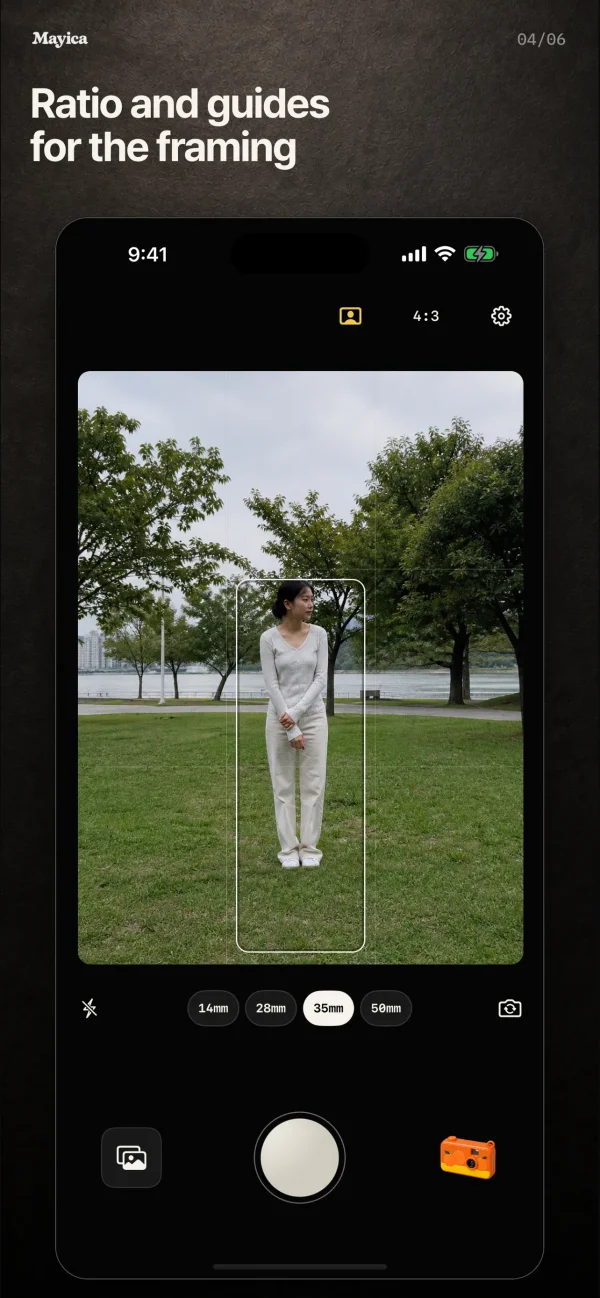
• 4:3, 16:9, 1:1, a grid, a level, and portrait composition guides.
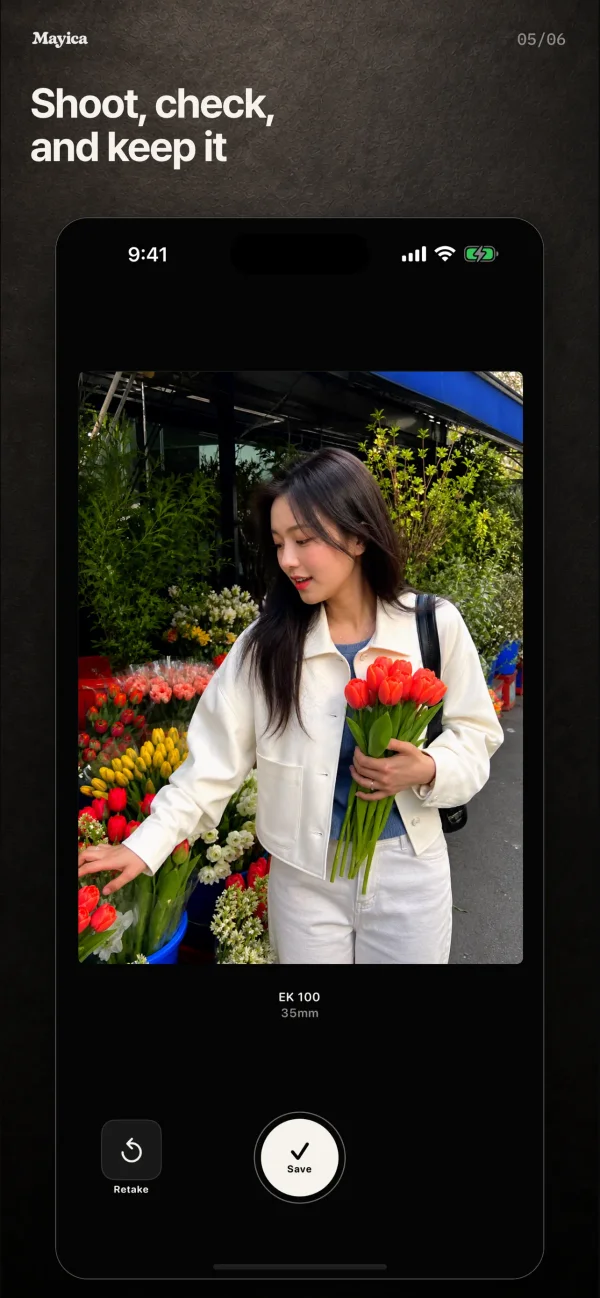
• Review right after the shot, save or retake, and keep the original too if you like.
MAYICA PRO
• Import photos from your library or another app's share sheet and give them the look of any camera.
• Save and share every camera's photos without the watermark.
• Shooting and every camera stay free. Some cameras add a small Mayica mark below the photo on free saves; the camera picker shows which ones.
• PRO is an auto-renewing annual subscription you can manage or cancel anytime from Settings.
Everything happens on your device. No account, no sign-in. Camera names are inspired by real films and cameras, but their colors are not copies.
For ad measurement, Singular processes app launches and sessions plus limited device and network information. Photos and location never leave your device for Singular.
This app follows Apple's standard EULA.
https://www.apple.com/legal/internet-services/itunes/dev/stdeula/
What’s new
Version 1.7 · Sep 12, 2026
Refined the transition when switching to the ultra-wide lens.
Long exposures now use a compact timer.
App privacy
What SKENE declares on the App Store about how this app handles data.
-
Data linked to you
May be collected and linked to your identity.
- Identifiers
- Usage data
- Other data
Privacy practices may vary, for example with the features you use or your age.
Information
- Seller
- SKENE
- Category
- Photo & Video
- Version
- 1.7
- Updated
- Sep 12, 2026
- Released
- Sep 11, 2026
- Size
- 34.8 MB
- Requires
- iOS 18.0 or later
- Age rating
- 4+
- Price
- Free
- In-app purchases
- Yes
- Languages
- English, Filipino, French, Japanese, Korean, Russian, Simplified Chinese, Spanish, Thai, Traditional Chinese, Ukrainian, Vietnamese
- Copyright
- © 2026 SKENE
You might also like
-
 City Camera: Photo FiltersCinematic film looks
-
 Film Photo Journal - EmulsionYour aesthetic scrapbook diary
-
 Foodlit - Food Photo EditorReads the light, picks presets
-
 HaloCam - Prism Light BokehLights into rainbow hearts
-
 Mamera - 필름카메라Photo & Video
-
 That Summer: Retro CameraY2K phone, film & camcorder
-
 PaintLapse: Art Timelapse LiteWatch your photo being painted
-
 レトロフィルムカメラ 昭和写真風Photo & Video
-
 Rain Drop CamCapture moody shot in the rain