
- Age rating4+
- CategoryProductivity
- DeveloperBridgers
- LanguagesEnglish
- Size47.3 MB
Links to the official App Store page
Download.org hosts no file of Maylee. The button opens its official App Store page, published by Bridgers. Listing last checked on Nov 18, 2026.
Screenshots


About
Maylee is a mail client for people who live in their inbox.
Connect Gmail, Outlook and any SMTP/IMAP account, and read everything in one clean
list. No switching apps, no forwarding rules, no second phone number.
WHAT MAKES IT DIFFERENT
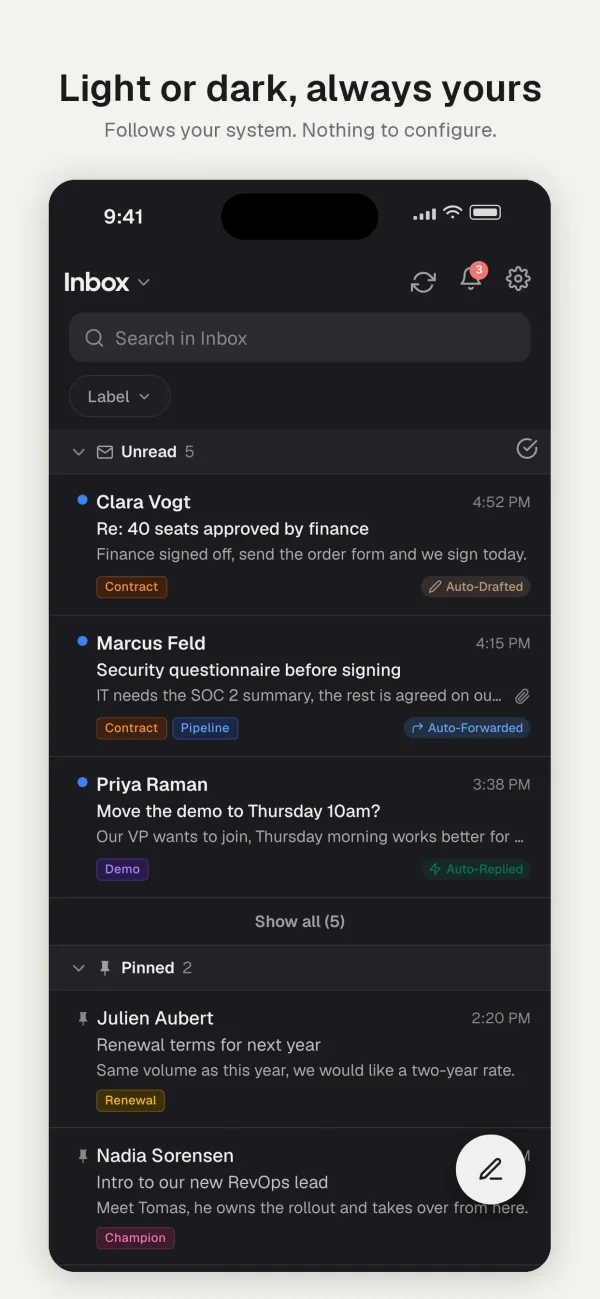
AI labels that actually file your mail
Describe a rule in plain words, like "invoices and receipts" or "job
applications". Maylee reads incoming mail, applies the label, and can apply it
to the mail you already received. Labels can also hide messages from your main
inbox, so your inbox holds what needs you and nothing else.
Inbox filters
Mute a sender, a domain, a subject or a whole label. Filtered mail is never
deleted, it moves to its own list and comes straight back if you change your
mind.
Waiting for a reply
Maylee spots the messages you sent that nobody answered, including the ones you
sent from another app, and keeps them in one place until someone replies.
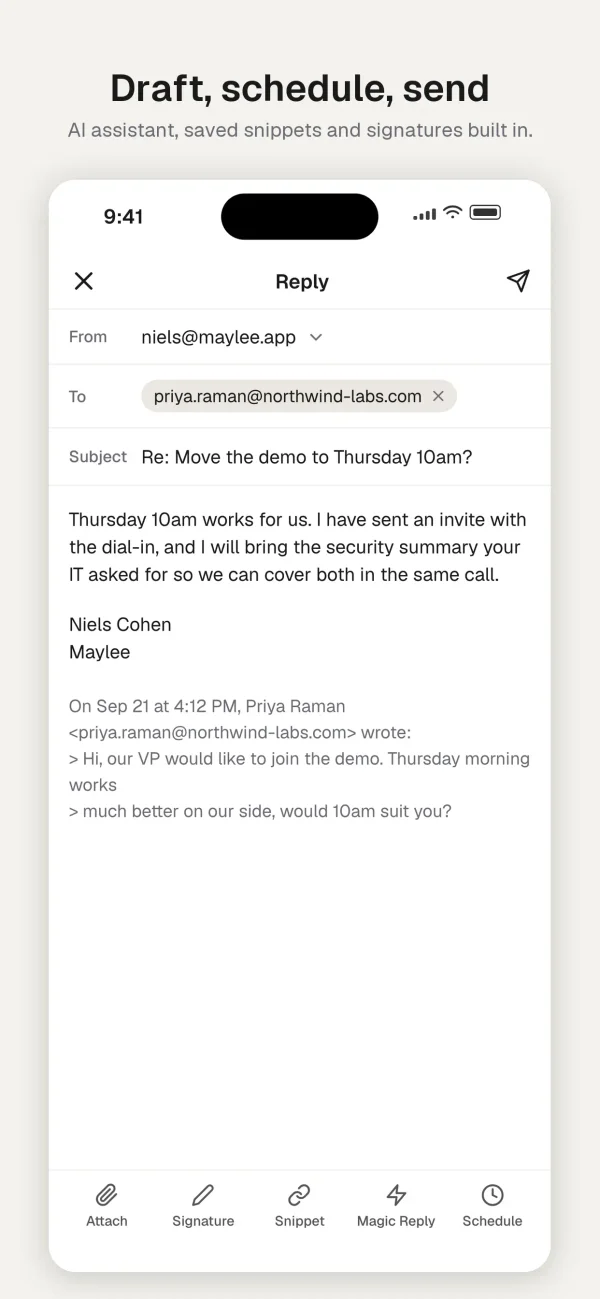
Write faster
An AI assistant drafts replies from the thread, fixes your text or translates
it. Saved snippets and signatures are one tap away. Schedule any message for
later, in your own time zone.
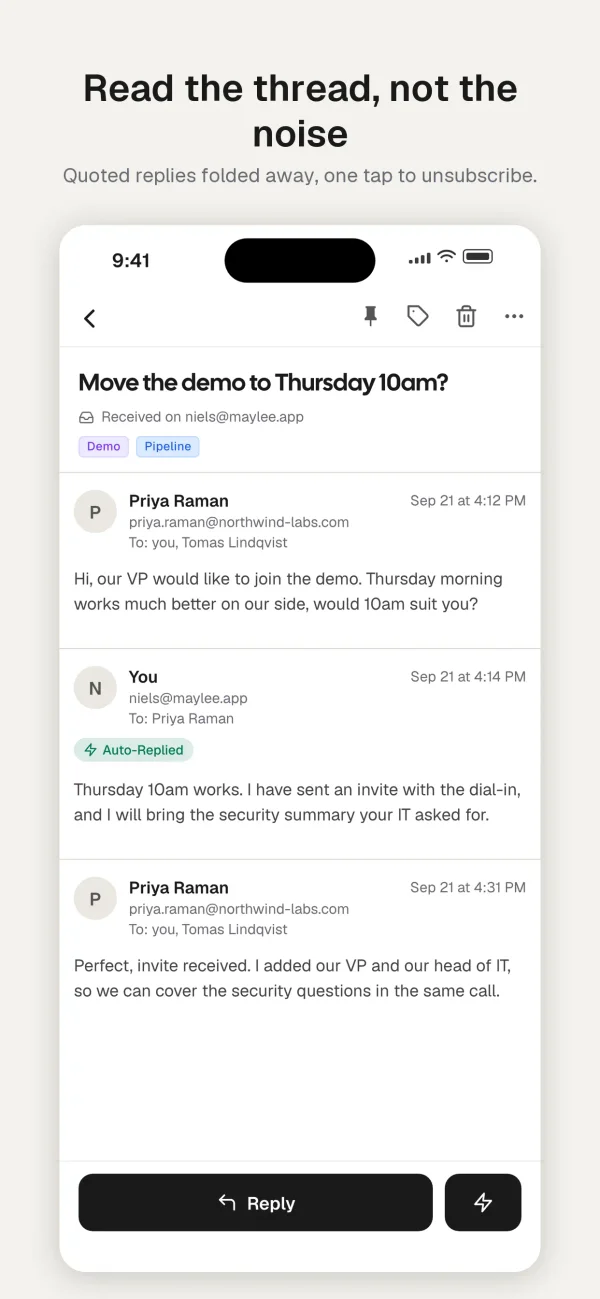
Read without the noise
Quoted replies fold away. One tap unsubscribes from a newsletter, using the
real unsubscribe channel rather than a link buried at the bottom.
Built for several mailboxes
Unread counts per account, custom views you define once, and search that runs
on the server so it covers everything, not just what your phone downloaded.
Light and dark themes follow your system. Your mail is yours: Maylee does not
read it for advertising and does not sell anything about you.
What’s new
Version 1.0.3 · Oct 12, 2026
What's new in Maylee 1.2
- New AI button: describe your email, Maylee writes it
- Dictate your email or your AI prompt
- The toolbar now stays above the keyboard
- Signatures per address, aliases included
- Choose "No signature" for any address
- Set up a signature right from a mailbox menu
- Recipient suggestions from all your mailboxes
- Suggestions appear from the first letter
- All notification settings, now on mobile
- Group notifications: every 15 min, 30 min, 1 h or 2 h
- Opening reply reminders clears the badge
- Replied emails leave reminders automatically
- Filter by label, AI labels included
- Smart view: "Show all" opens full screen
- Smoother swipe to mark as read
- Read status stays in sync across devices
- Unread counter updates instantly
- Auto-Forward, Auto-Draft and Auto-Reply badges show right away
- Cleaner email previews
- Clearer errors when a mailbox fails to connect
- Tap your name in the menu to open Settings
App privacy
What Bridgers declares on the App Store about how this app handles data.
-
Data linked to you
May be collected and linked to your identity.
- Contact info
- User content
- Identifiers
-
Data not linked to you
May be collected but is not linked to your identity.
- Identifiers
- Diagnostics
Privacy practices may vary, for example with the features you use or your age.
Information
- Seller
- Bridgers
- Category
- Productivity
- Version
- 1.0.3
- Updated
- Oct 12, 2026
- Released
- Sep 25, 2026
- Size
- 47.3 MB
- Requires
- iOS 16.4 or later
- Age rating
- 4+
- Price
- Free
- Languages
- English
- Copyright
- © Bridgers SAS
You might also like
-
 Beta mailThe Beta mail, not the alpha
-
 CubMailIMAP & SMTP, made simple
-
 Nexus Mail - All Email LoginAll your inboxes, one app
-
 Reply MailEmail on your own domain
-
 Jovra: JMAP Mail ClientYour Mail, Private & Simple
-
 Patriot MailAll your email in one inbox
-
 Foxcolab MailEncrypted Email
-
 Email Security SuiteProductivity
-
 So MailSo Email Security
-
 AIMailMindSmart inbox with AI triage