
Media Assistant
File Manager & Audio Editor
Designed for iPhone, iPad, iPod touch
Free · In-app purchases
- Age rating17+
- CategoryMusic
- DeveloperDuc Anh Nguyen
- LanguagesEnglish
- Size190.1 MB
Links to the official App Store page
Download.org hosts no file of Media Assistant. The button opens its official App Store page, published by Duc Anh Nguyen. Listing last checked on Nov 21, 2026.
Screenshots

About
Media Assistant is a file manager, offline media player, audio converter, audio editor, audio tagger, media joiner, a web browser with a built-in audio player so that you can apply audio effects to enhance your listening experiences
[FREE FEATURES]
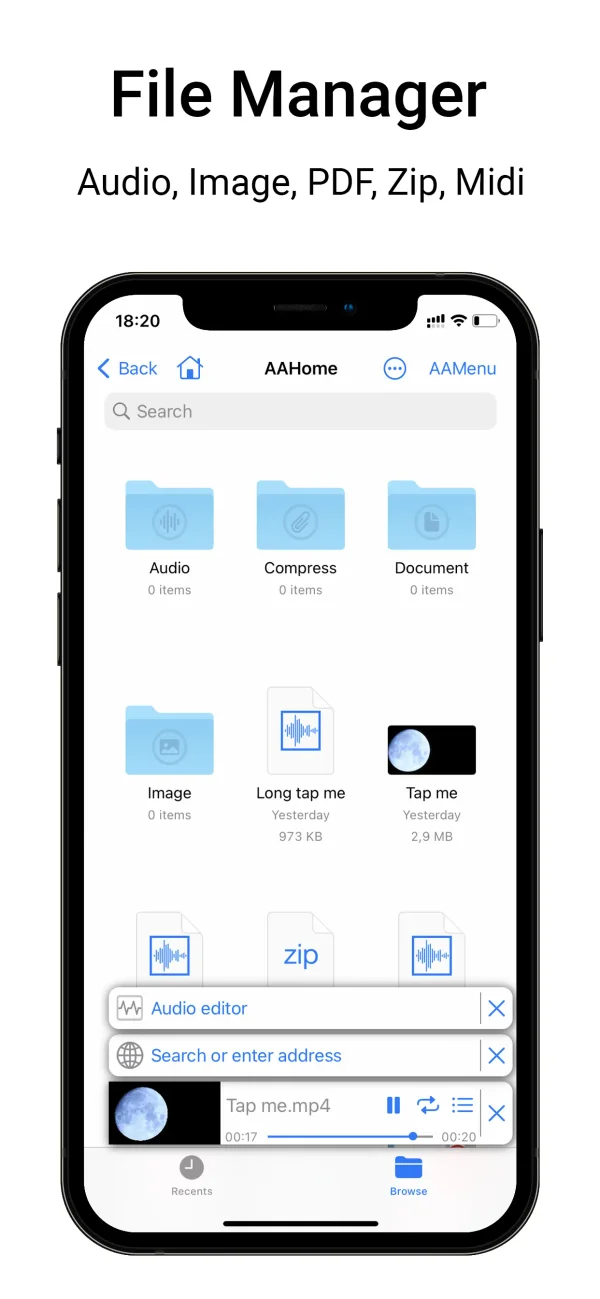
TRANSFER & MANAGE FILES & FOLDERS
• Manage your files and create folders for all of your needs
• Partly integrated Dropbox Drive, Onedrive Drive
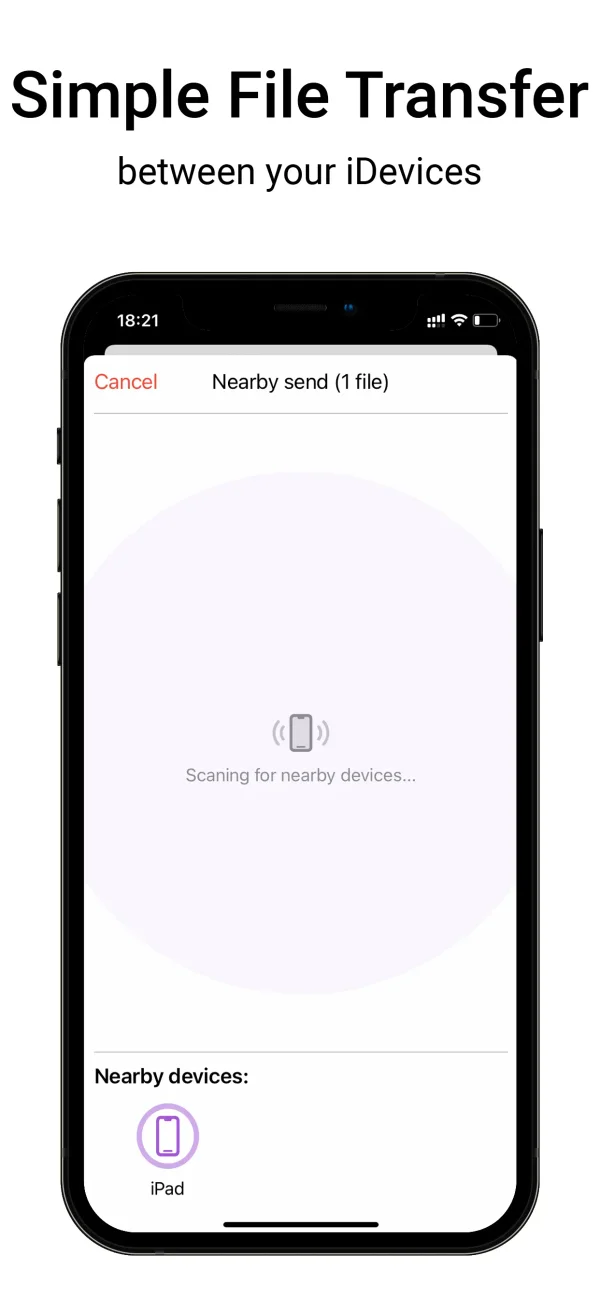
• Transfer files and folders between two iDevices OR between your iDevice and PC. Fast and easy transfers over WiFi
• Import videos from Photos app
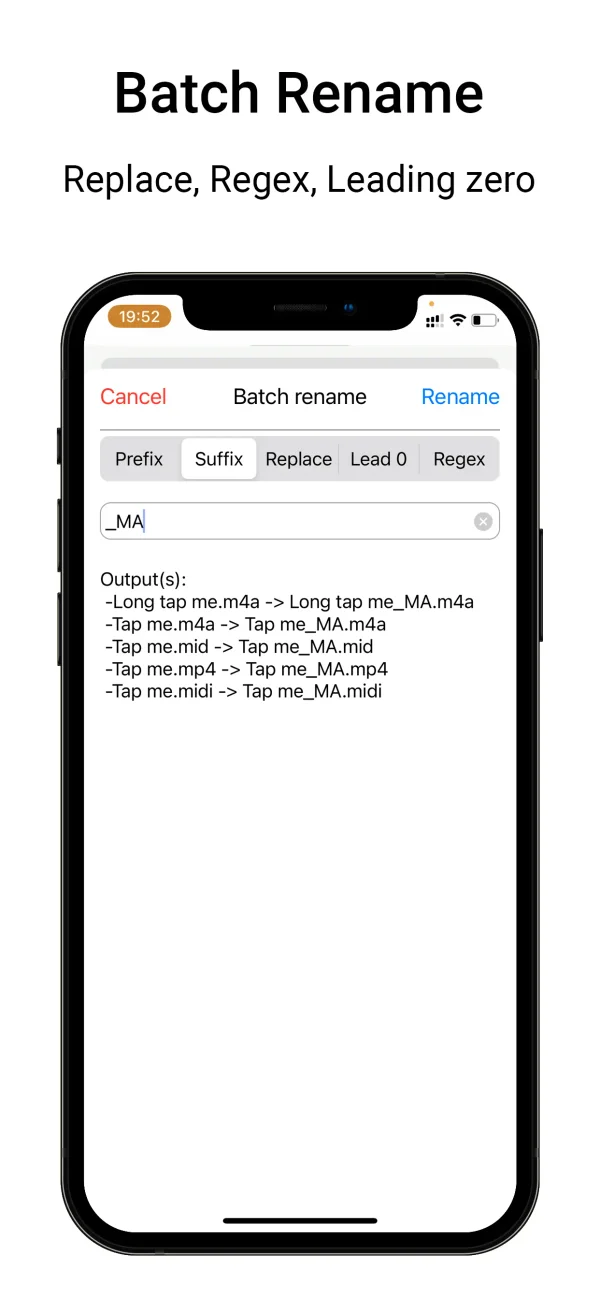
• Batch rename files (prefix, suffix, leading zero, regex). Great for naming sample sets (Dance_Vol1_Cm_100bpm_SynthLeadMelody, EDM_Vol2_Kick_909, etc.)
AUDIO & VIDEO & MIDI PLAYER
• Listen to music offline
• Batch Play: Long-press a folder to bring up the menu.
• Fully functional MIDI file player with a built in GM Soundfont player, and ability to add custom Soundfonts
• Gapless loop
• Loop mode, one-shot mode, playlist loop mode, shuffle mode
• Simple tap to play audio, video or MIDI file. Tap multiple files to queue them, then shuffle or reorder.
• Supports AirPlay, Lock screen controls, PiP(Picture in Picture)
• Apply audio effect to enhance listening experience (reverb, simple vocal removal ...)
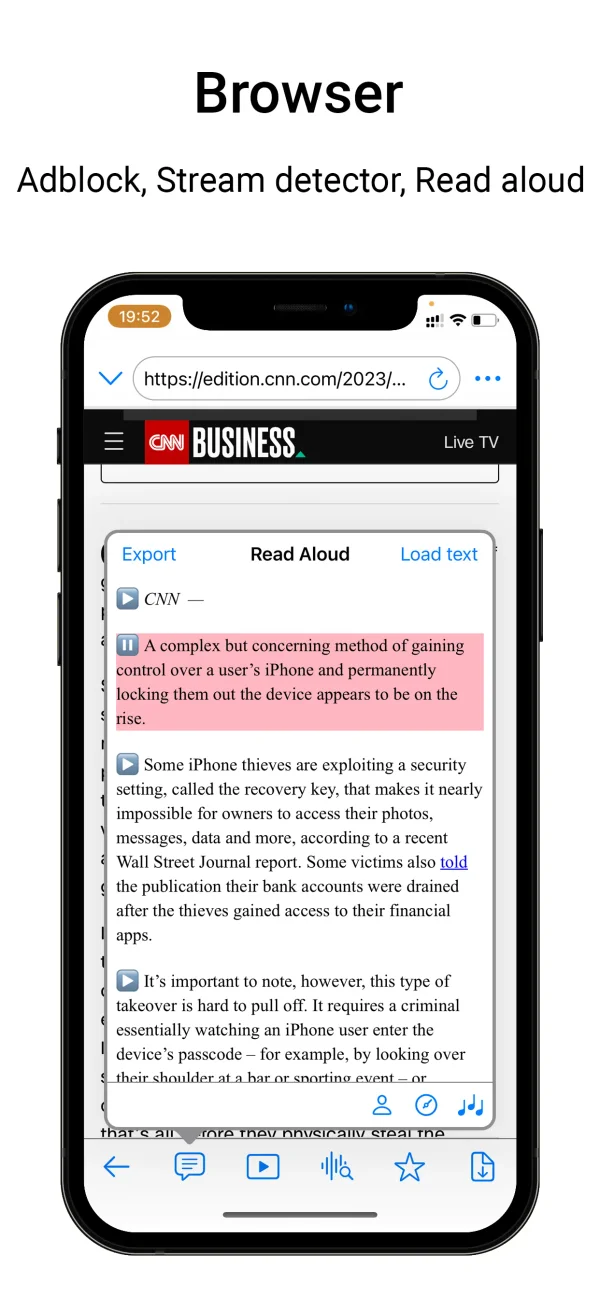
BROWSER
• Auto detect streams audio from many websites
• Build-in stream player allows you to apply audio effects and buffers streams for playback
• Capture multiple streams at once in the buffer and then play back in any desired order
• Download files from websites directly into File Manager
• Block ads & tracking
_/_/_/_/_/
Add-on features
_/_/_/_/_/
AUDIO EDITOR BASIC IAP
• Free to try - purchase to unlock export to file option.
• Edit ID3 tags metadata such as Title, Artist, Album…
• Edit markers, play from marker, split at marker
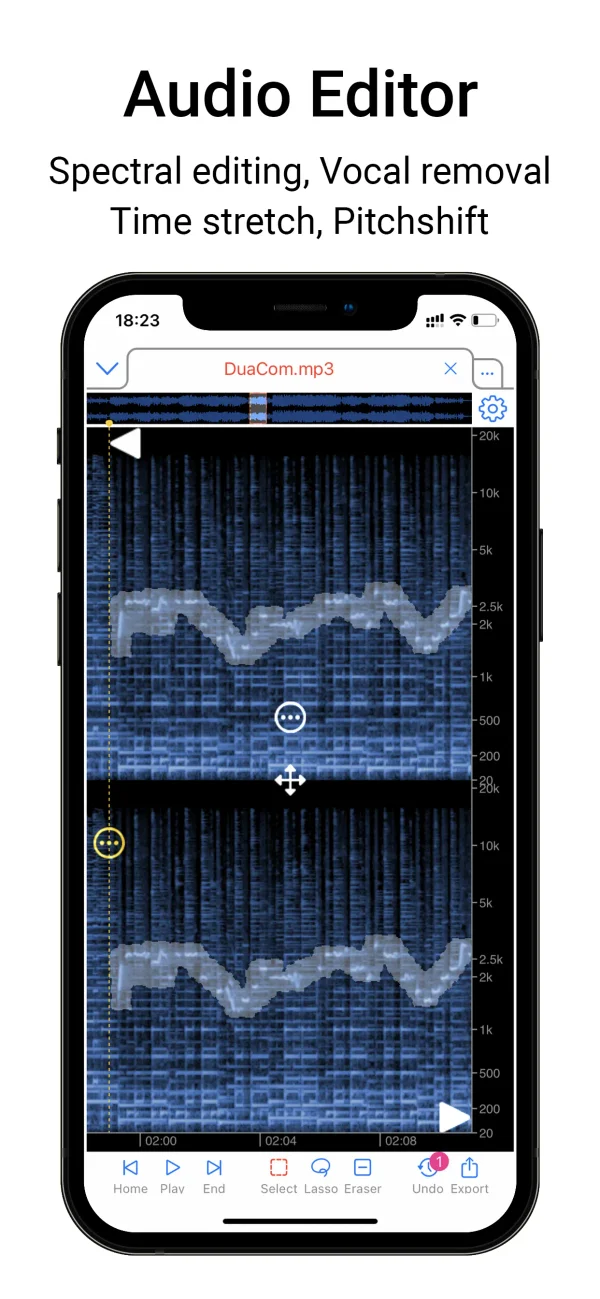
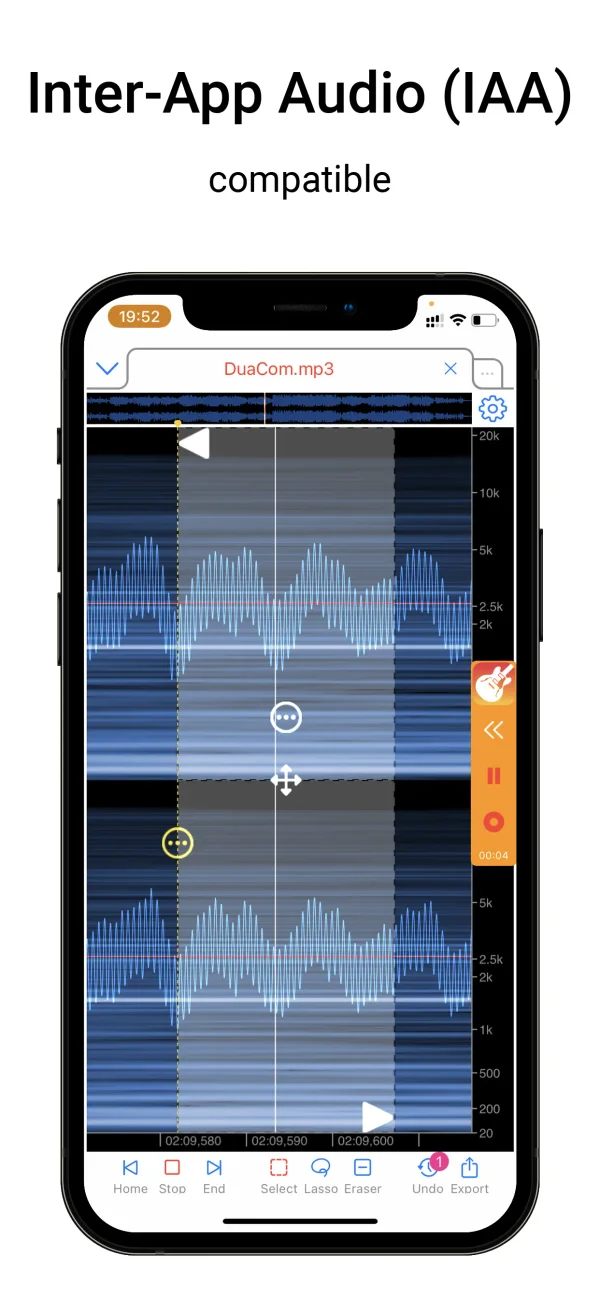
• Displays the audio file in 3 modes: waveform, spectrogram, or both
• Zoom-in at the audio sample level
• Export entire file or export slices
• Open multiple files at once
• Support history, undo, redo
• Spectral editing
AUDIO EDITOR UTILITY IAP
• Free to try some modules. Preview playback with changes to waveform. Requires purchase to allow saving changes.
• Apply Fade,Gain,Normalize,Time stretch,Pitch shift,Reverb
• Other audio editor utilities added in the future will be included with this lifetime purchase
AUDIO EDITOR VOCAL REMOVAL IAP
• Required iOS17
• Vocal Removal using AI
• Remove/Isolate vocals
AUDIO EDITOR DE-REVERB IAP
• Required iOS17
• De-reverb using AI
• Remove/Isolate reverb
AUDIO TAGGER IAP
• Free to try - All features work with a limited number of files. Requires purchase to drag/drop/export files and run as AUv3 module
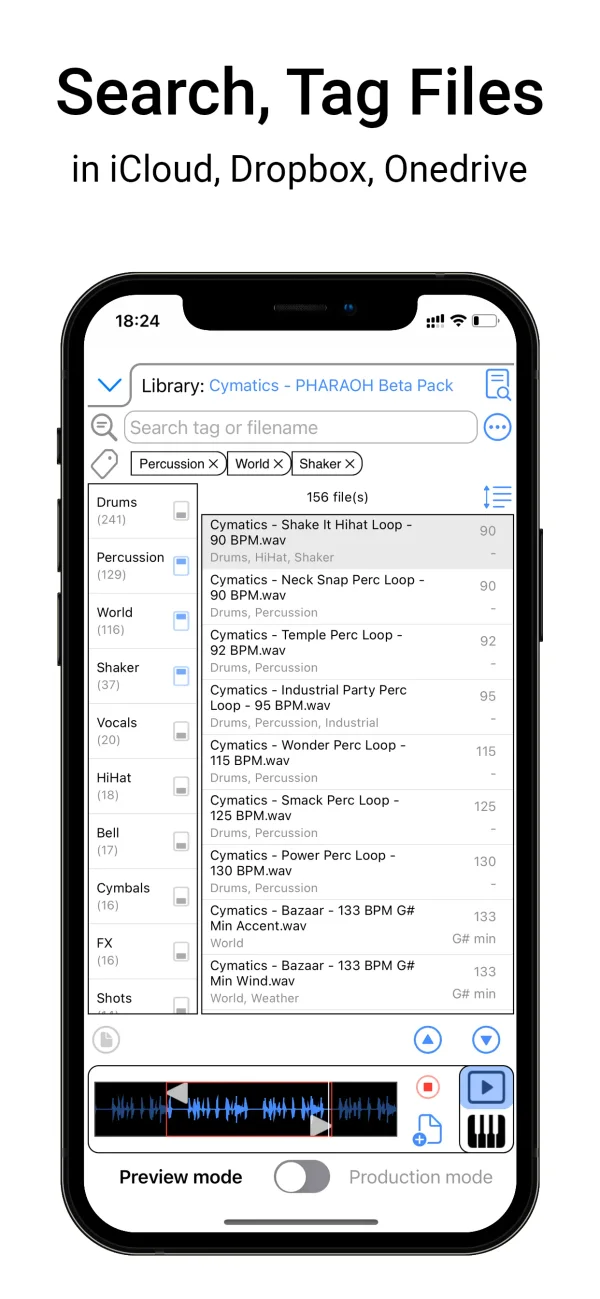
• Manage audio files with tags - e.g Hats, Kick, Percussion, etc
• Edit meta-data in-place
• Filter list by include/exclude, select multiple tags
• Support auto tagging files
• Support files in local AAHome, iCloud, AADropbox, AAOnedrive, Mac or Window directories
• Built-in Audio player supports simple timestretching/pitch shifting/fade in,out/crop and export with edits (no extra IAP required)
• Drag and drop files to other applications such as Logic and Koala, add multiple files to a queue and copy in a single action
• Support copy to PasteBoard
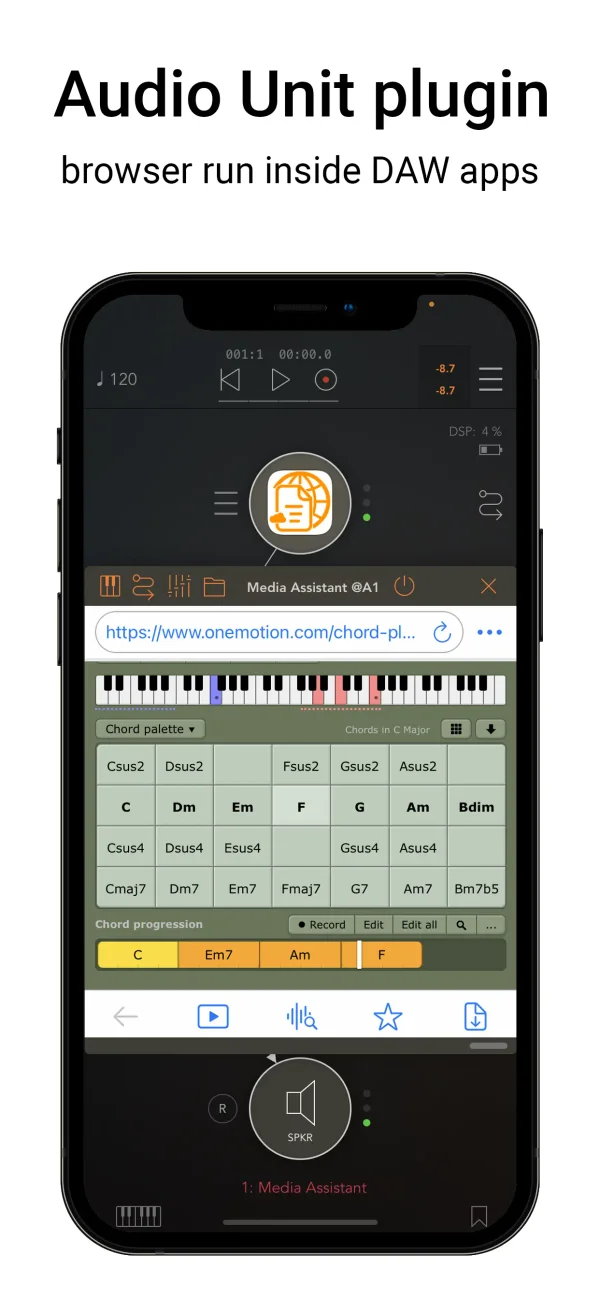
WEB BROWSER IAP
• Free to try - Requires purchase to run as AUv3 module
• Run as AUv3 plugin inside DAW host app such as AUM, Logic Pro, Cubasis
• Auto detect audio stream from Web Audio API (onemotion chord player, websdr, samplette ...)
READ ALOUD IAP
• Requires purchase to run as AUv3 module.
• Reads text content from web pages
• Read aloud with hundreds of voices (including robot, bell, organ) then save to file for offline listening
• Can adjust speed and pitch
• Great for listening to free ebooks on the web or reading articles aloud
AUDIO CONVERTER/JOINER IAP
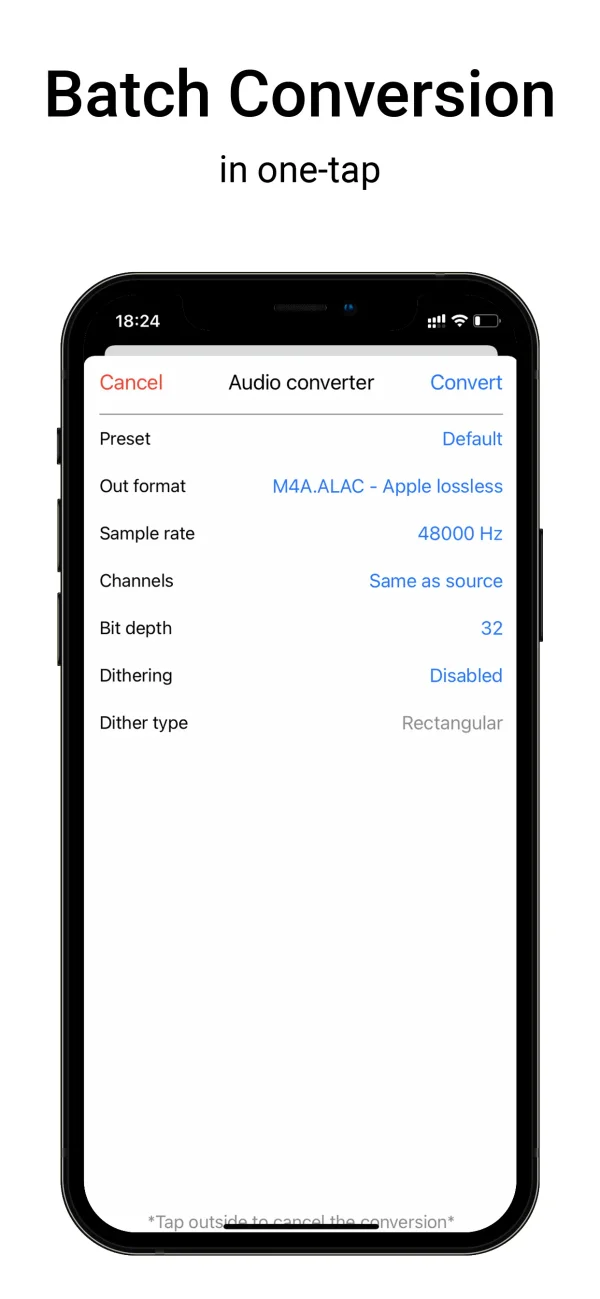
• Extract audio from video files to many different audio file formats
• Supports common formats
• Select bitrate, sample rate, stereo/mono, dithering
• Concatenate multiple audio files or video files
What’s new
Version 1.2.28 · Jul 21, 2026
AUDIO & VIDEO & MIDI PLAYER
• Fixed slider not responding.
• Fixed a crash that could sometimes occur when using Reverb.
App privacy
What Duc Anh Nguyen declares on the App Store about how this app handles data.
-
Data not collected
The developer does not collect any data from this app.
Privacy practices may vary, for example with the features you use or your age.
Information
- Seller
- Duc Anh Nguyen
- Category
- Music
- Version
- 1.2.28
- Updated
- Jul 21, 2026
- Released
- Sep 20, 2023
- Size
- 190.1 MB
- Requires
- iOS 15.0 or later
- Age rating
- 17+
- Price
- Free
- In-app purchases
- Yes
- Languages
- English
- Copyright
- © 2023 Duc Anh Nguyen
You might also like
-
 Meow | Audio EditorFast & Precise Audio Editing
-
 Kalimba KeysKalimba Sounds & FX | AUv3
-
 EG NodesClip based Host/MIDI Sequencer
-
 StellarvoxAmbient reverb space designer
-
 TAIP - Baby AudioTape Saturation Audio Effect
-
 WaveCloudGranular Synthesis
-
 sub808Sub Bass 808 Instrument | AUv3
-
 GSDSP Quantum DelayStereo Delay / Echo
-
 jAmp DoublerMono to stereo plugin
-
 Async SamplerA powerful musical tool