Medication Timer
Family meds, routines & vitals
Designed for iPhone, iPad
Free · In-app purchases
- Age rating12+
- CategoryMedical
- DeveloperChris Winfield-Blum
- LanguagesEnglish
- Size55.7 MB
Links to the official App Store page
Download.org hosts no file of Medication Timer. The button opens its official App Store page, published by Chris Winfield-Blum. Listing last checked on Nov 12, 2026.
Screenshots
About
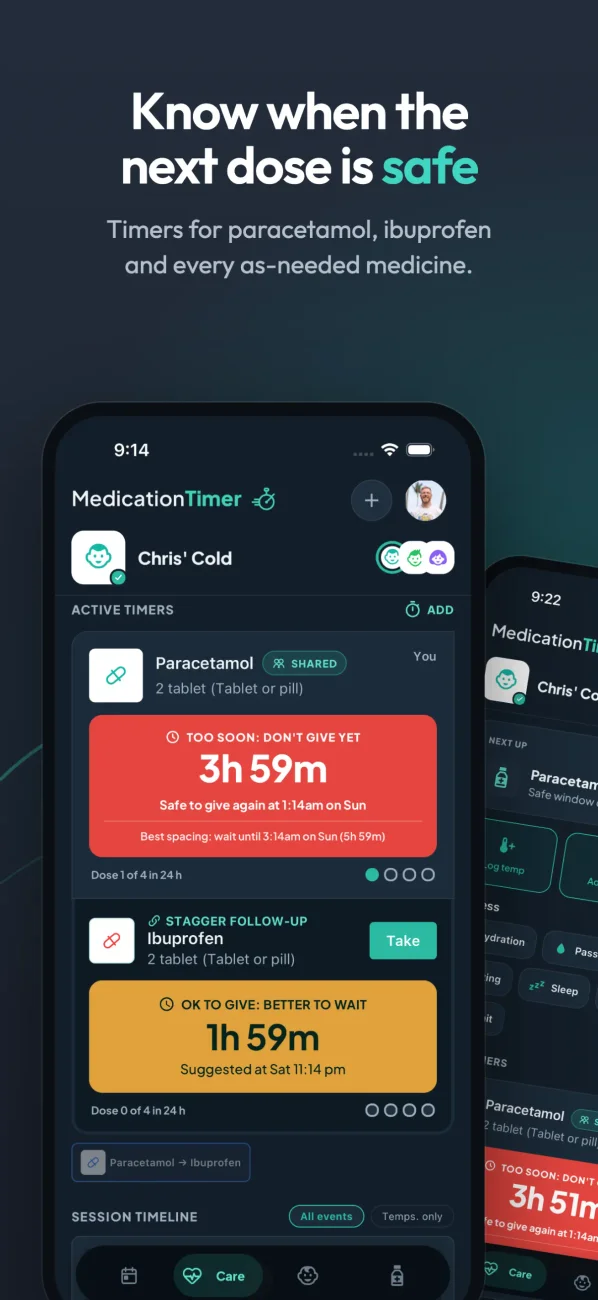
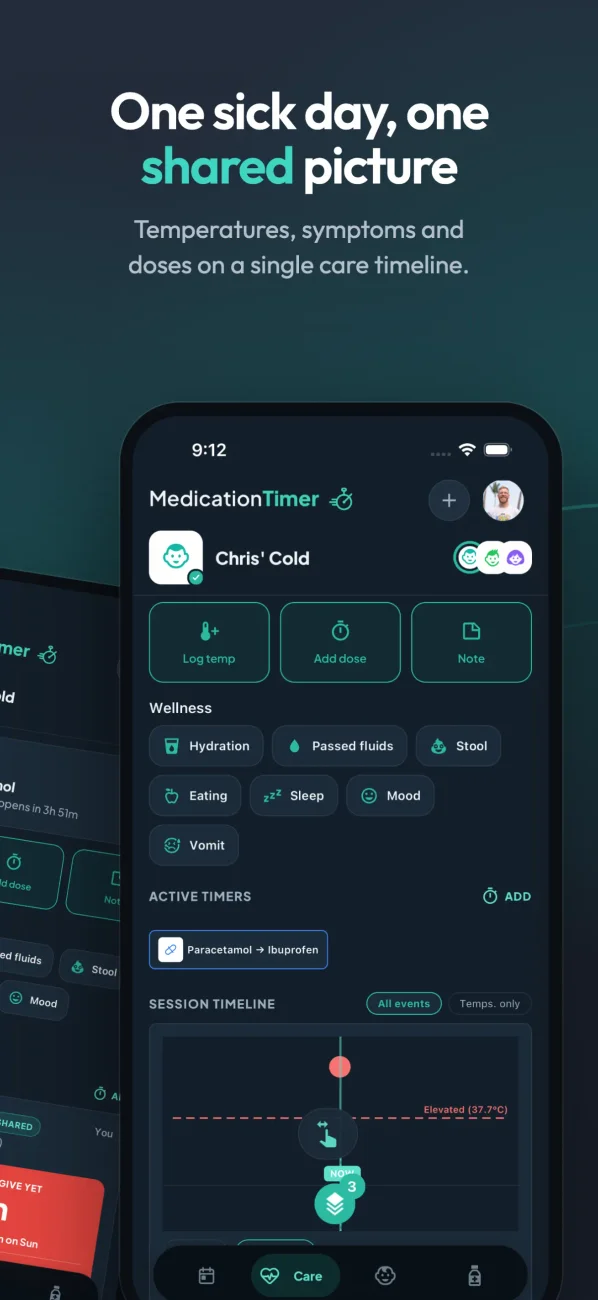
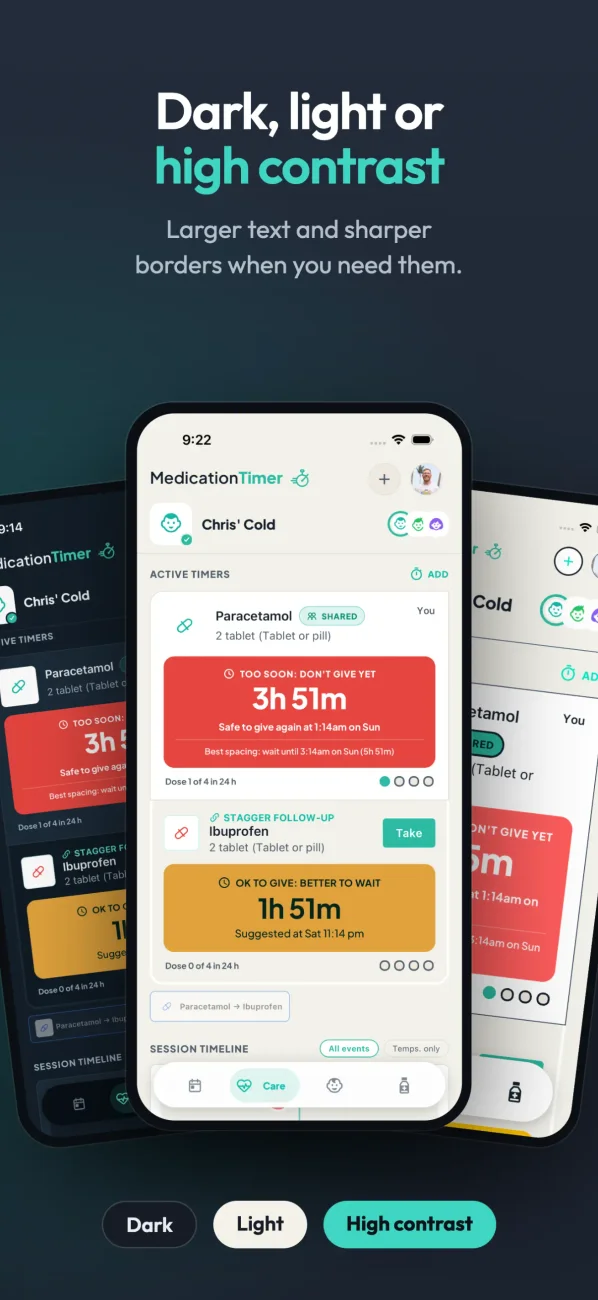
“When did I last give them medicine?” “What was their temperature an hour ago?” Medication Timer began with a middle-of-the-night fever — but households also need everyday schedules and vitals in one trusted place. Coordinate scheduled dose routines, as-needed medication timers, temperature history, and health readings (blood pressure, glucose, SpO₂, INR, and more), with optional Family Care so every caregiver sees the same picture.
What you can do
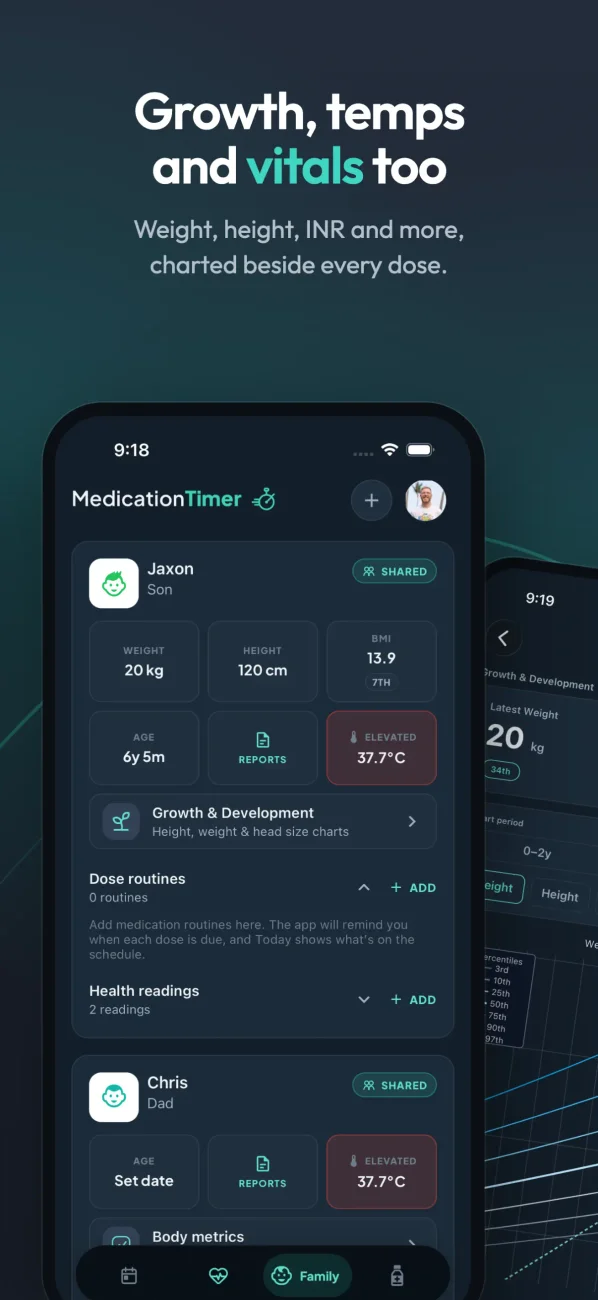
- Family profiles: Track every family member in one place.
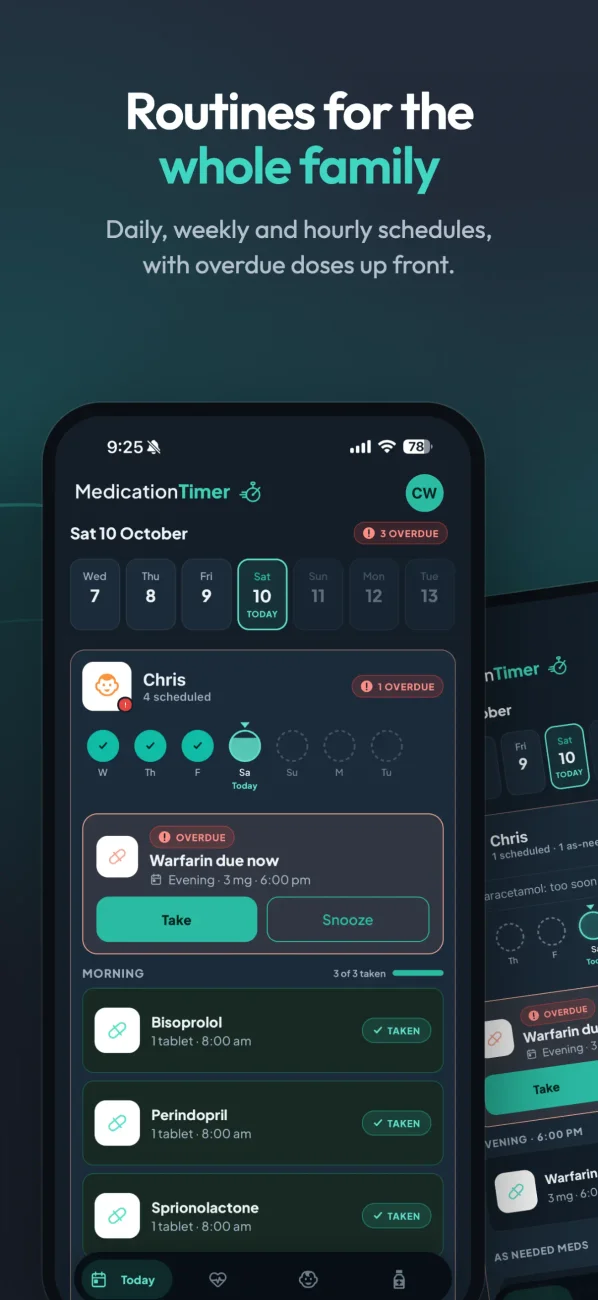
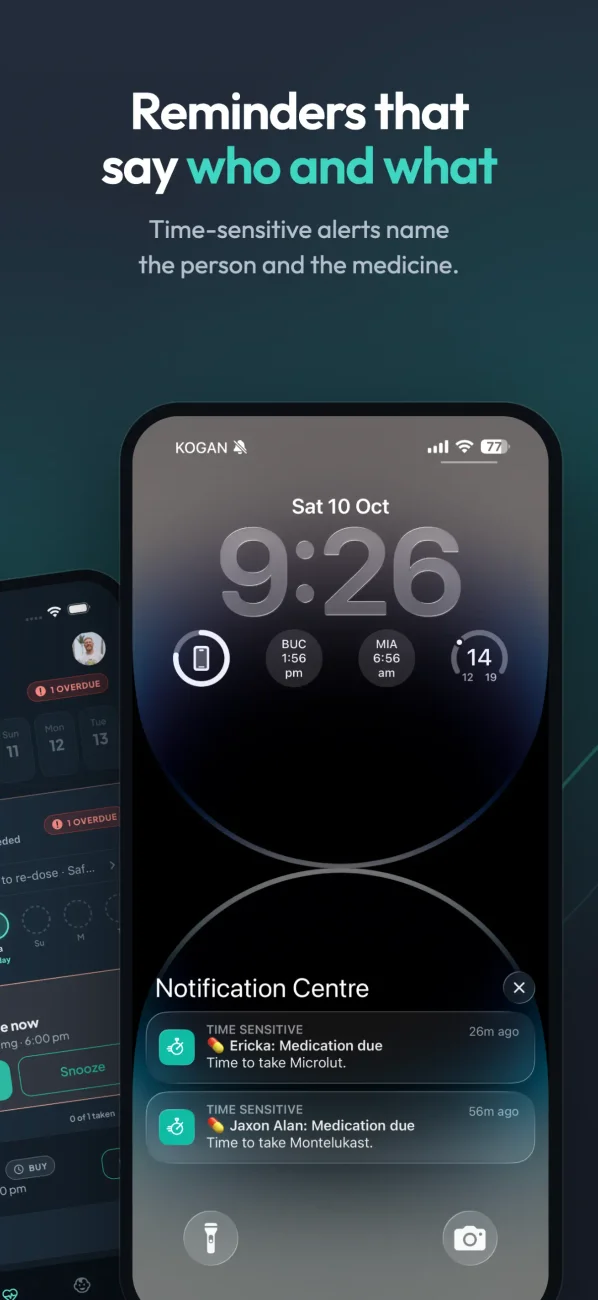
- Scheduled dose routines: Daily, weekly, or hourly patterns with reminders, so planned doses appear on Today alongside everything else happening that day.
- Care: When illness strikes, track the whole episode in one place. As-needed timers space medicines like paracetamol and ibuprofen so you can be confident you are not under- or over-dosing, while you log temperatures, symptoms, and health notes. Run short medication courses like antibiotics as part of the same care period.
- Health readings & vitals: Track INR, blood pressure, resting heart rate, SpO₂, respiratory rate, weight, and blood glucose (mg/dL or mmol/L). Set targets, add reminders, and see everything on Today.
- Today: One daily view that combines routines, as-needed timers, temperatures, and vitals for each family member — no switching between siloed screens.
- Home screen widgets: Next Up shows the most urgent household dose (routine or care) with Take and Snooze on medium size. Active Timers shows running as-needed countdowns with Log dose when safe.
- Lock screen & Live Activities: Add compact Active Timers lock screen widgets, or turn on Native active timers in Settings for a full-width Live Activity banner and Dynamic Island countdown while a timer is waiting.
- Apple Watch (experimental): A companion watch app shows Today progress, the next scheduled dose, active care, PRN timers, and Family Care quick timers — with Take, Snooze, and Log dose relayed through your iPhone. iPhone notifications can forward to the watch with action buttons. This is an early release: keep your iPhone nearby and signed in; the watch does not connect to your account on its own.
- Quick actions (Family Care): Log doses and readings in one tap from Today.
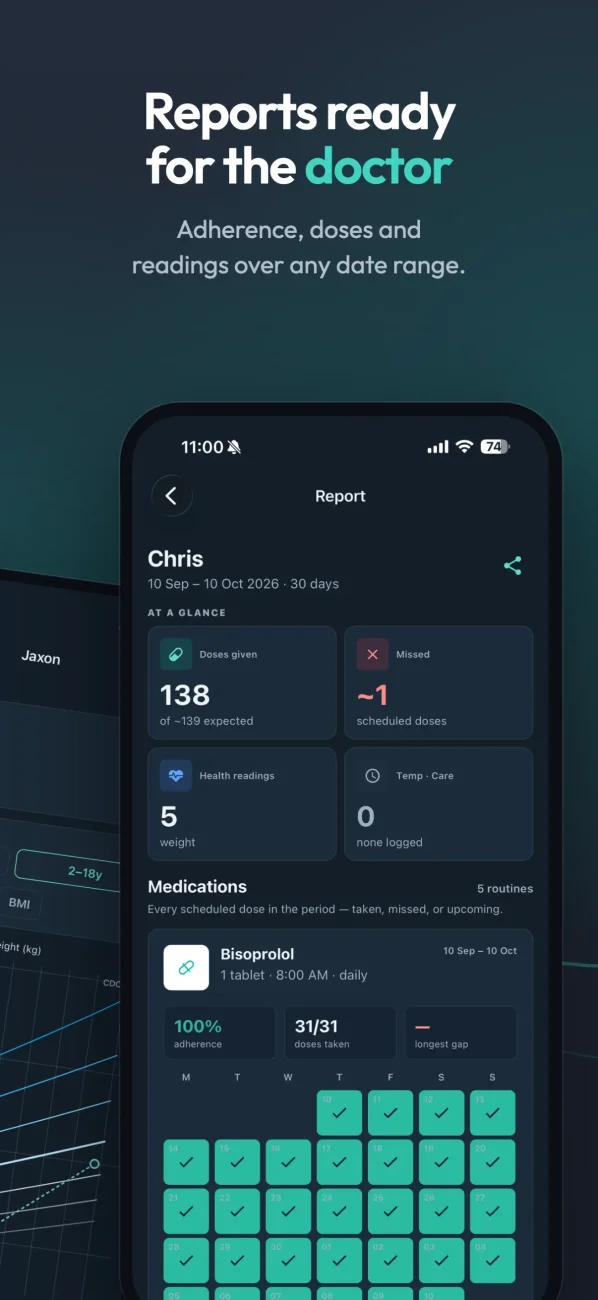
- Family reports (Family Care): Clear summaries over any period — for your records, other caregivers, or your doctor.
Free vs Family Care
- Free: Unlimited family members, medications, as-needed timers, and temperature & symptom logging, with Today showing the last three days in full detail. Free features are intended to stay free for the life of the product.
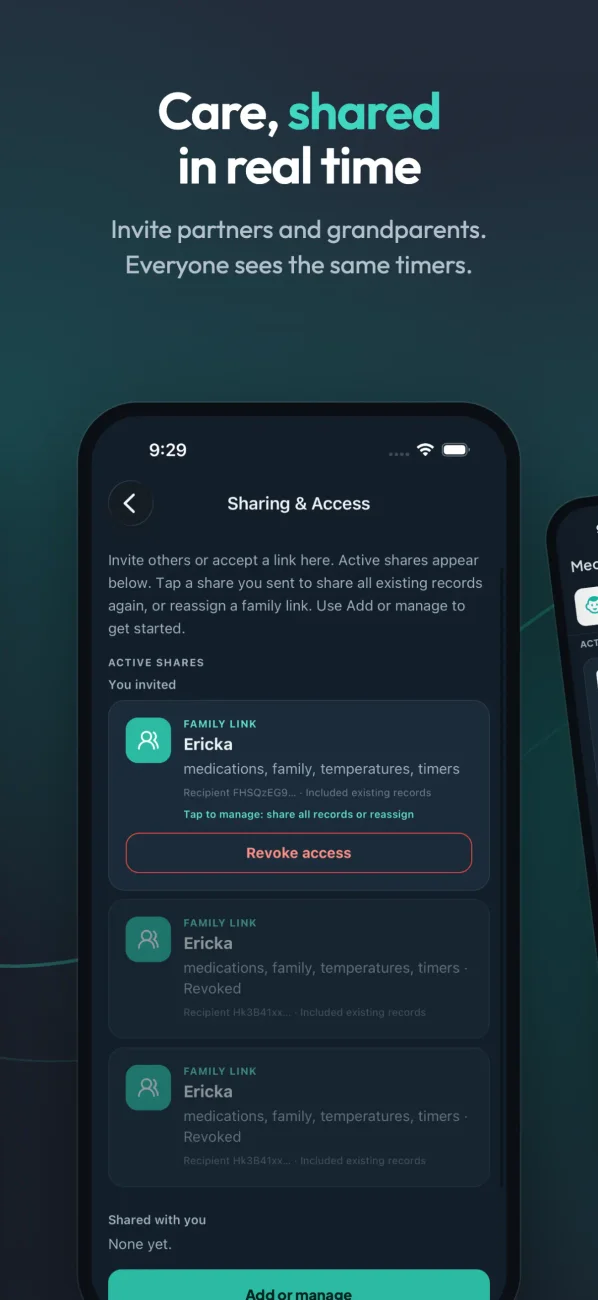
- Family Care (subscription): Adds shared caregiver coordination, unlimited history on Today, one-tap quick actions, health trends, family reports, quick timers on Apple Watch, and every new family feature as it ships. Priced annually, shown in your local currency at purchase.
Accessibility
- Large mode (works especially well on tablets) for low-vision users
- High contrast mode to reduce visual noise in the interface
- Siri integration for hands-free dose and temperature logging
Privacy & terms
- Terms & Conditions: https://www.medicationtimer.com/terms-conditions
- Privacy Policy: https://www.medicationtimer.com/privacy-policy
Subscription billing
Subscriptions renew automatically unless cancelled at least 24 hours before the end of the current period. After cancellation you keep Family Care features until the period ends. Refunds are handled according to Apple policies. Reinstalling? Use Restore Purchases and sign in with the same store account used to subscribe.
Medical disclaimer
This app is not medical advice, diagnosis, or treatment. If someone is unwell or symptoms worsen, seek professional medical attention promptly. Always follow your clinician’s directions and local dosing guidance.
What’s new
Version 2.8.1 · Oct 11, 2026
• Print a Medi Tag QR code, keep it with the pack, and scan it with your phone camera to confirm a log
• The same tag can be a QR code, an NFC coin, or both. Open Profile, then Medi Tags
• Change what the tag does without reprinting. Print again when the name on the paper should change
• Removing a family member also removes their dose routines and active timers, and other phones try to clear leftover reminders
• Sync notifications rebuilds reminders on this phone only
• Bug fixes and performance
App privacy
What Chris Winfield-Blum declares on the App Store about how this app handles data.
-
Data linked to you
May be collected and linked to your identity.
- Contact info
Privacy practices may vary, for example with the features you use or your age.
Information
- Seller
- Chris Winfield-Blum
- Category
- Medical
- Version
- 2.8.1
- Updated
- Oct 11, 2026
- Released
- May 11, 2022
- Size
- 55.7 MB
- Requires
- iOS 16.4 or later
- Age rating
- 12+
- Price
- Free
- In-app purchases
- Yes
- Languages
- English
- Copyright
- © Chris Winfield-Blum trading as Medication Timer App
You might also like
-
 Pill Reminder and Med TrackerMedication Monitor with Alarm
-
 Pill Reminder - All in OneMedication Reminders, Tracker
-
 Pill Reminder Medication AlarmMedicines and birth control
-
 Medisafe Medication ManagementPill and Medicine Reminder
-
 Tracker, Reminder - CareClinicTrack,Symptom,Medication,Mood
-
 Pill Reminder MyTherapyHealth & Medication Tracker
-
 Guava: Health TrackerManage meds, symptoms, records
-
 Bearable - Symptom TrackerMigraine, Pain, Mental Health
-
 KinsaHealth & Symptoms Guide
-
 Shotsy GLP-1 TrackerGLP1 Shot - Zepbound, Wegovy