
- Age rating4+
- CategoryProductivity
- DeveloperTakumi Hayakawa
- LanguagesEnglish+ 1 more
- Size12.5 MB
Links to the official App Store page
Download.org hosts no file of Meeting Pocket. The button opens its official App Store page, published by Takumi Hayakawa. Listing last checked on Nov 21, 2026.
Screenshots


About
Your meeting ends. So do the minutes.
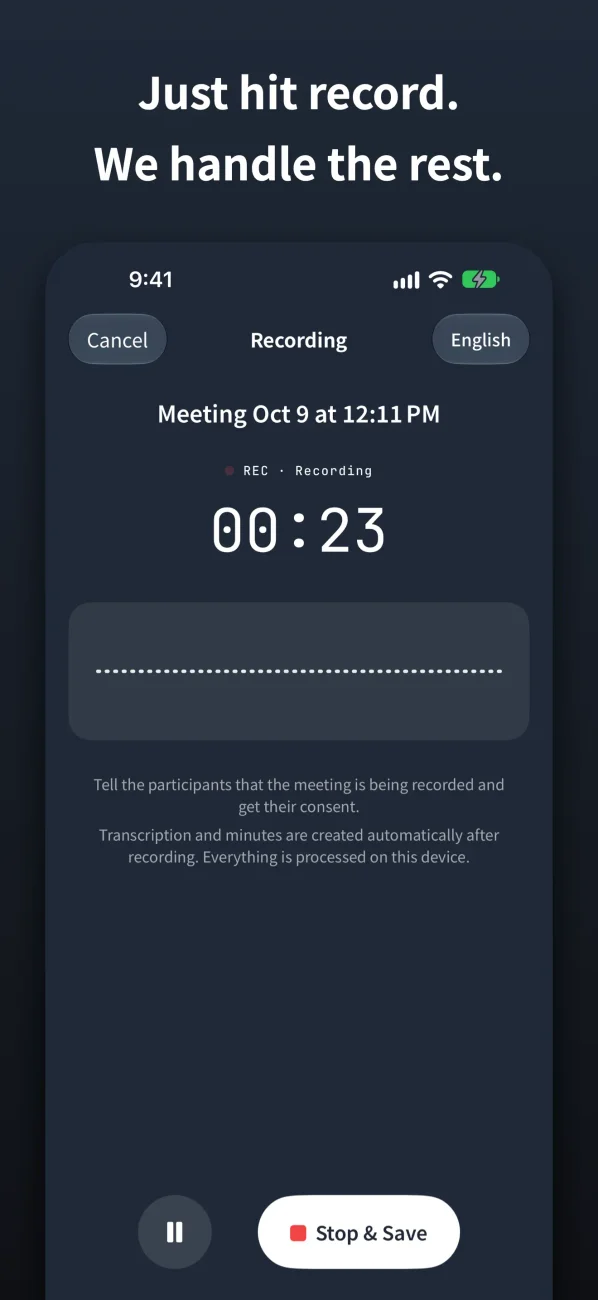
Meeting Pocket records your meeting, transcribes it and writes the minutes with AI, all on your iPhone.
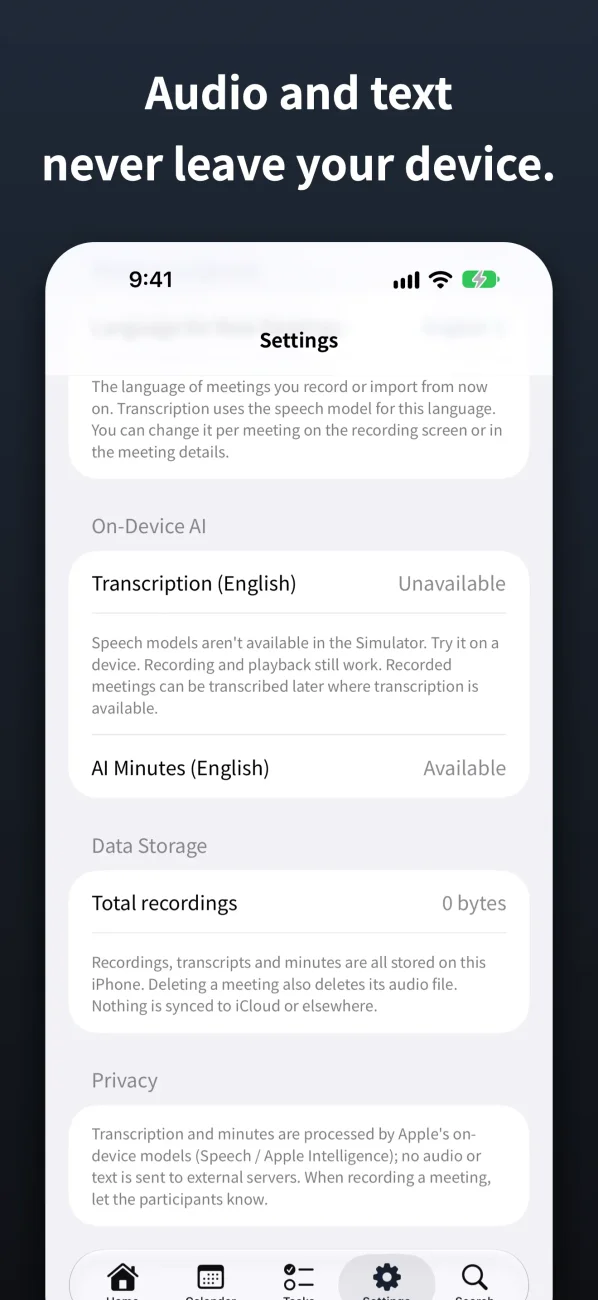
Audio, transcript and minutes never leave your device.
■ What it does
• One-tap recording — stop the recording and the transcript and minutes are created automatically
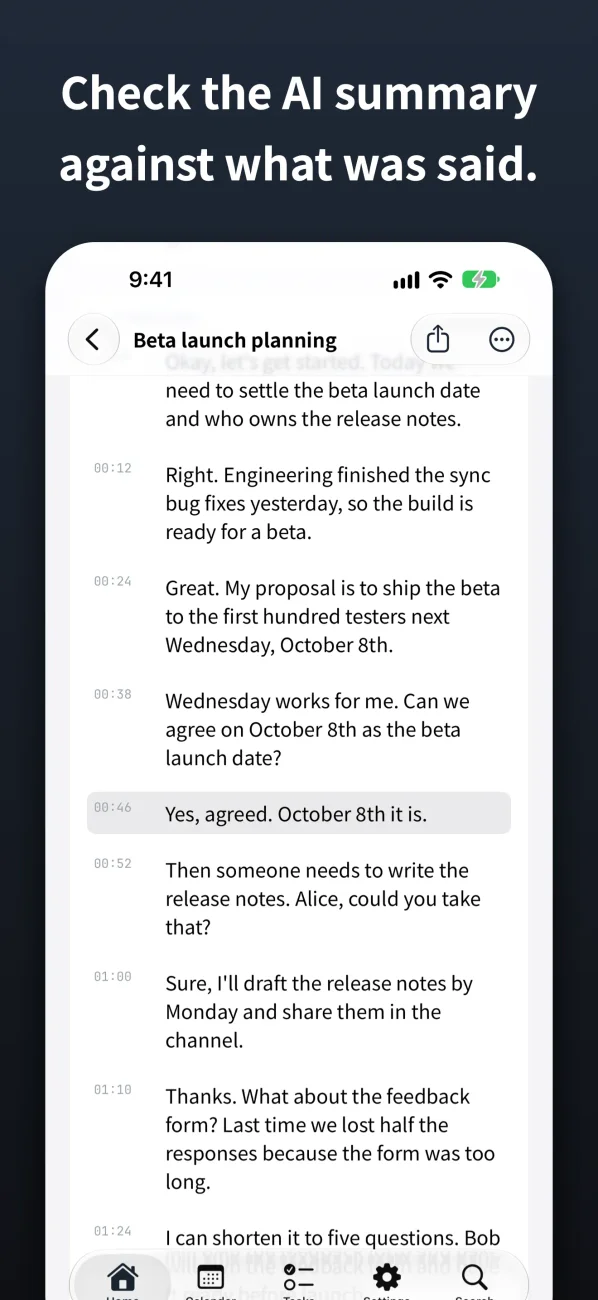
• On-device transcription — Apple's speech recognition turns every statement into timestamped text, in English or Japanese
• AI minutes — a summary, topics, decisions, action items (with owner and due date) and open questions, organized for you
• Jump to the source — tap a timestamp in the minutes to hear the original statement and see it highlighted in the transcript
• Import audio files — meetings recorded on a computer or voice recorder (m4a / mp3 / wav) become minutes too
• Apple Watch — start, pause and stop from your wrist, or record on the Watch when your iPhone isn't at hand
• Search and calendar — full-text search across titles, minutes and transcripts, and a calendar view of past meetings
• Share as Markdown — export the minutes as Markdown or plain text and paste them into Notion or chat
■ Privacy
Transcription uses Apple's Speech framework and the minutes are written by Apple Intelligence, both running on the iPhone itself. There is no account, no ads and no analytics. Please tell participants that the meeting is being recorded and get their consent.
■ Requirements
• Transcription: iOS 26 or later (the speech model for your meeting language is downloaded on first use)
• AI minutes: an iPhone that supports Apple Intelligence, with Apple Intelligence turned on
• On other devices you can still record, play back and import files
What’s new
Version 1.2 · Oct 18, 2026
English is here.
• The app is now available in English, and you can choose the language of each meeting (English or Japanese). Transcription and the AI minutes follow the meeting language.
• Pick the default language in Settings and change it per meeting on the recording screen or in the meeting details.
• Generated meeting titles follow the app language, and exported minutes use the meeting language for their headings.
App privacy
What Takumi Hayakawa declares on the App Store about how this app handles data.
-
Data not collected
The developer does not collect any data from this app.
Privacy practices may vary, for example with the features you use or your age.
Information
- Seller
- Takumi Hayakawa
- Category
- Productivity
- Version
- 1.2
- Updated
- Oct 18, 2026
- Released
- Sep 27, 2026
- Size
- 12.5 MB
- Requires
- iOS 26.0 or later
- Age rating
- 4+
- Price
- Free
- Languages
- English, Japanese
- Copyright
- © 2026 齋藤拓巳
You might also like
-
 Voice ButtonsRecord, name, tap to play
-
 Electronic SignatureWrite and paste your signature
-
 AnyPlanner - ADHD Day PlannerVisual schedule & to-do list
-
 Quip - Docs, Chat, SheetsProductivity
-
 Sticky Board with WidgetCute notes & Color memo
-
 Sabah Smart ParkingSabah Smart Parking
-
 Sticky Notes: Notepad WidgetHome & Lock Screen To-Do List
-
 Pencil Planner & Calendar ProHandwritten daily agenda