
MeetStack: Business Card Scan
Trade Show Lead Capture & CRM
Designed for iPhone
Free · In-app purchases
- Age rating4+
- CategoryBusiness
- DeveloperRene Fandida
- LanguagesEnglish+ 4 more
- Size28.6 MB
Links to the official App Store page
Download.org hosts no file of MeetStack: Business Card Scan. The button opens its official App Store page, published by Rene Fandida. Listing last checked on Nov 18, 2026.
Screenshots
About
MeetStack turns every business card, QR exchange and trade show conversation into a lead you actually follow up.
NEW IN 1.6: MADE FOR iPhone Duo
Unfold iPhone Duo to see your contacts beside their details, and check each scan next to the card photo. Conference Mode tags everyone you meet to the event, puts Scan and My QR on your Lock Screen, and ends with who to follow up. Also new: an Apple Watch app, on-device AI with Apple Intelligence, Booth Mode and, on Business, badge scanning and Salesforce.
TRY IT WITHOUT AN ACCOUNT
Tap "Continue as Guest" and start scanning. Sign in with Apple or Google later and keep every card you've scanned.
SCAN BUSINESS CARDS IN SECONDS
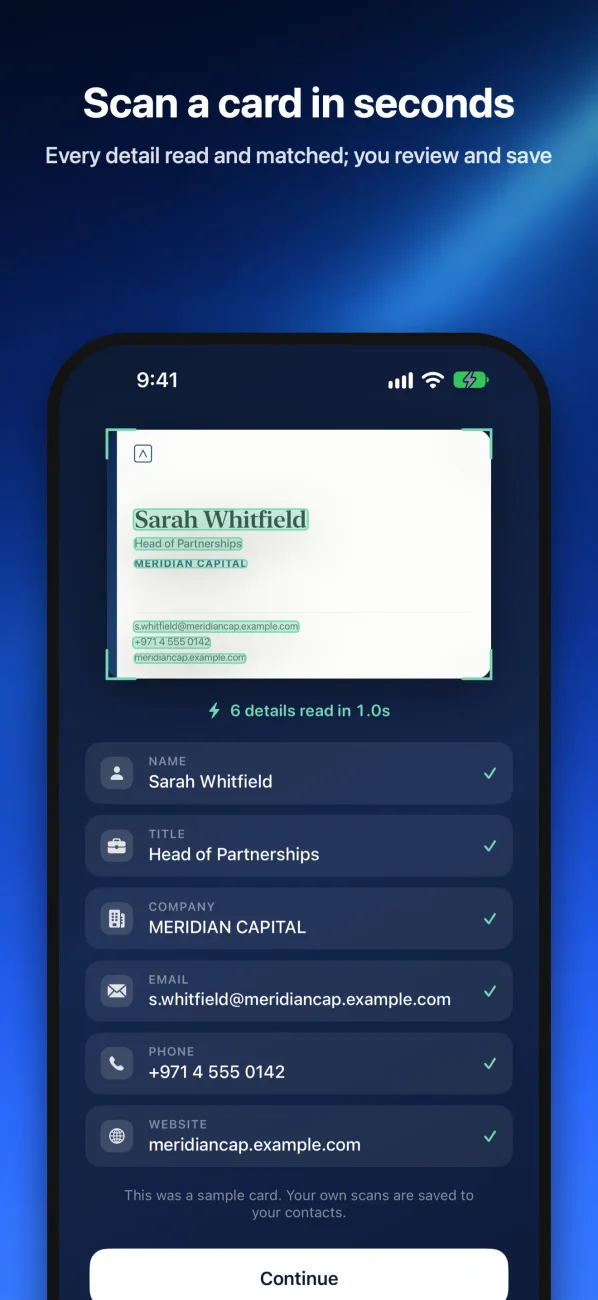
On-device text recognition pulls out name, title, company, email, phone, website and LinkedIn URL. You review every field before saving, and the card image stays with the contact. Pro adds AI card parsing for tricky layouts.
YOUR DIGITAL BUSINESS CARD
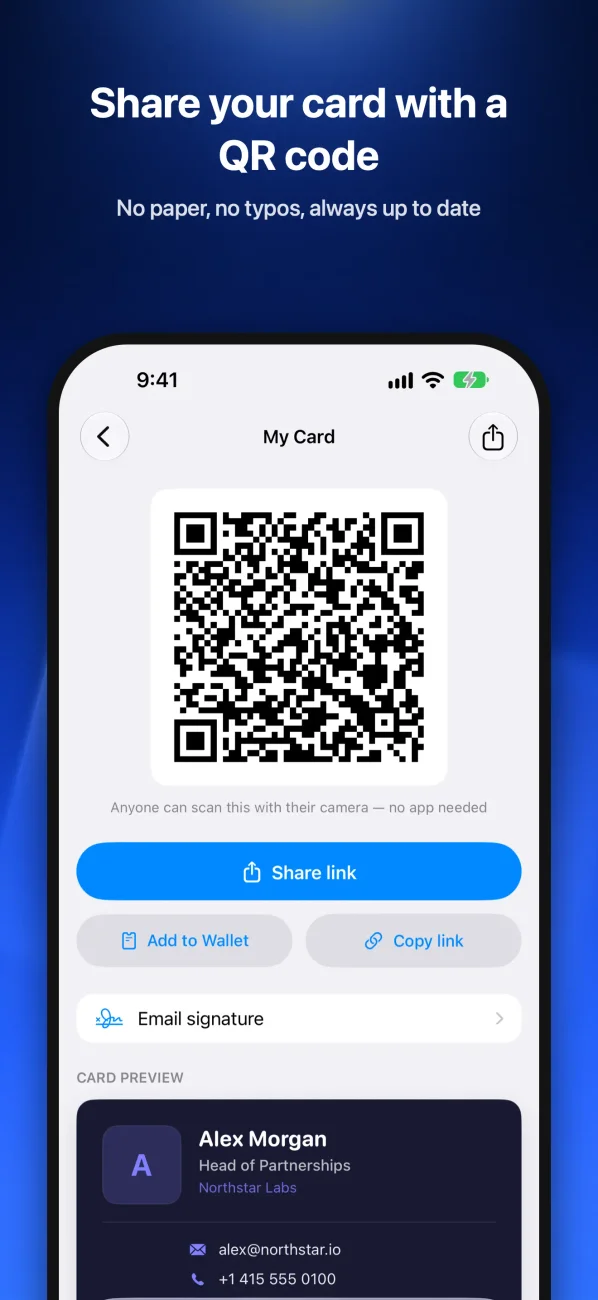
Share your card by QR code, link, Apple Wallet or an NFC tag you program from the app. Whoever opens it can send their details straight back, with no app needed. Pro unlocks premium themes.
CONTACTS THAT STAY ORGANIZED
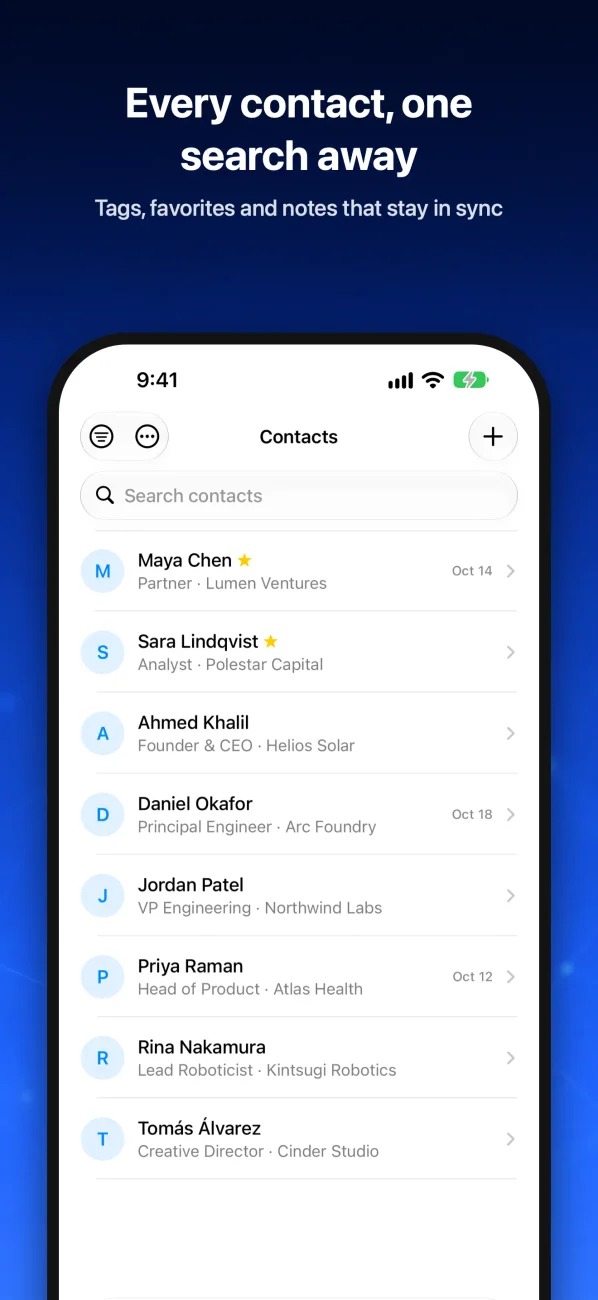
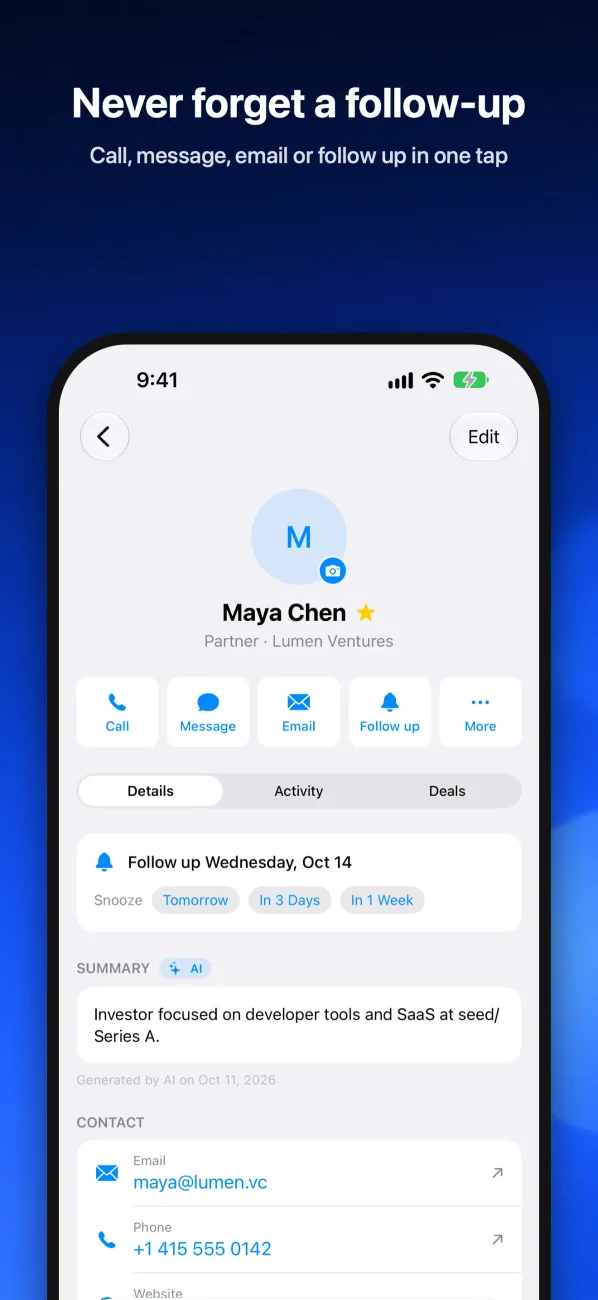
Search by name, company, email, phone or job title. Add tags, notes and favorites. Each contact has Details, Activity and Deals tabs. MeetStack warns you about duplicates and merges them, keeping the best details from each.
CAPTURE THE CONTEXT
Tap Add Voice Memo and talk for twenty seconds about who you met and what you discussed. It's transcribed on your iPhone and saved to the contact; the audio is deleted immediately and never uploaded. This is dictation, not a call recorder. Pro turns it into a summary with tags and a follow-up date.
NEVER FORGET TO FOLLOW UP
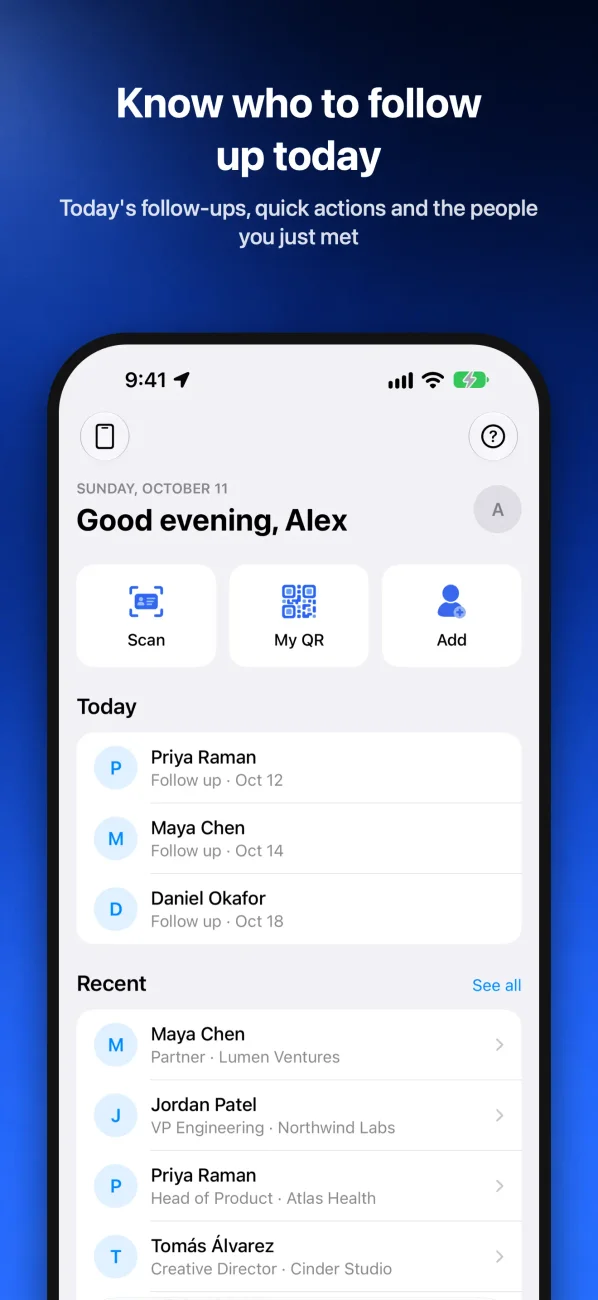
Set reminders and keep-in-touch cadences. Every contact is marked warm, cooling or cold, and Home's Today list shows who's due. A morning brief sums up your day. Five follow-up templates are free; Pro rewrites the one you pick for that person.
KNOW WHO YOU'RE MEETING
Connect your calendar for a brief 30 minutes before each meeting: their role, company and when you last spoke. Afterwards, one tap logs it. Optional, read-only, and your calendar never leaves your device.
HOST EVENTS, COLLECT LEADS WITH CONSENT
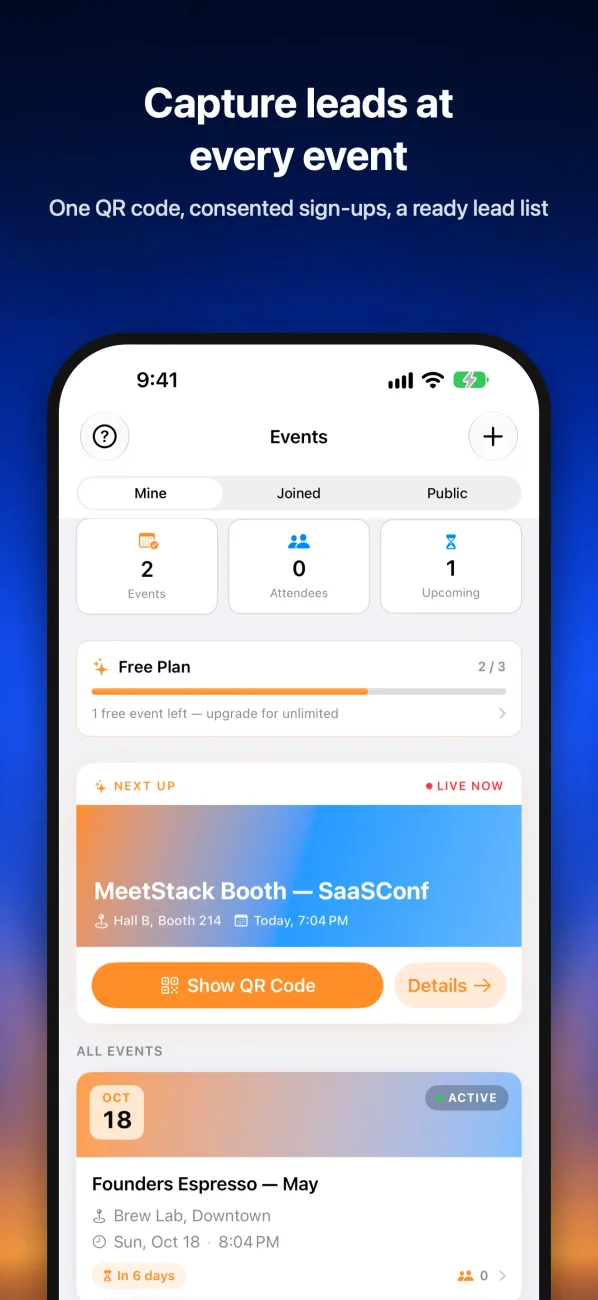
Create up to 3 events free, from templates for Networking Mixers, Conference Booths, Workshops and Meetups. Attendees scan your join QR once, and their details are shared only with their explicit consent. Publish events so people nearby find them on the map. Business adds unlimited events, campaigns, contests and team access.
SEND LEADS TO YOUR CRM
Export to CSV or vCard on every plan, including Free. On Business, push contacts to HubSpot or Pipedrive; contacts already in HubSpot are updated, not duplicated.
TRACK WHAT'S CLOSING
The deal pipeline shows a weighted forecast for this month and quarter, win rate, average cycle, and warnings for stalled deals.
WORKS OFFLINE
No signal on the show floor? Keep scanning and saving; everything syncs when you're back online. Add your card to Apple Wallet and your QR code is there even without signal.
PRIVATE BY DESIGN
Your contacts and card images are private to your account, and event data is shared only with attendee consent.
PLANS
• Free: 10 scans a month, 10 reminders, digital card, contacts and export, duplicate detection, advanced filters, voice memos, follow-up templates, Insights, up to 3 events with lead capture and CSV lead export, and unlimited events to join
• Pro: unlimited scans and reminders, premium themes, card analytics, AI card parsing, AI follow-ups and memo summaries
• Business: everything in Pro, plus unlimited events, HubSpot and Pipedrive export, campaigns, contests, teams and Business-only card themes
Pro and Business renew monthly or yearly. Your local price is shown in the app before you subscribe.
Terms of Use (EULA): https://www.apple.com/legal/internet-services/itunes/dev/stdeula/
Privacy Policy: https://culi.app/apps/meetstack/privacy-policy
What’s new
Version 1.6.0 · Oct 13, 2026
MeetStack 1.6 is made for iPhone Duo and built for event days.
• On iPhone Duo, unfold for a sidebar, contacts beside their details, and scan review next to the card photo
• Two MeetStack windows side by side on iPhone Duo, and My QR and Booth Mode turn sideways when you prop the phone up
• Conference Mode tags everyone you meet to the event, keeps Scan and My QR in a Lock Screen Live Activity, and ends with who to follow up
• Apple Watch: your QR code on your wrist and a brief for your next meeting
• With Apple Intelligence, AI card parsing, follow-up drafts and memo summaries run on your iPhone, even offline (Pro)
• Scan from Control Center, the Lock Screen or the Action button
• Ask Siri who you met at an event, or find contacts in Spotlight
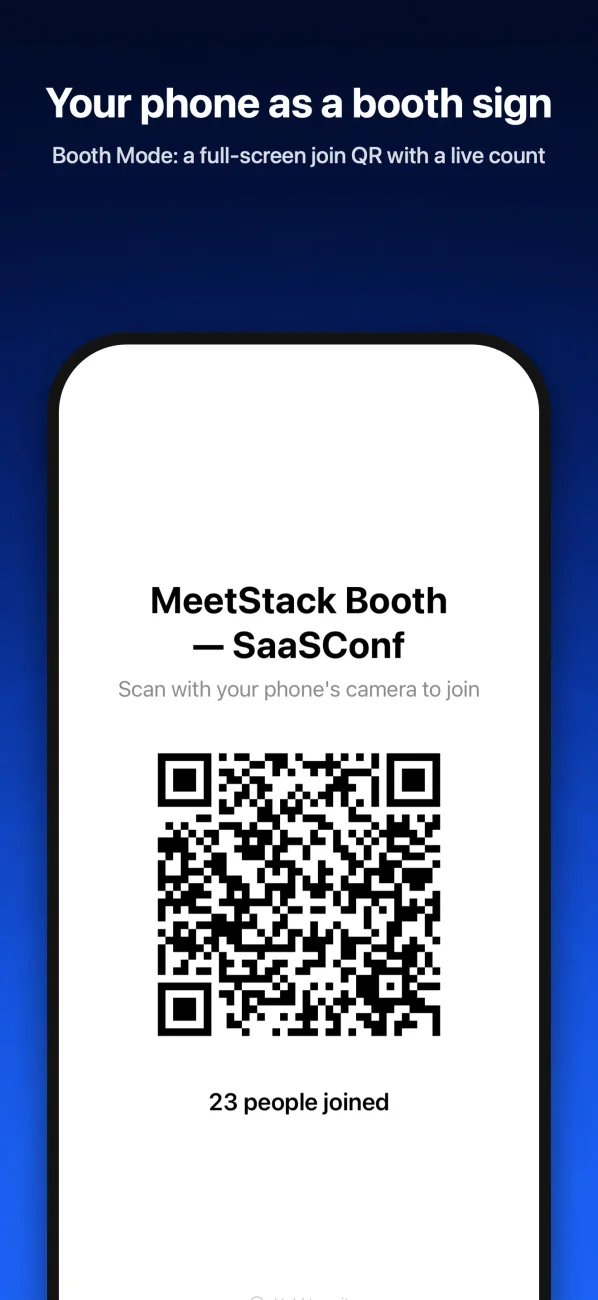
• Booth Mode: a full-screen join QR with a live count
• Business: scan conference badges and rate leads hot, warm or cold, add up to three join questions, connect Salesforce, and send new contacts to your CRM automatically
• Companies view, bulk actions, and a weekly recap of how often your card was saved
• Where We Met: an opt-in map of where you met people
• Pipeline: loss reasons, stage history, your own stage names and win chances, and deal tasks
• Contests with prizes, a fair server-side draw and winner notifications, plus card templates for teams
App privacy
What Rene Fandida declares on the App Store about how this app handles data.
-
Data not collected
The developer does not collect any data from this app.
Privacy practices may vary, for example with the features you use or your age.
Information
- Seller
- Rene Fandida
- Category
- Business
- Version
- 1.6.0
- Updated
- Oct 13, 2026
- Released
- Mar 30, 2026
- Size
- 28.6 MB
- Requires
- iOS 17.0 or later
- Age rating
- 4+
- Price
- Free
- In-app purchases
- Yes
- Languages
- English, Arabic, German, Japanese, Spanish
- Copyright
- © Culi 2026
You might also like
-
 CardHub: Business Card ScannerAI OCR Contact Organizer
-
 FluxWP: WordPress ManagerSites, content and accounts
-
 Clockee - BusinessL'agenda del tuo business
-
 Self Employed + AccountingBusiness Invoices & Expenses
-
 Investor PingSEC Form 4 monitoring
-
 NexBook BusinessBusiness
-
 Rethread: AI Voice PlannerBrain dump to tasks & habits
-
 AssetPortfolio:Crypto TrackerFinance
-
 business driveBusiness
-
 BizCard: Business Card ScannerScan Cards. Save Contacts.