MemoFlow: AI Voice Notes
Private Meeting Recorder
Designed for iPhone, iPad
In-app purchases
- Age rating4+
- CategoryProductivity
- DeveloperRemi Herbiet
- LanguagesGerman+ 43 more
- Size17.4 MB
Links to the official App Store page
Download.org hosts no file of MemoFlow: AI Voice Notes. The button opens its official App Store page, published by Remi Herbiet. Listing last checked on Nov 23, 2026.
Screenshots




About
MemoFlow records your meetings, lectures, interviews, and ideas on iPhone and iPad, then turns them into a transcript, a summary, and answers to your questions. Your recordings, transcripts, summaries, and chats stay on your device. No account. No subscription.
RECORD
• Start in one tap from the app, a widget, Control Center, the Action button, or Siri
• See recording time on the Lock Screen and in the Dynamic Island
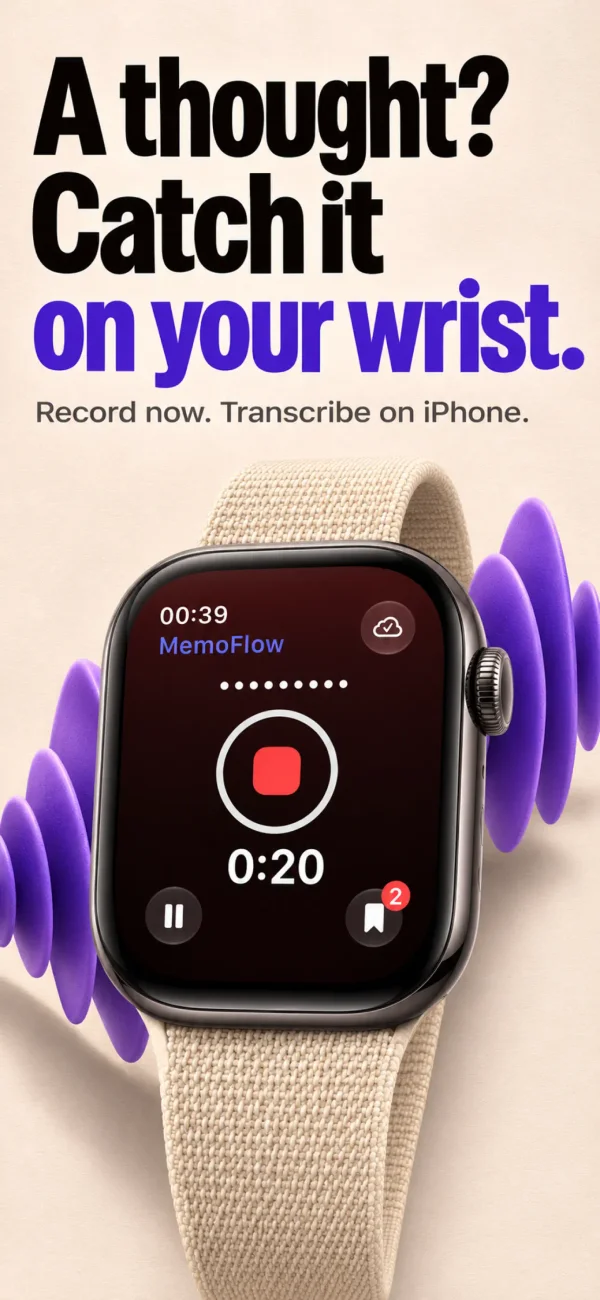
• Record on Apple Watch, from the app or a watch face complication, and bookmark key moments; recordings transfer to your iPhone
• Import an existing M4A recording
TRANSCRIBE
• On-device speech transcription, with your audio always saved first
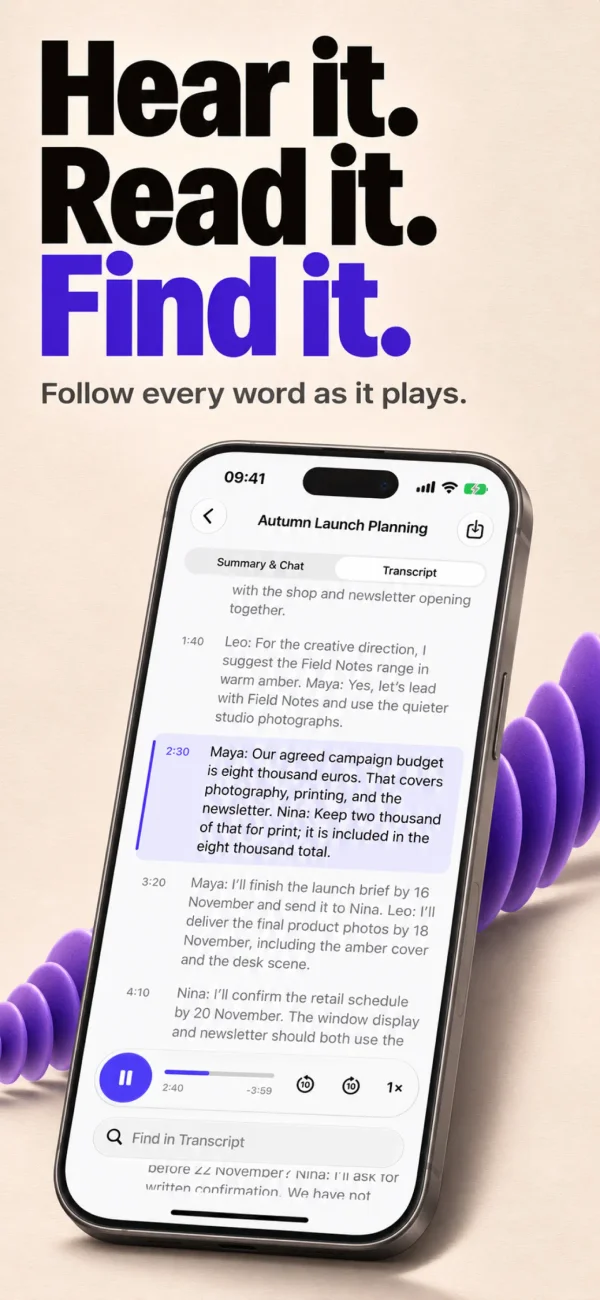
• Timestamped transcript: tap any line to play from that moment
• Search inside a transcript or across all your memos
• Choose your transcription language in Settings
SUMMARISE AND ASK
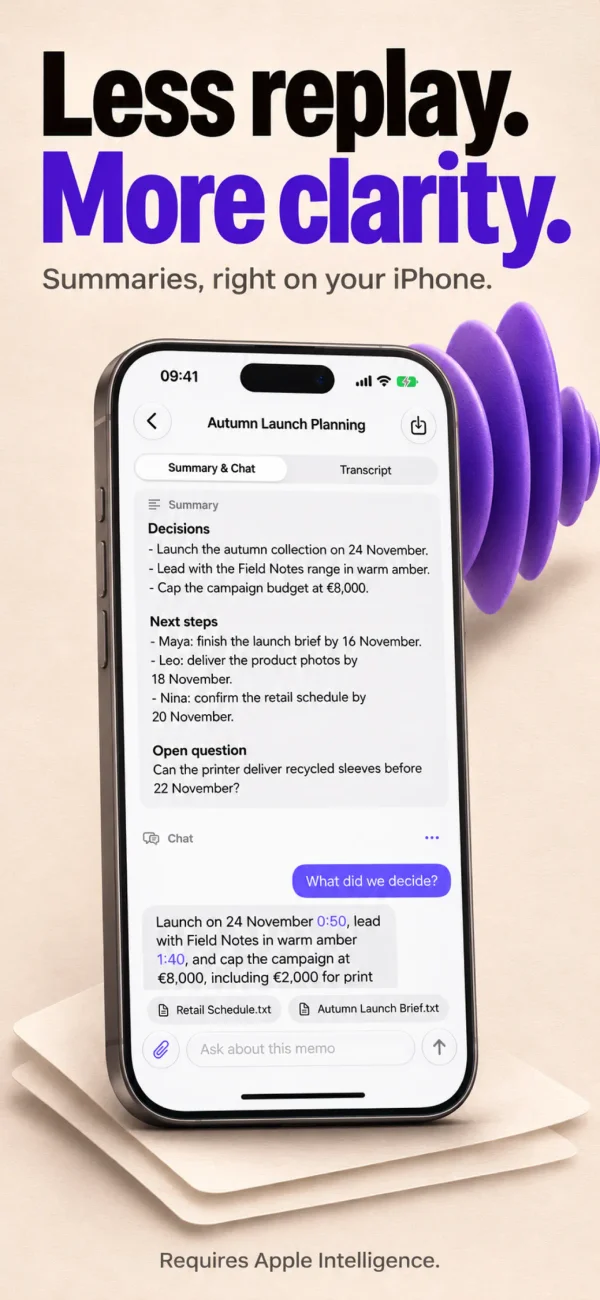
• A summary with key points for each recording, created on device with Apple Intelligence
• Ask questions about a recording and get answers grounded in its transcript
• One-tap prompts for decisions and action items
• Attach a PDF, image, or text file for extra context
LISTEN BACK
• Playback from 0.75× to 2× speed with 10-second skips
• Keeps playing in the background with Lock Screen controls
• Jump straight to the moments you bookmarked on Apple Watch
ORGANISE AND EXPORT
• Every recording is a project: audio, transcript, summary, chat, and attachments together
• Pin, sort, and search your projects by title or by what was said
• Widgets for quick recording, recent memos, and a pinned memo
• On iPad, a sidebar keeps your projects beside the one you have open
• Export the transcript as text or Markdown, the recording, the chat, or everything at once
PRIVATE BY DESIGN
• Transcription, summaries, and chat run on your device
• No account, no ads, no tracking
GOOD FOR
• Meetings and one-on-ones
• Lectures and classes
• Interviews and research
• Voice notes and ideas on the go
FREE AND LIFETIME ACCESS
MemoFlow is free for your first three projects. Lifetime Access is a one-time purchase that unlocks unlimited projects and chat colour options, and lets Apple Watch recordings import without waiting for a free slot. No subscription, and it works with Family Sharing.
GOOD TO KNOW
Summaries and chat need a device that supports Apple Intelligence, with Apple Intelligence turned on. Recording and transcription work without it. Available transcription languages depend on Apple's on-device speech models. Please get consent before recording other people.
What’s new
Version 26.0.2 · Nov 16, 2026
A big update for MemoFlow.
• iPad: MemoFlow now runs natively on iPad, with a sidebar for your projects.
• Apple Watch: record from your wrist and bookmark key moments. Recordings transfer to your iPhone for transcription.
• Widgets and controls: start recording from the Home Screen, Lock Screen, Control Center, or the Action button.
• Siri and Shortcuts: start a recording, open or search memos, and create a summary.
• Import Recording: bring in an existing M4A file and transcribe it.
• Transcript search with matches highlighted in place.
• Chat colour options with Lifetime Access.
• Now in 50 languages.
• More reliable saving if a recording is interrupted.
The paid unlock is now called Lifetime Access. If you already bought it, nothing changes.
App privacy
What Remi Herbiet declares on the App Store about how this app handles data.
-
Data not collected
The developer does not collect any data from this app.
Privacy practices may vary, for example with the features you use or your age.
Information
- Seller
- Remi Herbiet
- Category
- Productivity
- Version
- 26.0.2
- Updated
- Nov 16, 2026
- Released
- Aug 13, 2025
- Size
- 17.4 MB
- Requires
- iOS 26.0 or later
- Age rating
- 4+
- In-app purchases
- Yes
- Languages
- German, Arabic, Bengali, Danish, English, Finnish, French, Greek, Gujarati, Hebrew, Hindi, Indonesian + 32 more
- Copyright
- © 2026 Crafter Apps
You might also like
-
 SynopsuleOn-device meeting transcripts
-
 Noda AIAI Meeting Notes & Recorder
-
 HushNote RecorderPrivate Meeting Notes
-
 Audio Voice Recorder LiteRecord, Save & Share Audio
-
 VocilioProductivity
-
 Timely: Calendar AlarmsRings through Silent & Focus
-
 JoeNoteCreate your note
-
 OKnote一款多功能强大的NAS笔记工具
-
 NoteFlow AI: Voice & MeetingsTranscribe Audio to Text
-
 GramboAI Writing Assistant