Memoreo
Snap a photo, get flashcards
Designed for iPhone, iPad, iPod touch
In-app purchases
- Age rating4+
- CategoryEducation
- DeveloperWataru Fujita
- LanguagesJapanese+ 4 more
- Size33.6 MB
Links to the official App Store page
Download.org hosts no file of Memoreo. The button opens its official App Store page, published by Wataru Fujita. Listing last checked on Nov 8, 2026.
Screenshots
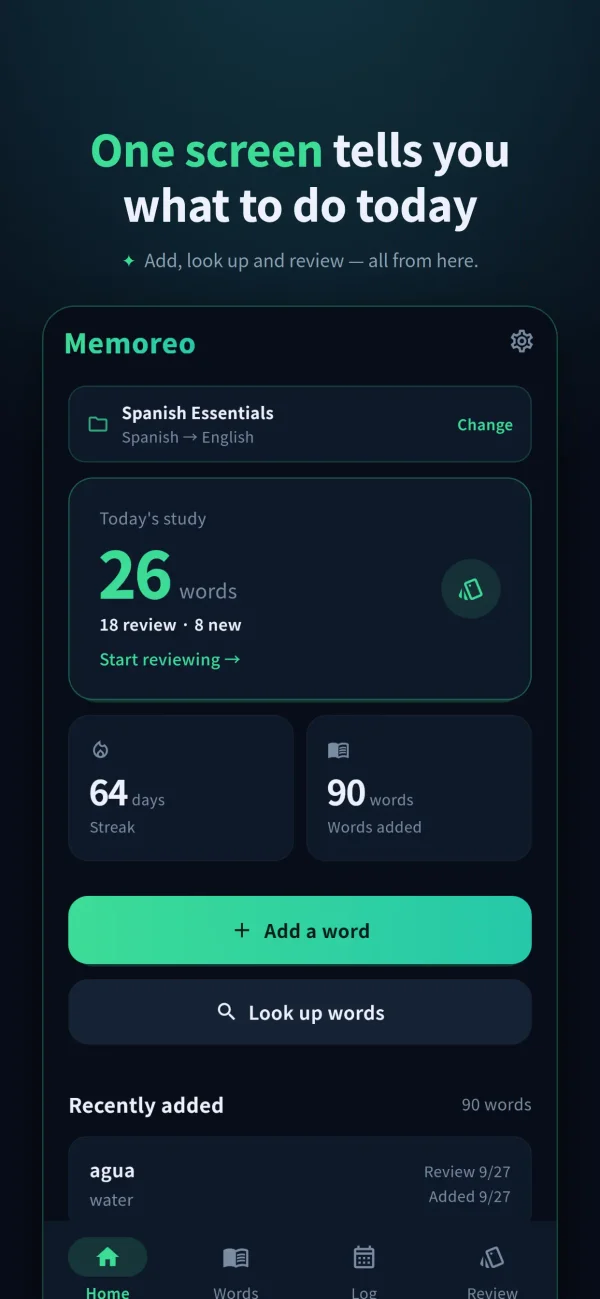
About
Snap a photo, and your flashcards are done. Examples, idioms and review timing — all handled for you.
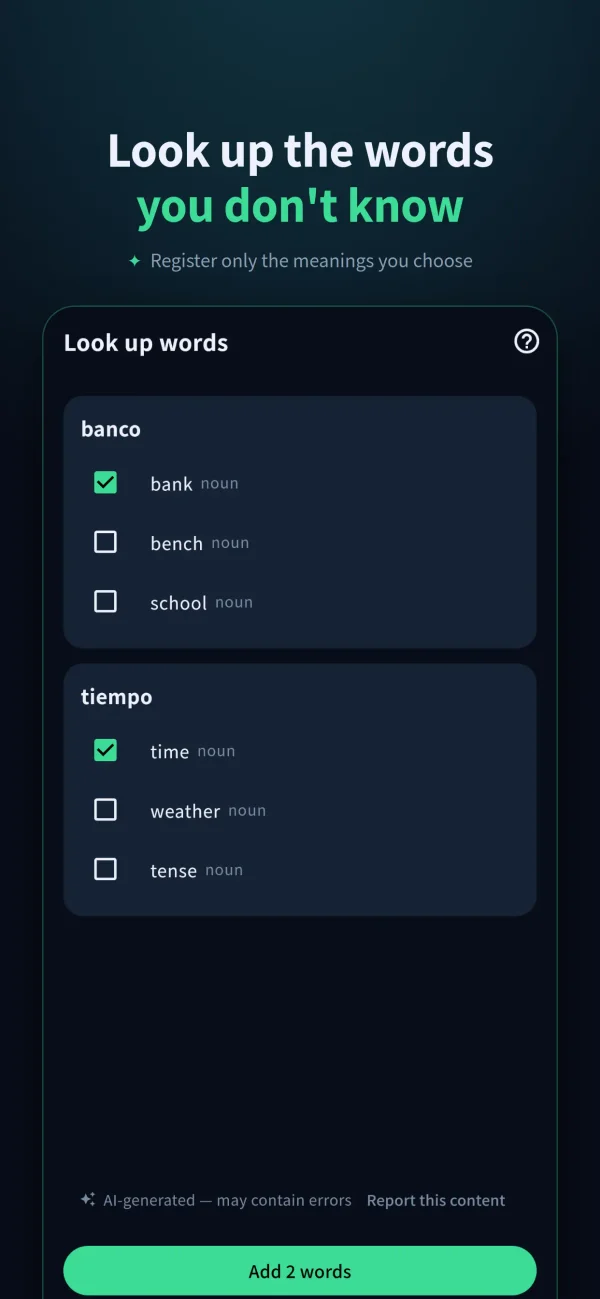
[Look up words on the spot]
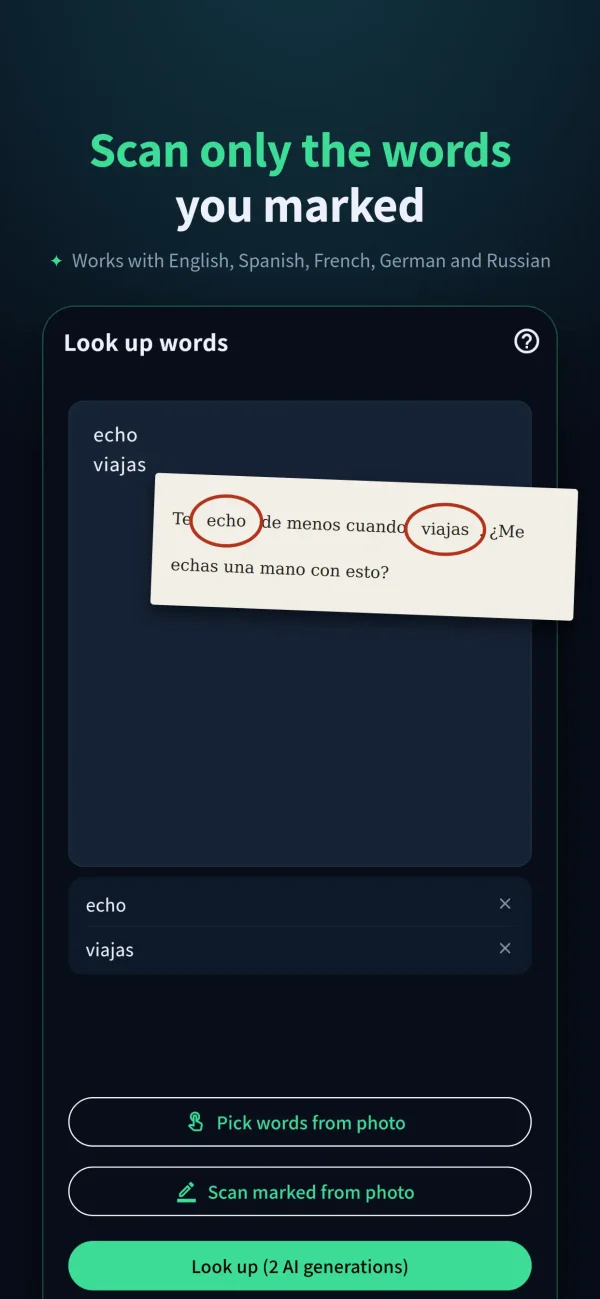
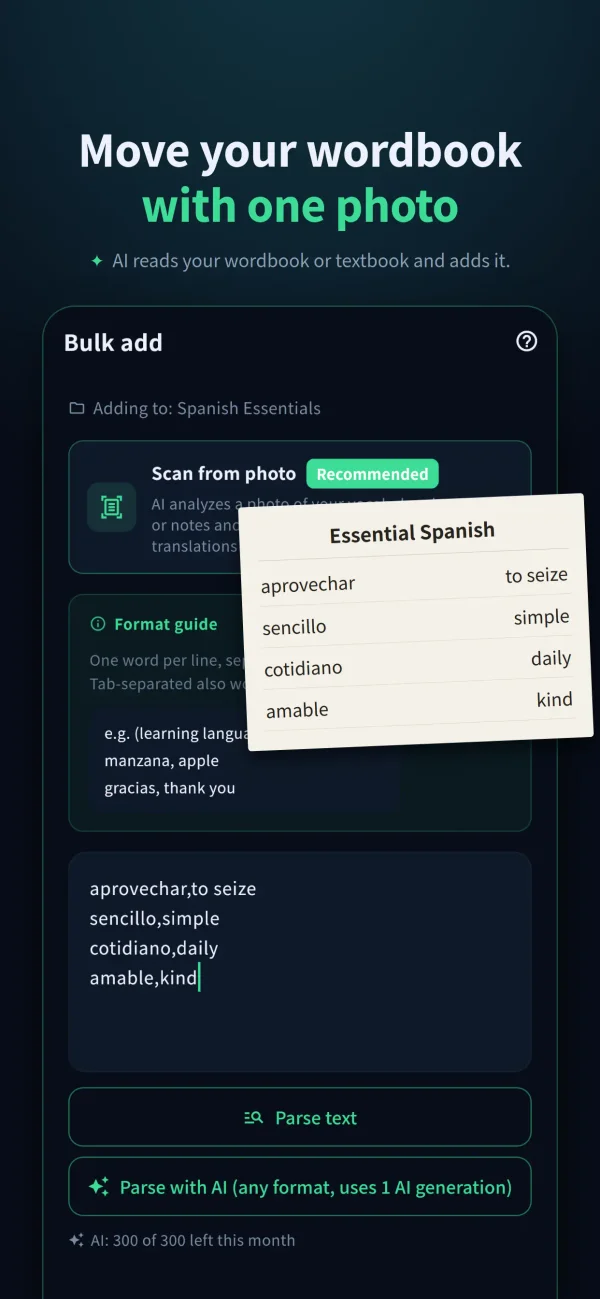
Type them, or trace the text in a photo to pick them, and AI suggests the meanings. You register only the ones you pick, so nothing unwanted gets in. It can also read just the words you marked in books and handouts (available for English and some other languages).
[Your word list, straight from a photo]
Vocabulary books, textbooks, handouts. Take a photo and AI reads the words and their meanings, then registers them in bulk.
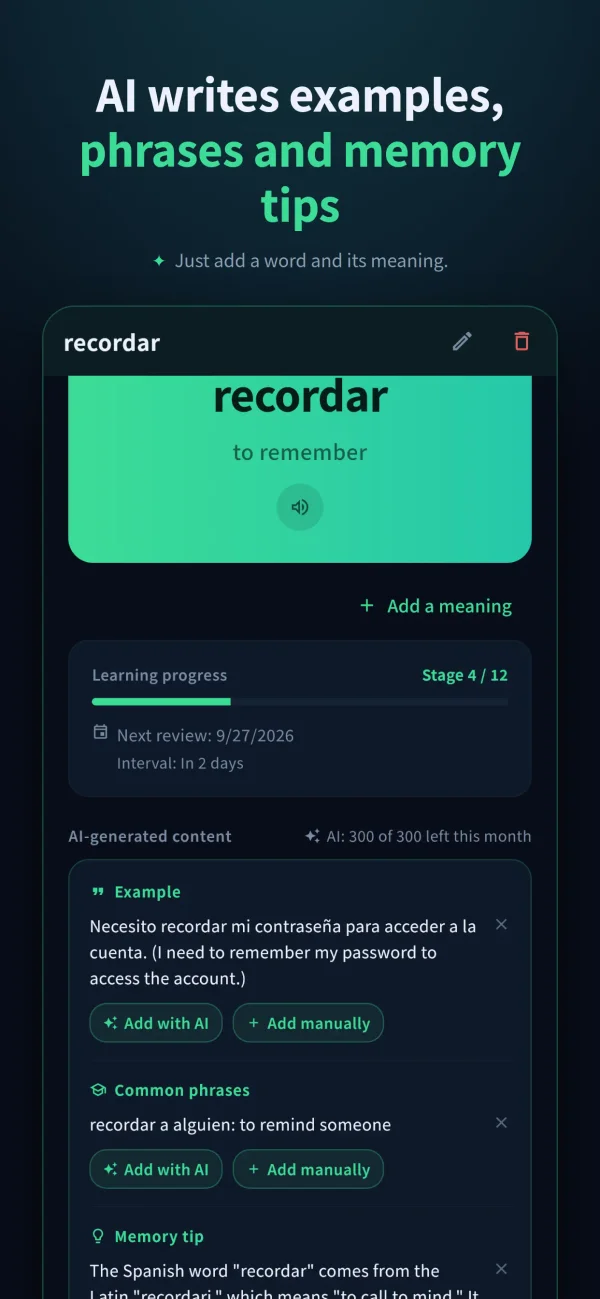
[Examples and memory tips, one tap]
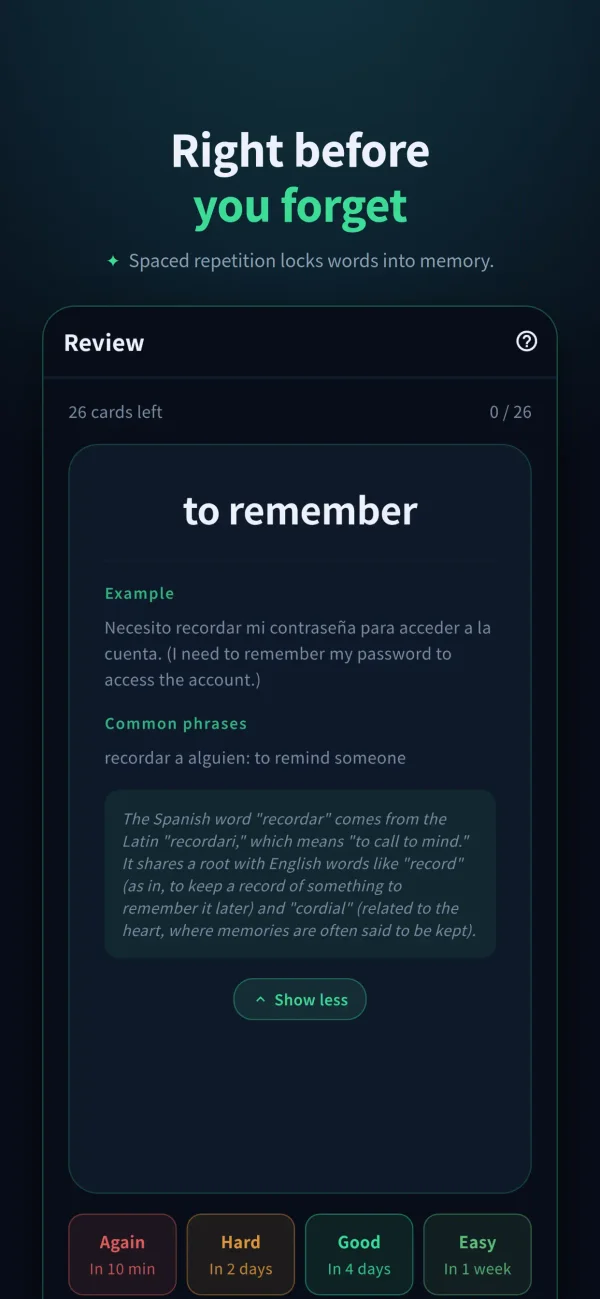
For every word you add, AI prepares an example sentence, common idioms and a memory tip.
[Review right before you forget]
Spaced repetition built on the forgetting curve brings each word back just as it starts to slip — less reviewing, longer-lasting memory.
[Study mode for test prep]
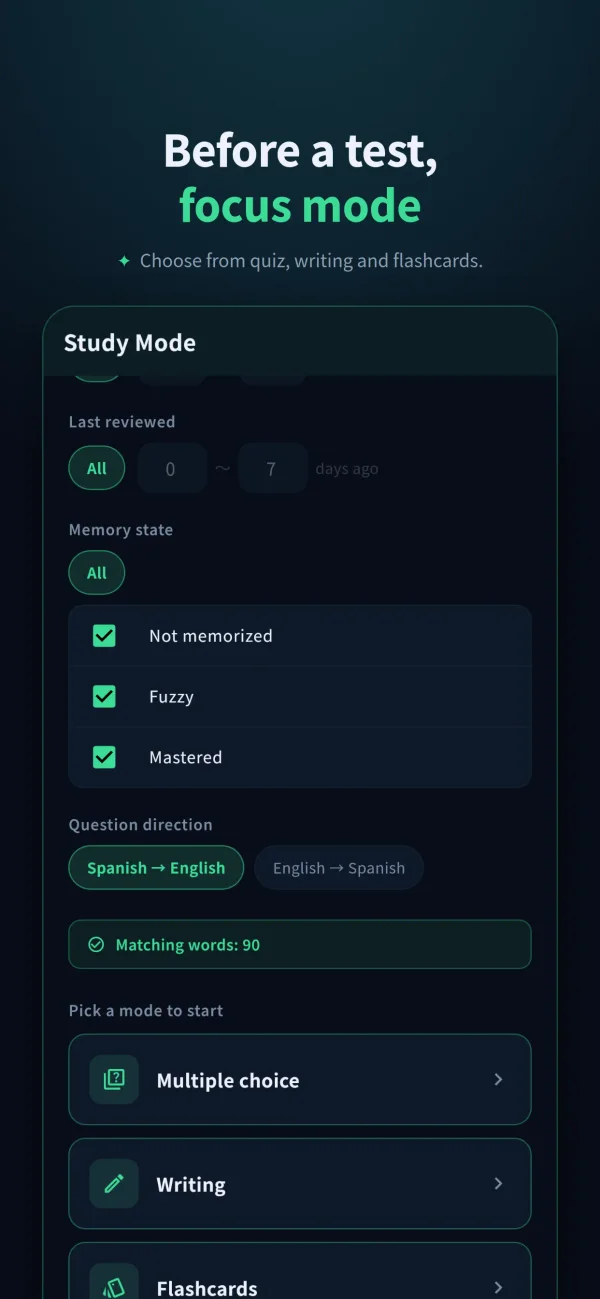
Multiple-choice, writing and flashcard drills, with full control over what's covered.
[Watch your streak grow]
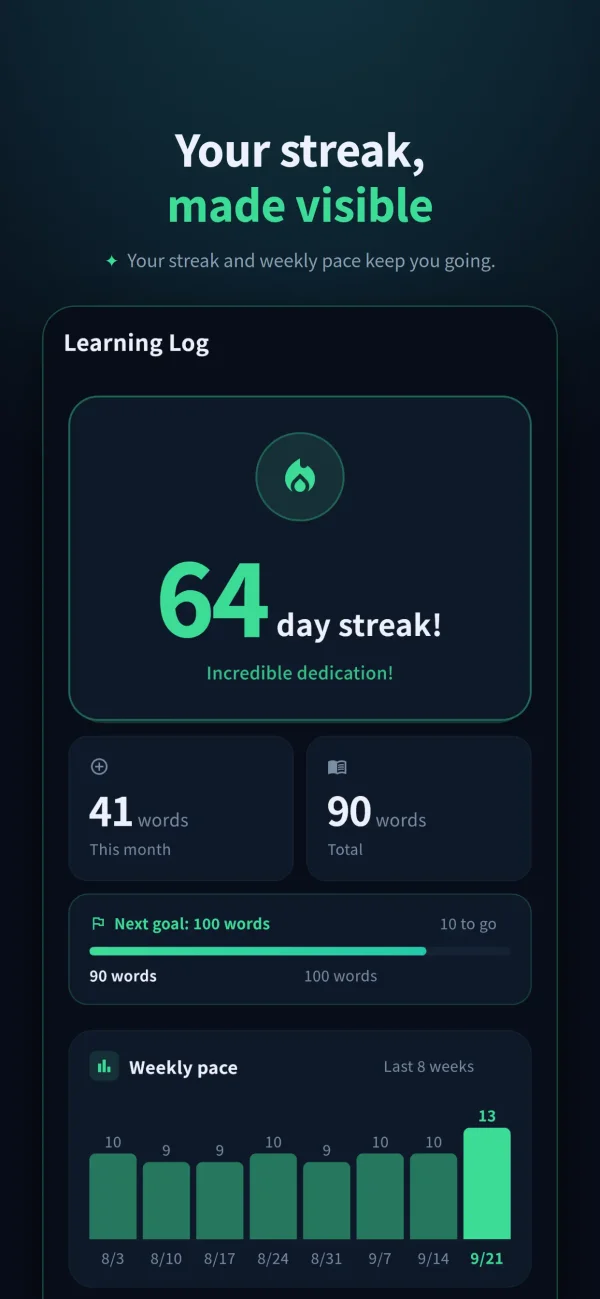
Daily streaks and weekly reports keep the momentum going.
Learn Spanish, French, Japanese, Korean — any language you like.
Terms of Use (EULA): https://www.apple.com/legal/internet-services/itunes/dev/stdeula/
Privacy Policy: https://yolca.dev/memoreo-privacy/
What’s new
Version 1.0.16 · Oct 24, 2026
- Redesigned the tutorial. On the real screens, you can try creating a folder, adding a word with AI, and looking up words from a photo.
- Added Light and Dark appearance (Settings & Plan > Background).
- You can now set your own photo as the background.
- Refreshed the design across the app.
- Added a launch animation.
- Fixed some bugs.
App privacy
What Wataru Fujita declares on the App Store about how this app handles data.
-
Data linked to you
May be collected and linked to your identity.
- Purchases
- User content
- Identifiers
- Usage data
Privacy practices may vary, for example with the features you use or your age.
Information
- Seller
- Wataru Fujita
- Category
- Education
- Version
- 1.0.16
- Updated
- Oct 24, 2026
- Released
- Jul 29, 2026
- Size
- 33.6 MB
- Requires
- iOS 15.0 or later
- Age rating
- 4+
- In-app purchases
- Yes
- Languages
- Japanese, Spanish, Russian, Simplified Chinese, English
- Copyright
- © 2026 Wataru Fujita
You might also like
-
 MIMI Talk: Speaking PracticeAI Spanish & Japanese tutor
-
 共通テスト 2500 英単語Education
-
 ことり-写真で単語帳Education
-
 RapidWord - AI FlashcardsVocab Builder for 54 Languages
-
 忘れかけ単語帳|英単語の暗記・復習Education
-
 たンゴ 中1英単語 1039語を聞いて覚える反復学習Education
-
 四字熟語ステップEducation
-
 ピコとくくEducation
-
 WordStory 自作の英単語帳・暗記カードEducation
-
 TANGORU - 英単語帳|英検®・受験対策Education