
Memorize Note - Flashcards
Snap a page, memorize anything
Designed for iPhone, iPad
Free
- Age rating4+
- CategoryEducation
- DeveloperHONG JAE KWON
- LanguagesEnglish+ 1 more
- Size461.0 KB
Links to the official App Store page
Download.org hosts no file of Memorize Note - Flashcards. The button opens its official App Store page, published by HONG JAE KWON. Listing last checked on Nov 23, 2026.
Screenshots


About
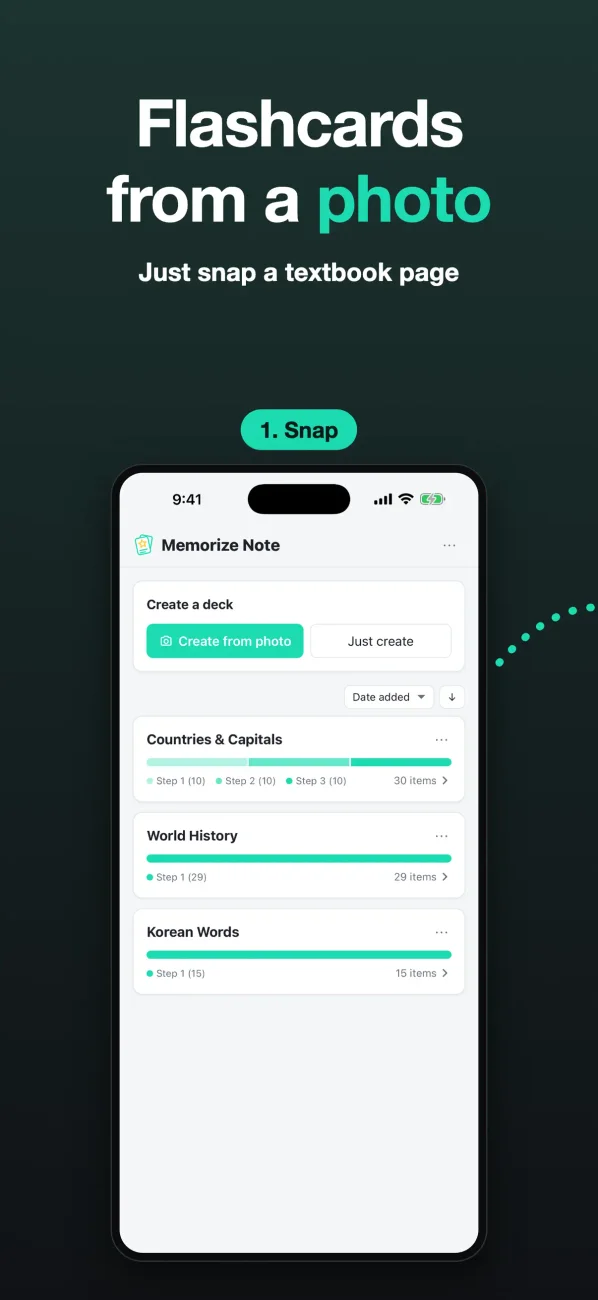
Snap a photo of a word list or textbook and Memorize Note reads the text and fills in the questions and answers for you. No need to type every word.
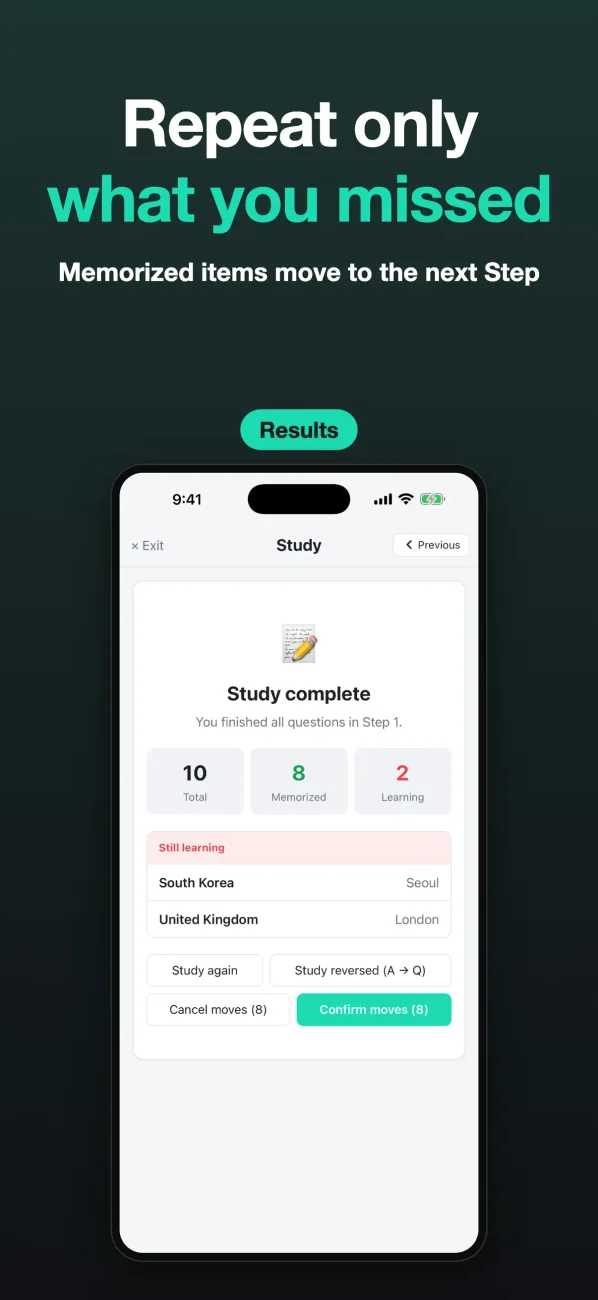
Memorize anything you can write as a question and an answer. Memorize Note lets you add your own questions and answers, then repeat them step by step — memorized items move on to the next Step.
• Languages: words, phrases and sentences in English, Chinese, Japanese, Spanish, French, German or any language
• Exams: test vocabulary, certification and exam questions, key terms
• Facts: countries and capitals, history dates, formulas and definitions
■ Add from a photo
• Take a photo of a textbook, word list or handout, or pick one from your photos, and the questions and answers are filled in.
• Tap "Create from photo" on the home screen to start a new deck right from a photo.
• Words and meanings on one line or in two columns are split for you, and numbers and markers are removed.
• Check and fix them before saving.
• Reads Korean and Latin-alphabet text such as English, Spanish and French.
• Photos are read on your device and never sent anywhere.
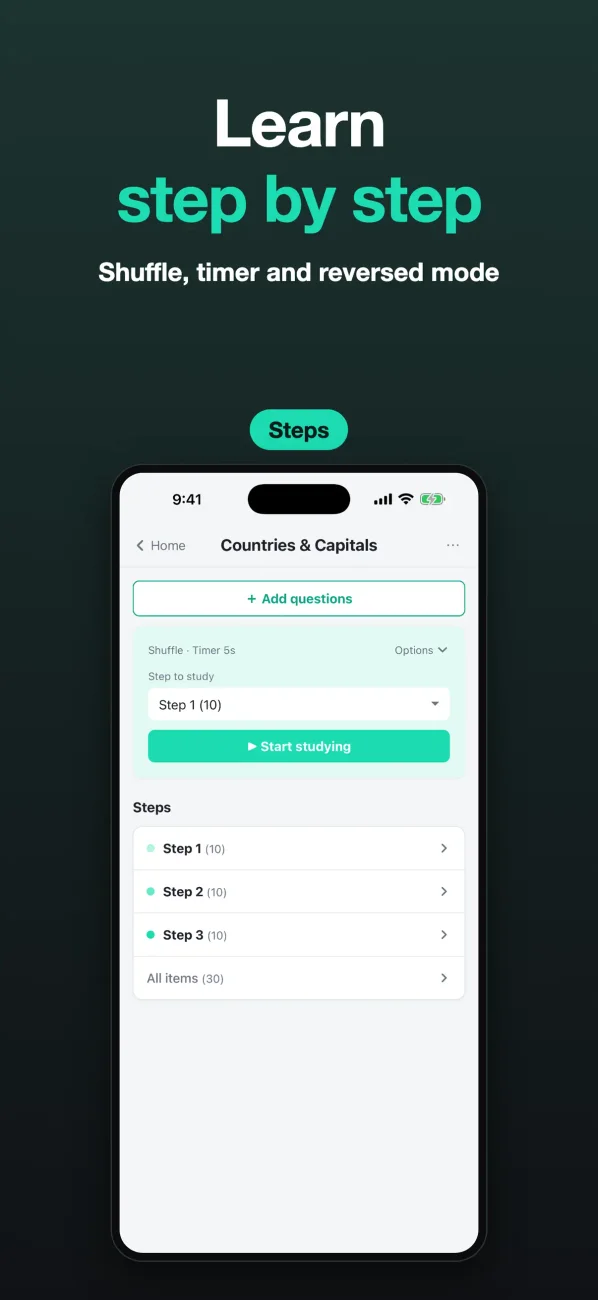
■ Learn step by step
• Look at the question, recall the answer, then mark it "Memorized" or "Still learning".
• Memorized items move to the next Step; the rest stay and come back again.
• Study one Step at a time to focus on what you keep missing.
■ Study reminders
• Turn on a reminder for any Step and get "N cards are waiting" at the time you choose.
• Repeat every day, every few days, weekly on the days you pick, or monthly.
• Tap the reminder to jump straight to that Step.
• New decks start with a daily Step 1 reminder.
■ Listen to pronunciation
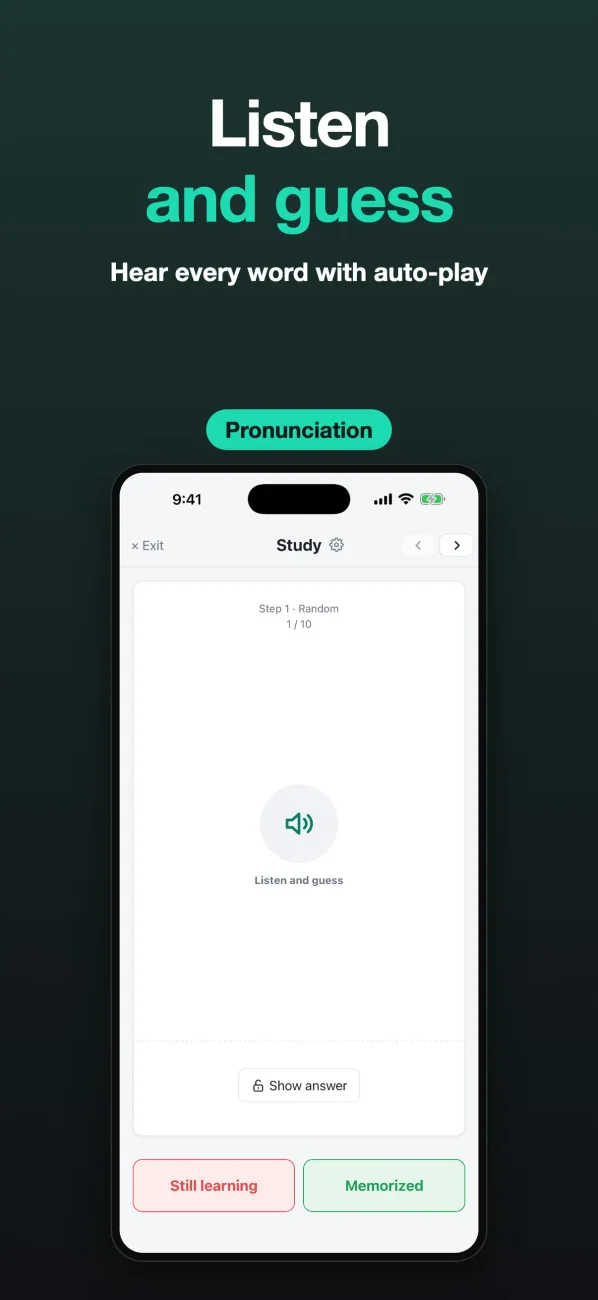
• Tap the speaker next to a question or answer to hear it read aloud by your device. The language is picked from the text: English, Chinese, Japanese and more.
• Auto-play while studying: hide the question and recall from sound alone, or listen while you read.
■ Study your way
• Reversed: answer → question, to learn both directions
• Timer: recall within 3 to 60 seconds
• Order: random or as added
• Study again or study reversed right after you finish
■ Quick to add
• Add many questions and answers at once
• Copy two columns (question, answer) from a spreadsheet and paste
• Edit all items at once
■ More
• Sample decks: countries and capitals, world history, Korean words
• No sign-up needed
• Dark mode
• Restore deleted decks from the trash
※ You add your own questions and answers. Your data is stored only on this device and is removed if you delete the app.
What’s new
Version 1.3.0 · Nov 19, 2026
• New: study reminders for each Step. Tap the bell on the Step list or Step screen to get reminders daily, weekly (pick the days), or monthly at the time you choose.
• Tap a reminder to jump straight to that Step.
• New decks start with a daily Step 1 reminder.
App privacy
What HONG JAE KWON declares on the App Store about how this app handles data.
-
Data not linked to you
May be collected but is not linked to your identity.
- Location
- Usage data
Privacy practices may vary, for example with the features you use or your age.
Information
- Seller
- HONG JAE KWON
- Category
- Education
- Version
- 1.3.0
- Updated
- Nov 19, 2026
- Released
- Nov 5, 2026
- Size
- 461.0 KB
- Requires
- iOS 16.0 or later
- Age rating
- 4+
- Price
- Free
- Languages
- English, Korean
- Copyright
- © 2026 일라이나
You might also like
-
 기출샷 - 모의고사·수능·공무원·편입 기출 영단어Education
-
 외우자 - 단어 암기 카드Education
-
 Caro - Flashcard StudyToday’s review cards for you
-
 DigiPalPalghat Diocese
-
 KMKM - Smart Flashcard ReviewSwipe cards, remember faster
-
 영단어 - 보카파카Education
-
 Septify(셉티파이)영어회화 암기, 7번 반복 학습Education
-
 Smart Vocabulary CardSmart Study Flashcards
-
 1만 영단어 암기Education
-
 Amgicard - Snap, Pick, LearnTextbook pages into flashcards