
Memoroad
Photo backup to a USB drive
Designed for iPhone, iPod touch
In-app purchases
- Age rating4+
- CategoryTravel
- DeveloperJeongSeong SHIN
- LanguagesKorean+ 13 more
- Size94.4 MB
Links to the official App Store page
Download.org hosts no file of Memoroad. The button opens its official App Store page, published by JeongSeong SHIN. Listing last checked on Nov 20, 2026.
Screenshots

About
Memoroad backs up your photos to an external drive or USB stick, and turns your travel photos into organized trips — with route maps, itineraries, and even a travel expense log. Your photos and records are processed only on your device.
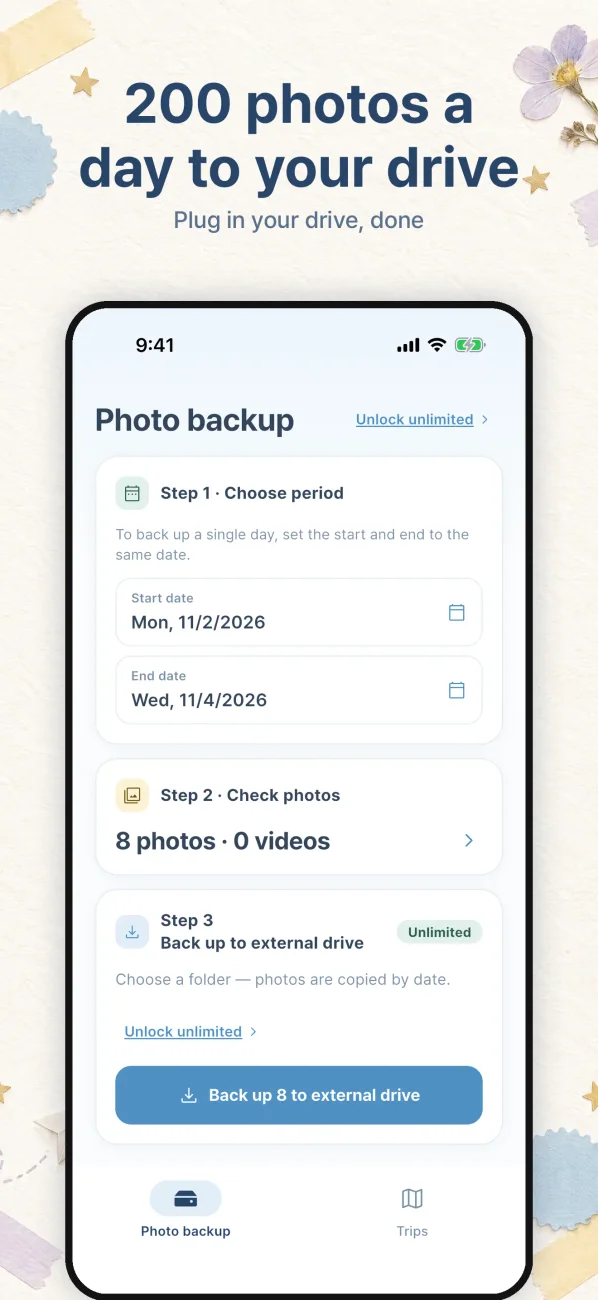
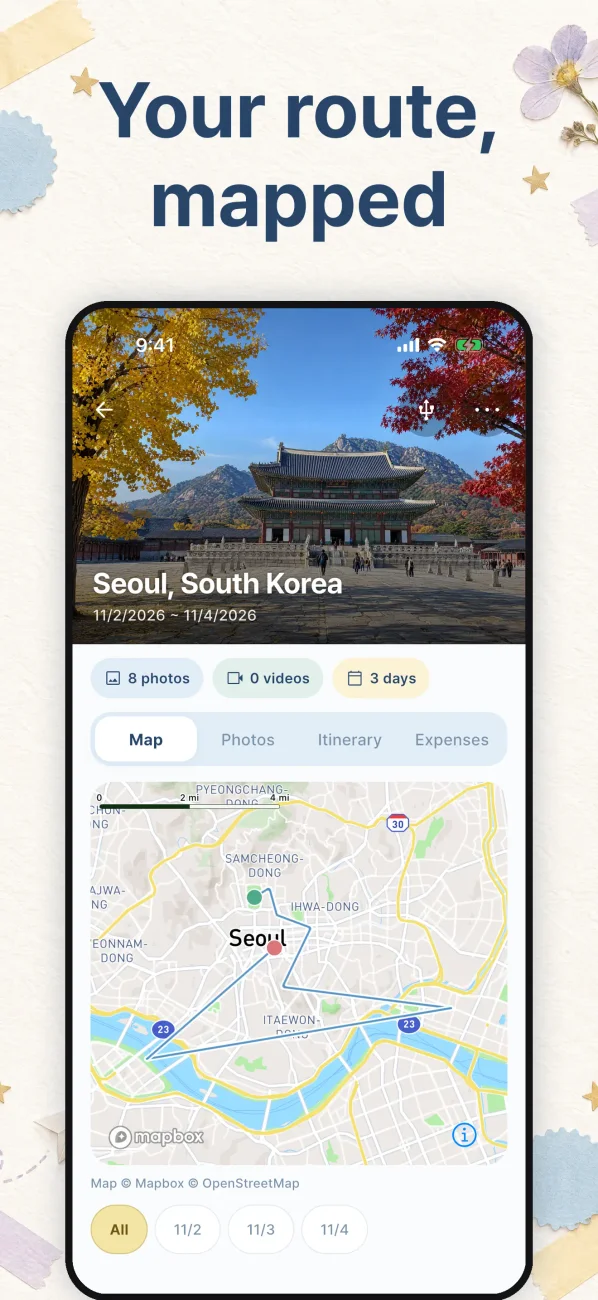
Plug in a cable and pick a date range, and your photos are copied to the drive, sorted into date folders. Memoroad also reads the location and time saved in each photo to group them into trips, and draws the route you traveled on a map.
FEATURES
- Back up photos to an external drive or USB stick (sorted into date folders, 200 a day)
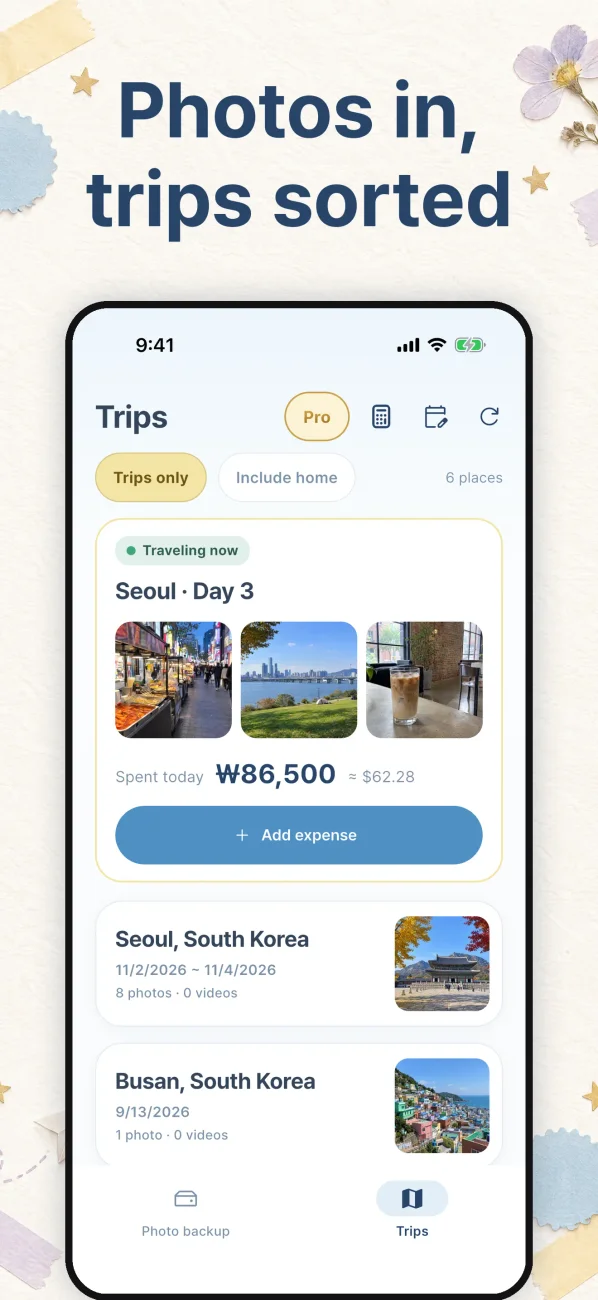
- Trips organized automatically from your photos, with your route on a map
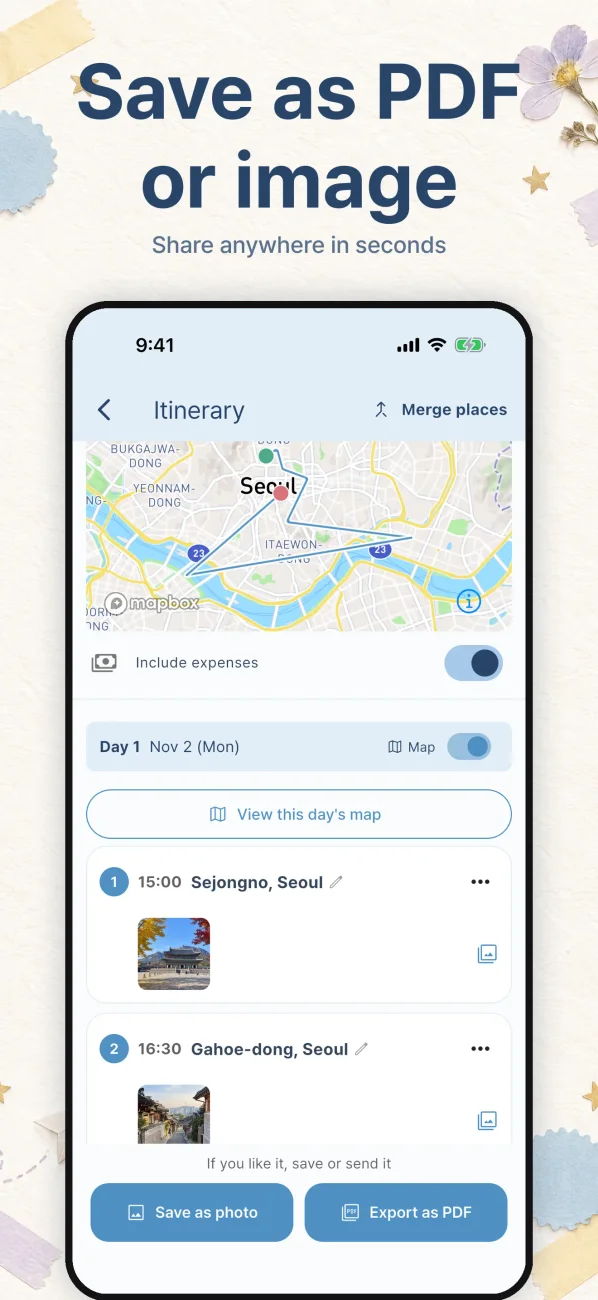
- Day-by-day itineraries built from your travel photos
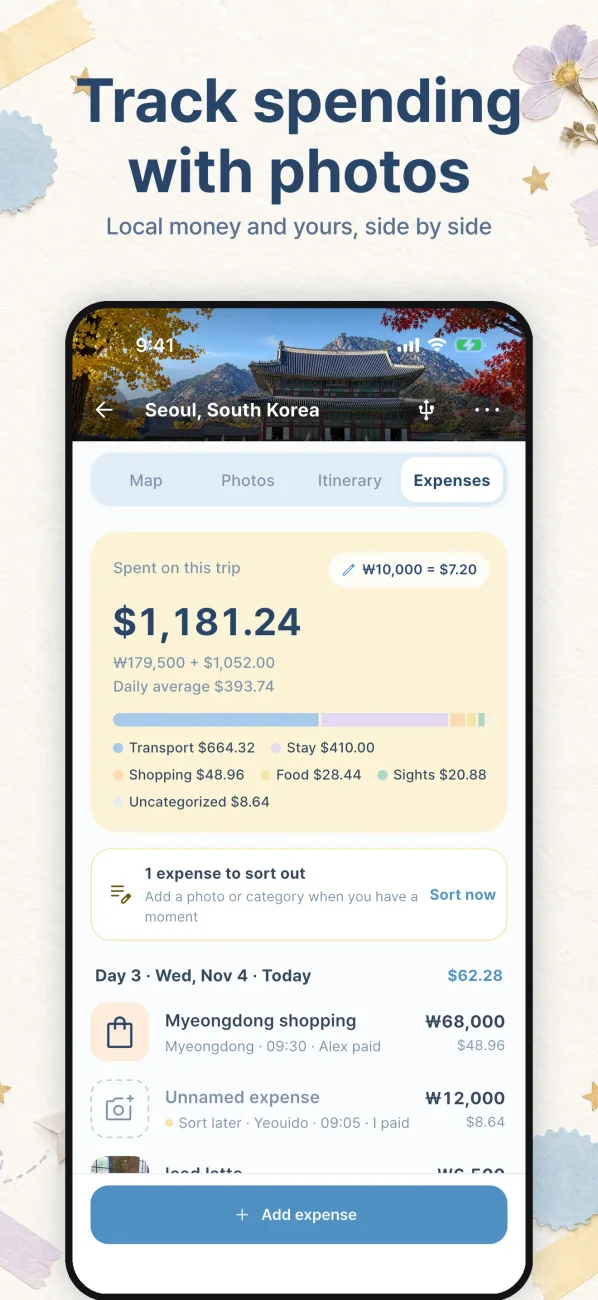
- Travel expenses: log what you spend during the trip, or after you're home
- Just an amount is enough to save — add a photo and place later
- The place fills in automatically from the photos you took there
- Local currency and your own, side by side (exchange rate automatic or entered by you; change it later and everything is recalculated)
- Travel receipt: save or share your trip's spending as a single image
- Note who you traveled with and who paid
MEMOROAD PRO
- Settle up with friends: who owes whom, and how much, worked out for you
- Send detailed expenses as a PDF or image
- Add per-place expenses to your itinerary
- Export to Excel (.xlsx)
- Edit itineraries and add notes; export itineraries as a PDF or image
- Unlimited drive backup
If unlimited backup is all you need, you can also unlock it with a one-time purchase — no subscription.
PRIVACY FIRST
Your photos and location data are processed only on your device. Memoroad does not collect or upload your personal data to any server.
Memoroad Premium is an auto-renewable subscription (monthly or yearly). Payment is charged to your Apple account. Your subscription renews automatically unless canceled at least 24 hours before the end of the current period. You can manage or cancel anytime in your App Store account settings.
Terms of Use: https://melbounrne-edu.web.app/memoroad-terms.html
Privacy Policy: https://melbounrne-edu.web.app/memoroad-privacy.html
What’s new
Version 1.0.5 · Nov 17, 2026
• Edit trip dates yourself. Change the start and end of a trip that was grouped automatically, or pick dates to create a new trip.
• Choose which photos belong to a trip. Removing a photo from a trip never deletes it from your phone. You can also delete trips you don't need.
• All of your upcoming trip plans now show up, even when you have several.
• Set a trip budget to see how much you've spent and how much is left.
• Dates now follow the local date where each photo was taken — in itineraries, expenses and backup folders on your drive.
• Live Photos are backed up together with their motion video.
• New illustrations on empty screens, plus small bug fixes and stability improvements.
App privacy
What JeongSeong SHIN declares on the App Store about how this app handles data.
-
Data not collected
The developer does not collect any data from this app.
Privacy practices may vary, for example with the features you use or your age.
Information
- Seller
- JeongSeong SHIN
- Category
- Travel
- Version
- 1.0.5
- Updated
- Nov 17, 2026
- Released
- Jul 24, 2026
- Size
- 94.4 MB
- Requires
- iOS 15.0 or later
- Age rating
- 4+
- In-app purchases
- Yes
- Languages
- Korean, Russian, Vietnamese, Spanish, English, Italian, Indonesian, Japanese, Simplified Chinese, Cambodian, Thai, Portuguese + 2 more
- Copyright
- © 2026 MELBOURNECODE
You might also like
-
 경기도 행사 - 전시, 공연, 축제, 콘서트Travel
-
 Daypin: AI Travel PlannerWeekend Trip Itinerary Maker
-
 Nutu Eye: Audio Travel GuideSnap a photo, hear its history
-
 Nextour: AI Trip PlannerPlan the trip. Take the tour.
-
 TripReel Travel Recap/TimelineJourney Map Videos/Animations
-
 Trip Planner AI: RoutlyTrip Itinerary & Smart Travel
-
 Travu: Travel Map & TrackerCountries Been & Scratch Map
-
 Samth eSIM: eSim for TravelGlobal eSIM for Travel
-
 Travel Animator - Travel VideoTravel Journey Animator Video