
- Age rating4+
- CategoryReference
- DeveloperJustin Rhoads
- LanguagesEnglish+ 1 more
- Size73.1 MB
Links to the official App Store page
Download.org hosts no file of Meno — Scripture Memory. The button opens its official App Store page, published by Justin Rhoads. Listing last checked on Nov 20, 2026.
Screenshots


About
Meno helps you memorize Scripture — and keep it.
Pick a passage: a single verse, a psalm, or whole chapters. Meno breaks it into small, day-sized pieces and walks each one up a ladder of practice modes:
• Read — settle into the words
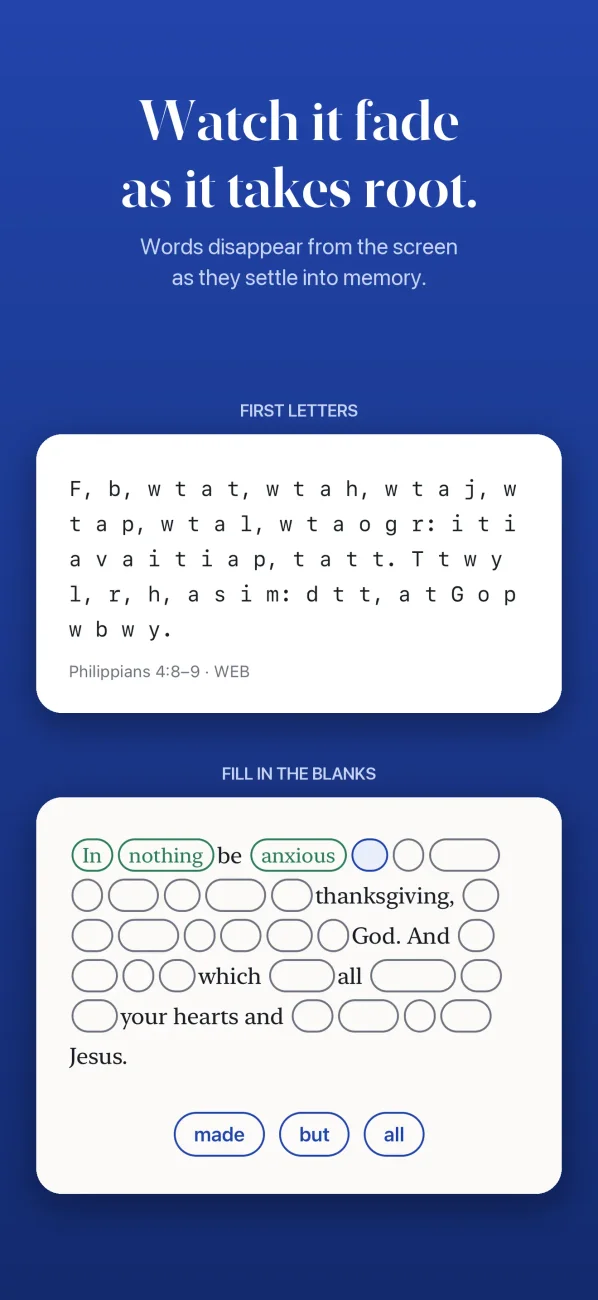
• First letters — recite from a letter cipher
• Fill in the blanks — 25%, 50%, then 75% of the words removed
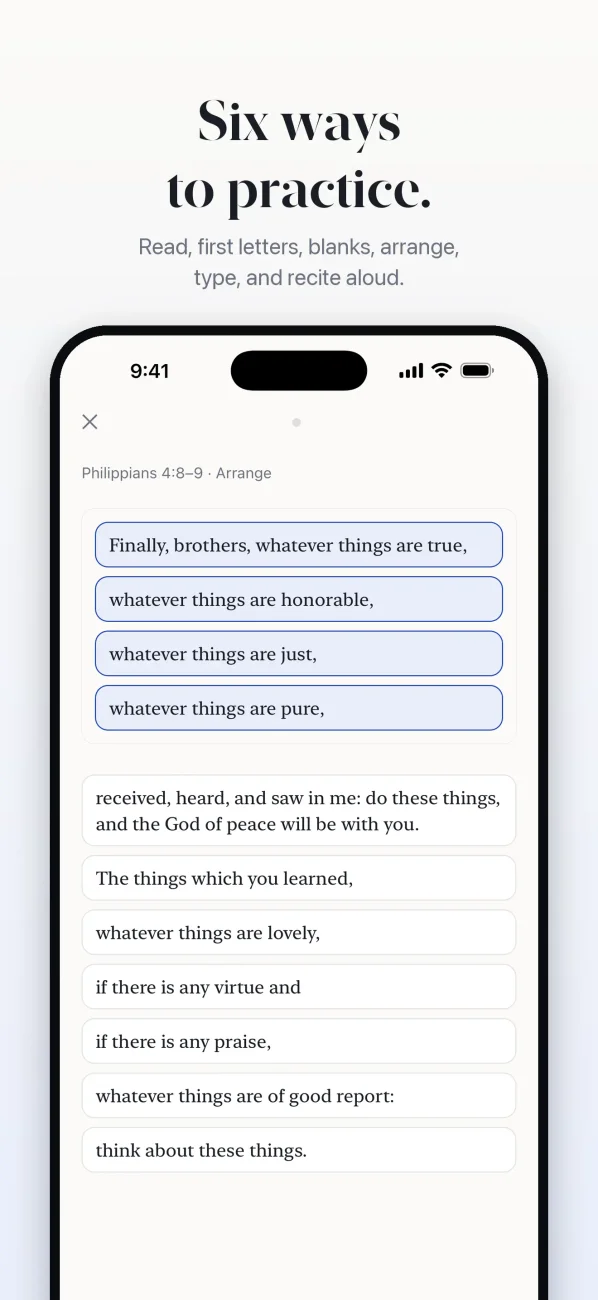
• Arrange — rebuild the passage from shuffled phrases
• Type — write it from memory
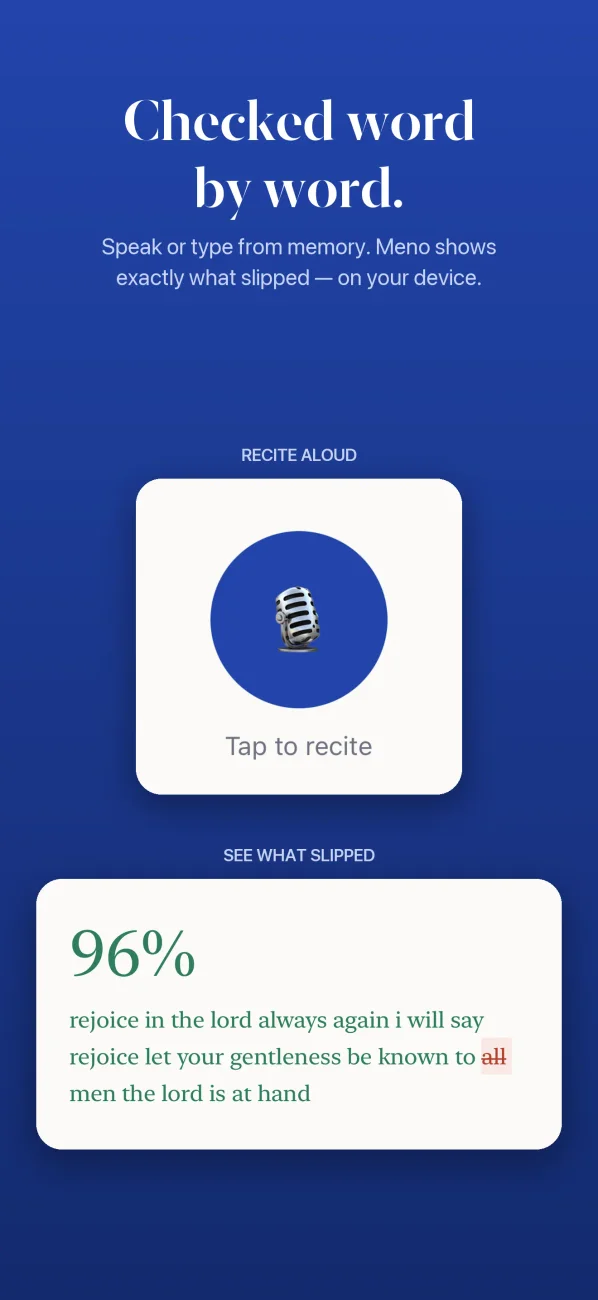
• Speak — recite it aloud, checked on your device
As a verse solidifies in memory, its text visibly dissolves from the screen — first letters, then just the reference. That's the whole idea: it lives in you, not the app.
KEEP IT FRESH
Memorized verses come back for spaced-repetition reviews right before you'd forget them. Optional pop quizzes arrive out of the blue (never more than two a day, never at night) — thirty seconds that keep a verse yours for good. Stitch sessions regularly ask you to recite everything so far as one passage, so chapters hold together, not just fragments.
RECITE TO UNLOCK
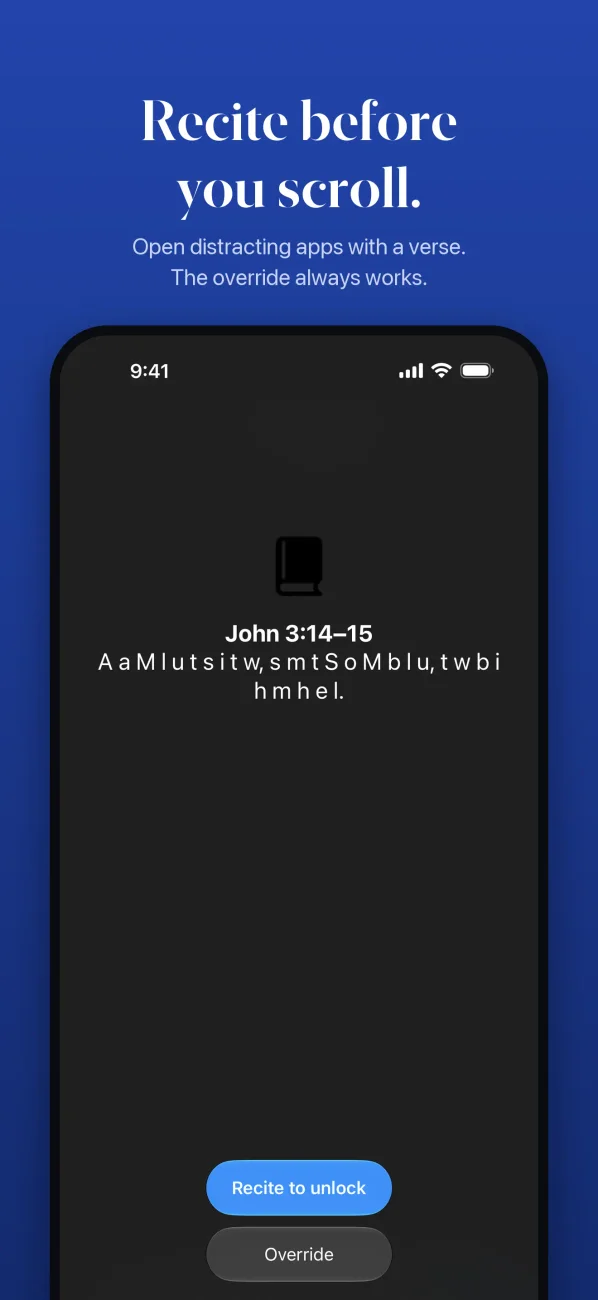
Choose apps you'd rather open less, and Meno will ask you to recite your current verse before they open. It's a door, not a wall: an override button always works, instantly, no questions asked. Your app choices never leave your device — Apple's Screen Time framework keeps them private even from us.
ALWAYS IN FRONT OF YOU
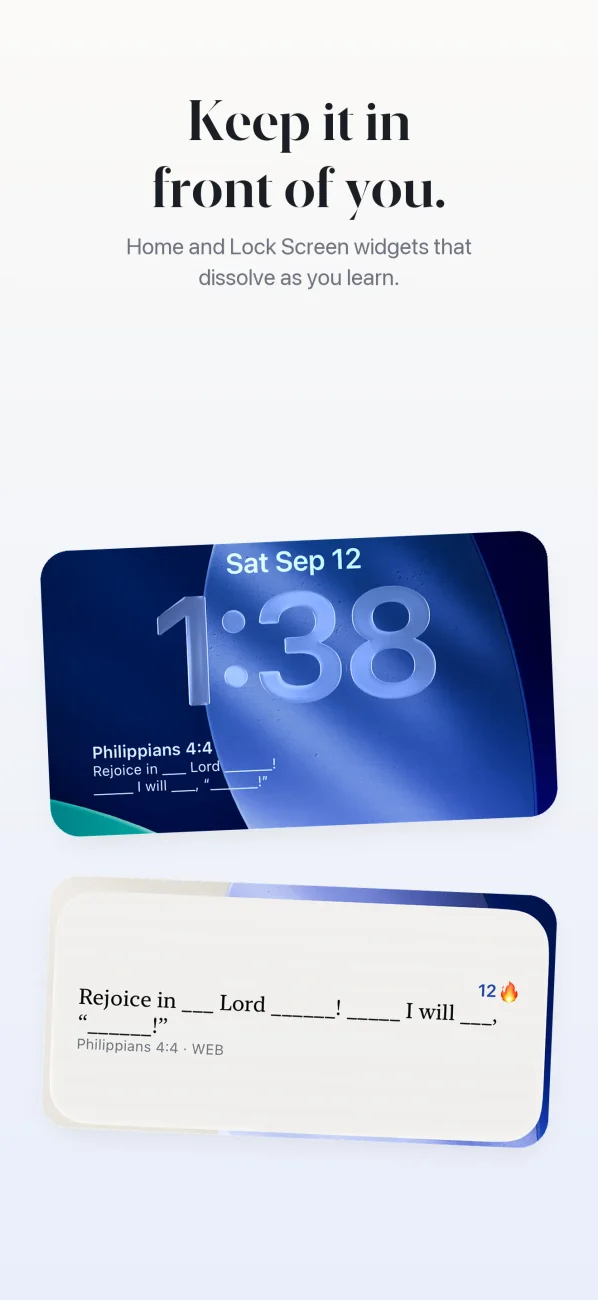
Home screen and Lock Screen widgets show your current verse at its current level of dissolution, along with your streak and due reviews.
MEMORIZE TOGETHER
Share any passage as a challenge link — a friend taps it and gets the same goal, same target date, on their own phone.
TRANSLATIONS
World English Bible, King James Version, and American Standard Version are built in and work fully offline. The English Standard Version (ESV®) is fetched once per passage you're memorizing and kept offline, used by permission of Crossway. More versions, in Spanish and other languages, are read online as you use them, each with its publisher's attribution.
QUIETLY YOURS
No account. No ads. No tracking. Everything — your goals, your progress, your recitations — stays on your phone; the only thing Meno ever sends is an anonymous crash report. Recitation audio is processed entirely on-device and never recorded or uploaded.
Meno (μένω): to remain, to abide. "If you abide in me, and my words abide in you…" — John 15:7
What’s new
Version 1.9.0 · Nov 19, 2026
Meno 1.9 is a top-to-bottom polish of every screen, with a few new things along the way.
MEMORIZE LUKE 2 BY CHRISTMAS
From the Sunday before Advent, Today invites you to an Advent plan: Luke 2:1–14 by Christmas Day, or a shorter track of verses 8–14. Each Advent Sunday brings the week's verses. Share the plan and a friend joins the same goal.
A CLEARER TODAY
Your focus passage comes first, with one button: Start, Continue or Seal. A row of cells shows how far each part of the passage has come, and reviews that are due show as a count.
A BETTER READER
Choose your text size. Touch and hold any verse and pick "Memorize this" to start a passage there. Each chapter ends with a link to the next, and Meno remembers your place in each book.
CALMER PRACTICE
Buttons stay put at the bottom of the screen. Meno asks before you leave a round you've typed or spoken into. In Arrange, tap a placed phrase to take it back. If the microphone is blocked, Speak offers Type instead, with a shortcut to Settings.
LIBRARY AND STATS
Each passage card has one action for the day; sharing, focus and delete live in a More menu. Memorized passages are sorted by which is most at risk of fading. Stats has a week-by-week practice grid, lifetime totals, and badges that say how to earn them.
RECITE TO UNLOCK
Override is on screen at every step of unlocking. Cancel during setup never turns off a lock that's already running.
WIDGETS AND REMINDERS
Widgets follow your text size and say what to do when no passage is chosen. The medium widget opens straight into practice. A pop quiz now names the verse it's about.
EASIER FOR EVERYONE
VoiceOver speaks grading results and reads the reader one verse at a time. Larger text fits on more screens. Symbols replace emoji throughout.
Also: translation lists refresh when you open them, Settings has an About section, and many small fixes.
App privacy
What Justin Rhoads declares on the App Store about how this app handles data.
-
Data not collected
The developer does not collect any data from this app.
Privacy practices may vary, for example with the features you use or your age.
Information
- Seller
- Justin Rhoads
- Category
- Reference
- Version
- 1.9.0
- Updated
- Nov 19, 2026
- Released
- Oct 8, 2026
- Size
- 73.1 MB
- Requires
- iOS 16.4 or later
- Age rating
- 4+
- Price
- Free
- Languages
- English, Spanish
- Copyright
- © 2026 Justin Rhoads
You might also like
-
 FVBChurchEducation
-
 Lowndes County Sheriff (MS)LCSO
-
 Life on MissionReference
-
 Instant Church DirectoryConnect with your church
-
 The Bible Memory AppScripture Memory & Bible Study
-
 Bible: Read, Listen Holy BibleHoly Bible Podcasts, Books
-
 Versify AppBible verse memorization
-
 ESV BibleRead, Listen, Study, Reflect
-
 BibleProjectLearn how to read the Bible
-
 Enduring Word CommentaryWith Pastor David Guzik