
Merge PDF, Split & Unlock
Password Remover, 100% Offline
Designed for iPhone, iPad
Free · In-app purchases
- Age rating4+
- CategoryProductivity
- DeveloperKhoa Le Duy
- LanguagesEnglish+ 5 more
- Size14.4 MB
Links to the official App Store page
Download.org hosts no file of Merge PDF, Split & Unlock. The button opens its official App Store page, published by Khoa Le Duy. Listing last checked on Nov 14, 2026.
Screenshots
About
Merge, split, lock and unlock PDF files — entirely on your iPhone.
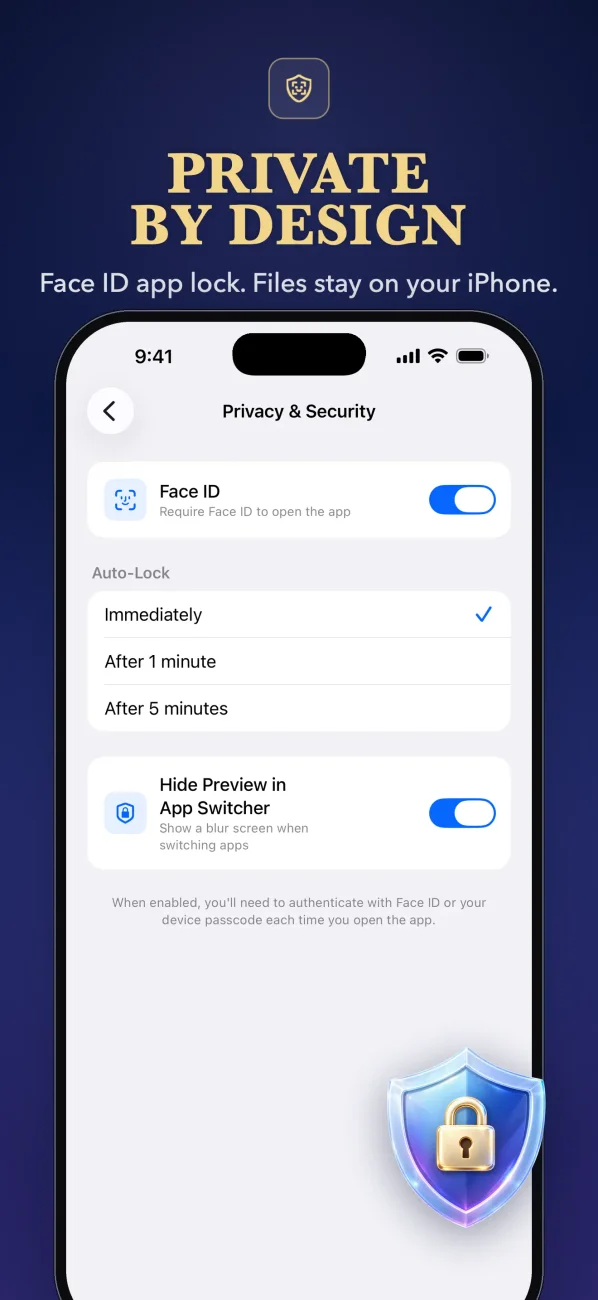
Most PDF tools upload your documents to a server and hand them back. This one never does. Contracts, bank statements, ID scans: they are processed on your device and stay there.
KEY FEATURES
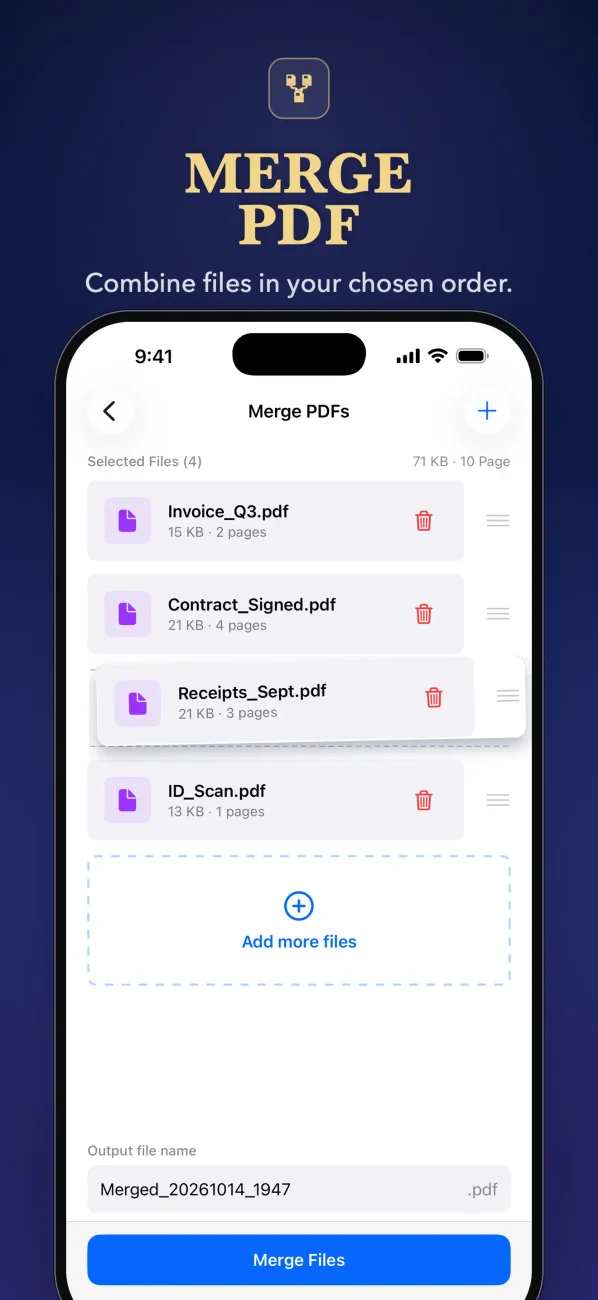
• Merge PDF — combine files in the exact order you arrange them. Drag to reorder before exporting.
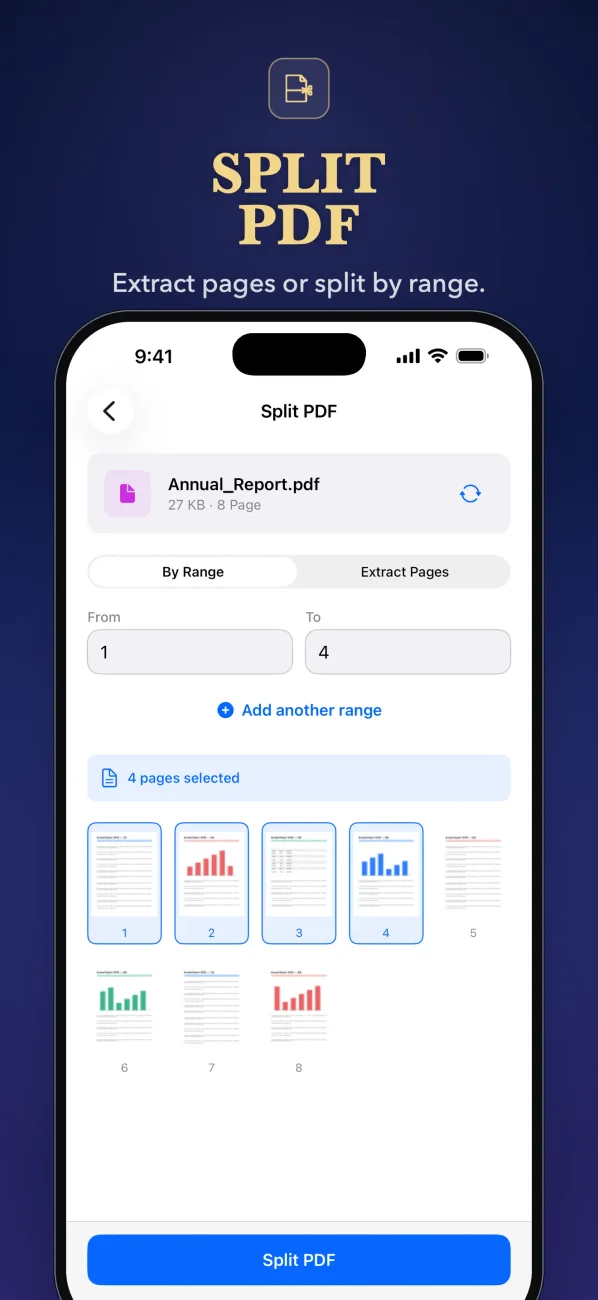
• Split PDF — separate a document into single pages, or pull out just the range you need.
• Extract pages — keep the pages that matter, drop the rest.
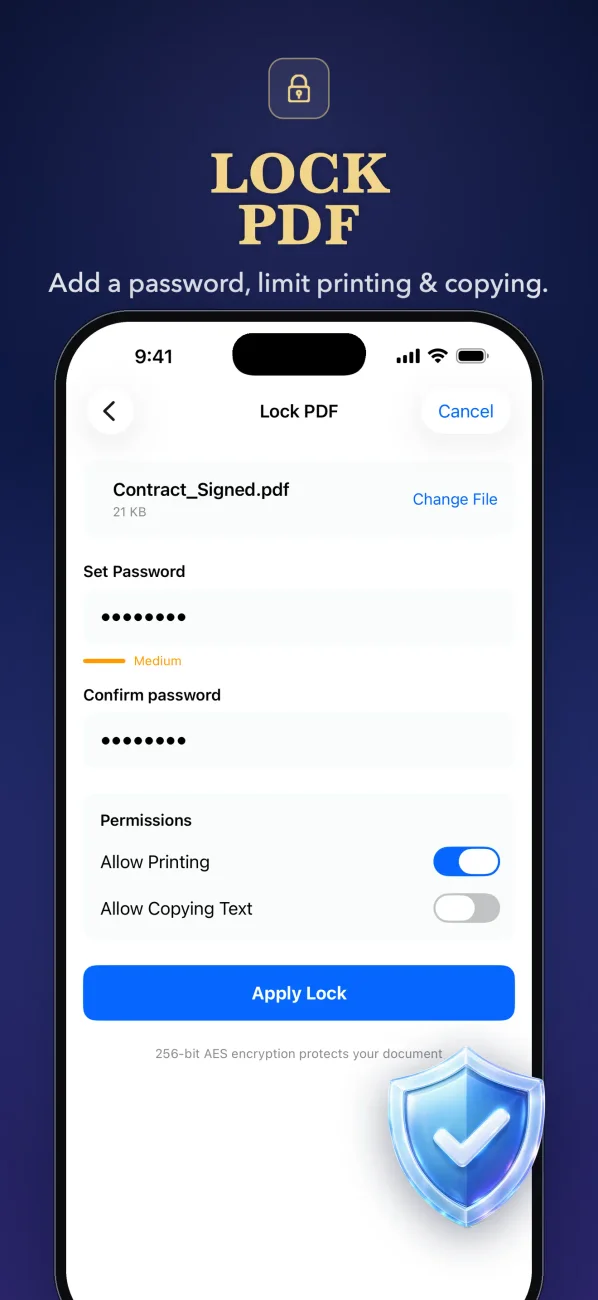
• Lock PDF — set a password, and choose whether printing and copying stay allowed.
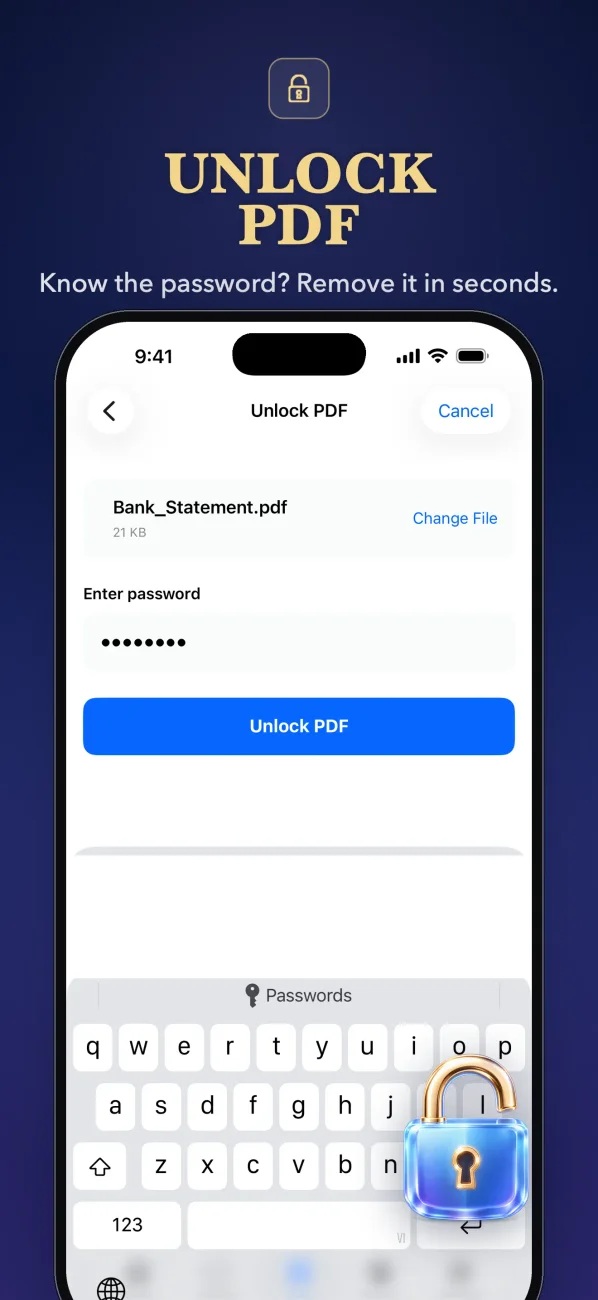
• Unlock PDF — remove a password from a file you have the password for.
• Compress PDF — reduce file size so it fits an email attachment.
• OCR — pull editable, searchable text out of a scanned PDF.
• Watermark — stamp text or an image across your pages, with control over position, rotation and opacity.
• Page numbers — insert numbering anywhere on the page, in the format you pick.
• Extract images — save every picture embedded in a PDF.
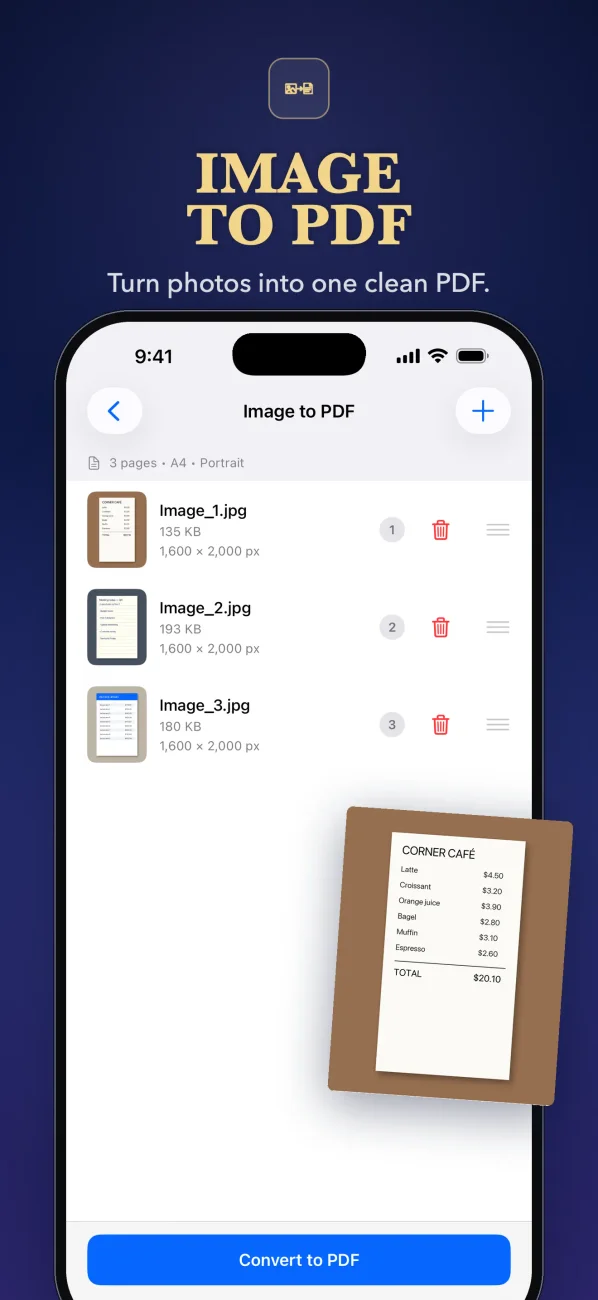
• Convert — images to PDF, PDF to images, PDF to Word, Excel to PDF.
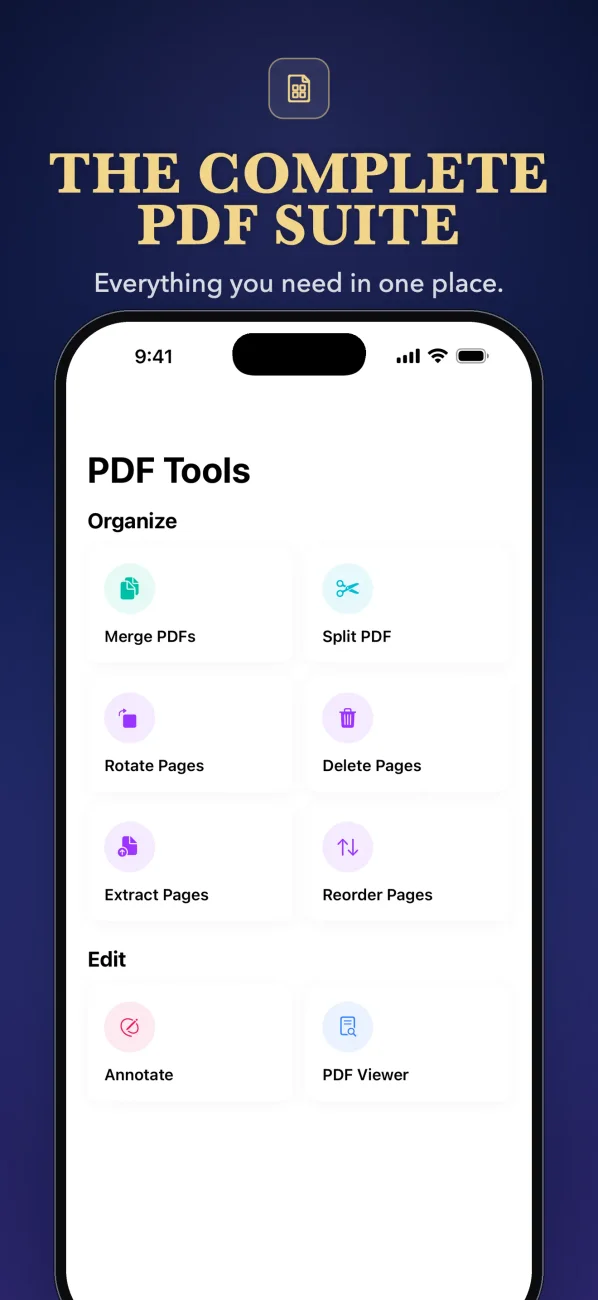
• Rotate, annotate, scan and read — the everyday jobs, in one place.
WHY CHOOSE THIS APP
• Your documents are never uploaded. Every PDF tool runs on your device.
• No account and no sign-up.
• Every tool except Web to PDF works with no internet connection.
• Your file order is preserved exactly as you arranged it.
WHO IT'S FOR
Office workers merging invoices before sending them to accounting. Students joining lecture files into one. Anyone who needs a PDF job finished in under a minute, on the phone already in their hand.
FREE AND PREMIUM
Reading, annotating, scanning and rearranging pages are free and unlimited. The other tools give you 5 free jobs a day and are supported by ads. Premium removes the ads and the daily limit, and unlocks OCR, watermarks, page numbers, password protection and PDF to Word.
Premium is an auto-renewing subscription. The price and the renewal period are shown before you buy. Payment is charged to your Apple Account at confirmation, and renews unless cancelled at least 24 hours before the end of the current period. Manage or cancel in your Apple Account settings.
FREQUENTLY ASKED QUESTIONS
Q: Are my files uploaded anywhere?
A: No. All processing happens on your device using Apple's PDFKit.
Q: Does it work without internet?
A: Yes. Every tool works offline except Web to PDF, which needs a connection to load the page.
Q: Can it remove a password I don't know?
A: No. You need the current password to unlock a file.
Terms of Use (EULA): https://www.apple.com/legal/internet-services/itunes/dev/stdeula/
Privacy Policy: https://khoald2302.github.io/pdf-converter/privacy/
What’s new
Version 1.9 · Nov 8, 2026
Merge, split, lock and unlock PDFs, entirely on your iPhone.
• The Premium screen now shows the yearly price and renewal right on the subscribe button, and tapping a plan only selects it.
Your documents are never uploaded.
App privacy
What Khoa Le Duy declares on the App Store about how this app handles data.
-
Data used to track you
May be used to track you across apps and websites owned by other companies.
- Identifiers
- Usage data
-
Data not linked to you
May be collected but is not linked to your identity.
- Purchases
- Identifiers
- Usage data
- Diagnostics
Privacy practices may vary, for example with the features you use or your age.
Information
- Seller
- Khoa Le Duy
- Category
- Productivity
- Version
- 1.9
- Updated
- Nov 8, 2026
- Released
- Apr 26, 2026
- Size
- 14.4 MB
- Requires
- iOS 17.6 or later
- Age rating
- 4+
- Price
- Free
- In-app purchases
- Yes
- Languages
- English, German, Japanese, Korean, Spanish, Vietnamese
- Copyright
- © 2026 KTTLab inc.
You might also like
-
 PDF Reader & Scanner: Sign PDFDocument Reader, OCR, Offline
-
 PDF Merger: Combine & JoinMerge Files, Reorder & Rotate
-
 PDF Split & ExtractExtract or split PDF pages
-
 Cozy PDF Tools: Merge & SplitImage to PDF, Merge & Split
-
 DocFill – PDF Editor & MergerFill, Sign, Merge & Compress
-
 Time Tracker : Track Your TimeSimple Time Tracking Tool
-
 Merge PDF Files & Lock PDFMerge PDF & Lock PDF Files
-
 Convert Photo to PDF: ConvertoPrivate Photo to PDF Maker
-
 Apex AI Notetaker, TranscriberAI Transcription & Summaries
-
 PDF Maker - Img to pdf covertImage to pdf converter - PDF